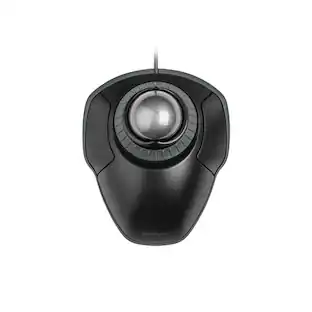
Delton - S30 Ergonomic Wireless Optical Mouse, 3 Adjustable DPI (DMERGS30-WB) - Wireless - Black
Reviews coming soon
About this product
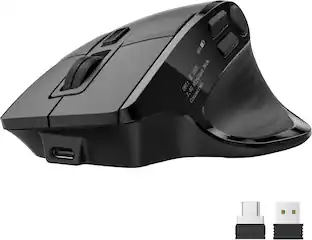
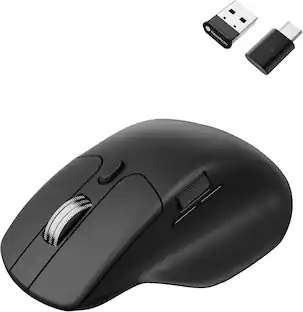
Maximize comfort and precision with the Delton S30 ergonomic mouse. This wireless USB mouse is designed to be comfortable even for larger hands and is medically recommended to promote healthy hand posture. The mouse features ultra-glide pads for fluid cursor movement and offers a robust 2.4GHz wireless connection compatible with Windows, macOS, and iOS. This wireless mouse has an auto-pair USB dongle for easy connectivity, a high-precision optical sensor for accurate tracking, and three adjustable dpi settings to suit various tasks. Enjoy seamless document and web navigation with the smooth-glide scroll wheel, and benefit from the whisper-quiet buttons for a peaceful workspace. The S30 vertical mouse includes a compartment for secure dongle storage and intuitive side buttons for efficient navigation. The mouse is engineered for low energy consumption with an auto-sleep feature. Powered by just two AA batteries for extended use, the S30 ergonomic wireless mouse is perfect both for professional and personal use.
Built for Bigger Hands
Get all-day comfort with a vertical design that supports natural wrist alignment and reduces strain.
Smooth and Silent Navigation
Glide through tasks with whisper-quiet clicks and a smooth scroll wheel that keeps distractions low.
Custom Control at Your Fingertips
Switch between 800, 1200, and 1600 DPI settings for the precision you need, when you need it.
Quick Pair, Strong Connection
Enjoy seamless setup with an auto-pair USB dongle and 2.4G wireless that stays strong up to 30 feet.
Travel-Ready and Efficient
Built-in USB storage and smart power-saving design make it easy to take with you and keep going.
- Lighting TypeNoneMaximum Sensitivity2400 dots per inchNumber of Buttons (Total)6Connection TypeWireless
Reviews
This product doesn't have any reviews yet.

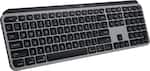
Compare similar products

Maximize comfort and precision with the Delton S30 ergonomic mouse. This wireless USB mouse is designed to be comfortable even for larger hands and is medically recommended to promote healthy hand posture. The mouse features ultra-glide pads for fluid cursor movement and offers a robust 2.4GHz wireless connection compatible with Windows, macOS, and iOS. This wireless mouse has an auto-pair USB dongle for easy connectivity, a high-precision optical sensor for accurate tracking, and three adjustable dpi settings to suit various tasks. Enjoy seamless document and web navigation with the smooth-glide scroll wheel, and benefit from the whisper-quiet buttons for a peaceful workspace. The S30 vertical mouse includes a compartment for secure dongle storage and intuitive side buttons for efficient navigation. The mouse is engineered for low energy consumption with an auto-sleep feature. Powered by just two AA batteries for extended use, the S30 ergonomic wireless mouse is perfect both for professional and personal use.

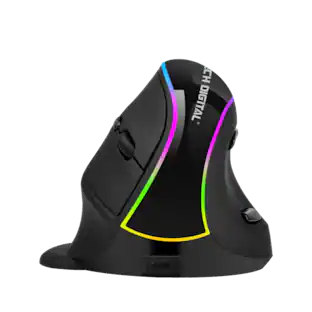
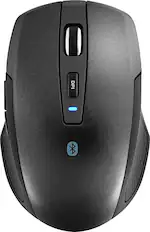
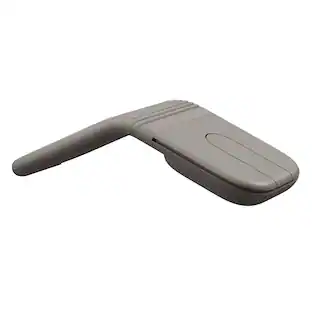
A mouse that not only fits your hand, but also your style sensibilities. The ergonomic right-handed design provides hours of comfort. The Pro Fit Mid-Size Wireless Mouse is built to deliver years of service. Perfect for desktop and mobile users alike, the Pro Fit Mid-Size Wireless Mouse has a nano receiver that operates 2.4 GHz to reduce interference in crowded office environments. The receiver is so small you can leave it in your computer, or slide it in the Pro Fit's built-in receiver storage compartment. Compact mouse provides users with clutter-free productivity for a desktop PC. Complements mobile laptop usage for travel with a storable nano receiver. The ergonomic, right-handed design with a high-definition optical sensor offers precise and responsive control.

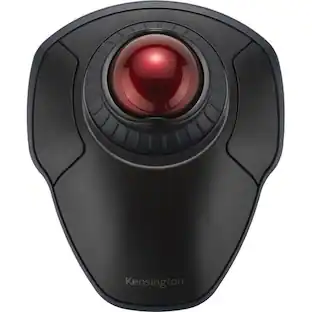
Minimize movement and maximize comfort with the Logitech ERGO M575S wireless trackball mouse. Thumb control lets you move the cursor without moving your arm, while the sculpted ergonomic design fully supports your hand and keeps your forearm in a more natural position. This wireless ergonomic mouse has been developed by Logi Ergo Lab experts, user-tested and certified by ergonomists to give you 25% less muscle strain in your forearm . The smooth and responsive thumb control can be used anywhere – and since it doesn’t need to be moved, the ERGO M575S is perfect for tight setups and busy desks.
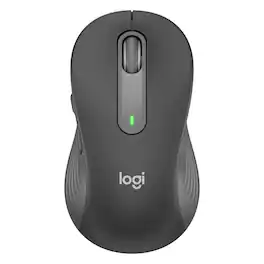
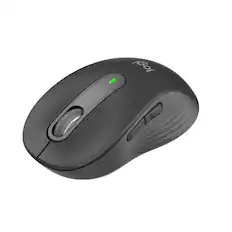
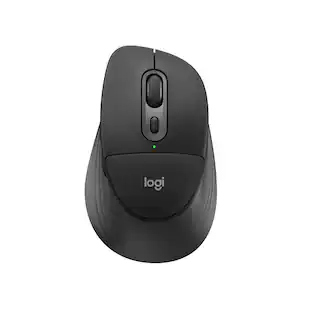
Upgrade to smarter scrolling and more productivity with a mouse comfort-fit for your hand size and preference. You’ll work faster than ever before thanks to SmartWheel scrolling, silent clicks, and a contoured comfort design. Smartwheel Scrolling provides line-by-line precision for documents – and super fast scrolling for long web pages. Choose the right design for you – whether you have smaller or larger hands – and work long hours in comfort thanks to the computer and laptop mouse's contoured shape and soft-to-the-touch thumb area. Connect instantly via Bluetooth or Logi Bolt USB receiver. Customize the side buttons for your favorite shortcuts with Logitech Options+. Work in peace and quiet thanks to 90 percent less click noise and Logitech SilentTouch technology. Plus, work for up to 2 years on the included AA battery so you never have to worry about recharging your mouse.
| Pros for Delton - S30 Ergonomic Wireless Optical Mouse, 3 Adjustable DPI (DMERGS30-WB) - Wireless - Black | |||
|---|---|---|---|
| There were no pros for this product— | There were no pros for this product— | Ergonomics, Overall Performance, Ease of Use, Connectivity, Battery Life | There were no pros for this product— |
| Cons for Delton - S30 Ergonomic Wireless Optical Mouse, 3 Adjustable DPI (DMERGS30-WB) - Wireless - Black | |||
| There were no cons for this product— | There were no cons for this product— | Button Sensitivity | There were no cons for this product— |
Specs
Be the first to ask a question.
We’ll try to get your question answered within 24 hours by a Best Buy customer or brand representative.
Customers often buy these together





Explore tech essentials Sponsored
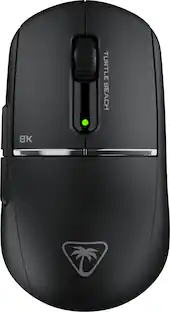
Turtle Beach - Burst II Pro High-Performance Ultra-Lightweight Wireless Optical Esports Gaming Mouse
$99.99The price was $139.99 $69.99The price was $99.99

Discover related products
 $12.99The price was $13.99
 $24.99The price was $27.99








Keep exploring
 $18.99The price was $34.99