
Epson - EcoTank ET-2800 Wireless All-in-One Supertank Inkjet Printer - White
Epson - EcoTank ET-2800 Wireless All-in-One Supertank Inkjet Printer - White
- Epson - EcoTank 522 Ink Bottle - Black$24.99

Related Item

Specifications
- NetworkingWireless, WiredENERGY STAR CertifiedYesPrinter TypeAll In One, Copier, Printer, ScannerISO Color Print Speed5 pages per minuteISO Mono Print Speed10 pages per minuteTouch ScreenNo
- Key Specs
- Networking: Wireless, Wired
- ENERGY STAR Certified: true (Devices carrying the ENERGY STAR service mark, such as computer products and peripherals, kitchen appliances, and other products, generally use 20% to 30% less energy than required by federal standards.)
- Printer Type: All In One, Copier, Printer, Scanner
- ISO Color Print Speed: 5 pages per minute (The number of color pages able to be printed per minute in the device's default single-side mode, as tested by the International Standards Organization (ISO).)
- ISO Mono Print Speed: 10 pages per minute (The number of black ink (grayscale) pages able to be printed per minute in the device's default single-side mode, as tested by the International Standards Organization (ISO).)
- Touch Screen: false (Touch-screen devices make navigating more intuitive. Using a touch-screen display, you can do things such as tap to select, hold and drag to move items, swipe to scroll, and pinch to zoom.)
- General
- Brand: Epson
- Model Number: C11CJ66202
- Product Name: EcoTank ET-2800 Wireless All-in-One Supertank Inkjet Printer
- Color: White
- Display Screen: true
- Display Screen Size: 1.44 inches
- Dimensions
- Product Height: 10 inches (The out of box height of the item. Height is measured as the vertical distance from the bottom of the item to the top as it would be primarily used or placed.)
- Product Width: 14.8 inches (The out of box width of the item. Width is measured as the horizontal distance from one side of the item to the other as it would be primarily used or placed.)
- Product Depth: 22.8 inches (The out of box depth of the item. Depth is measured as the distance from the front of the item to the back as it would be primarily used or placed.)
- Product Weight: 15.3 pounds (The out of box weight of the item.)
- Features
- Automatic Document Feeder: false
- Photo Printing: true
- Monochromatic/Color: Color
- Automatic Reduction/Enlargement: true
- Automatic Two-Sided Printing: false
- Tray Capacity: 100
- Connectivity
- Wired Connectivity: USB-A
- Wireless Connectivity: Bluetooth, Wi-Fi (The manner in which a device sends data to another device over a short distance without the use of wires or cables.)
- Scanner Info
- Scanner Type: Flatbed
- Ink
- Compatible Cartridges: Epson T522
- Ink Cartridges Required: None (The quantity and color of ink cartridges required for the printer to operate.)
- Ink Cartridges Included: None (The quantity and color of ink cartridges included.)
- Ink Bags/Bottles Required: 1 x Black, 1 x Cyan, 1 x Magenta, 1 x Yellow (The quantity and color of ink bags/bottles required for the printer to operate.)
- Ink Bags/Bottles Included: 1 x Black, 1 x Cyan, 1 x Magenta, 1 x Yellow (The quantity and color of ink bags/bottles included.)
- Paper Info
- Supported Paper Sizes: Max. Paper Size 8.5" x 47.2" Paper Sizes 4" x 6", 5" x 7", A6, Half Letter, Letter, A4, Executive, Legal, Paper Types Plain Paper, Bright White Paper, Envelope, Ultra Premium Photo Glossy Paper
- Paper Feeder: Top loader
- Paper Handling: 100 Sheets
- Performance
- Printer Resolution (Color): Up to 5760 x 1440 (Refers to the number of pixels/dots, both horizontally and vertically, of the image produced by the printer in colored ink. Generally, the higher the resolution, the sharper and cleaner the produced image.)
- Warranty
- Warranty - Parts: 1 year limited
- Warranty - Labor: 1 year limited
- Other
- UPC: 010343957893
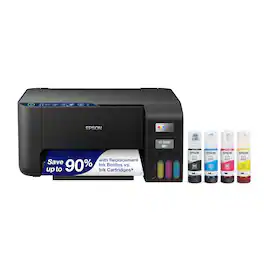
Your family needs a printer that’s fast, affordable, and easy to use. That’s why we developed the EcoTank ET-2800 – an innovative cartridge-free solution that uses high-capacity, easily refillable ink tanks. So you’ll worry less about running out of ink, and save a lot on replacement ink (1). The ET-2800 features genuine Epson print quality, a high-resolution flatbed scanner, and convenient color display – making it the ideal basic home printer.
- Innovative Cartridge-Free Printing: No more tiny, expensive ink cartridges; each ink bottle set is equivalent to about 80 individual cartridges (2)
- Dramatic Savings on Replacement Ink: Save up to 90% with replacement ink bottles vs. ink cartridges (1) – that’s enough to print up to 4,500 pages black/7,500 color (3)
- Stress-Free Printing: Up to 2 years of ink in the box (4) – and with every replacement ink set – for fewer out of ink frustrations
- High-Capacity Ink Tanks: Epson’s exclusive EcoFit ink bottles make filling easy and worry-free
- Zero Cartridge Waste: By using an EcoTank printer, you can help reduce the amount of cartridge waste ending up in landfills
- Impressive Print Quality: Unique Micro Piezo Heat Free technology produces sharp text – plus impressive color photos and graphics – on virtually any paper type
- Built-In Scanner & Copier: High-resolution flatbed scanner and a color display for easy document copying and navigation
- Modern Connectivity: Features wireless, plus hands-free voice-activated printing (5). Easily print from your smart device (6) using AirPrint or the intuitive Epson Smart Panel app (7)
- Use Genuine Epson Ink: For optimal print quality and performance. Non-genuine ink could cause damage not covered by the printer’s limited warranty
Whats Included
- EcoTank ET-2800 Wireless All-in-One Supertank Inkjet Printer
Disclaimers
- 1. Actual savings and costs will vary considerably based on print tasks, print volumes and usage conditions. Savings and cost per ISO page are based on the cost of replacement ink bottles and the cost of enough standard cartridges to achieve the total page yields of the bottles using the MSRP (USD) and yields for Epson standard-capacity ink cartridges for similarly featured Epson consumer inkjet printers as of March 2024.
- 2. Individual cartridges estimate based on print yields of an included or replacement set of black and color ink bottles as compared to Epson standard-capacity ink cartridges for similarly featured printers as of March 2024.
- 3. Part of the ink from the included bottles is used for initial setup; yields are lower than those of replacement ink bottles. Replacement and included ink bottle yields based on the ISO/IEC 24712 pattern with Epson’s methodology. Actual ink yields will vary considerably for reasons including images printed, print settings, temperature and humidity. Yields may be lower when printing infrequently or predominantly with one ink color. All ink colors are used for printing and printer maintenance
- 4. Based on average monthly document print volumes of about 125 pages.
- 5. See www.epson.com/voice for device compatibility. Epson Connect account and voice-activated account registration required.
- 6. Most features require an Internet connection to the printer, as well as an Internet- and/or email-enabled device. For a list of Epson Connect enabled printers and compatible devices and apps, visit www.epson.com/connect
- 7. Requires Epson Smart Panel app download. Data usage fees may apply.
- *Requires a high-speed Internet connection.
Q: can this printer complete a double sided print job without him turning the paper over himself
A: in the description it does state that it does NOT do auto 2-sided printing.
A: It works great for doing sublimation. You do need sublimation spray for cloth that is cotton. It will work without it but colors not as vivid. Printer works AWESOME for craft projects. Easy to convert to sublimation ink.
Q: What's the difference between 2800 and 2850 besides $100?
A: Hello Leigh. The ET-2800 and ET-2850 are similar printers in specifications and design. The significant difference between the two is the ET-2850 offers automatic 2-sided printing. Regards, Kevin - The Epson Team.
A: Hello. The ET-2720 and ET-2800 are identical printers when it comes to specifications. However, there is a minor design difference as the ET-2800 has a textured front panel. Regards, Kevin - The Epson Team.
A: I have had my color ink dry-up and clog the head. There are ways to unclog it on You Tube, but now, I made a Word document with all of the Base colors and I print that each week to keep the heads clear.
Q: ls the et-2800 compatible with chromebook?
A: I beg to differ with the Epson response. My chromebook will not automatically setup the et-2800 printer model, there is no option to select the et-2800 from the model list of Epson printers, and Epson's own support page does not list the et-2800 as a chromebook compatible printer.
Q: Does this come with ink bottles
A: Yes it comes with the 4 bottles of ink. 3/4 of a bottle fills 1 color all the way
Q: CAN THIS PRINTER BE CONNECT VIA A USB CABLE
A: Hi Michael, The EcoTank ET-2800 has a USB port. The cable is not included with the printer. In order to connect it via USB must have a standard USB 2.0 Type-A to Type-B cable. Regards, Mark - The Epson Team.
Compare similar products
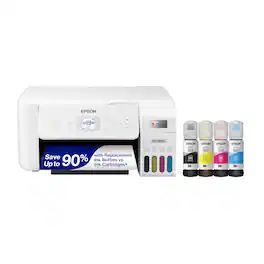
Your family needs a printer that’s fast, affordable, and easy to use. That’s why we developed the EcoTank ET-2800 – an innovative cartridge-free solution that uses high-capacity, easily refillable ink tanks. So you’ll worry less about running out of ink, and save a lot on replacement ink (1). The ET-2800 features genuine Epson print quality, a high-resolution flatbed scanner, and convenient color display – making it the ideal basic home printer.

From America's most trusted printer brand², the HP Smart Tank 5101 Printer is a smart, connected and refillable tank printer that makes printing seamless for your home with its high capacity and wireless connectivity. Create everyday color documents at a low cost with 3 years of Original HP Ink included in the box¹. This Smart Tank printer is an inkjet perfect for high-volume printing. It's also AI-enabled³ to intuitively adapt to your workflow, with wireless and security features that keep your multifunction printer up to date and secure.
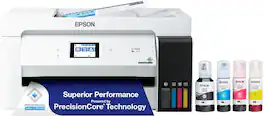
The EcoTank ET-15000 wireless all-in-one offers Cartridge-Free Printing with easy-to-fill supersized ink tanks. Save up to 90 percent on ink with low-cost replacement bottles (1). This all-in-one delivers vibrant prints up to 13" x 19" (through rear-feed tray) and scans up to 8.5" x 14" (via the ADF). Print for up to 2 years with each included or replacement ink bottle set (2) — each replacement set includes enough ink to print up to 7,500 pages (3). That’s equivalent to about 80 individual cartridges (4). And, there’s zero cartridge waste. The ET-15000 features a 250-sheet front tray paper capacity and rear specialty-paper feed, plus a 2.7" color touchscreen and hands-free voice-activated printing (5).
You’re looking for an easy-to-use Supertank printer that will get the job done. That’s why we developed the EcoTank ET-2400 – an innovative cartridge-free solution that uses high-capacity, easily refillable ink tanks. So you’ll worry less about running out of ink, and save a lot on replacement ink (1). The ET-2400 features genuine Epson print quality and a high-resolution flatbed scanner – making it a convenient choice for essential, everyday home printing.
| Pros for Epson - EcoTank ET-2800 Wireless All-in-One Supertank Inkjet Printer - White | |||
|---|---|---|---|
| Print Quality, Ease of use, Overall Performance, Setup, Size | Print Quality, Ease of use, Overall Performance, Setup, Connectivity | Print Quality, Ease of use, Overall Performance, Setup, Size | Print Quality, Ease of use, Overall Performance, Setup, Price |
| Cons for Epson - EcoTank ET-2800 Wireless All-in-One Supertank Inkjet Printer - White | |||
| Connectivity, Noise Level, Paper Tray | There were no cons for this product— | Paper Jam, Noise Level | Connectivity, Noise Level, Paper Jam, Automatic Document Feeder |
Specs
Reviews
Customers are saying
Customers recognize the EcoTank ET-2800 for its decent print quality and ease of use. Many appreciate its overall performance, easy setup, and perfect size. However, some customers have expressed concerns about the paper tray, limited connectivity, and noise level.
Customer Images
The vast majority of our reviews come from verified purchases. Reviews from customers may include My Best Buy members, employees, and Tech Insider Network members (as tagged). Select reviewers may receive discounted products, promotional considerations or entries into drawings for honest, helpful reviews.
- Rated 5 out of 5 stars
Outstanding Ease of Operation/User Friendly
Love, love this printer. Replaced an HP that gave us headaches from when we first opened the box. That was replacing a cartridge printer that was costing us almost as much as a printer in ink. Love having a user guide and an interactive screen to guide you with labeled buttons that actually work. When paired with my IPhone, the printer actually sends the print job to printing in less than a minute. The HP seemed to only have errors and printed out reams of paper to tell how to correct an issue…and it did not work most of the time. I feel vindicated that it was not operator error. I was able to set the whole printer up on my own with the very helpful prompts on my phone and on the screen. I even filled the ink tanks! And even loading the paper was so much more user friendly. My only concern is the possibility of clogged ink jets. Trying to make sure to use it at least once every week or two to avoid that. Oh, the ink is supposed to last a year. I had none left in the bottles when I filled the tanks. Hoping it does.
NYGrammy25 Posted
- Rated 5 out of 5 stars
Very user-friendly and Very eco-friendly
It took me forever to decide which printer I should buy but finally I purchased this one. And it did not disappoint me so far. I bought this printer for printing colored labels and work sheets etc. And For colored label stickers, it prints pretty fast, and did not use much ink at all. The installing was easy, it took a bit time but as long as you follow the instructions you will be fine. I use the scanning function quite often, and it's easy to use too. And the printer itself is not big, so very compact machine and doesnt take much space, which is nice.
QingK Posted
- Rated 5 out of 5 stars
I Love this printer
This is the best printer I ever have. I could save a tons of money as this printer comes with a free bottle of ink. Instructions of filling the tank is very straightforward. The quality of the print is superb. I could print using my cellphone. My kid loves to print his favorite cartoon characters. Just connect it with bluetooth and voila I could print unlimited.
Jaja Posted







