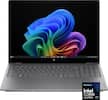
HP - 17.3" HD+ Laptop - AMD Ryzen 3 7320U - 8GB Memory - 256GB SSD - Natural Silver
Model: 8D617UA#ABA
SKU: 13027081
More screen, less footprint. The HP 17.3” Laptop PC is about sustainability while blending performance and comfort. See more and enjoy flicker-free images on an HD+ screen with a narrow bezel and get comfy while you type with a new lift-hinge that elevates the keyboard. Multitasking feels easy and fast with the performance of an AMD processor, powerful graphics, and speedy Wi-Fi technology. Store more of what you love with a lot of storage. Everyday computing made easy, with a wide array of comfort features like HP Fast Charge and an enlarged click pad. It makes it so all you need to do is you, and not think about anything else.
Experience the most secure Windows ever built with fast boot times, increased responsiveness, and added protection against phishing and malware.
Enjoy your photos, movies, and games with the crisp quality of 1.4 million pixels.
Experience a whole new level of speed and power in a laptop powered by AMD. Accelerate your work and your creativity with blazing fast speed. Explore true freedom and flexibility with incredible battery life.
Whether it’s games or movies, experience high performance for all your entertainment.
Get responsive performance with the power efficient LPDDR5. Designed to support higher data rates, address next-gen memory requirements, and have longer battery life.
Get up to 15x faster performance than a traditional hard drive.¹
Non-reflective and low gloss means you'll get less glare while you're outside.
HP custom-tunes the dual speaker setup in every notebook for exceptional stereo quality.
Take on the day without worrying about recharging.
Go from 0 to 50% charge in approximately 45 minutes.²
Video chat in vibrant clarity, even in low light, and make every conversation a face-to-face experience for a better way to stay in touch.
No more unsightly tape and tacky gum to hide your private moments. Ensure your privacy and security with a visible, physical shutter that turns off your PC’s camera when not in use.
Stay connected to Wi-Fi and to Bluetooth accessories with wireless technology.
The new lift-hinge design elevates your keyboard for more natural and comfortable typing.
Narrow bezel for optimized display area.
¹Based on HP internal testing using CrystalDiskMark benchmarking software. Performance is sequentially faster (read only) compared to traditional 5,400 rpm HDD.
²Recharges your battery up to 50% within 45 minutes when the system is off (using “shut down” command). After charging has reached 50% capacity, charging speed will return to normal speed. Charging time may vary +/-10% due to System tolerance.
Can someone give me the major differences between the Intel I3 and AMD Ryzen 3? The price fluctuates from week to week for the HP 8/256..I see the spec differences but what is the operating differences? Thanks.
Thank you for inquiring. AMD processors are at a lower price point, so you'll find prices of laptops and desktops with AMD Ryzen processors lower than their Intel counterparts. It's easier to compare them as "good, better, best". Where models with Ryzen processors in models at the "good" level don't typically include discrete graphics cards, Intel's CPUs sometimes do; especially the Core processors. The AMD Ryzen 3 and Intel i3 processors are typically in the "good" category, for general household computing, students, and light use. For business, we'd recommend the "better" category, Ryzen 5 and Intel i5. For gaming, creation, and rendering, typically with discrete graphics cards, we'd recommend the "best" Ryzen 7 or 9, or the Intel i7 or i9.

How many RAM slots are removable? What is the maximum amount of RAM that can be installed?
Thank you for the question. The Pavilion 17-cp2033dx laptop has onboard RAM - soldered to the motherboard. It's not removable or upgradeable
This laptop will need MS office compulsory to start the computer? I will not purchase MS office word excel power point along with laptop, I can not use laptop? Can we remove s mode, how to remove s mode?
Thank you for the question. You can use the laptop. Microsoft 365 (formerly Microsoft Office) is not compulsory. However, a 30-day free trial of Microsoft 365 is included if you change your mind. The HP 17-cp2033dx has Windows 11 Home in S Mode, but you can convert to Windows 11 Home for free, in just a few clicks. The conversion is not reversible. See instructions for conversion at Microsoft.com.
Can a external hard drive be used for this laptop if wanting to transfer or back up data?
Hi there. Thank you for your question. Yes, you would be able to plug in an external hard drive into one of the USB ports on the side of this laptop for transferring files or backing up your computer data.
Does this have a cd/dvd drive built in? I’m looking to buy this with the sole purpose of uploading pics and videos n transferring them into cd/dvd”s. Thank you!
Thank you for the question. The HP 17-cp2033dx does not have a CD/DVD drive. As laptops have become thinner and lighter, and as users have moved to acquiring content via downloading and streaming, optical drives have been eliminated from laptop designs. You can connect an external drive to accomplish what you need. For example: https://www.bestbuy.com/site/lg-8x-external-usb-double-layer-dvdrw-cd-rw-drive-black/5852919.p?skuId=5852919