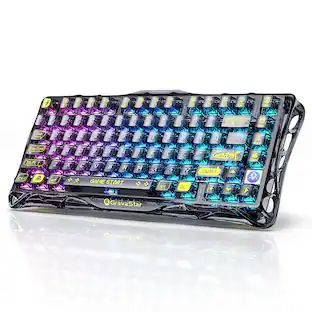
HyperX - Alloy Rise Full-size Wired Mechanical Linear Switch Gaming Keyboard with RGB Lighting - Black
About this product
As the world's most customizable toolless mechanical gaming keyboard on the market, the HyperX Alloy Rise takes personalization to the next level. Not only can you hot-swap in key switches, but also magnetic top plates, badges, and more. All that customization is built onto the Alloy Rise’s solid frame and ultra-responsive 8k polling rate. Out of the box, this keyboard features pre-lubed HyperX Linear Switches rated for up to 80 million keypresses as well as pre-installed HyperX PBT Keycaps. You’ll also get an upgraded RGB experience courtesy of the ambient light sensor that auto-adjusts the brightness, 10 keyboard profiles saved directly to the keyboard, and powerful customization via HyperX NGENUITY Software. Get one step closer to your endgame with the HyperX Alloy Rise.
Form Factor
Full-sizeFeatures
Copious customization options
With swappable toolless top plates, badges, and rotary knobs, you’ll have a wealth of ways to show off your own individual style. Rise up!
Hot-swappable keyboard
Take keyboard personalization even further with the ability to hot-swap your key switches of choice into the board.
Smart ambient light sensor
Alloy Rise is the world’s first gaming keyboard to introduce an ambient light sensor that dynamically adjusts the backlighting of your RGB to your environmental lighting conditions. Just tweak your preferences in NGENUITY and you’re set!
Gasket mounted keyboard
The Alloy Rise is gasket mounted, and pairs that feature with smooth, easy-actuating HyperX Linear Switches to make your typing an even more comfortable experience.
Superb keypress stability and reliability
HyperX Linear Switches have a half-wall POM stem for better stability of the preinstalled HyperX PBT Keycaps. They're also factory lubed for smooth actuation and rated for up to 80 million keypresses.
Dedicated media controls
Take control of your entertainment with dedicated media controls for forward, back, play and pause. Use the rotary knob to adjust or mute the volume.
Save up to 10 profiles to your keyboard
With the ability to save a whopping 10 profiles directly to your keyboard, you’ll be able to have a lighting and macro setup ready for any situation, anywhere.
Detachable cable for easy setup
The detachable, left-aligned USB connection makes cable management and transport a breeze.
Compatibility
PC, PS5, PS4, Xbox Series X|STM, and Xbox One
Specifications
- Lighting TypeRGBForm FactorFull-sizeKeyboard TechnologyMechanicalKey Switch BehaviorLinearConnection TypeWired
Reviews
Rating 4.6 out of 5 stars with 83 reviews
Customer Images
The vast majority of our reviews come from verified purchases. Reviews from customers may include My Best Buy members, employees, and Tech Insider Network members (as tagged). Select reviewers may receive discounted products, promotional considerations or entries into drawings for honest, helpful reviews.

Compare similar products
As the world's most customizable toolless mechanical gaming keyboard on the market, the HyperX Alloy Rise takes personalization to the next level. Not only can you hot-swap in key switches, but also magnetic top plates, badges, and more. All that customization is built onto the Alloy Rise’s solid frame and ultra-responsive 8k polling rate. Out of the box, this keyboard features pre-lubed HyperX Linear Switches rated for up to 80 million keypresses as well as pre-installed HyperX PBT Keycaps. You’ll also get an upgraded RGB experience courtesy of the ambient light sensor that auto-adjusts the brightness, 10 keyboard profiles saved directly to the keyboard, and powerful customization via HyperX NGENUITY Software. Get one step closer to your endgame with the HyperX Alloy Rise.

As the world's most customizable toolless mechanical gaming keyboard on the market5, the HyperX Alloy Rise 75 takes personalization to the next level. Not only can you hot-swap in key switches, but also magnetic top plates, badges, and more. All that customization is built onto its compact, solid frame and ultra-responsive 8k polling rate, giving you rapid keypress detection and more room. Out of the box, this keyboard features pre-lubed HyperX Linear Switches rated for up to 80 million keypresses as well as pre-installed HyperX PBT Keycaps. The 75% form factor is a great balance between compactness and function, providing dedicated arrow keys, navigation keys, and F keys. You’ll also get an upgraded RGB experience courtesy of the ambient light sensor that auto-adjusts the brightness, 10 keyboard profiles saved directly to the keyboard, and powerful customization via HyperX NGENUITY Software. Get one step closer to your endgame with the HyperX Alloy Rise 75.

With a long battery life, never fear adventures getting cut too short with the HyperX Alloy Rise 75 Wireless Gaming Keyboard. Dive into non-stop gaming excitement with 80 hours of backlit¹, immersive gameplay, or push the limits to a staggering 1500 hours with the backlighting off¹. Pick between a seamless 2.4GHz wireless connection or switch between up to 3 devices via Bluetooth. Personalize your adventures with the most customizable gaming keyboard; Not only can you hot-swap in key switches, but also magnetic top plates, badges, and more. Upgrade your gaming setup with our sleek 75% form factor, providing a great balance between compactness and function with its dedicated arrow keys, navigation keys, F keys, and rotary volume knob. This keyboard features a lightning-fast 1k polling rate for rapid keypress detection using our pre-lubed HyperX Linear Switches, rated for up to 80 million keypresses². You’ll also enhance your gaming ambiance thanks to the ambient light sensor, which auto-adjusts brightness based on your lighting environment.

Enhance your in-game performance with this HyperX Alloy Core RGB gaming keyboard. Its soft-touch keys are equipped with anti-ghosting functionality to prevent accidental keystrokes, and the dedicated media controls provide quick access to frequently used functions for seamless operation. This HyperX Alloy Core RGB gaming keyboard is housed in a reinforced plastic frame for maximum stability.
| Pros for HyperX - Alloy Rise Full-size Wired Mechanical Linear Switch Gaming Keyboard with RGB Lighting - Black | |||
|---|---|---|---|
| There were no pros for this product— | Key Feel, Build Quality | There were no pros for this product— | Key Feel, RGB Lighting, Keyboard Quality, Price, Ease of use |
| Cons for HyperX - Alloy Rise Full-size Wired Mechanical Linear Switch Gaming Keyboard with RGB Lighting - Black | |||
| There were no cons for this product— | There were no cons for this product— | There were no cons for this product— | Size |
Specs
Customers often buy these together

Logitech - MK540 Full-size Advanced Wireless Membrane Keyboard and Mouse Combo for PC - Black
$48.95The price was $59.99![esc 1 ! 2 @ 3 # 4 $ 5 % 6 ^ 7 & 8 * 9 ( 0 ) - = | F1 F2 F3 F4 F5 F6 F7 F8 F9 F10 F11 F12 tab Q W E R T Y U I O P [ ] { } | caps A S D F G H J K L : : enter shift Z X C V B N M , < > ? shift ctrl alt fn ctrl](https://pisces.bbystatic.com/image2/BestBuy_US/images/products/bc5bce35-ca08-45da-bcc3-8d6fb215154b.jpg;maxHeight=232;maxWidth=233?format=webp)
Razer - Huntsman Mini 60% Wired Optical Clicky Switch Gaming Keyboard with Chroma RGB Backlighting - Black
Holiday Deal$68.99The price was $119.99






![Sure, here is the corrected and grouped text from the image:
**Top Row:**
- ESC
- F1
- F2
- F3
- F4
- F5
- F6
- F7
- F8
- F9
- F10
- F11
- F12
- PRTSC
- DEL
**Number Row:**
- 1
- 2
- 3
- 4
- 5
- 6
- 7
- 8
- 9
- 0
- -
- =
- \
**Letter Row:**
- TAB
- Q
- W
- E
- R
- T
- Y
- U
- I
- O
- P
- [
- ]
- \
**Letter Row:**
- CAPS
- A
- S
- D
- F
- G
- H
- J
- K
- L
- ;
- '
**Letter Row:**
- SHIFT
- Z
- X
- C
- V
- B
- N
- M
- ,
- .
- /
**Function Row:**
-](https://pisces.bbystatic.com/image2/BestBuy_US/images/products/9be10b95-8e90-4a5d-b85f-cbc6a7d8e8df.png;maxHeight=232;maxWidth=233?format=webp)
![esc F1 F2 F3 F4 F5 F6 F7 F8 F9 F10 F11 F12 1 2 3 4 5 6 7 8 9 0 - = backspace tab Q W E R T Y U I O P [ ] \ caps lock A S D F G H J K L ; ' shift Z X C V B N M , . / shift ctrl alt logi](https://pisces.bbystatic.com/image2/BestBuy_US/images/products/6411/6411501_sd.jpg;maxHeight=232;maxWidth=233?format=webp)

![Sure, here is the corrected and grouped text:
```
ESC F1 F2 F3 F4 F5 F6 F7 F8 F9 F10 F11 F12 1 2 3 logitech - - 1 2 # $ 4 % 5 6 & 7 8 9 0 - - back insert home page up num lock clear / . tab Q W E R T Y U I O P { [ } ] / delete end page down 7 home 8 A 9 P9 up + caps lock A S D F G H J K L : ; a enter 4 5 6 shift Z X C V B N M < > ? shift 1 end 2 3 pg dn enter ctrl fn start alt opt alt crnd x alt cmd x fn ctrl alt opt 0 ins del 1 logitech
```](https://pisces.bbystatic.com/image2/BestBuy_US/images/products/5761/5761911_sd.jpg;maxHeight=232;maxWidth=233?format=webp)

![Esc F1 F2 F3 F4 F5 F6 F7 F8 F9 F10 F11 F12 Print Screen Scroll Lock Pause Break 1 2 3 4 5 6 7 8 9 0 - + = Backspace Insert Home H Page Up A Num Look 1 I Tab Q W E R T Y U I o P { [ } ] I I Delete End IN Page Down 7 Home 8 9 Pg Up Caps A Lock A S D F G H J K L ; : DE g Enter 4 5 6 Shift Z X C V N M < > ? I Shift 1 End 2 3 Pp Dn Enter Ctrl Alt Alt Ctrl 0 Ins Del](https://pisces.bbystatic.com/image2/BestBuy_US/images/products/a588d446-5678-40ae-86b8-1f15e0026e66.jpg;maxHeight=232;maxWidth=233?format=webp)
More to consider
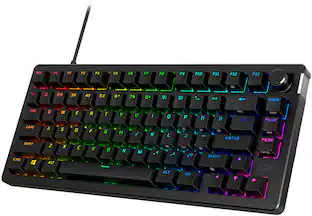
HyperX Alloy Rise 75 75% Wired Mechanical Linear Switch Gaming Keyboard with RGB Lighting
$84.99The price was $169.99HyperX Alloy Rise 75 Wireless Mechanical Gaming Keyboard with RGB Lighting and Hot-Swappable Switches
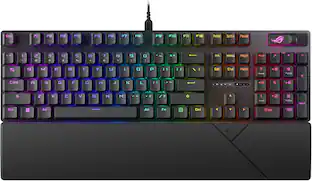
$149.99The price was $229.99ASUS ROG Strix Scope II X Full-size Wired Mechanical RGB Gaming Keyboard with Hot-Swappable ROG NX Snow Switches
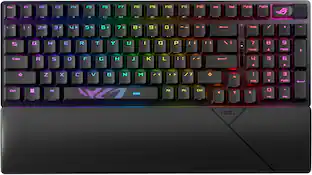
$104.99The price was $129.99ASUS ROG Strix Scope II 96 96% Wireless Mechanical Gaming Keyboard with Hot-Swappable ROG NX Snow Switches
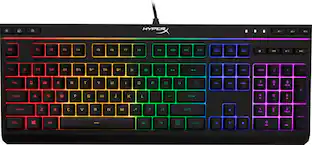
$125.00The price was $179.99HyperX Alloy Origins Core TKL Wired Mechanical Tactile Aqua Switch Gaming Keyboard with RGB Back Lighting
$79.99The price was $104.99Razer BlackWidow V4 TKL HyperSpeed Wireless Mechanical Orange Switch Gaming Keyboard with Hot-Swappable Design
Holiday Deal$99.99The price was $179.99Razer BlackWidow V4 X Full Size Wired Mechanical Green Clicky Switch Gaming Keyboard with Chroma RGB Backlighting
Clearance$103.99The price was $129.99Logitech G316 X 75 Gaming Keyboard with Hot-Swappable Tactile Switches, USB-C, RGB LIGHTSYNC for PC
$89.99The price was $99.99



Explore tech essentials Sponsored
HyperX HP OMEN 16" 165Hz 2.5K OLED Gaming Laptop - AMD Ryzen 7 8745HX (2025) - 16GB RAM - NVIDIA GeForce RTX 5060 - 512GB SSD
$1,524.99The price was $2,149.99Razer Huntsman V3 Pro TKL Wired Analog Optical Linear Switch Gaming Keyboard with Snap Tap
Holiday Deal$152.99The price was $219.99

Discover related products
Acer USB C Docking Station With 2 HDMI, 9-IN-1 Docking Hub with USB A&C 3.0, SD/Micro SD, 100W Charging
$42.99The price was $47.99Acer USB C to HDMI Cable for Home Office 6.6FT (4K@60Hz), High-Speed Type C to HDMI 2.0 Braided Cord
$12.99The price was $13.99Logitech X56 HOTAS Microsoft Flight Simulator RGB Dual-Throttle and Joystick
$247.00The price was $275.00Intel Core i5-14400F 14th Gen 10-Core 16-Thread - 4.7GHz Turbo Socket LGA1700 Unlocked Desktop Processor
$167.54The price was $191.99













Keep exploring
GravaStar Mercury V60 Pro Special Edition 60% Wired Hall Effect Gaming Keyboard
$199.95The price was $299.95GravaStar Mercury K98 Pro 98% Wireless Gaming Keyboard – Tri-Mode, Gasket Mount, Hot-Swap, RGB, Numpad
$259.95The price was $359.95