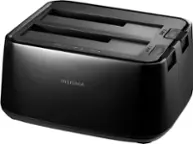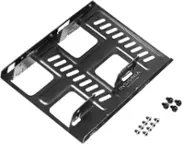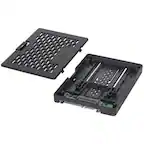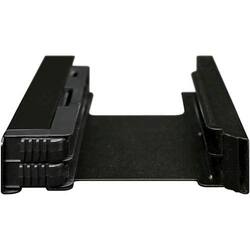
Icy Dock - EZ-Fit PRO Internal 3.5" Drive Bay - Black
Model: MB082
SKU: 5705564
This item is no longer available in new condition. See similar items below
- Key Specs
- Drive Form Factor: 2.5 in.
- Internal Interface: SATA
- General
- Brand: Icy Dock
- Model Number: MB082
- Product Name: EZ-Fit PRO Internal 3.5" Drive Bay
- Color: Black
- Material: Metal
- Compatibility
- Drive Form Factor: 2.5 in.
- Connectivity
- Internal Interface: SATA
- Number of Bays: 1 (Each bay, or enclosure, holds an individual drive.)
- Power
- AC Adapter Included: false (An external power adapter is included for operation.)
- Warranty
- Warranty - Parts: 3 years
- Warranty - Labor: 3 years
- Other
- UPC: 884826001638
Mount drives in seconds with this Cremax drive bay. It converts two 2.5-inch drive bays into one 3.5-inch HDD/SSD bay to double your device's storage capacity and save space. The tool-free mechanism of this Cremax drive bay lets you remove the bracket easily for quick drive swaps and easy replacement.
- Internal 3.5" drive bay: Fits 2 x 2.5" SSD/HDD into a single internal 3.5" drive bay. Compatible with SSD or hard drives with 9.5mm height.
- EZ-Lock mechanism: All that is needed is to slide the SSDs or hard drives in and the drives will automatically lock into place and secured by an EZ-Lock mechanism.
- Anti-vibration design: It has a built-in unique anti-vibration technology for each bay of the device to reduce the amount of vibration in the drives and the case.
- Internal 3.5" drive bay: Fits 2 x 2.5" SSD/HDD into a single internal 3.5" drive bay. Compatible with SSD or hard drives with 9.5mm height.
- EZ-Lock mechanism: All that is needed is to slide the SSDs or hard drives in and the drives will automatically lock into place and secured by an EZ-Lock mechanism.
- Anti-vibration design: It has a built-in unique anti-vibration technology for each bay of the device to reduce the amount of vibration in the drives and the case.
Whats Included
- Icy Dock EZ-Fit PRO Internal 3.5" Drive Bay
- Icy Dock EZ-Fit PRO Internal 3.5" Drive Bay