Incase - Bluetooth Ergonomic Mouse Designed by Microsoft - Wireless - Black
Incase - Bluetooth Ergonomic Mouse Designed by Microsoft - Wireless - Black
- Incase - Bluetooth Keyboard EN Layout Designed by Microsoft - BlackClearance$37.99$49.99

More Buying Options
Related Item

Specifications
- Connection TypeWireless
- Key Specs
- Connection Type: Wireless
- General
- Brand: Incase
- Model Number: 222-00001
- Product Name: Bluetooth Ergonomic Mouse Designed by Microsoft
- Color: Black
- Features
- Mouse Type: Standard
- Performance
- Tracking Method: BlueTrack (There are several types of computer mice, optical and laser being among the most common. Optical mice detect less detail and provide more precise and accurate movement. Laser mice detect more detail and can be used on a wider variety of surfaces, but are more sensitive to small movements.)
- Connectivity
- Connection Type: Wireless
- Wireless Connectivity: Bluetooth (The manner in which a device sends data to another device over a short distance without the use of wires or cables.)
- Operating System Compatibility: Windows, Mac, Apple iPadOS, Apple iOS, Android
- Dimensions
- Product Height: 3 inches (The out of box height of the item. Height is measured as the vertical distance from the bottom of the item to the top as it would be primarily used or placed.)
- Product Length: 1.67 inches (The out of box length of the item. Length is measured as the longest dimension of the item.)
- Product Width: 4.65 inches (The out of box width of the item. Width is measured as the horizontal distance from one side of the item to the other as it would be primarily used or placed.)
- Product Weight: 0.25 grams (The out of box weight of the item.)
- Warranty
- Warranty - Parts: 1 year
- Warranty - Labor: 1 year
- Other
- UPC: 650450264592
Express your creativity with ergonomic comfort and wireless optimization. The Bluetooth Ergonomic Mouse, Designed by Microsoft, features premium precision navigation, two programmable buttons, and three colors to match your style.
- Design: Designed by Microsoft.
- Comfortability: Made for all-day comfort with an ergonomic design made to promote a neutral hand position.
- Thumb Rest: Easy-to-grip thumb rest.
- Navigation: Enjoy easy navigation with a machined aluminum scroll wheel, Teflon base, and precision tracking sensor optimized for a variety of surfaces.
Q: What type of connection does this mouse use?
A: This mouse uses a wireless Bluetooth connection.
Q: What kind of tracking method does this mouse use?
A: This mouse uses BlueTrack tracking.
Q: Is this mouse designed for comfort?
A: Yes, it is designed with ergonomics in mind to promote a neutral hand position for all-day comfort.
Q: How does the Incase mouse navigate?
A: It has a machined aluminum scroll wheel, Teflon base, and precision tracking sensor optimized for a variety of surfaces.
Q: Does this mouse have a thumb rest?
A: Yes, it has an easy-to-grip thumb rest.
Compare similar products

Express your creativity with ergonomic comfort and wireless optimization. The Bluetooth Ergonomic Mouse, Designed by Microsoft, features premium precision navigation, two programmable buttons, and three colors to match your style.

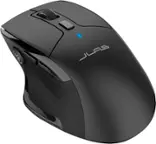
The JBuds Wireless Bluetooth Mouse offers full-sized functionality with a personalized approach. With seven buttons and a comfortable feel, you have everything you need to reach WFH greatness and you can save up to three user profiles. Switching between your favorite functions.

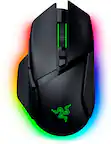
Logitech MX Master 3S Bluetooth Edition – productivity and precision mouse. With Quiet Clicks and 8K DPI any-surface tracking for more feel and performance.

Logitech Wireless Mouse Marathon M705 lets you power on... and on. It uses less power than comparable wireless mice from other companies, so you'll go up to three full years between battery changes.¹ And it uses a tiny wireless receiver that stays plugged in to your computer, so your mouse is ready to go-whenever, wherever, and for as long as it takes. Plus, hyper-fast scrolling means you'll fly through long documents to find what you need in a flash. Advanced Optical Tracking means you'll get smooth, responsive cursor control. And the sculpted, right-hand shape means you'll be as comfortable finishing up as you were getting started.
| Pros for Incase - Bluetooth Ergonomic Mouse Designed by Microsoft - Wireless - Black | |||
|---|---|---|---|
| There were no pros for this product— | Battery Life, Overall Performance, Ergonomics, Ease of use, Bluetooth | Ergonomics, Overall Performance, Battery Life, Button Functionality, Connectivity | Ease of use, Battery Life, Overall Performance, Size, Scroll Wheel |
| Cons for Incase - Bluetooth Ergonomic Mouse Designed by Microsoft - Wireless - Black | |||
| There were no cons for this product— | Lag, Click Noise, Scroll Wheel, Charging | Weight | Weight, Lag, Sensitivity, Surface Compatibility |
Specs
Reviews
Customer Images
The vast majority of our reviews come from verified purchases. Reviews from customers may include My Best Buy members, employees, and Tech Insider Network members (as tagged). Select reviewers may receive discounted products, promotional considerations or entries into drawings for honest, helpful reviews.
- Rated 5 out of 5 stars
Incase-Bluetooth Ergonomic Mouse by Microsoft
I loved the Microsoft 5000 mouse do to size and comfort. The rubber on the wheel kept wearing out. After much research, I purchased the Incase ergonomic blue tooth, designed by Microsoft and sells this Microsoft product under their name. So far, great product and would buy again
backupcamera Posted
- Rated 4 out of 5 stars
good product good price
great mouse especially for an office setting. would highly recommend
JoshuaC Posted
- Rated 5 out of 5 stars
Price is justified
I like the feel of the mouse and the feature that allows the mouse to conserve its battery life for a very long time when mot in use.
Martin Posted