Kensington - SD4781P Dock, Dual 4K, 2xHDMI, 2xDP, 100W PD for Mac/Windows/Chrome - Black
Reviews coming soon
More Buying Options from Marketplace sellers
Related Item

About This Item
- Key Specs
- Maximum Number of Displays Supported: 2
- Number of DisplayPort Outputs (Total): 2
- Passthrough Power: true (Indicates whether the device allows power to passthrough, possibly with some loss, to another device, typically to charge that other device.)
- General
- Brand: Kensington
- Product Name: Kensington SD4781P Dock, Dual 4K, 2xHDMI, 2xDP, 100W PD for Mac/Windows/Chrome
- Color: Black
- Display
- Maximum Number of Displays Supported: 2
- Ports
- Display Connector(s): No external display connection (The number and type of connectors used to connect to an external display.)
- Number of DisplayPort Outputs (Total): 2
- Number of HDMI Ports (Total): 2
- Number of VGA Ports: 0 (VGA (Video Graphics Adapter or Video Graphics Array) is a display standard that transmits via analog signals. This type of interface is typically used to connect a computer to a display device such as a monitor, projector, or TV.)
- USB Ports: 1 x USB-A 3.2, 4 x USB-A 3.2, 6 x USB-A, 6 x USB-C (The number and type of USB ports the product has.)
- Power
- Powered: true
- Power Supply Input: IEC/EN 60320 (IEC 320)
- Maximum Input Power: 170 watts (The maximum amount of power allowed to come into the device.)
- Passthrough Power: true (Indicates whether the device allows power to passthrough, possibly with some loss, to another device, typically to charge that other device.)
- Power Supply Output: DC Jack (The connector type(s) used by the device to send electrical power to another device.)
- Maximum Output Power: 170 watts (The maximum amount of power produced or allowed to flow through the device.)
- Compatibility
- Brand Compatibility: Mac, Windows, Chrome
- Model Compatibility: Mac M1/M2/M3/M4
- Dimensions
- Product Height: 3.60 inches (The out of box height of the item. Height is measured as the vertical distance from the bottom of the item to the top as it would be primarily used or placed.)
- Product Length: 9.20 inches (The out of box length of the item. Length is measured as the longest dimension of the item.)
- Product Width: 5.90 inches (The out of box width of the item. Width is measured as the horizontal distance from one side of the item to the other as it would be primarily used or placed.)
- Product Weight: 51.2 ounces (The out of box weight of the item.)
- Warranty
- Warranty - Parts: Limited Warranty period (parts): 2 years
- Warranty - Labor: Limited Warranty period (labor): 2 years
- Other
- UPC: 085896336037
Kensington SD4781P USB-C & USB-A DisplayLink Docking Station, Dual 4K Display, 2xHDMI, 2xDisplayPort, with 100W Power Delivery, for Mac M1/M2/M3/M4, Windows and Chrome (K33603NA)
- 100W Power Delivery with Optional Splitter for USB-A Laptops: Delivers up to 100W of Power Delivery to compatible laptops while powering connected accessories. USB-A laptops require optional power splitter (K38310NA) for Power Delivery.
- Sustainability Focused: Supports USB-C® and legacy USB-A laptops running Windows 7 or above, macOS 10.14 or above, Chrome OS 44 or above.
- Dual 4K Video via HDMI® 2.0 and DP++ 1.2: The plastic in this product contains up to 50% post-consumer recycled (PCR) content.
- Up to 100W Power Delivery: Ultra HD on up to 2 external monitors. Also supports M1/M2/M3 MacBook with dual displays.
- Multiple Ports: Delivers speeds up to 10Gbps via 1x USB-C® port and 5x USB-A ports. Front: 1x USB-C® 3.2 Gen2 up to 5V/3A or up to 9V/2A for supported devices, and 1x USB-A 3.2 Gen2 up to 5V/1.5A, supports BC 1.2, up to 5V/2.4A for Apple devices; Back: 4x USB-A 3.2 Gen1 up to 5V/0.9A. Also includes a Gigabit Ethernet port and audio combo jack.
Whats Included
- Kensington SD4781P Dock, Dual 4K, 2xHDMI, 2xDP, 100W PD for Mac/Windows/Chrome
Reviews
This product doesn't have any reviews yet.
Compare similar products
Kensington SD4781P USB-C & USB-A DisplayLink Docking Station, Dual 4K Display, 2xHDMI, 2xDisplayPort, with 100W Power Delivery, for Mac M1/M2/M3/M4, Windows and Chrome (K33603NA)
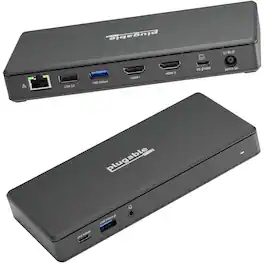
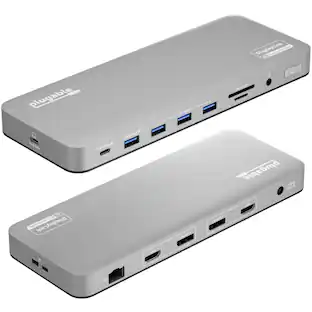
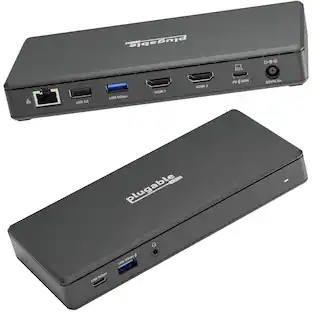
Walk up to this docking station for laptop, plug in, and get to work. The Plugable USB-C computer hub docking station with 65W Power Delivery (UD-MSTH2) has everything you need for productivity. Starting with 2x HDMI ports, each ready for a 4K 60hz monitor so you can give a screen to your email and still dedicate a screen to your spreadsheets (or scrolling). You can even connect your iPhone 15, of course, it’ll only extend to one display. Screens aren’t the only thing you’ll be connecting to this Plugable USB docking station dual monitor. A USB-C port (5 Gbps) for your modern devices, 2x USB (5 Gbps), and a USB 2.0 (480Mbps) for your legacy devices. And of course, ethernet and an audio jack – between flaky Wi-Fi and wireless headphones that never seem to be charged, sometimes it’s best to have a backup.

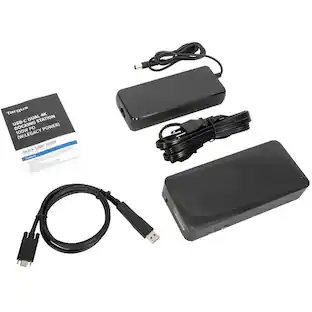
Streamline your on-the-go workspace with Targus USB-C Universal Dual HD Docking Station with 80W PD Pass-Thru. Its stow-away host cable, compact, lightweight design makes it easy to slip into the pocket of your backpack or luggage, and ensures it doesn’t take up valuable working real estate if you’re working remotely. A rubber-padded bottom provides grip so the dock stays in one place. Equipped with DisplayLink technology, this tiny dock offers compatibility with most laptop brands and supports single 2K 2560 x 1440 video or dual HD 2048 x 1152 video via HDMI. Additionally, it comes with a USB-A host adapter so you can use it with new or legacy laptops.
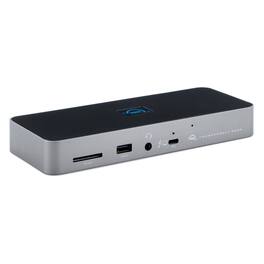
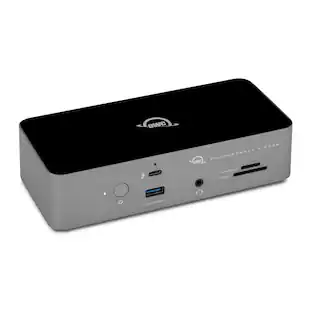
Three Thunderbolt ports and four USB ports empower you to connect to past, present and future devices. Up to two 4K/5K* displays or a 6K/8K display, high-performance storage including NVMe SSDs, A/V mixers, phones, tablets, even desktop accessories like a keyboard or mouse. With the OWC Thunderbolt Dock, an entire world of USB and Thunderbolt accessories is ready for you to connect and expand your capabilities. The latest Thunderbolt interface uses a universal USB-C connector to transfer data, output video, and charge devices through the same cable. The OWC Thunderbolt Dock’s Thunderbolt ports use that same USB-C connector to create a multi-connectivity solution for millions of existing and future Thunderbolt and USB-C computers and devices. Plus, the ports are fully USB4 future compatible. Massively expand the Thunderbolt functionality of your M1 Mac, any 'Intel' Mac with Thunderbolt 3, or any Thunderbolt 4 PC . You can also use the OWC Thunderbolt Dock with non-Thunderbolt USB-C machines like Chromebooks and iPads too. Gain convenient access to portable gear, headphones, and SD cards. Add your favorite Thunderbolt and USB devices, Gigabit Ethernet, and an SD card reader to your workflow... all while keeping your space free of cable clutter.
| Pros for Kensington - SD4781P Dock, Dual 4K, 2xHDMI, 2xDP, 100W PD for Mac/Windows/Chrome - Black | |||
|---|---|---|---|
| There were no pros for this product— | There were no pros for this product— | Overall Performance, Connectivity, Portability, Port Quantity | There were no pros for this product— |
Specs
Customers often buy these together

More to consider
 $237.87The price was $239.87





Explore tech essentials Sponsored
 $45.99The price was $49.99

Keep exploring
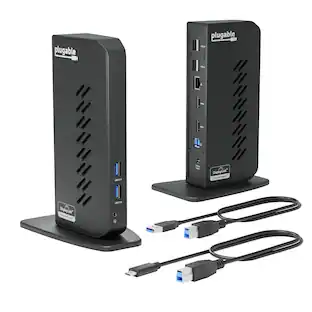
Plugable - USB 3.0 and USB-C Universal Laptop Docking Station for Windows, Mac, ChromeOS | Dual HDMI
$112.95The price was $135.35 $179.99The price was $245.49