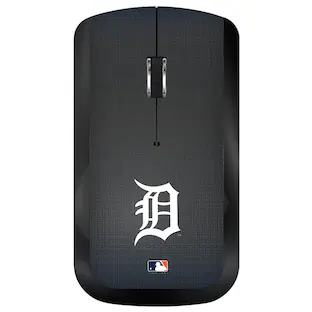
Keyscaper - Detroit Tigers Team Logo Wireless Mouse - Wireless - Multicolor
Reviews coming soon
About this product
Add your Detroit Tigers fandom to your work space with this sweet Team Logo Wireless Mouse. Whether you're working from home or back in the office, it's the perfect way to show off your team loyalty and root on your Detroit Tigers.
Features
Officially Licensed Merchandise
Imported
Printed graphics
Officially licensed
Officially licensed
Detroit Tigers Team Logo Wireless Mouse
Specifications
- Lighting TypeNoneConnection TypeWireless
Reviews
This product doesn't have any reviews yet.
Compare similar products

Add your Detroit Tigers fandom to your work space with this sweet Team Logo Wireless Mouse. Whether you're working from home or back in the office, it's the perfect way to show off your team loyalty and root on your Detroit Tigers.

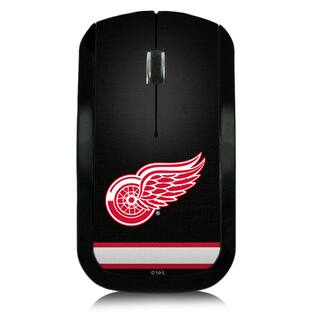
Upgrade your office accessories with this awesome Detroit Red Wings Wireless Mouse. Featuring crisp Detroit Red Wings logos and colors, this is sure to keep you in the team spirit. No one will deny your Detroit Red Wings dedication when they see you with this epic computer mouse.

Add your Washington Nationals fandom to your work space with this sweet Team Logo Wireless Mouse. Whether you're working from home or back in the office, it's the perfect way to show off your team loyalty and root on your Washington Nationals.

Show your love for the Detroit Tigers at work or in your home office with this Wireless USB Computer Mouse from Keyscaper. With easy plug-and-play installation via the included USB dongle, you'll be up and running in seconds. Its ergonomic design ensures comfortable use with desktops or laptops. Plus, the printed team graphics help you share your Detroit Tigers spirit.
Specs
Be the first to ask a question.
We’ll try to get your question answered within 24 hours by a Best Buy customer or brand representative.
Customers often buy these together
Computer Keyboards



![The text on the image reads:
888 DD DI DD 4 DSC i F2 F3 4 FS T6 ET 1. 1N IN F.. 11 1.. 114 1n F1 F12 118 in9 - a ee 1 8F 2 3 $ 4 % 5 A 6 & 7 . 8 I 9 I 0 ee I + = delete fn home page up clear - / + tab Q W E R T Y U I 0 P { [ ] ] | I delete end page down 7 8 9 ee caps lock A S D F G H J K L : I - return 4 5 6 + shift Z X C V N M < F > ? / shift a 1 2 3 control option 2 command 3 command option control Y - 0 enter
After grouping and correcting the text, it reads:
888 DD DI DD 4 DSC i F2 F3 4 FS T6 ET 1. 1N IN F.. 11 1.. 114 1n F1 F12 118 in9 - a ee 1 8F 2 3 $ 4 % 5 A 6 & 7 . 8 I 9 I 0 ee I + = delete fn home page up clear - / + tab Q W E R T Y U I 0 P { [ ] ] | I delete end page down 7 8 9 ee caps lock A S D F G H J K L : I - return 4 5 6 + shift Z X C V N M < F > ? / shift a 1 2 3 control option 2 command 3 command option control Y - 0 enter](https://pisces.bbystatic.com/image2/BestBuy_US/images/products/f4059d3a-0c2a-46ef-bcfd-4e11b9b26d5d.jpg;maxHeight=232;maxWidth=233?format=webp)




More to consider








Explore tech essentials Sponsored
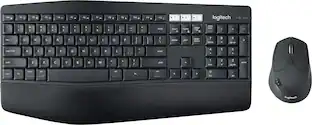
Logitech MK850 Performance Full-size Wireless Membrane Keyboard and Mouse Combo for PC and Mac
Holiday Deal$89.99The price was $99.99


Keep exploring
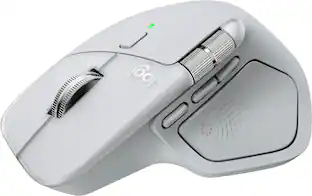
Logitech MX Master 4 - Wireless Bluetooth Mouse, Ergo, Haptic Feedback, Custom Vibration
$119.99The price was $127.73Logitech Design Mouse Limited Edition Wireless Optical 3-button Mouse with Broad Compatibility
$29.46The price was $55.07GravaStar Mercury M2 Wireless Gaming Mouse with 26000 DPI, PAW3395 Sensor and 79g Lightweight Design
$75.95The price was $79.95GravaStar Mercury X Pro Wireless 8K Hz Gaming Mouse with 32000 DPI and 49g Magnesium Alloy Frame
$118.95The price was $139.95