Main Content

LG - UltraWide 34" IPS FHD 100Hz, 5ms, Monitor with VESA DisplayHDR 400 (HDMI, DisplayPort) - Black

Model: 34U511A-B
SKU: 6639125
$209.99
Save $90
Comp. Value: $299.99
or
Finance OptionsView your offers
Special OffersOn related products
Standard Geek Squad Protection
Availability
Fulfillment Options
Pickup at
Act fast - Only 2 left at your store!
Sold by Best Buy

More Buying Options

Highlights

  • Key Specs
    • Refresh Rate: 100Hz (The number of frames per second the device can produce natively without enhancement. Higher rates help produce smooth, seamless pictures.)
    • Maximum Resolution: 2560 x 1080 (Maximum resolution refers to the highest number of pixels that a screen can process and display. Higher resolution signals produce more detailed images.)
    • Response Time: 5 milliseconds (The speed at which pixels can change colors is called response time. It is measured in milliseconds (ms).)
    • Panel Type: IPS (Technology that affects response time and image quality.)
    • Synchronization Technology: Not Applicable (Generally, these technologies allow syncing between a computer/console game's frame rate and the device's refresh rate for a smoother display without tearing.)
    • Screen Size: 34 inches (Size of the screen, measured diagonally from corner to corner.)
    • Display Connector(s): 1 x DisplayPort, 1 x HDMI (The number and type of connectors used to connect to an external display.)
  • General
    • Brand: LG
    • Model Number: 34U511A-B
    • Product Name: UltraWide 34" IPS FHD 100Hz, 5ms, Monitor with VESA DisplayHDR 400 (HDMI, DisplayPort)
    • Color: Black
    • Operating System Compatibility: Not Applicable, Not Applicable, Not Applicable, Not Applicable, Not Applicable
  • Display
    • Refresh Rate: 100Hz (The number of frames per second the device can produce natively without enhancement. Higher rates help produce smooth, seamless pictures.)
    • Maximum Resolution: 2560 x 1080 (Maximum resolution refers to the highest number of pixels that a screen can process and display. Higher resolution signals produce more detailed images.)
    • Contrast Ratio: 1000:1 (Measured difference between a displayed image's brightest whites and darkest blacks. The larger the first number, the more detail and color that can be displayed.)
    • Response Time: 5 milliseconds (The speed at which pixels can change colors is called response time. It is measured in milliseconds (ms).)
    • Display Type: LED
    • Panel Type: IPS (Technology that affects response time and image quality.)
    • Synchronization Technology: Not Applicable (Generally, these technologies allow syncing between a computer/console game's frame rate and the device's refresh rate for a smoother display without tearing.)
    • Aspect Ratio: 21:9 (The measurement of the width of a screen compared to the height of a screen, expressed as a ratio.)
    • Curved Screen: false
    • Brightness: 400 candela per square meter (A measure of the total light output.)
    • Screen Size: 34 inches (Size of the screen, measured diagonally from corner to corner.)
    • High Dynamic Range (HDR): true (An HDR-compatible 4K TV or other HDR-compatible product displays HDR video content when it's available from sources like 4K Ultra HD Blu-ray Discs and 4K streaming services.)
    • High Dynamic Range Format: VESA Certified DisplayHDR 400, HDR 10 (There are a few HDR formats that tell the TV or other HDR-compatible product how to best utilize its capabilities to display HDR content. HDR technology can support one or multiple formats, each with various benefits to picture quality.)
    • Horizontal Viewing Angle: 178 degrees (The maximum angle at which the display can be viewed with acceptable visual performance from either side.)
    • Vertical Viewing Angle: 178 degrees (The maximum angle at which the display can be viewed with acceptable visual performance from above or below.)
  • Connectivity
    • Number of DisplayPort Inputs (Total): 1
    • Number of HDMI Inputs (Total): 1
    • Display Connector(s): 1 x DisplayPort, 1 x HDMI (The number and type of connectors used to connect to an external display.)
    • Headphone Jack: true (The device features an interface that allows for the connection of headphones.)
  • Compatibility
    • Wall Mountable: true (The product is able to be secured to a wall. Some products are designed ready to mount, while others may require additional hardware/accessories for installation.)
    • VESA Wall Mount Standard: 100mm x 100mm (VESA wall mount standards refer to the spacing of screw holes built into a TV in order to fit with standard TV wall mounts. These standards are implemented into most TVs and monitors.)
  • Features
    • Tiltable: true
    • Adjustable Stand Height: false
    • Built-In Webcam: false
    • Integrated Speaker(s): false
  • Dimensions
    • Product Height With Stand: 19.2 inches
    • Product Height Without Stand: 14.4 inches
    • Product Width: 32.1 inches (The out of box width of the item. Width is measured as the horizontal distance from one side of the item to the other as it would be primarily used or placed.)
    • Product Depth (With Stand): 8.7 inches
    • Product Depth Without Stand: 1.8 inches
    • Product Weight: 16.8 pounds (The out of box weight of the item.)
    • Stand Included: true
  • Certifications Listings & Approvals
    • ENERGY STAR Certified: false (Devices carrying the ENERGY STAR service mark, such as computer products and peripherals, kitchen appliances, and other products, generally use 20% to 30% less energy than required by federal standards.)
    • EPEAT Qualified: false (The Electronic Product Environmental Assessment Tool (EPEAT) was designed to provide an environmental assessment tool for purchasers. In order to qualify for EPEAT, a product must meet all 23 required criteria.)
  • Warranty
    • Warranty - Parts: 1 Year Parts and Labor
    • Warranty - Labor: 1 Year Parts and Labor
  • Other
    • UPC: 195174130940

Upgrade your desktop setup with the 34" Full HD (2560 × 1080) IPS UltraWide monitor, designed to give you more room to do more. The expansive 21:9 aspect ratio lets you view multiple windows side by side, cutting down on app switching and boosting productivity. Enjoy smooth visuals with a 100Hz refresh rate and 5ms response time, while VESA DisplayHDR 400 and up to sRGB 99% deliver vibrant, bold color and impressive contrast. A narrow-bezel, virtually borderless design and slim stand helps keep your workspace clutter free and looking good.

  • Widescreen Workflows Made Effortless: Upgrade your desktop setup with a 34" 21:9 UltraWide Full HD display that lets you see more at once. Enjoy smooth 100Hz visuals, vibrant HDR color, and a sleek, narrow-bezel design—perfect for multitasking, creativity, and everyday comfort.
  • 21:9 Widescreen for Maximum Multitasking Power: The 21:9 UltraWide Full HD (2560 × 1080) display gives you more horizontal space than standard 16:9 monitors, so you can keep multiple windows open side by side. A virtually borderless design delivers an uninterrupted view for smoother, more efficient multitasking.
  • HDR Brightness and Color That Pops: VESA DisplayHDR 400 enhances brightness, contrast, and detail for more dynamic visuals, while up to sRGB 99% coverage delivers rich, vivid, color. The IPS panel keeps images sharp and clear from virtually any viewing angle.
  • Customize Your Screen View with the Switch App: The Switch app¹ transforms your screen into a multitasking hub for work, gaming, and streaming. Effortlessly split the screen into up to 6 sections, customize display layouts, or launch video calls with a single hotkey.
  • 100Hz Keeps Motion Super Smooth: With a 100Hz refresh rate and 5ms response time, this UltraWide keeps visuals smooth and clear. Perfect for video calls, streaming, and everyday tasks.
  • Reader Mode Brings Comfort to Reading: Reader Mode adjusts your display to warmer tones and optimized brightness, that’s easier on the eyes—ideal for reading documents or browsing for extended periods.
  • Minimal Stand, Maximum Workspace Efficiency: Save desktop space with a slim stand and square base that reduce desktop footprint and tidy your setup.
  • Widescreen Workflows Made Effortless: Upgrade your desktop setup with a 34" 21:9 UltraWide Full HD display that lets you see more at once. Enjoy smooth 100Hz visuals, vibrant HDR color, and a sleek, narrow-bezel design—perfect for multitasking, creativity, and everyday comfort.
  • 21:9 Widescreen for Maximum Multitasking Power: The 21:9 UltraWide Full HD (2560 × 1080) display gives you more horizontal space than standard 16:9 monitors, so you can keep multiple windows open side by side. A virtually borderless design delivers an uninterrupted view for smoother, more efficient multitasking.
  • HDR Brightness and Color That Pops: VESA DisplayHDR 400 enhances brightness, contrast, and detail for more dynamic visuals, while up to sRGB 99% coverage delivers rich, vivid, color. The IPS panel keeps images sharp and clear from virtually any viewing angle.
  • Customize Your Screen View with the Switch App: The Switch app¹ transforms your screen into a multitasking hub for work, gaming, and streaming. Effortlessly split the screen into up to 6 sections, customize display layouts, or launch video calls with a single hotkey.
  • 100Hz Keeps Motion Super Smooth: With a 100Hz refresh rate and 5ms response time, this UltraWide keeps visuals smooth and clear. Perfect for video calls, streaming, and everyday tasks.
  • Reader Mode Brings Comfort to Reading: Reader Mode adjusts your display to warmer tones and optimized brightness, that’s easier on the eyes—ideal for reading documents or browsing for extended periods.
  • Minimal Stand, Maximum Workspace Efficiency: Save desktop space with a slim stand and square base that reduce desktop footprint and tidy your setup.
Whats Included
  • Monitor
  • Power Cable
  • HDMI Cable
  • Monitor
  • Power Cable
  • HDMI Cable
Disclaimers
  • ¹Software installation required. Visit Support on LG.com to download.
  • ¹Software installation required. Visit Support on LG.com to download.

Q: Where is the on and off button on the LG - UltraWide 34" IPS FHD 100Hz, 5ms, Monitor with VESA DisplayHDR 400 (HDMI, DisplayPort) - Black Model: 34U511A-B?

A: Hi there. Thank you for sharing your experience with us. We understand your inquiry regarding the location of the On/Off button on the LG UltraWide Monitor (Model # 34WQ500-B / 34U511A-B). On this specific monitor, the power button is designed as a single multi-directional Joystick button. It is located at the bottom of the monitor set, directly in the center underneath the LG logo. You can press this joystick button once to turn the monitor on. To turn the monitor off, you can press and hold the joystick button for a few seconds, or press it once to open the menu and select the power off option. Your feedback is important, and we'd like to assist you further. https://www.bestbuy.com/product/lg-ultrawide-34-ips-fhd-100hz-5ms-monitor-with-vesa-displayhdr-400-hdmi-displayport-black/JJ8VPZKY9Q If you have any further questions about its features, please contact us on [email protected], and our team will be more than happy to assist you. —Renzo

Q: Can it work well in portrait mode instead of landscape? I keep my middle monitor in portrait so I don't have to scroll so much to see a whole webpage. Only have my side monitors in landscape mode. Your pictures and description don't help me.

A: Hi there. We understand your inquiry regarding the display orientation of the 34WQ500-B UltraWide Monitor. Based on the official specifications, the stand included with this unit is designed for Tilt adjustments (-5~15º) and does not feature a Pivot function for portrait mode. However, this monitor is VESA mount compatible (100 x 100mm), so you may utilize a third-party monitor arm or stand that supports rotation to achieve your desired portrait setup. https://www.bestbuy.com/product/lg-ultrawide-34-ips-fhd-100hz-5ms-monitor-with-vesa-displayhdr-400-hdmi-displayport-black/JJ8VPZKY9Q If you have any further questions about its features, please contact us on [email protected], and our team will be more than happy to assist you. —Renzo

Q: Is the height adjustable?

A: No. The height is not adjustable but the screen does pivot up and down to meet your eye level better.

Q: how easy is this to set up with a PC?

A: There is no setup required for the LG 34-inch UltraWide™ IPS FHD 100Hz VESA DisplayHDR™ 400 Computer Monitor with Slim Stand, Model # 34U511A-B, besides making the necessary connections to your PC/laptop. The monitor supports Plug and Play which is a feature that allows you to add a device to your computer without having to reconfigure anything or install any manual drivers. If your PC supports Plug and Play, the Plug and Play (PnP) service allows a PC to automatically detect a monitor and adjust to the right settings. It recognizes and configures connected monitors without user intervention, ensuring optimal display settings such as resolution and refresh rates. This service is crucial for seamless hardware detection and configuration in Windows operating systems...^Ivan.

Q: Is this compatible with mac computers?

A: Yes. I have a 2025 MacBook and use a Dual Monitor setup. It's awesome. Super easy to set up. My adapter didn't even need to download software for them to start working.

Sponsored

Compare similar products

LG - UltraWide 34" IPS FHD 100Hz, 5ms, Monitor with VESA DisplayHDR 400 (HDMI, DisplayPort) - Black
4.6(37)

Upgrade your desktop setup with the 34" Full HD (2560 × 1080) IPS UltraWide monitor, designed to give you more room to do more. The expansive 21:9 aspect ratio lets you view multiple windows side by side, cutting down on app switching and boosting productivity. Enjoy smooth visuals with a 100Hz refresh rate and 5ms response time, while VESA DisplayHDR 400 and up to sRGB 99% deliver vibrant, bold color and impressive contrast. A narrow-bezel, virtually borderless design and slim stand helps keep your workspace clutter free and looking good.

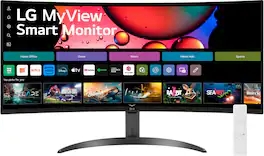
LG - 34" WQHD 100Hz 5ms Smart Monitor with HDR10 (HDMI, USB-A) - Black

One screen. Endless possibilities. The 21:9 ultra-wide 34” curved Smart monitor offers stunning widescreen visuals and a sleek design that's perfect for work, play, cinematic viewing, and everything in between. Experience vivid color with up to sRGB 99% coverage, HDR10 support and impeccable clarity with the 21:9 WQHD (3440x1440) screen, bringing every detail to life. Thanks to LG’s streaming platform webOS23¹, find your favorites fast with built-in access to Netflix, Prime Video, the Apple TV app, Disney+, HBO Max and instant access to over 300+ free LG Channels with everything from comedy to movies to sports. Apple AirPlay 2 & HomeKit compatibility² allow you to wirelessly control your monitor plus cast and mirror content from iOS or MacOS devices, no Apple TV necessary. Gaming on the monitor’s wide screen with the 100Hz refresh rate assures ultra-smooth action.

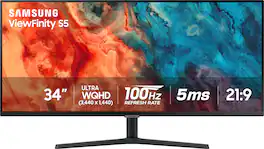
Samsung - 34” ViewFinity S5 Ultrawide QHD 100Hz AMD FreeSync Monitor with HDR10 (DisplayPort, HDMI) - Black

Samsung's 34" ViewFinity S50GC offers a wider workspace featuring a 21:9 ratio and lifelike detail with Ultra-WQHD resolution. AMD FreeSync and 100Hz refresh rate allow an ultra-smooth user experience. Avoid eyestrain with TUV-certified Intelligent Eye Care that automatically adjusts brightness. With HDR10 that displays over 1 billion colors compared to 16.7 million for typical SDR technology, dark colors are darker and the brightest are even brighter.

Samsung - 27" S39GD Series Curved FHD 100Hz Monitor with Built-in Speakers - Black

Samsung's 27" S3 FHD 100Hz Curved Monitor with Speakers provides an immersive viewing experience. The 1800R Curved Screen enhances depth perception and minimizes peripheral distractions, enabling greater focus. The 100Hz Refresh Rate reduces lag and motion blur when playing games, watching videos, or working on creative projects. Game Mode with optimizable settings allows color and image contrast to be instantly adjusted, filling the screen with every detail in view. Built-in Speakers free up desk space, minimize connections, and create a more efficient working environment for listening with ease. Eye Saver Mode with TÜV-certified eye comfort technology reduces irritating screen flicker and minimizes excessive blue light, even during long sessions. Multiple Connectivity enables devices to be plugged straight into the monitor for a more convenient computing environment.

Pros for LG - UltraWide 34" IPS FHD 100Hz, 5ms, Monitor with VESA DisplayHDR 400 (HDMI, DisplayPort) - Black
Screen SizeScreen Size, Overall Performance, Resolution, Refresh Rate, Smart FeaturesScreen Size, Overall Performance, Resolution, Ease of use, PriceRefresh Rate, Image Quality, Size, Setup
Cons for LG - UltraWide 34" IPS FHD 100Hz, 5ms, Monitor with VESA DisplayHDR 400 (HDMI, DisplayPort) - Black
There were no cons for this productThunderbolt PortSpeakers, Stand, CurvatureSpeakers, Connectivity, Port Count

Specs

Reviews

Customer Images

The vast majority of our reviews come from verified purchases. Reviews from customers may include My Best Buy members, employees, and Tech Insider Network members (as tagged). Select reviewers may receive discounted products, promotional considerations or entries into drawings for honest, helpful reviews.

  • Rated 4 out of 5 stars

    Multitaskers paradise, setup in seconds

    In selecting this LG34U511 monitor I had to first sort through their naming convention. In retrospect I fell light on my research and timing during holiday season, and would have ultimately been better served by the albeit much more expensive Curved OLED model, or the UltraWide 34 w VA panel that includes USB-C, for my specific content development, media consumption, graphics and gaming use case. In simple their lineup includes: UltraFine = professional high-res 4k/5k/6k quality UltraGear = low-latency gaming w G-Sync UltraWide = 21:9 best for multitasking and general usage The picture produced by this 34-inch is surprisingly impressive, and the black levels while not in OLeD league, are quite decent, but what really shines in this product is the UltraWide and sheer screen real estate of this monitor and low cost of this monitor!! First the things that I personally feel that LG could do a little better with this offering: It would have been nice for LG to include a DisplayPort cable primarily for PC connectivity (most readers likely have a plethora of HDMI cables, but far fewer DisplayPort, myself included). I’d also include in my wish list a height-adjustable stand. I have it placed on a counter height breakfast nook table, and find myself bending down awkwardly. The ability to rise this to standing eye-level would have improved my personal experience, but for placing on a standard sitting desk (or adjustable standing desk), and replacing multiple disjointed 24 or 27 inch screens would likely be ideal. As mentioned, this 34 wide lacks my preferred USB-C port connection for Mac / MacBook computers, instead of adapter to HDMI. Also a bummer is lack of a speaker, though most often monitor speakers are low-wattage tin can sounding (save for semi-decent audio in their 38-wide and OLED displays ) Also some will likely see as a mere niggle of a complaint; BUT… for a company as well streamlined, with dozens and dozens of consumer electronics products, the warranty card Explicitly states “Save a stamp! Register online at ProdRegister (URL omitted)“. I do not suggest this. I was taken to a redirect village of various and disparate ads, perhaps legitimate but appears unsafe at any cost, so DO spend the stamp if you purchase any of their products (and I have a kitchen full and have not seen this !! And now for what LG got very right in this product set. *** SCREEN REAL ESTATE *** In Spades. The screen is very large, clear, and generally good all around, despite my picky qualms. Colors are vibrant, text clean, crisp and clear, fast refresh rate for casual gaming. The price point is incredibly attractive for an UltraWide, and in late 2025 I feel 27 inch now just doesn’t cut it with how much media and information we have to sort on a daily basis. *** THIS IS AN INCREDIBLY SOLID PRODUCT *** !! While this 34-wide is not replacing my office go-to LG UltraWide 38-inch (with quite decent bottom speaker), it does make for a PERFECT network monitor / camera surveillance station (see attached). SPECS: *100 Hz refresh rate *5ms response *2560 x 1080 res *IPS display for wider viewing *DisplayPort and HDMI inputs PROS: +size 34-inch feels appropriate +single screw base to panel +easiest install in history +black level decent albeit not OLED CONs: -no speaker (audio pass to H/P 3.5mm port) -no USB-C port for better Mac compatibility -non-iclusion of a DisplayPort cable CONCLUSION: LG makes some of the finest monitors, but also a wide range for various markets, gaming, professional, content creative, while the UltraWide 34-inch fits into the productivity line. It offers an UltraWide display which is magnificent for multitasking, multiple browser tabs, and multiple desktop windows. For an ADHD guy like me, this works as a very decent general purpose device. For the price you’d be hard pressed to find a better BARGAIN. Recommend Buy

    Posted by TechReviews

  • Rated 4 out of 5 stars

    34" dual windows at attractive price

    TLDR: Windows & Mac compatible, 2560 X 1080 resolution, 100Hz refresh, 5 milliseconds response, AntiGlare IPS panel, HDMI & DisplayPort inputs, 21:9 format chassis, Audio/Headphone port, VESA mountable or usable with included stand, external AC Power Adapter. This monitor was instantly recognized by my Windows 11 computer; as a matter of fact, every computer I plugged it into recognized it instantly including my Chromebook. LG has Plug and Play functionality for this monitor with Windows 11 so nothing is needed to be installed; all settings are directly in the Setting Menu, and in the Display section of the Windows Operating System. In use the monitor is crisp, sharp and a pleasure to use. It does not exhibit any soft or blurry characters when used in word processing or in spreadsheet use. In gaming use, I never saw any situation where I would not continue to use this monitor. Images are colorful, not ghosted and suitable for any precise aiming and selecting targets or escape routes. The price, even at list price, for such a large detailed 34” widescreen display shows that technology continues to come down in price.. I connected an analog cable to the rear panel audio/headphone port and the sound quality is clear and noise free. This convenience is appreciated to more easily connect home computer speakers with one wire. The power usage is approximately 31 watts per the watt meter I used with the monitor at brightness and contract settings that are not a full blast. Brighter settings use more watts. Being that I use it indoors and not facing a bright window, this is my preferred setting. LG specifies it uses 42 watts, presumably at full brightness. It runs very cool and being LED illuminated, does not use many watts as indicated previously. The stand is not adjustable to lift or lower the screen but the screen does tilt within minus 5 to approximately 15 degrees. It does not pivot to view the screen in portrait mode; only landscape. A HDMI cable is included in the box. It has a 12 month warranty.

    Posted by AtrixNY

  • Rated 5 out of 5 stars

    Immense monitor acreage that is brilliant to use.

    LG - UltraWide 34" IPS FHD 100Hz, 5ms, Monitor with VESA DisplayHDR 400 I couldn’t wait to stream a remastered classic cinemascope-wide movie from the age of real films printed in the widest possible 2.20:1 ratio on this new LG screen (with its 21:9 ratio). The LG 34” was easily able to show the entire image with no top/bottom black bars and even had more space available on the far side of the screen to keep another window open. Oh, and speaking about those black bars, they were very black, though not OLED level zero black. This allowed night time scenes to be nicely presented with good contrast. For the ideal images it was best to center yourself on the screen which created the best contrast and color. Film detail was high, with proper contrast , and this same detail made reading text and spreadsheets at the recommended resolution very easy and comfortable. That recommended resolution is 2560 x 1080. SETUP and CONTROL: Successfully loading in a 4K movie demonstrated that copy protection issues are not an issue. The computer and monitor recognize each other and various media apps do not complain about “error due to HDCP”. I successfully used the HDMI cable. This was plug in and, bam, the image was already on the monitor which is auto-on from the input signal. From here on the monitor is controlled by the computer power-on-off settings. PERFORMANCE and SUMMARY: The LG UltraWide 34" has a reasonably crisp, colorful, bright image. It is certainly sharp enough to read fine text and appreciate details in photos or games. It is not an OLED. It lacks absolute black performance, as does any other IPS LCD monitor. It creates increased contrast by providing a significant amount of brightness, and those blacks are still very black. It will tolerate the sun coming in nearby windows. The specified NITS are “only” 400, but not so many years back, monitors/TVs would have had 100 to 200 nits and not close to this LG’s resolution. We are spoiled. It’s a beautiful monitor, with invisible pixels, rich color, and excellent compatibility with many computers. I’m confident that there is more than enough contrast and color to provide a satisfying dynamic range for my purposes. Everything I've viewed so far has been stunning, This is not a tiring monitor. This is strong performance across a wide range of activities. And, of course, I really love the immense monitor acreage this LG Ultrawide offers.

    Posted by TECHBEENGOOD

No content
Sponsored

Similar products from outside of Best Buy

sponsored
product image

LG - UltraWide 34" IPS FHD 100Hz, 5ms, Monitor with VESA DisplayHDR 400 (HDMI, DisplayPort) - Black

Rating 4.6 out of 5 stars with 37 reviews

$209.99
$299.99

Finance Options

My Best Buy® Credit Card
10% back in rewardson your first day of purchases when approved for the My Best Buy® Credit Card.
Buy Now, Pay Later
4 payments starting at $52.50
Lease to own
Apply today with no credit needed and enjoy flexible payment options.

Special Offers

Included with Purchase
Free 6-month security software: $29.99 value