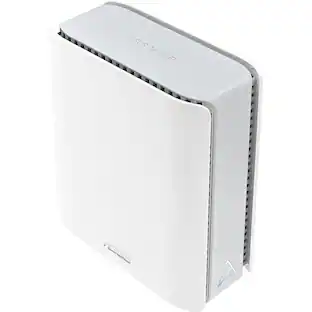
Linksys - Velop AX4200 WiFi 6 Mesh System - White
About this product
Linksys Velop WiFi 6 Whole Home Mesh System MX4200 is a router that delivers next-level streaming and gaming to more than 40 devices on your network. It offers a reliable connection for everyone to stream, game, and video chat without interruption. Intelligent Mesh™ Technology offers whole home coverage that’s easily expandable by adding additional nodes. With easy set up, advanced security and parental controls, MX4200 is an essential upgrade to any home.
Number of Wi-Fi Satellites Included
1Highlights
Features
Powerful WiFi 6 Mesh Coverage
Intelligent MeshTM technology, combined with WiFi 6, is designed to deliver gigabit WiFi speeds to cover every corner of your home, including the backyard and outdoor smart home devices.
Connect More Devices Than Ever Before
WiFi 6 sends and receives multiple streams of data simultaneously, providing up to 3.5x* more WiFi capacity to handle more mobile, streaming, gaming, and smart home devices.
Next-Generation Speed
Faster WiFi performance for lag-free online gaming and HD streaming to any device.
Built for Reliability
Linksys is a pioneer in home networking, with over 30 years of innovation going into every WiFi solution. Enjoy a worry-free connection with a 3-year warranty and outstanding tech support when you need it.
Easy Set Up and Control
The free Linksys app makes it simple to set up, lets you access your network from anywhere, and allows you to view or prioritize which connected devices are using the most WiFi.
Works with all Internet Providers
Works with all Internet Service Providers and is 100% backwards compatible with WiFi 5 and older devices.
Customer Support 24/7
Talk to Linksys support staff whenever you need them, online or by phone.
Smart Security
With automatic firmware updates, parental controls, and separate guest access, Velop provides a safe, secure and up-to-date home network.
Specifications
- Wi-Fi Range2700 square feetWi-Fi Mesh SystemYesNumber of Wi-Fi Satellites Included1Number Of LAN Ports3Wi-Fi Speed4.2 gigabits per second
Reviews
Rating 4.1 out of 5 stars with 536 reviews
Customer Images
The vast majority of our reviews come from verified purchases. Reviews from customers may include My Best Buy members, employees, and Tech Insider Network members (as tagged). Select reviewers may receive discounted products, promotional considerations or entries into drawings for honest, helpful reviews.
Compare similar products
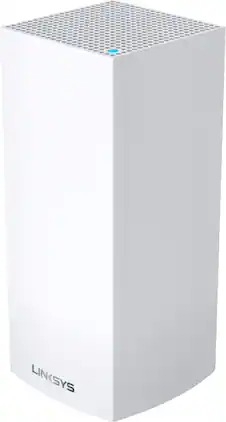
Linksys Velop WiFi 6 Whole Home Mesh System MX4200 is a router that delivers next-level streaming and gaming to more than 40 devices on your network. It offers a reliable connection for everyone to stream, game, and video chat without interruption. Intelligent Mesh™ Technology offers whole home coverage that’s easily expandable by adding additional nodes. With easy set up, advanced security and parental controls, MX4200 is an essential upgrade to any home.
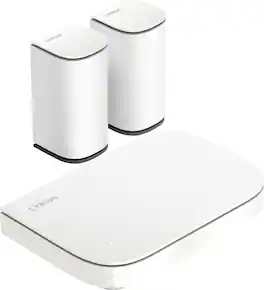
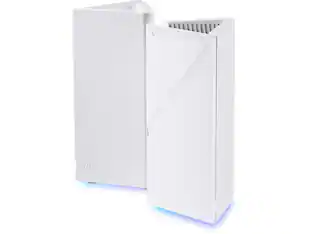
Linksys Micro 6 Mesh is the most affordable multi-gig Wi-Fi system we've ever built, delivering premium performance . Enjoy blazing-fast speeds, seamless coverage, and future-proof for multi-gig WiFi without compromising your budget.

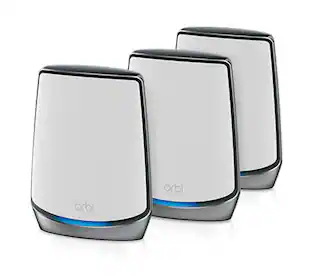
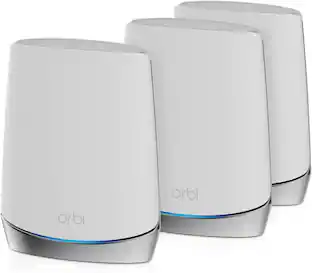
A weak signal in the back bedroom and a network that slows down every time another device joins are the two most common reasons larger households outgrow their current setup. The Orbi 770 solves both with a router and two satellites working as one mesh network, covering up to 8,000 sq. ft. and supporting up to 100 devices. Tri-Band WiFi 7 reaches speeds up to 11 Gbps, with a full band dedicated to the connection between router and satellites, so a 4K TV or a gaming laptop gets the bandwidth it needs even while everyone else stays connected too. Everything already running on WiFi 6 or 5 keeps working, no replacements needed. Setup takes just a few guided steps in the Orbi app, which also manages guest access and connected devices. Advanced Router Protection, automatic firmware updates, and a 30-day NETGEAR Armor trial keep the network secure without any extra effort, and adding another satellite any time extends coverage by up to 2,700 sq. ft. for larger or multi-storey homes.
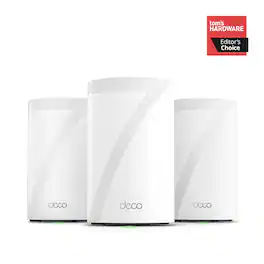
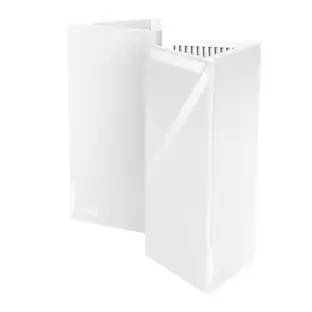
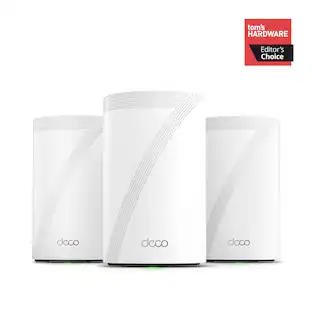
Supercharged by the latest Wi-Fi 7 technology, the Deco BE65 Pro mesh system takes the power and efficiency of your Wi-Fi network to new heights. Delivering combined speeds of up to 11 Gbps on three bands, this powerhouse is an ideal solution for future-proofing your home network, all thanks to Wi-Fi 7 features such as MLO, 320 MHz channel, and 4K-QAM.1,4 Two 5 Gig ports and one USB 2.0 port allow for maximum expandability. With built-in AI-Roaming technology, it creates the ideal Wi-Fi solution with its advanced algorithms and self-learning. Walk through your home and enjoy seamless streaming at the fastest possible speeds‡. TP-Link HomeShield keeps your home network safe with cutting-edge network and IoT protection.5
| Pros for Linksys - Velop AX4200 WiFi 6 Mesh System - White | |||
|---|---|---|---|
| There were no pros for this product— | There were no pros for this product— | Coverage, Range, Speed, Overall Performance, Setup | Coverage, Range, Setup Ease, Connectivity, Signal Strength |
| Cons for Linksys - Velop AX4200 WiFi 6 Mesh System - White | |||
| There were no cons for this product— | There were no cons for this product— | Connectivity | Size, Web Interface, Performance |
Specs
Customers often buy these together
Smart Speakers and Displays









Security Camera










More recommended items
 Smart Doorbell
 Home Security System
 Smart Thermostat
More to consider
 $229.99The price was $279.99







Explore tech essentials Sponsored
 $399.99The price was $429.99
 $349.99The price was $499.99




Discover related products
 $249.00The price was $275.00
 $12.99The price was $13.99
 $149.99The price was $169.99










Keep exploring
 $70.99The price was $88.12
 $629.99The price was $760.68