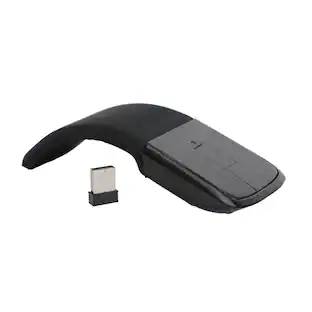
Logitech - M185 Wireless Mouse - Blue
Customers are saying
Customers love the ease of use and the overall performance of this wireless mouse, which many find to be a great value for the price. Users also appreciate its compact size, lightweight design, and attractive color options, noting that the battery life is reliable for daily tasks. While the vast majority of feedback is positive, a few users have noted minor concerns regarding occasional lag and the feel of the scroll wheel. Overall, it is considered a highly functional and well-designed device.
Features
Smart sleep mode
Along with an on/off switch conserves battery life.
Plug-and-play operation
Enables easy set-up.
Nano receiver
Delivers a reliable wireless connection with fast data transmissions.
Specifications
- BrandLogitechModel Number910-003636Product NameM185 Wireless MouseColorBlueSystem RequirementsPC: Windows Vista, 7 or 8; Mac: OS X 10.5 or laterMouse TypeStandard
Reviews
Rating 4.7 out of 5 stars with 820 reviews
- Ease of use (237)
- Price (117)
- Overall Performance (104)
- Size (100)
- Wireless (73)
- Scroll Wheel (4)
- Lag (3)
The vast majority of our reviews come from verified purchases. Reviews from customers may include My Best Buy members, employees, and Tech Insider Network members (as tagged). Select reviewers may receive discounted products, promotional considerations or entries into drawings for honest, helpful reviews.

Compare similar products

Enjoy easy wireless plug-and-play operation with this Logitech M185 910-003636 mouse, which features a nano receiver for reliable connectivity. An on/off switch, along with smart sleep mode, helps conserve battery life.

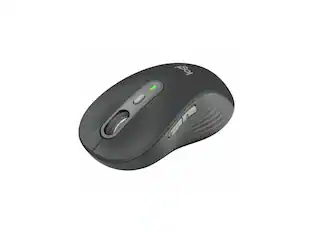
Now you can game faster and more accurately, with G502 LIGHTSPEED featuring superfast 1 ms wireless connectivity. A next-gen HERO sensor delivers 25k DPI class-leading performance and energy efficiency—get up to 60 hours of uninterrupted gaming. 11 programmable buttons help you optimize gameplay with custom keybinds and macros. Primary buttons feature metal spring tensioning for fast and crisp actuation. Six adjustable weights let you find the right mouse feel. LIGHTSYNC RGB gives you ~16.8 million colors to create an exciting and immersive gaming environment. The hyper-fast scroll wheel lets you speed through long menus and documents.
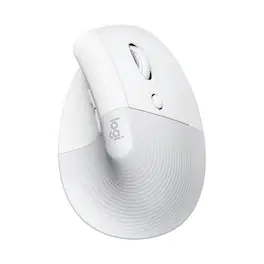
Desk life getting you down? Lift yourself up with Lift Vertical Ergonomic Mouse – a comfy and intuitive wireless mouse with quiet clicks crafted specially for small-to-medium hands. Available in right and left. Lift’s unique 57-degree angle elevates your wrist to give a feeling of relief — and sends a wave of comfort through the forearm and upper body. Scrolling feels second nature with SmartWheel, which easily shifts from precision to speed-scroll. Customize Lift ergo mouse using intuitive Logi Options+ Software.
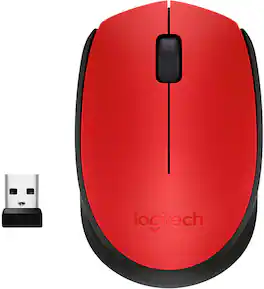
NOW IS WIRELESS. With Logitech M170 Wireless Mouse, choose the reliability of a cord with the convenience of wireless – and a 33-foot range – thanks to Logitech Advanced 2.4 GHz wireless technology. This affordable mouse works for up to 12 months on a single AA battery. Set up is simple – just plug the tiny wireless receiver into a USB slot. There's no hassle with pairing or software installation, and M170 is compatible with Windows, Mac and Chrome.
| Pros for Logitech - M185 Wireless Mouse - Blue | |||
|---|---|---|---|
| Ease of use, Overall Performance, Size, Wireless, Price | Battery Life, Overall Performance, Wireless, Weight, Comfort | Ergonomics, Ease of use, Size, Overall Performance, Battery Life | Overall Performance, Size, Ergonomics, Ease of Use, Connectivity |
| Cons for Logitech - M185 Wireless Mouse - Blue | |||
| Scroll Wheel, Lag | Lag, Price, Software, Size | Price, Scroll Wheel, Wrist Pain | Compatibility, Missing Part, Noise Level, Color Accuracy |
Specs
Customers often buy these together
Computer Keyboards

![The text on the image reads:
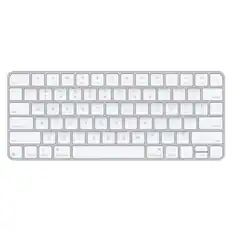
888 DD DI DD 4 DSC i F2 F3 4 FS T6 ET 1. 1N IN F.. 11 1.. 114 1n F1 F12 118 in9 - a ee 1 8F 2 3 $ 4 % 5 A 6 & 7 . 8 I 9 I 0 ee I + = delete fn home page up clear - / + tab Q W E R T Y U I 0 P { [ ] ] | I delete end page down 7 8 9 ee caps lock A S D F G H J K L : I - return 4 5 6 + shift Z X C V N M < F > ? / shift a 1 2 3 control option 2 command 3 command option control Y - 0 enter
After grouping and correcting the text, it reads:
888 DD DI DD 4 DSC i F2 F3 4 FS T6 ET 1. 1N IN F.. 11 1.. 114 1n F1 F12 118 in9 - a ee 1 8F 2 3 $ 4 % 5 A 6 & 7 . 8 I 9 I 0 ee I + = delete fn home page up clear - / + tab Q W E R T Y U I 0 P { [ ] ] | I delete end page down 7 8 9 ee caps lock A S D F G H J K L : I - return 4 5 6 + shift Z X C V N M < F > ? / shift a 1 2 3 control option 2 command 3 command option control Y - 0 enter](https://pisces.bbystatic.com/image2/BestBuy_US/images/products/f4059d3a-0c2a-46ef-bcfd-4e11b9b26d5d.jpg;maxHeight=232;maxWidth=233?format=webp)




Customers ultimately bought


Explore tech essentials Sponsored

Discover related products
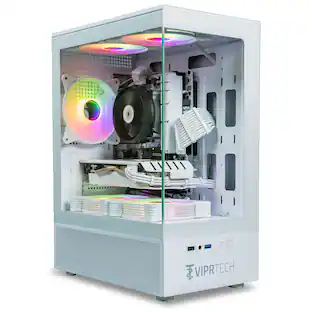
ViprTech Stryker Gaming PC - AMD Ryzen 7 (4.1GHz), AMD RX 580 8GB, 16GB DDR4, 500GB SSD, Desktop Computer
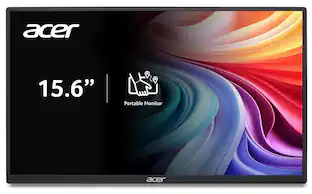
$649.99The price was $799.99Acer PM161Q 15.6" Portable Monitor Full HD 1920x1080 IPS USB-C HDMI Refurbished
$47.33The price was $48.99Acer USB C Docking Station With 2 HDMI, 9-IN-1 Docking Hub with USB A&C 3.0, SD/Micro SD, 100W Charging
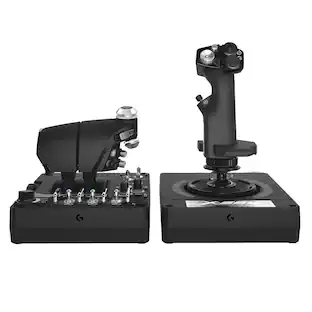
$42.99The price was $47.99Logitech X56 HOTAS Microsoft Flight Simulator RGB Dual-Throttle and Joystick
$247.00The price was $275.00







Keep exploring
Logitech MX Master 4 - Wireless Bluetooth Mouse, Ergo, Haptic Feedback, Custom Vibration
$119.99The price was $127.73