Skip to contentGo to Product Search
Main Content
product image

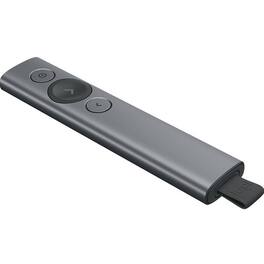
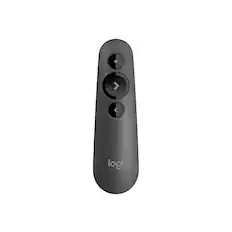
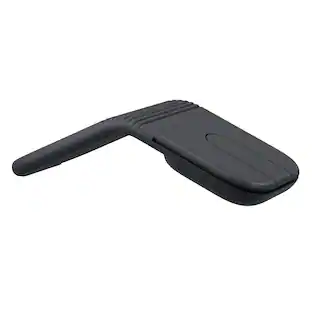
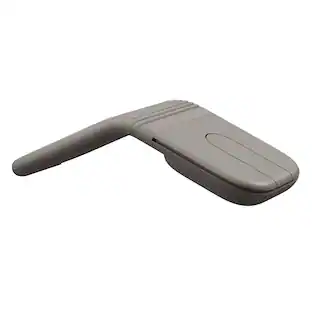
Logitech - Spotlight Presentation Remote - Gyroscopic - Wireless - Bluetooth/Radio Frequency - Slate - USB - 3 Button(s) - Wireless - Gray

Not yet reviewed

$147.96

Logitech - Spotlight Presentation Remote - Gyroscopic - Wireless - Bluetooth/Radio Frequency - Slate - USB - 3 Button(s) - Wireless - Gray

SKU: 12173850

Not yet reviewed

$147.96
or
Finance OptionsView your offers
Availability
FREE shipping to
Sold & shipped by
antonline
(529)
Specifications
  • Connection Type
    Wireless
  • Key Specs
    • Connection Type: Wireless
  • General
    • Brand: Logitech
    • Product Name: Logitech Spotlight Presentation Remote - Gyroscopic - Wireless - Bluetooth/Radio Frequency - Slate - USB - 3 Button(s)
    • Color: Gray
  • Features
    • Mouse Type: Standard
  • Performance
    • Tracking Method: Mechanical (There are several types of computer mice, optical and laser being among the most common. Optical mice detect less detail and provide more precise and accurate movement. Laser mice detect more detail and can be used on a wider variety of surfaces, but are more sensitive to small movements.)
  • Connectivity
    • Connection Type: Wireless
    • Operating System Compatibility: Mac, Windows
  • Dimensions
    • Product Height: 0.5 inches (The out of box height of the item. Height is measured as the vertical distance from the bottom of the item to the top as it would be primarily used or placed.)
    • Product Length: 5.2 inches (The out of box length of the item. Length is measured as the longest dimension of the item.)
    • Product Width: 1.1 inches (The out of box width of the item. Width is measured as the horizontal distance from one side of the item to the other as it would be primarily used or placed.)
    • Product Weight: 0.41 grams (The out of box weight of the item.)
  • Warranty
    • Warranty - Parts: Battery, Remote, USB receiver, USB-C cable
    • Warranty - Labor: 1 year limited
  • Other
    • UPC: 097855132079

Logitech Spotlight Presentation Remote - Gyroscopic - Wireless - Bluetooth/Radio Frequency - Slate - USB - 3 Button(s)

  • SPOTLIGHT AND MAGNIFY ON SCREEN: Take your company's next business presentation beyond traditional laser pointing. Spotlight advanced pointer system lets you precisely highlight or magnify areas of focus, all with pixel-perfect detail. The selected area of focus is clearly visible to both the meeting room audience as well as business groups via video conference. Set the pointer mode with the easy-to-use Logitech Presentation App.
  • MOUSE-LIKE CURSOR CONTROL: The on-screen cursor can be used to play and pause videos, open links, show proprietary corporate content, and enjoy a range of other rich content interaction. No need to break the flow of a business presentation or go near a mouse or laptop. With Spotlight, both the presentation and the company comes shining through.
  • LOGITECH PRESENTATION APP: Pair Spotlight with its powerful app to set time alerts, toggle pointer mode, and customize actions. Configure the back button to go to a blank screen, or to activate gesture-commanded volume control, scrolling, and more. The software can be installed remotely and silently for multiple users. Download the software in . exe format and use deployment tools such as SCCM to install it remotely. Specific command lines allow for silent
  • SMART TIME MANAGEMENT: Spotlight quietly reminds the speaker when it's time to wrap up. The presentation remote vibrates five minutes before the end of a presentation and again when time is fully up. Speakers can eliminate distractions and awkward interruptions, track presenting time, and customize vibration alerts in the Logitech Presentation App.
  • DUAL CONNECTIVITY: Sleek, portable, and wireless, Spotlight travels from home office to headquarters to center stage without a glitch. Connect to a computer via USB receiver or low energy Bluetooth®. Switch seamlessly between the two by plugging or unplugging the receiver. A discreet and convenient dock built into the base of the actual remote stores the USB receiver when not in use.
  • SPOTLIGHT AND MAGNIFY ON SCREEN: Take your company's next business presentation beyond traditional laser pointing. Spotlight advanced pointer system lets you precisely highlight or magnify areas of focus, all with pixel-perfect detail. The selected area of focus is clearly visible to both the meeting room audience as well as business groups via video conference. Set the pointer mode with the easy-to-use Logitech Presentation App.
  • MOUSE-LIKE CURSOR CONTROL: The on-screen cursor can be used to play and pause videos, open links, show proprietary corporate content, and enjoy a range of other rich content interaction. No need to break the flow of a business presentation or go near a mouse or laptop. With Spotlight, both the presentation and the company comes shining through.
  • LOGITECH PRESENTATION APP: Pair Spotlight with its powerful app to set time alerts, toggle pointer mode, and customize actions. Configure the back button to go to a blank screen, or to activate gesture-commanded volume control, scrolling, and more. The software can be installed remotely and silently for multiple users. Download the software in . exe format and use deployment tools such as SCCM to install it remotely. Specific command lines allow for silent
  • SMART TIME MANAGEMENT: Spotlight quietly reminds the speaker when it's time to wrap up. The presentation remote vibrates five minutes before the end of a presentation and again when time is fully up. Speakers can eliminate distractions and awkward interruptions, track presenting time, and customize vibration alerts in the Logitech Presentation App.
  • DUAL CONNECTIVITY: Sleek, portable, and wireless, Spotlight travels from home office to headquarters to center stage without a glitch. Connect to a computer via USB receiver or low energy Bluetooth®. Switch seamlessly between the two by plugging or unplugging the receiver. A discreet and convenient dock built into the base of the actual remote stores the USB receiver when not in use.
  • SPOTLIGHT AND MAGNIFY ON SCREEN: Take your company's next business presentation beyond traditional laser pointing. Spotlight advanced pointer system lets you precisely highlight or magnify areas of focus, all with pixel-perfect detail. The selected area of focus is clearly visible to both the meeting room audience as well as business groups via video conference. Set the pointer mode with the easy-to-use Logitech Presentation App.
  • MOUSE-LIKE CURSOR CONTROL: The on-screen cursor can be used to play and pause videos, open links, show proprietary corporate content, and enjoy a range of other rich content interaction. No need to break the flow of a business presentation or go near a mouse or laptop. With Spotlight, both the presentation and the company comes shining through.
  • LOGITECH PRESENTATION APP: Pair Spotlight with its powerful app to set time alerts, toggle pointer mode, and customize actions. Configure the back button to go to a blank screen, or to activate gesture-commanded volume control, scrolling, and more. The software can be installed remotely and silently for multiple users. Download the software in . exe format and use deployment tools such as SCCM to install it remotely. Specific command lines allow for silent
  • SMART TIME MANAGEMENT: Spotlight quietly reminds the speaker when it's time to wrap up. The presentation remote vibrates five minutes before the end of a presentation and again when time is fully up. Speakers can eliminate distractions and awkward interruptions, track presenting time, and customize vibration alerts in the Logitech Presentation App.
  • DUAL CONNECTIVITY: Sleek, portable, and wireless, Spotlight travels from home office to headquarters to center stage without a glitch. Connect to a computer via USB receiver or low energy Bluetooth®. Switch seamlessly between the two by plugging or unplugging the receiver. A discreet and convenient dock built into the base of the actual remote stores the USB receiver when not in use.
Sponsored

Compare similar products

Logitech - Spotlight Presentation Remote - Gyroscopic - Wireless - Bluetooth/Radio Frequency - Slate - USB - 3 Button(s) - Wireless - Gray

Logitech Spotlight Presentation Remote - Gyroscopic - Wireless - Bluetooth/Radio Frequency - Slate - USB - 3 Button(s)

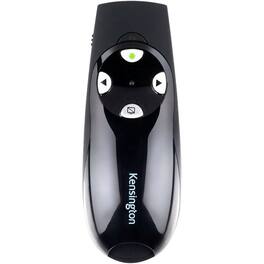
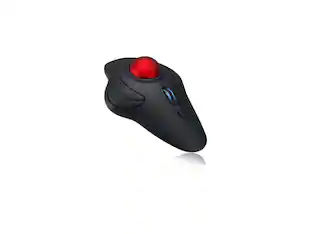
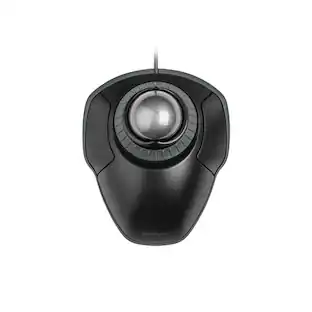
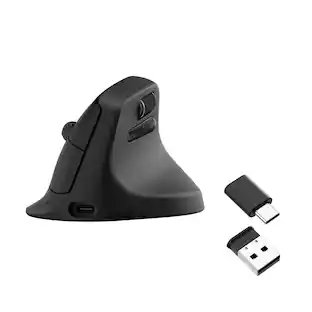
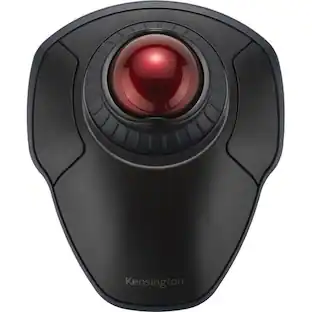
AGPtek - Wireless USB Handheld Finger Trackball Mouse with Laser Pointer - Wireless - Black - Black Ball
5.0(1)

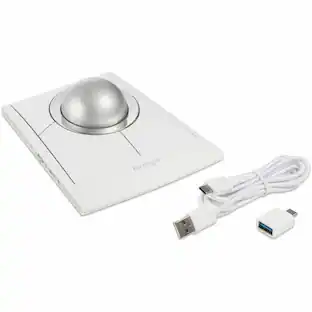
Wireless, Powered by AAA battery (not provided), plug and play, easy to install. Simple to use with either the left or right hand or cradled between the both Press for laser pointer appearance for presentation. Off table and without limits of operational space. Your thumb can easily manage the scrolling function. USB 2.0 interface, plug and play, no software required. Handheld trackball mouse wireless, which can avoid any harm on your wrist and muscle, greatly reducing the chances for Arthritis and CTS suffers. Perfect for both desktops and laptops. Put your thumb on the roller ball and the tip of your index or middle finger on the trigger.

Logitech - ERGO M575 S Wireless Ergonomic Trackball Mouse - Wireless - Black

Minimize movement and maximize comfort with the Logitech ERGO M575S wireless trackball mouse. Thumb control lets you move the cursor without moving your arm, while the sculpted ergonomic design fully supports your hand and keeps your forearm in a more natural position. This wireless ergonomic mouse has been developed by Logi Ergo Lab experts, user-tested and certified by ergonomists to give you 25% less muscle strain in your forearm . The smooth and responsive thumb control can be used anywhere – and since it doesn’t need to be moved, the ERGO M575S is perfect for tight setups and busy desks.

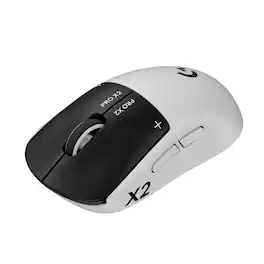
Logitech - Signature M550 L Full Size Wireless Bluetooth Optical Ambidextrous Mouse with Silent Clicks - Wireless - Graphite

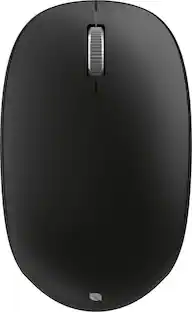
Upgrade to smarter scrolling, better comfort, and more productivity with the Signature M550 – featuring SmartWheel scrolling that delivers precision and speed in an instant. A choice of sizes for smaller or larger hands means there's a perfect fit for anyone. Seamless wireless connectivity, silent clicks, and a comfort shape keep you comfortable and productive hour after hour.

Pros for Logitech - Spotlight Presentation Remote - Gyroscopic - Wireless - Bluetooth/Radio Frequency - Slate - USB - 3 Button(s) - Wireless - Gray
There were no pros for this productThere were no pros for this productOverall Performance, Ergonomics, Ease of Use, Connectivity, Battery LifeOverall Performance, Ease of Use, Connectivity, Ergonomics, Size
Cons for Logitech - Spotlight Presentation Remote - Gyroscopic - Wireless - Bluetooth/Radio Frequency - Slate - USB - 3 Button(s) - Wireless - Gray
There were no cons for this productThere were no cons for this productCursor ControlScroll Wheel

Specs

Reviews

This product doesn't have any reviews yet.

No content
Sponsored

Similar products from outside of Best Buy

sponsored

Finance Options

My Best Buy® Credit Card
10% back in rewardson your first day of purchases when approved for the My Best Buy® Credit Card.
Buy Now, Pay Later
4 payments starting at $36.99