Everything for Back to School — and then someShop now

Skip to contentGo to Product Search
Main Content

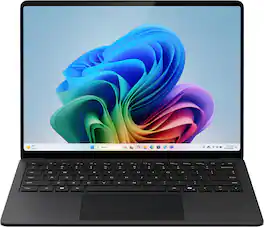
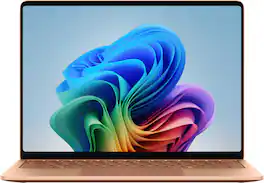
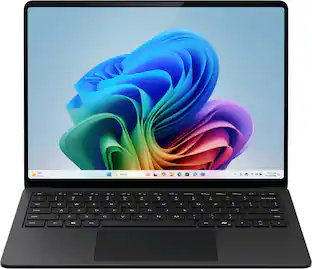
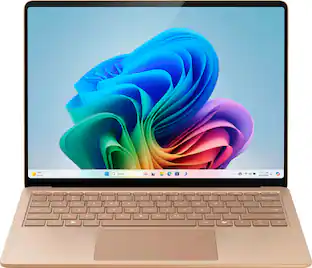
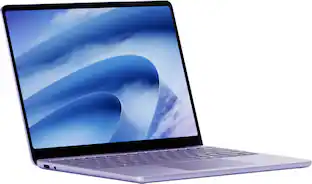
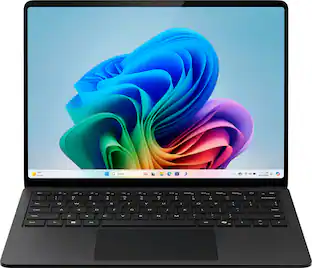
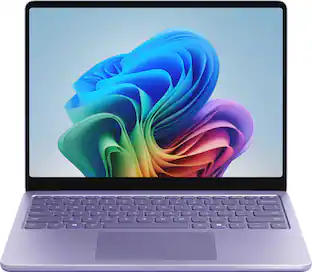
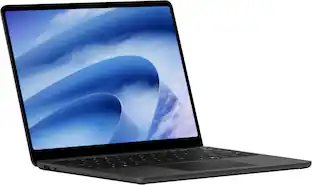
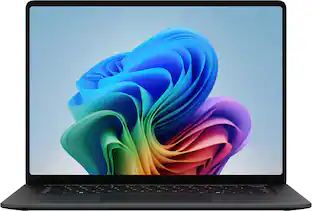
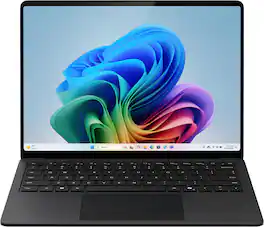
Microsoft - Surface Laptop - 13.8" 2K Touchscreen - Snapdragon X2 Elite (12 Core) 2026 - 16GB - 1TB Storage - Black

Model: EP2-59296
SKU: 6677266
Sold byBest Buy

About this product

Exceptionally powerful, ultrathin laptop — The new Surface Laptop, 13.8-inch (8th Edition) is not just faster—it’s more intuitive. Unlock your creativity and stay productive throughout the day with accelerated performance that powers a new AI era, enabling Copilot experiences deeply integrated with the Windows ecosystem. Enjoy all‑day battery life [3] to keep your ideas flowing, and immerse yourself in stunning visuals on its modern, razor‑thin touchscreen display.

Highlights

Features
  • Brilliant Display

    Stunning 13.8" PixelSense touchscreen [1], with brilliant LCD display [2], unleashes luminous whites, deeper blacks and colors so richly saturated bringing vivid life into every frame – perfect for work, school, streaming and creative tasks.

  • Power that lasts all day

    With 20 hours of battery life [3], the new Surface Laptop powers through your entire day, so you can create, work and stream from morning to night without reaching for a charger.​

  • Work at the speed of your ideas

    Built with the latest Qualcomm Snapdragon X2 Elite (12 Core) processors, Surface Laptop delivers fast, AI‑accelerated performance—making it the most powerful Surface laptop for everything from multitasking to demanding workloads.

  • Premium Performance

    Premium Performance PCs are built for all-day performance, so you can move from work to play with the speed, battery life, and flexibility to keep up without slowing down.

  • The ports you need

    Charge on-the-go, transfer data fast, or create the ultimate desktop set up with two USB-C/USB4 [4] ports.

  • Built-in AI Companion

    Work smarter, create freely, and communicate with confidence—Copilot [5] on Windows 11 is always there to help.​

  • Bold Colors to match your style

    Available in four stunning colors, Black, Platinum, Dune, and new Jade[6] and created with a premium aluminum alloy chassis.

  • Two sizes, your choice

    Sleek 13.8" for seamless portability, or indulge in the expansive 15" with added power, and extended battery life [3].

See all features
Specifications
  • Screen Type
    PixelSense
    Screen Size
    13.8 inches
    Screen Resolution
    2304 x 1536
    Touch Screen
    Yes
    Refresh Rate
    120Hz
Sponsored

Reviews

Rating 5 out of 5 stars with 6 reviews

5 star rating. 6 reviews
100% would recommend to a friend

Customer Images

The vast majority of our reviews come from verified purchases. Reviews from customers may include My Best Buy members, employees, and Tech Insider Network members (as tagged). Select reviewers may receive discounted products, promotional considerations or entries into drawings for honest, helpful reviews.
  • Rated 5 out of 5 stars

    Oh, how I've MISSED YOU, Surface!

    The BEST laptop on the market, in my opinion. I've owned the Surface 1 and 2, but was then forced to take my 2 pretty much out of commission as per a new work policy that was implemented. We had to switch to using only work issued DINOSAURS by 'Zell' for the last four years, and only recently were given the choice to use our own devices again. I'd forgotten how much I loved working on a Surface! It's only been a few days, but the difference is noticeable immediately. Starting with just how gorgeous this Surface is. It looks so luxurious and high-end. The feel of it in your hands is like butter. Smooth and substantial, sturdy, and just well made. It's so light and compact, I don't need to carry it in a backpack. It fits nicely into my purse, which is a really nice change. I got the black to match my other devices. It starts up super fast, has such vivid color and the touch pad is just the right amount of sensitive. It's velvety to the touch and I don't have to darn near slam my fingers onto it to get a response! The speed of switching tasks and apps and screens is glaringly noticeable and so refreshing. Plays back video in high quality colors and contrast. The test for me was watching three episodes inna row of Seinfeld and when I watched again on my TV, I was like, it looked better on my laptop!? Lol! The battery literally lasts a full 8 hours of working before I need to plug it in. Still has battery life, so I could go another hour from when the battery saver kicks in. In my work, we use the full Microsoft suite as well as Monday.com. There's no better match than an actual Microsoft laptop to work within their products. Copilot is the only approved AI platform for us, and I just love it. So quick and intuitive and while I don't use AI to do work FOR me, so to speak, I do use it for quick research and let me tell you, the accuracy is by far the best I've used, between my phone, tablet and the Surface's different AI Assistants. I haven't noticed any glaring mistakes or misinformation as I have on other AI. I also frequently utilize AI to search within my files. Speaking of, the storage on this little beauty is enough to last a lifetime! I'm very happy to be back in the saddle with a surface. I would recommend to anyone over a Mac or any other model. This was a great upgrade to my working life!

    Posted by MsLittlejohn

  • Rated 5 out of 5 stars

    Works great, better than expected.

    I was using Microsoft surface pro for over a decade when I decided to try the laptop version. It has not disappointed.

    Posted by JillB

  • Rated 5 out of 5 stars

    Windows on ARM? I didn't even notice! It's great!

    I wasn't looking very clearly when I grabbed this laptop. I assumed it was a regular ol' laptop, with an intel whatever under the hood. It was when I went to run some benchmarking software to see how hard I could push the integrated graphics that I noticed something was wrong. Instead of the usual x64 CPU benchmarks, I was presented with a Snapdragon benchmark. That's when I started thinking, "did I mess up?" I remember when the first Surface tablets launched. There was a Pro model, which I bought, and there was a non-Pro model that ran on an ARM processor. This wasn't widely advertised, and people bought it and found out that there was limited app compatibility. This almost sunk the brand, but since the Pro had the novelty of a touchscreen tablet running a clean version of windows and pen input(!), they ended up being popular enough to continue iterating on the design. I don't know of anyone that actually kept their regular Surface after understanding what they had purchased compared to the Pro. I was about to give up and get angry that I got the wrong model, when I realized something. I didn't do anything special to install Steam, or the benchmarking software that I had on my Steam account. I had even installed my usual suite of open source productivity tools like Notepad++ for text editing, GIMP for pictures, and Audacity for audio. Everything was working just fine! In fact, after the first startup, GIMP was opening up quicker than on my gaming PC. As it turns out, the installers had picked ARM64 compiled versions of the programs when they were available, and they run incredibly smooth. For x86 and x64 programs, there is a translation layer called Prism that handles most programs with ease. There had been no functional difference between running programs off the Snapdragon X2 12 core processor vs the same program on my Intel desktop. Windows is the exact same. I was convinced, this is a keeper! I use a VPN to connect to my office intranet when I am working from home. So far, I have been unable to find a compatible program that allows me to connect properly. While I was able to install the x64 version of the VPN software that my IT department has provided, it doesn't have the system level resources necessary to run properly. If using a specific VPN, or any other peripheral that has special software designed for an x86/x64 processor, you may want to stick to something with an Intel or AMD inside. Fortunately, I can still connect to my office pc through the web portal. The hardware is pretty slick. It feels like someone took a Surface tablet and made a matching keyboard and trackpad and grafted it on. The trackpad is nice and large. While using it, I noticed that there is a depth to it. Checking the box again, I saw that it was listed as a haptic trackpad. There's definite tactile feedback that makes navigating much easier. I generally hate trackpads, much preferring to pair a bluetooth mouse first chance I can, but I gave this one a shot for the novelty of it. It's pretty cool to be feeling a little bump whenever the cursor hovers over the "Close Window," or being able to click on things without having to actually lift my finger, just pressing in a little harder. I also noticed that the chassis was completely devoid of vents, so no fan noise, but it also wasn't getting very hot. Everything about it feels very premium. I went on a short camping trip to a nearby State Park campground. I downloaded a few movies for entertainment, but forgot the special Surface charger. Yes, Microsoft is sticking with the funky adapter even now. Fortunately, the laptop also charges via USB-C, but I found that I didn't need it at all. After watching a movie the first night, since there was a torrential downpour preventing us from having some campfire fun, the laptop mostly stayed packed away for the whole trip. When I got home after a few days, I was surprised to turn it on from standby to find it still had most of the battery. After my initial shock at using full Windows on an ARM processor, I can pretty much say that this is the way to go for most general use laptops. The internet is going to be the same no matter what device you're on, so the stuff that you're going to be doing specifically on a regular laptop, like spreadsheets, some light image manipulation, and pretending to work on a novel while seated at a table in that funky coffeeshop, you can still do on this laptop just fine. I even ran some retro games that I had installed just to see if they would work. They did, it was fine. Why switch, then? Because the wake from sleep is so much better, as well as the battery life. I have a ton of PCs, from handheld gaming PCs, a server for my home theater, multiple gaming desktop and laptops, but for something on the go like my my upcoming in-town all-day business conference, I'm going to be bringing the Surface so that I don't have to worry about the battery but still get actual work done.

    Posted by RondonJonsen

  • Rated 5 out of 5 stars

    my favorite Surface Laptop yet

    A couple years ago, Microsoft launched the copilot+ PC line. It was a very good computer, but tech moves very fast so a device from a couple years ago unfortunately will show its age in one way or another. While my 1st copilot + PC is still quite usable, I wanted an upgrade to the new surface laptop copilot+ PC. In the box really isn’t that much. You get the beautiful laptop and the plug / power adapter. One thing that I immediately liked was the plug is the same type as my previous model, so at a minimum I have a back-up if something happens to the brick or the cord. The laptop itself has 1 USB-A port, 2 USB-C ports, and a 3.5mm earphone jack on the left side of the machine. On the right side you only have the port for the power connection. Other than the barely noticeable fan opening at the rear, the rest of the body of the laptop has no other opening or screws or anything to disturb its perfect build. The keyboard feels great. The trackpad is improved from the previous version, including new haptic feedback. Like I said, it’s beautiful. The new surface laptop just does whatever you ask it to do, when you ask it do it. I have the 13.8” screen and It’s powered by the new snapdragon X2 processor. The laptop can easily do all of the normal entertainment consumption stuff, like web browsing, watching/streaming music & video, and playing games (remember Microsoft has told us that everything is a XBOX). While no one would classify this as a gaming laptop, the new copilot+ PC actually does a pretty good job with gaming thru the xbox app. If you have gamepass, you have a ton of options to play and multiple ways to play them, thru the cloud or direct installs on the PC itself. It also can do all of the productivity stuff that you’d need to do like word processing, excel spreadsheets, your creative work or AI’s creative work. And it handles all of it at the same time. While the 13.8” screen in on the smaller side, the laptop itself is ultra-portable and the HDR pixelsense display with 120hz refresh rate is bright and easy to look at / watch whatever content you are displaying with its 3:2 screen ratio. The screen continues to be a touch screen as well, giving you multiple ways to interact with the laptop, in your preferred way. With all this power, the battery life is incredible. Microsoft says the laptop gives you 20 hrs of video playback on a single charge, which I believe based on my usage! It also features fast charging to get you back to whatever you are doing quickly, charging a significant portion of the battery in an hour. So, the new surface laptop is powerful, fast, & has great battery life, it must be noisy right? I mean my work laptop fans sound like a jet engine when I open multiple spread sheets at the same time. On the surface laptop, I have no idea what the fan sounds like, it never turns on. I’ve watched World Cup games, I played College Football and Fallout 4 using my gamepass subscription, I’ve done dozens of other things and I haven’t heard it once. Of course, it's right in the name of the computer, so I’d should mention that the copilot+ PC devices that Microsoft built considered AI all throughout the process and designed right into the local machine. Similar to the previous version, there is a key right on the keyboard to launch copilot quickly and easily. Even without using copilot, AI is present. When searching for files, pictures, or whatever you are looking for, you can do so using plain language and the PC will likely be able to find it. Another place that the local secure AI is easily visible is while using the camera and studio effects. Things like blurring backgrounds, and visual effects like turning yourself into an animated picture or illustrated picture or watercolor picture. The animated filter is quite creepy on me ha! All in all, this year's model is a nice leap forward from the previous version. The processor is improved which leads to the computer being faster, better at multitasking, and more efficient. It also features great battery life to power your computing day. If you are in the market for a silent, portable, long-lasting laptop that handles everyday work and entertainment effortlessly, this is a great choice.

    Posted by tre91396

  • Rated 5 out of 5 stars

    Powerful, Sleek, and Premium Surface Laptop yet

    Microsoft’s latest Surface Laptop is powered by the cutting-edge Snapdragon X2 processor, delivering speed and efficiency in a sleek, ultraportable design. The 13.8" PixelSense touchscreen is razor-thin and gorgeous, showing off vibrant colors with smooth 120Hz scrolling that makes everything feel effortless. Whether you’re working, streaming, or just browsing, this laptop is made to keep up with you on the go. In the box, you’ll get the laptop itself, a 39W Surface charger, and the usual documentation to help you get started. I’ve used laptops with ARM processors before, so this one feels pretty familiar to me. If you’re new to ARM-based laptops, don’t worry — chances are you won’t even notice much of a difference. Your apps should install and run smoothly without any compatibility issues. What really stands out is the 12-core Elite X2 processor, which gives this machine plenty of power for multitasking and handling heavy tasks with ease. Even though it’s ultrathin, this laptop still packs in plenty of ports: two USB‑C, a full USB‑A, and a 3.5mm audio jack. You also get the Surface magnetic connector if you’d like to use the included 39W power supply. Charging is flexible too — you can power up through either USB‑C port or with a docking station. On the new Surface laptop, typing feels effortless thanks to the ultra-responsive, backlit keyboard. The touchpad provides subtle haptic feedback across Windows and your everyday apps, making navigation feel seamless. When it comes to battery life, this laptop easily powers you through a full day of work and entertainment on a single charge. Thanks to USB‑C fast charging, you can go from 5% to 80% in under an hour — perfect for quick top‑ups. I also appreciate that the SSD and other modular components can be upgraded, giving you some flexibility down the line. Just keep in mind that tinkering too much could void your warranty. Since it’s a Copilot+ PC, this laptop comes with its own NPU that can handle AI tasks right on the device. Thanks to deep Windows integration and seamless cloud connectivity, it delivers powerful, efficient performance. And whenever you want to bring up your AI companion, just tap the Copilot button on the keyboard. If you want a sleek, lightweight, premium Windows ultraportable with impressive battery life, advanced AI features, and a responsive haptic trackpad, this one’s got you covered.

    Posted by Prat

From the Manufacturer

Compare similar products

Microsoft - Surface Laptop - 13.8" 2K Touchscreen - Snapdragon X2 Elite (12 Core) 2026 - 16GB - 1TB Storage - Black
5.0(6)

Exceptionally powerful, ultrathin laptop — The new Surface Laptop, 13.8-inch (8th Edition) is not just faster—it’s more intuitive. Unlock your creativity and stay productive throughout the day with accelerated performance that powers a new AI era, enabling Copilot experiences deeply integrated with the Windows ecosystem. Enjoy all‑day battery life [3] to keep your ideas flowing, and immerse yourself in stunning visuals on its modern, razor‑thin touchscreen display.
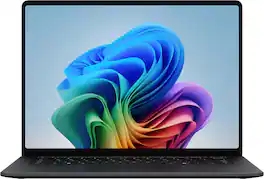
Microsoft - Surface Laptop - 15" 3K Touchscreen - Snapdragon X2 Elite (12 Core) 2026 - 16GB - 1TB Storage - Black

Exceptionally powerful, ultrathin laptop — The new Surface Laptop, 13.8-inch (8th Edition) is not just faster—it’s more intuitive. Unlock your creativity and stay productive throughout the day with accelerated performance that powers a new AI era, enabling Copilot experiences deeply integrated with the Windows ecosystem. Enjoy all‑day battery life [3] to keep your ideas flowing, and immerse yourself in stunning visuals on its modern, razor‑thin touchscreen display.
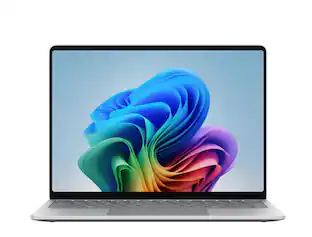
Microsoft - Surface Laptop - 13" 2K Touchscreen - Snapdragon X Plus 2025 - 16GB - 256GB Storage - Copilot+ PC - Platinum

Meet Surface Laptop 13", a Copilot+ PC and the most portable Surface Laptop. With built-in AI experiences for a student or creator to experience on Windows 11, it delivers unbeatable intelligence, value and style. And you can leave your charger at home because this 13" touchscreen powerhouse boosts all-day battery life¹.

Microsoft - Surface Laptop - 13.8" 2K Touchscreen - Snapdragon X Elite 2024 - 32GB Memory - 1TB Storage (7th Ed) - Copilot+ PC - Black
4.4(43)

Exceptionally powerful, ultrathin laptop — This Surface Laptop is not just faster—it’s more intuitive. Unlock your creativity and stay productive throughout the day with accelerated performance that powers a new AI era, enabling Copilot experiences deeply integrated with the Windows ecosystem. Enjoy all‑day battery life to keep your ideas flowing, and immerse yourself in stunning visuals on its modern, razor‑thin touchscreen display.

Pros for Microsoft - Surface Laptop - 13.8" 2K Touchscreen - Snapdragon X2 Elite (12 Core) 2026 - 16GB - 1TB Storage - Black
There were no pros for this productThere were no pros for this productOverall Performance, Portability, Battery Life, Speed, TouchscreenOverall Performance, Battery Life, Portability, Processor Speed, Weight
Cons for Microsoft - Surface Laptop - 13.8" 2K Touchscreen - Snapdragon X2 Elite (12 Core) 2026 - 16GB - 1TB Storage - Black
There were no cons for this productThere were no cons for this productStorage Capacity, Port QuantityThere were no cons for this product

Specs

Questions & Answers
  • Does this laptop come with a backlit keyboard?

    Yes, this laptop is equipped with a backlit keyboard.

    This question and answer was generated by AI based on customer and product data.
  • How long does the battery last on this laptop?

    This laptop provides up to 20 hours of battery life on a single charge.

    This question and answer was generated by AI based on customer and product data.
  • Can I use facial recognition for security on this device?

    Yes, this laptop includes facial recognition as one of its security features.

    This question and answer was generated by AI based on customer and product data.
  • What is the refresh rate of the screen?

    The screen on this laptop has a refresh rate of 120Hz.

    This question and answer was generated by AI based on customer and product data.
  • Which wireless networking standard does this laptop support?

    This laptop supports the Wi-Fi 7 wireless networking standard.

    This question and answer was generated by AI based on customer and product data.
Ask a question
No content

Customers often buy these together

Sponsored

Similar products from outside of Best Buy

sponsored
Ask BlueAI

Finance Options

My Best Buy® Credit Card
Choose a benefit:Or
Lease to own

Finance Options

My Best Buy® Credit Card
Choose a benefit:Or
Lease to own

Special Offers

Top Offers
Included with Purchase

Special Offers

Top Offers
Included with Purchase