Everything for Back to School — and then someShop now

Skip to contentGo to Product Search
Main Content

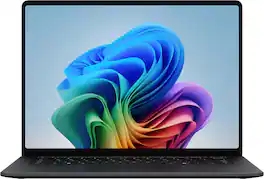
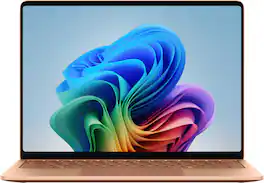
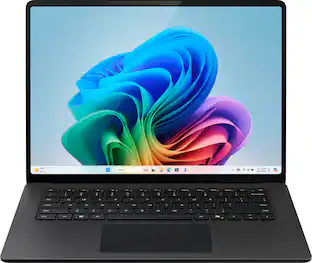
Microsoft - Surface Laptop - 15" 3K Touchscreen - Snapdragon X2 Elite (12 Core) 2026 - 16GB - 512GB Storage - Black

Model: EP2-60211
SKU: 6677265
Sold byBest Buy

About this product

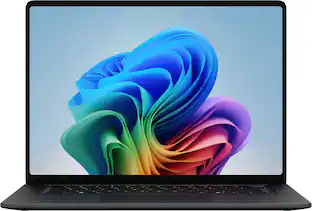
The new Surface Laptop, 15" (8th Edition) — faster, smarter and more secure. Get the most out of your day with accelerated performance that unlocks Copilot experiences that transform the way you work and play. Experience visuals like never before on its stunning and modern razor-thin touchscreen display. An ultralight and stylish laptop with exceptionally long battery life [4], ultimate typing comfort, and a top-notch Surface Studio Camera.

See it in-store: Roseville has a demo model on display.

Highlights

Features
  • Brilliant Display

    Featuring 600 nits and 262 ppi clarity, this is the brightest display ever on a Surface Laptop. The expansive 15” [1] PixelSense touchscreen [2], with LCD [3] color profile brings your vivid content to life.

  • Power that lasts all day

    With 19 hours of battery life [3], the new Surface Laptop powers through your entire day, so you can create, work and stream from morning to night without reaching for a charger.​

  • Work at the speed of your ideas

    Built with the latest Qualcomm Snapdragon X2 Elite (12 Core) processors, Surface Laptop delivers fast, AI‑accelerated performance—making it the most powerful Surface laptop for everything from multitasking to demanding workloads.

  • Premium Performance

    Premium Performance PCs are built for all-day performance, so you can move from work to play with the speed, battery life, and flexibility to keep up without slowing down.

  • The ports you need

    Charge on-the-go, transfer data fast, or create the ultimate desktop set up with two USB-C/USB4 [4] ports.

  • Built-in AI Companion

    Work smarter, create freely, and communicate with confidence—Copilot [5] on Windows 11 is always there to help.​

  • Timeless colors to match your style

    Available in two rich colors, Black and Platinum [7] and created with a premium aluminum chassis made with 100% recycled aluminum alloy.

  • Two sizes, your choice

    Sleek 13.8" for seamless portability, or indulge in the expansive 15" with added power, and extended battery life [3].

See all features
Specifications
  • Screen Type
    PixelSense
    Screen Size
    15 inches
    Screen Resolution
    3270 x 2180
    Touch Screen
    Yes
    Refresh Rate
    120Hz
Sponsored

Reviews

Rating 4.5 out of 5 stars with 10 reviews

5 star rating. 5 reviews4 star rating. 5 reviews
100% would recommend to a friend

Customer Images

The vast majority of our reviews come from verified purchases. Reviews from customers may include My Best Buy members, employees, and Tech Insider Network members (as tagged). Select reviewers may receive discounted products, promotional considerations or entries into drawings for honest, helpful reviews.
  • Rated 4 out of 5 stars

    Powerful on Paper, Complicated in Practice

    The Microsoft Surface Laptop 8th Edition, equipped with the Snapdragon X2 Elite processor, has a lot going for it: strong benchmark results, an excellent display, a premium keyboard and touchpad, and a polished chassis. NPU performance, thermals, and battery life are good, too. But software compatibility and forced emulation make everyday performance inconsistent. It supports USB-C charging, yet Microsoft still includes a proprietary charger instead of adding another USB4 port or a dedicated display output. The black finish also attracts fingerprints, and the keys quickly develop a greasy looking shine. After thirty years of building and buying Windows PCs, I still tend to judge PC performance by games and demanding applications, not basic Windows tasks. Game performance here is underwhelming, if games work at all, and I have yet to find an app that runs meaningfully better on the Snapdragon X2 Elite. That leaves me weighing strong benchmark scores against a narrower set of practical AI-assisted tasks, such as finding a file from a vague description or using Copilot in Office and Windows. Those features are useful, but they do not feel like the kind of leap that justifies a premium purchase. Unboxing The unboxing presentation is clean and simple. Microsoft includes the laptop and its proprietary charger. The laptop makes a strong first impression, with a solid chassis, light weight, and sharp black finish, though that finish starts showing fingerprints almost immediately. The less pleasant surprise was the number of Windows updates out of the box. I had to wait at least 30 minutes before everything was fully updated and ready. Display and Touch Experience Out of the box, the display is one of the laptop’s strongest features. It offers a fast refresh rate, high brightness, HDR support, and a 3K resolution. Motion looks fluid, colors are vibrant, and contrast is excellent. In short, the screen looks great. The display is also a touchscreen. I am not sure touch is essential on this kind of premium laptop; after several weeks of use, I only touched the screen to confirm that it worked. I cannot imagine using it often on this form factor. For one thing, my hand is always resting on the keyboard and trackpad. Tapping the screen just feels like an additional movement that is not needed. The hinge does not fold back far enough to turn the laptop into a tablet, so while touch input works, it feels more like a bonus feature than a core part of the experience. Keyboard, Trackpad, Speakers, and Camera The keyboard feels excellent, with satisfying travel and responsive feedback. The laptop also stays cool to the touch during most everyday use. The haptics built into the new trackpad are impressive, especially when using on-screen gestures such as moving and snapping windows to the top or sides of the display. The speakers sound good as well. Microsoft includes a Windows Hello camera that makes quick logins easy. However, there is no built-in privacy toggle, and the camera resolution at 1080p could be better. Battery Life and Charging Battery life has been a mixed bag. I am not getting close to twenty hours. With web browsing and writing in Word, I am seeing roughly half that amount. Most major apps now have ARM-native versions, but Chrome still drains the battery at a steady pace in my use. Microsoft also needs to move on from the proprietary charger. The laptop can charge over USB-C, and I would much rather have another USB4 port and a dedicated HDMI output. The magnetic connector feels weak, and getting the charger seated properly is often clunky. In 2026, this feels dated and adds nothing positive to the experience. Design, Build, and Thermals The 16GB of RAM and 512GB SSD feel like the bare minimum; on a premium machine, I expect more of both. I understand that pricing for RAM and storage has skyrocketed over the past year, but last year’s laptop models are still selling for less with more RAM and storage. The laptop feels solid without being heavy, and it is lighter than I expected. Microsoft is clearly emphasizing efficiency with this model, and during normal productivity work it stays cool and quiet. No one will confuse it with a jet engine. Gaming is a different story. In my limited attempts, the machine became extremely hot, and that heat was noticeable through the keyboard. My laptop is black, and the finish is a fingerprint magnet. The keys can look shiny and greasy after only a few hours of use, and cleaning does not prevent the issue from returning. I am not sure whether this is limited to the black model, but it is worth noting. Performance and Application Compatibility Performance and application compatibility are where the experience becomes more uneven. Some emulated programs work well. Some work with lag. Some do not work at all. One of my favorite writing tools is Scrivener, and it worked through the emulation layer without any real problems. But gaming through Steam was often frustrating. In my testing, Baldur’s Gate 3 ran well and was one of the few titles I tried with native ARM64 support. Even then, I had to lower the settings and resolution to reach playable frame rates. Meccha Chameleon, an x86 application, was playable through emulation, but noticeable input lag made the experience feel compromised. Helldivers 2 and many other games in my Steam library simply failed to run. That became the pattern: some games run natively at lower resolutions, often with upscaling; some run through emulation with compromises; and many do not run at all. Nothing I tested performed better than it would on a high end Intel or AMD laptop from a year ago, and most games performed worse. More applications will support ARM64 over time, but today, even ARM native games can feel laggy compared with traditional x86 gaming systems. There are entire YouTube channels dedicated to gaming on ARM processors. ARM enthusiasts are pleased if a game works at all on the lowest settings, but on a premium laptop I expect everything to run. Here, if a game works, you will usually need to turn down visuals and expectations. Some AI upscaling can make the experience better, but even then, a gaming laptop is a better option. I mention that because you can get a decent gaming laptop for about the same price or even less than the Surface Laptop 8. Hardware and Accessory Compatibility On the positive side, I did not encounter driver compatibility issues with USB hubs, headsets, printers, external mice, or keyboards. For everyday peripherals, the laptop behaved as expected. Stability Stability was mostly good, but I did experience a couple of hard freezes while running on battery with no peripherals connected. One occurred after accessing a network folder to download a file, and another happened while browsing the web. The only consistent variable was the Wi-Fi adapter, so there may be a driver issue involved. Diagnostics did not identify a problem. Conclusion I understand the push to bring ARM-based CPUs to Windows laptops, and I see the potential as software support improves. Microsoft has built a polished machine with a great display, strong keyboard and touchpad, good thermals, and solid everyday battery life. But at this price, the Surface Laptop 8 is hard to justify for my use. Its benchmark numbers are impressive, yet real-world performance does not feel meaningfully better than recent Intel- or AMD-based laptops, and games or demanding creative apps remain a weak point. For students and professionals who mostly work in web browsers, Canvas, Office, and other ARM friendly apps, this could be an excellent if expensive laptop, provided their software runs well on Windows on ARM. For gamers or users who depend heavily on x86-only software, I would look elsewhere. Rating: 3.5/5 Conditionally Recommended

    Posted by RedScorpion

  • Rated 4 out of 5 stars

    Excellent Build, Features But Not Perfect

    The Surface Laptop 15” (8th Edition) is the latest premium offering within Microsoft’s laptop lineup. The latest generation features an upgraded Snapdragon X2 chipset, 120Hz screen with higher pixel density, and improved AI performance all while maintaining the premium design and build quality that’s expected. This is my first experience using a Surface product after having used several of the competitors over the last few years. I have come away reasonably impressed with the day-to-day usability and performance of this laptop. There are a few features I thoroughly enjoy but I did encounter some hiccups with software. This entire package comes at a price premium over others in this space, which may make it harder to justify switching ecosystems if you’re already invested in another brand. The Surface Laptop is available in two screen sizes, 13.8” and 15”. The smaller 13.8” version has four colors available while the 15” is available in Platinum and Black color way. The 15” measures just .72” thick and weighs 3.67 lbs. I have been using the black color way and I have to say it is very stealthy looking. IN THE BOX: - Surface Laptop, 15-inch - 65W Power Supply with Surface Connect - Quick Start Guide - Safety and warranty documents USAGE: Upon booting up the laptop for the first time, you’re greeted with the updated 3:2 aspect ratio Pixelsense display which comes in at 3270 x 2180 resolution or 262 PPI. This ratio provides more screen real estate for reading articles or scrolling vertically and the resolution of 3K equivalent, is exceptional for a laptop. The screen being 120Hz refresh rate makes everything buttery smooth and the touchscreen makes it more versatile for use with a stylist or creative tools. The keyboard itself is similar in overall size to other 15” laptops I have used. I will say, the keys feel ever so slightly closer together or tighter in spacing which took a little to get used to. I wish the function keys at the top were full size. The keys have a fair amount of travel and the keyboard is backlit, which is nice. The laptop features all of the ports that are useful on a daily basis. 2x USB-C USB 4 1x USB-A 3.2 1x MicroSD slot 1x 3.5 mm audio jack 1x Surface connect port The laptop comes with a surface connect charging cable but can be charged via either USB-C port for flexibility in how you use the device. The Full HD webcam offers studio grade performance with integrated AI functions such as “eye gaze correction” (which I didn’t even know was a thing). The Window’s Hello system pairs an “enterprise-grade” biometric near-infrared (IR) camera to securely scan your face to replace the need for passwords, pins, or other security steps while using the laptop. This makes logging much more convenient and also the fact it can be tied to any passwords on websites. The updated Surface Laptops are powered by the latest version of Snapdragon X2 processors with either 10 core or 12 core configurations. The X2 Elite provides significantly more graphics performance compared to previous generations and the NPU adds additional AI performance which is increasingly in demand. Copilot+ is built into the hardware and software of this laptop which offers in-device AI for faster responses, AI image generation and editing, enhanced video call eye gaze correction, and real time language & transcription. I like the fact that many AI related tasks can be performed directly from the laptop itself rather than relying on an internet connection or dedicated website. One big issue that came up was the touchpad driver stopped working randomly one morning. I did some troubleshooting online, found the issue and tried removing the driver, reinstalling, and restarting and it didn’t work at first but eventually with some other updates, it started working again. This should not have happened on a brand new laptop quite frankly. Likes: - Slim, Premium Design - 3K Touchscreen - Quick, IR Facial Recognition - Haptic Touchpad - Good Battery Life - Webcam Quality Dislikes: - No Notch To Place Finger To Lift Screen - Smaller Touchpad Area - Speaker/Audio Quality Overall, my first experience with a Microsoft Surface product has been fairly positive but I don’t view it as perfect. From the lack of a notch to make opening the laptop screen easier to the touchpad software somehow breaking itself before some driver troubleshooting and restarts to get it working again, it left a little to be desired. The performance of this laptop is very similar to other high end options on the market with the added benefit of touchscreen display for those who desire this feature. The usability is good with an ok keyboard (not best in class) and great webcam performance. I like the fact that it has a removable SSD for those who wish to upgrade in the future or need to replace it for whatever reason. The biggest drawback is the price point compared to what others are offering for similar or lower prices. Technology has been hit hard by the AI and data center boom in the last 12 months and if this trend continues, it will be more difficult for the average person to afford a high end laptop at all. The Surface Laptop 8 offers enough to be competitive but may not be my first choice for the dollar.

    Posted by Justin

  • Rated 5 out of 5 stars

    Big improvement over last year

    The Microsoft Surface Laptop 8 is my third Surface laptop, the first being the Studio followed by last year’s 7th generation 15 inch. It is important to know, design wise, this year’s surface is identical to last year’s, down to the weight of 3 pounds, 10.5 ounces. I continue to be impressed with the build quality. The aluminum body feels sturdy and well built and the keyboard deck is solid. The lid opens with one finger but there isn't any kind of knockout, just a slight overgap to grab on to. There are two USB-C ports on the left side, along with an USB-A and 3.5mm headphone/microphone jack. On the right side you have the Surface Connect which also supports I/O via a Microsoft dock along with a Micro SD card reader. I wish there was a USB-C on each side rather than both on one. The updated 3270x2180, (up from last year’s 2496x1664) 120Hz 15 inch touch screen display is bright and crisp. The increased pixel density helps text look great at small font sizes. Colors pop and are vivid and blacks are deep. The display has a highly reflective shine on it. In my office with a sunny window behind me, the display was very difficult to view. It is a touch screen and has 10 point touch which is responsive. It also includes pen support via Microsoft ink. I really like the 3:2 aspect ratio, the extra length of the screen is really nice when working on office documents and spreadsheets. As far as sound, there are no speaker grills, the sound just emanates from the keyboard (Omnisonic speakers?) and there is Dolby Atmos. The volume is loud enough and sounds clear. Like most laptops, bass is lacking and it can sound a bit tinny. The 1080p front facing camera worked as expected and included IR for Windows Hello. Video via Teams was crisp and clear. Colors seemed a bit warmer to me on the auto settings but you can adjust the white balance to make it photos and videos match your needs. The keyboard feels just like the Studio, the chiclet keys have a nice travel but feel a bit more spongy than last year. The keys backlit with three levels of brightness. The haptic touch pad is the best I’ve seen on a windows laptop and on par with the touchpad on my Macbook Pro. This version of laptop also has haptic feedback for more than just the click - for example, when your pointer hovers over the close window X the trackpad vibrates. This is not a feature on version 7. Microsoft rates the battery life on the 15 inch Surface at 22 hours for video and 15 hours for web browsing. These are great numbers if you’re buying a video player or tire from using your phone to surf the web. In real-world use I did manage to get about a day and a half (work days) out of the battery. The Surface charger for the 15 inch model comes in at 65 watts and supports quick charging. From power save mode to 80% took just about an hour and to full charge took about 100 minutes. I can say that while charging and using the Surface, it did get warm but not enough to burn. Finally, you have Wi-Fi 7 and Bluetooth 5.4 for future proofing. Unfortunately, I don't have compatible equipment for either yet. Performance By the numbers - Geekbench CPU single-core is 2,828, a 31.3% increase over V7’s 2,154. Multi-core is 13,998, a 57.8% increase over last year’s 8,871. GPU Scores V8 gets 21,938, a 15% increase over last year’s 18,996. For reference, my M1 Pro Macbook Pro (2021) gets 2,321 single, 10,761 multiple core and 39,701 GPU. Out of the gate, know that application support still might be an issue for you based on your needs. One thing I did notice was not hearing a fan. I tried as best I could to tax the system to get the fan running but with everyday office use, this machine is pretty much silent. With general office work and Microsoft Office 365 I had no issues. Several other programs I use worked fine as well. Unfortunately, Adobe users still know that not all Adobe products play well yet. Maybe I am just too old but I’m not impressed with the AI features. They are nice to have and I am sure they will just get better with age. Overall, I really like the build of the 15 inch Surface Laptop. The new Snapdragon chips are a great step forward but remain hampered by application support at the moment. I’m sure as these processors advance, support will increase faster. All the issues I’ve experienced so far are software related: My Adobe Creative Cloud isn't fully compatible with the ARM architecture yet. Hardware that requires a specific driver might not work or work completely. It seems pretty clear to me that the Surface lineup is aiming at Apple. With synthetic benchmarks close to or better than some MacBooks, it seems, to me at least, that the hardware aspect is there. I think that the new Snapdragon platform is a great move forward with the biggest setback still being application support, which if past is prologue, will continue to come around. I recommend this Surface Laptop 8 to anyone looking for a great laptop ready for the future.

    Posted by RonH

  • Rated 5 out of 5 stars

    Premium product that's fast and reliable.

    I'm a huge fan of the Surface lineup, and I have picked up a few of their devices now. This Surface laptop is the largest Surface device I've owned. The screen is large and very sharp. Color saturation is excellent. It's absolutely great for media consumption. I picked this device up to use for light graphic design (photo editing, light video editing, and simple CAD work) and media consumption. So far, it's excelling at both functions. I've had no issues with software compatibility, and I haven't noticed any lags or glitches. Everything just works smoothly and seamlessly. The device's frame feels very solid. I was surprised by just how heavy the laptop is given its thinness. The laptop is in no way heavy to the point of being cumbersome, but you do notice the weight. the laptop is dead silent during operation. There are no loud fan noises or other distracting mechanical noises. The keyboard is a delight to type on. The key travel and spacing is excellent. The trackpad is quite large. It's a good thing that the palm rejection is as good as it is on this laptop as I often found the edge of my hand resting against the trackpad. Sound quality is excellent, but I'll confess that I prefer to listen to audio over Bluetooth headphones. The built-in storage is fairly ample and should be able to accomodate a reasonable array of programs. My absolute favorite thing about this laptop? The micro-SD card slot. I am absolutely thrilled that this device has removal / expandable storage. Doing graphic design work, I'm constantly shuffling files around, and my storage needs are constantly expanding. I'm relieved that I can pop in an SD card for additional storage when I need to travel with a large library of image assets. I was a little dismayed to see that this device charges via the Surface Connect charger. I was hoping that Microsoft had transitioned to standard USB-C for this device's default charger. I have plenty of third party USB-C laptop chargers, but I don't have any spare Surface Connect chargers. This makes things a little tricky when traveling. Supposedly this device can charge over USB-C, but the chargers I tried only seemed to trickle charge it. I'm quite pleased with this laptop's appearance and performance. Once again, the Surface lineup has another winner.

    Posted by TechEnthusiast

  • Rated 5 out of 5 stars

    MS Surface Laptop

    Really like this! Replaces my 10 year old HP and the only glitch has been with my older web security, which caused one update to stall. The Best Buy rep who sold me the laptop sorted the problem out immediately when I went back to the store, so a shout out to Joe at Watertown!

    Posted by SUSANT

From the Manufacturer

Compare similar products

Microsoft - Surface Laptop - 15" 3K Touchscreen - Snapdragon X2 Elite (12 Core) 2026 - 16GB - 512GB Storage - Black
4.5(10)

The new Surface Laptop, 15" (8th Edition) — faster, smarter and more secure. Get the most out of your day with accelerated performance that unlocks Copilot experiences that transform the way you work and play. Experience visuals like never before on its stunning and modern razor-thin touchscreen display. An ultralight and stylish laptop with exceptionally long battery life [4], ultimate typing comfort, and a top-notch Surface Studio Camera.
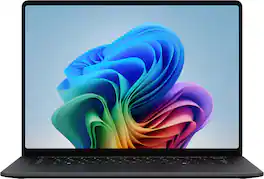
ASUS - Zenbook A16 16" 3K OLED Touchscreen Laptop - Snapdragon X2 Elite Extreme 2026 - 48GB Memory - 512GB Storage -Copilot+ PC - Zabriskie Beige

The Zenbook A16 moves as effortlessly as you do. Ultra-light and slim, with all-day battery life, it lets you work, create, and explore without worry. As a Copilot+ PC with up to 80 NPU TOPS, it keeps AI tasks flowing seamlessly, while the Ceraluminum chassis provides a soft matte finish, refined texture, and lasting strength. Its vibrant OLED touch display delivers stunning clarity and color, making every moment on screen a calm, immersive experience.

Microsoft - Surface Laptop - 15" 3K Touchscreen - Snapdragon X2 Plus (10 Core) 2026 - 16GB - 512GB Storage - Platinum

The new Surface Laptop, 15" (8th Edition) — faster, smarter and more secure. Get the most out of your day with accelerated performance that unlocks Copilot experiences that transform the way you work and play. Experience visuals like never before on its stunning and modern razor-thin touchscreen display. An ultralight and stylish laptop with exceptionally long battery life [4], ultimate typing comfort, and a top-notch Surface Studio Camera.

Microsoft - Surface Laptop - 15" 3K Touchscreen - Snapdragon X2 Elite (12 Core) 2026 - 16GB - 1TB Storage - Platinum

The new Surface Laptop, 15" (8th Edition) — faster, smarter and more secure. Get the most out of your day with accelerated performance that unlocks Copilot experiences that transform the way you work and play. Experience visuals like never before on its stunning and modern razor-thin touchscreen display. An ultralight and stylish laptop with exceptionally long battery life[4], ultimate typing comfort, and a top-notch Surface Studio Camera.

Specs

Questions & Answers
  • The heading for the ad says the screen is 3k, but The “What’s included statement under Features says the screen is 2k.

    Not to worry it's a 3k display

    Answered by JayT
No content

Customers often buy these together

Sponsored

Similar products from outside of Best Buy

sponsored
Ask BlueAI

Finance Options

My Best Buy® Credit Card
Choose a benefit:Or
Buy Now, Pay Later
Lease to own

Special Offers

Top Offers
Included with Purchase

Finance Options

My Best Buy® Credit Card
Choose a benefit:Or
Buy Now, Pay Later
Lease to own

Special Offers

Top Offers
Included with Purchase