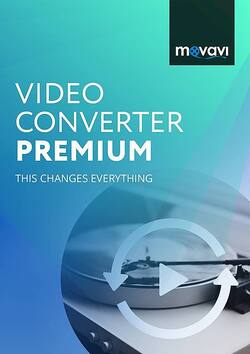
Movavi - Video Converter Premium 2020 Personal - Windows [Digital]
- Key Specs
- Operating System Compatibility: Windows
- Software Format: Digital (Physical software requires a disc, cartridge, etc. be inserted into the gaming console or computer to download and/or operate the software. Digital software allows for downloading and/or playing the software on the gaming console or computer without a physical disc, cartridge, etc. Physical (Download Code Only) software is purchased in physical form with a code that allows for downloading and/or playing the software on the gaming console or computer without a physical disc, cartridge, etc.)
- General
- Brand: Movavi
- Model Number: MVCP20PERSD
- Product Name: Video Converter Premium 2020 Personal
- Publisher: Movavi
- Features
- Software Subject: Video conversion, Video editing
- Editing Type(s): 4K video, Effects, Filters, Image stabilization, Sound adjustment, Trimming
- Automatic Editing Options: true
- Sharing Capabilities: Export to CD/DVD, Export to smartphone/tablet
- Compatibility
- Operating System Compatibility: Windows
- Software Format: Digital (Physical software requires a disc, cartridge, etc. be inserted into the gaming console or computer to download and/or operate the software. Digital software allows for downloading and/or playing the software on the gaming console or computer without a physical disc, cartridge, etc. Physical (Download Code Only) software is purchased in physical form with a code that allows for downloading and/or playing the software on the gaming console or computer without a physical disc, cartridge, etc.)
- Compatible File Formats: AAC, APE, FLAC, JPEG, M4V, MOV, MP3, MP4, Ogg, PNG, WAV, WMA, WMV
- Compatible File Types: 3G2, 3GP, 3GPP, AAC, AC3, ASF, AVCHD, AVI, DAT, DivX, FLAC, FLV, GIF, JPG, M2T, M2TS, M2V, M4A, M4V, MKV, MOD, MOV, MP3, MP4, MPE, MPEG, MPG, MTS, OGG, PNG, QuickTime, SWF, TOD, TS, VOB, VRO, WAV, WMA, WMV, WTV
- Requirements
- System Requirements: CPU: Intel, AMD, or compatible processor, 1 GHz; Graphics card: NVIDIA GeForce series 8, Intel HD Graphics 2000, AMD Radeon R600 or higher; Display: 1280 x 768, 32-bit color; RAM: 2 GB; HDD: 120MB for installation, 750MB for ongoing operations (The software that a product must have for it to be able to integrate with another product.)
- Digital Download Type: Productivity software download
- Download Requirements: Internet connection
- Hard Drive Space Required: 0.75 gigabytes
- Other
- UPC: 756029080584
Movavi Video Converter Premium is Movavi's acclaimed bestseller, well-known for supporting a wide range of media formats and mobile devices, high-quality file encoding, and high-speed processing. Convert between more than 180 formats, including DVD and HD video: AVI, MP4, FLV, MKV, MOV, WMV, 3GP, and many more. Extract soundtracks from movies or clips, and save them in MP3, FLAC, and other audio formats. Choose one of more than 200 presets for mobile devices to easily prepare files for playback on any popular brand of smartphones, tablets, or media players. Cut multiple fragments out of media files, or join multiple clips with a single click. Add effects or subtitles to output videos. Adjust brightness, contrast, and other video parameters. Share files online.
- Video Converter Premium 2020 Business: Specialized version that is available for use by individuals or companies that carry out business activities.
- Compatible with Windows computers: For use with your existing device.
- Convert everything you need: Select individual audio tracks and subtitles for conversion, extract and convert music from video files. Convert between image formats as well as create GIFs from videos.
- Essential editing: Easily join, cut, crop, rotate video, adjust brightness, contrast, and saturation. Automatically enhance video quality and add watermarks. Also, you can stabilize and denoise videos shot on a camera.
- Adjust audio track: Increase, decrease, or normalize volume, and remove noise.
- Watch folder: Just choose the folder and conversion parameters, and the program will automatically convert all new files added to that folder.
- Easily export your video: Share online and export your files to iTunes.
- SuperSpeed mode: Allows you to process video with no re-encoding or loss of quality.
- Online subtitle search: Take advantage of this feature to quickly find the right subtitles on the Internet and use them in your videos.
- Support for large number of formats: Get access to more than 180 media file formats. Rip DVD video to any popular video format.
- Choose one of more than 200 presets for mobile devices: Easily prepare files for playback on any popular brand of smartphones, tablets, or media players.
- Apply effects: You can choose from a built-in library of creative filters and apply them to the video you want to convert.
- Video Converter Premium 2020 Business: Specialized version that is available for use by individuals or companies that carry out business activities.
- Compatible with Windows computers: For use with your existing device.
- Convert everything you need: Select individual audio tracks and subtitles for conversion, extract and convert music from video files. Convert between image formats as well as create GIFs from videos.
- Essential editing: Easily join, cut, crop, rotate video, adjust brightness, contrast, and saturation. Automatically enhance video quality and add watermarks. Also, you can stabilize and denoise videos shot on a camera.
- Adjust audio track: Increase, decrease, or normalize volume, and remove noise.
- Watch folder: Just choose the folder and conversion parameters, and the program will automatically convert all new files added to that folder.
- Easily export your video: Share online and export your files to iTunes.
- SuperSpeed mode: Allows you to process video with no re-encoding or loss of quality.
- Online subtitle search: Take advantage of this feature to quickly find the right subtitles on the Internet and use them in your videos.
- Support for large number of formats: Get access to more than 180 media file formats. Rip DVD video to any popular video format.
- Choose one of more than 200 presets for mobile devices: Easily prepare files for playback on any popular brand of smartphones, tablets, or media players.
- Apply effects: You can choose from a built-in library of creative filters and apply them to the video you want to convert.
Q: can you convert a VHS Tape to Digital with this product?
A: undefined
Q: Does this convert video files also? QCP to MP4?
A: undefined