Everything for Back to School — and then someShop now

Skip to contentGo to Product Search
Main Content

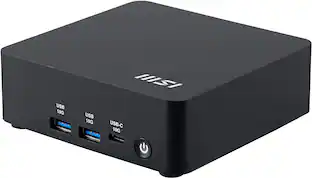
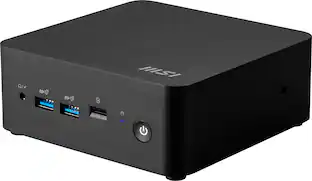
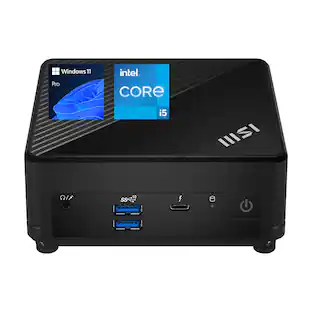
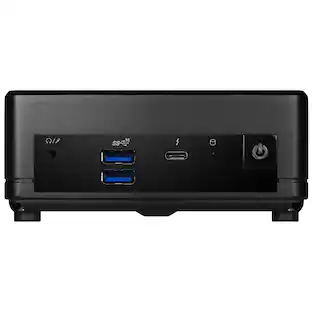
MSI - Cubi NUC 1MG Mini Desktop - Intel Core 3-100U 2024 - 16GB Memory - Intel Graphics - 500GB Storage - Black

Model: Cubi NUC 1MG-295US
SKU: 6631094
Sold byBest Buy

Customers are saying

Customers frequently mention that this mini PC delivers impressive overall performance while remaining whisper-quiet during operation. Users appreciate the compact form factor and the generous array of connectivity options, which make the device easy to deploy in various settings. While the unit is highly regarded for its portability and convenient mounting capabilities, some users have noted that the CPU can experience high utilization under heavy workloads.

Generated by AI based on customer reviews.

Highlights

Features
  • Windows 11 operating system

    Equipped with brand new Windows 11 with all its new features.

  • Intel Core 3-100U processor

    Power through your day with the Intel Core i3-100U processor. Engineered for basic computing needs, this efficient processor ensures reliable performance for everyday tasks like browsing, streaming, and office work. With 2 cores and 4 threads, the Core i3-100U delivers smooth and responsive performance, giving you the essentials you need without compromising efficiency.

  • Intel Graphics

    Delivers transformational GPU and integrated graphics to support fluid designing for creators and rich gaming experiences.

  • 16 GB system memory for intense multitasking and gaming

    Reams of high-bandwidth SO-DIMM DDR5 RAM to smoothly run your graphics-heavy PC games and video-editing applications, as well as numerous programs and browser tabs all at once.

  • 500GB solid state drive (SSD)

    While offering less storage space than a hard drive, a flash-based SSD has no moving parts, resulting in faster start-up times and data access, no noise, and reduced heat production and power draw on the battery.

See all features
Specifications
  • Processor Model
    Intel Core 3 Series 1
    Storage Type
    SSD
    Total Storage Capacity
    500 gigabytes
    System Memory (RAM)
    16 gigabytes
    Graphics Type
    Dedicated
Sponsored

Reviews

Rating 4.7 out of 5 stars with 40 reviews

98% would recommend to a friend
Customers are sayingCustomers frequently mention that this mini PC delivers impressive overall performance while remaining whisper-quiet during operation. Users appreciate the compact form factor and the generous array of connectivity options, which make the device easy to deploy in various settings. While the unit is highly regarded for its portability and convenient mounting capabilities, some users have noted that the CPU can experience high utilization under heavy workloads.
This summary was generated by AI based on customer reviews.
  • Overall Performance (16)
  • Noise Level (11)
  • Size (11)
  • Connectivity (10)
  • Form Factor (4)
  • CPU Performance (5)

Customer Images

The vast majority of our reviews come from verified purchases. Reviews from customers may include My Best Buy members, employees, and Tech Insider Network members (as tagged). Select reviewers may receive discounted products, promotional considerations or entries into drawings for honest, helpful reviews.

  • Rated 4 out of 5 stars

    Always love NUC's. This MSI is no exception.

    TLDR: An excellent option and worthy successor to Intel's original NUC formula KEY SPECS Intel Core 3-100U Processor 6C/8T (4E & 2P Cores) 16GB DDR5-5200MT RAM (Upgradable) 512GB nVME SSD (Upgradable) (1 x 2280, 1 x 2230 , 1 x 2.5") 2 x 2.5GBe LAN Ports Wi-Fi 6E & Bluetooth 5.4 PORTS 2 x HMDI 2.1 (1 x Powerlink) 2 x Thunderbolt 4 (1 x 100W PD) 2 x 2.5Gbe LAN 2 x USB-A 3.2 Gen2 1 x 3.5mm Mic / Headphone 1 x MicroSD Reader PROS Excellent Form Factor Usually Very Quiet User Upgradable RAM & SSD CONS SLOW Gen 4x4 nVME Drive MSI Telemetry Software Norton 360 Installed by Default High CPU Utilization Out of the Box INTIAL SET-UP & ISSUES I won't go into nauseating details about setting up a new PC. Anyone that has bought a new PC or installed a new hard drive knows the process. Instead, I am going to concentrate on the issues during initial boot-up, initial configuration, and first Windows Update. My little Cubi NUC was plagued with issues from the initial boot-up. Issues began immediately after Windows did its first ever boot. CPU utilization spiked and maintained 100%. Granted it was the very first boot and there was a bunch of stuff going on in the background. Windows Updates, Store Updates, software configuring itself and booting. There is always a bunch of stuff going on for the first little bit. Unfortunately, the first little bit never seemed to end. CPU usage pegged 100% and never backed down. Over 30 minutes had went by and utilization never dipped below 97%. The poor Cubi had ground itself to a halt. The cooling fan was spun up making a considerable amount of noise, files would not open and mouse clicks were ignored as every single bit of CPU power had been consumed. Applications and processes were waiting in constant queue. I guess the Core 3-100u was a bust. This MSI Cubi NUC was going to be the replacement for an old Intel NUC Skull Canyon I've been using as my daily driver for years. This new Core 3-100u was supposed to be more powerful than its Core i7-6770HQ predecessor, but the Cubi didn't show it. The exact opposite. It behaved worse than an old Intel Celeron chip. UGH. I let the Cubi sit and stew for a while, thinking it would take a bit to get settled down and then act right. 30 minutes turned into an hour. Windows Update still failed to download the latest round of updates properly. So, time to reboot, hoping it would solve me problems. Did it? Nope. Not at all. Windows would not reboot. I had to force a shutdown. After restart, CPU utilization pegged 100% again. Windows Update still failed to properly download all the updates. 30 more minutes of waiting for nothing. Another forced restart. Still the same thing. 100% CPU usage, still failing to successfully download updates. Forced restart again. No change. Still a hot mess. Getting frustrated, I killed as many processes as I could and grabbed a trusty thumb drive. Off to get the Windows Media Creation Tool from Microsoft. After downloading the installer and using the Cubi to create its own installation media, I was on a mission to rectify the issues plaguing this box. Going into BIOS and forcing a boot from an external thumb drive, I was on my way. I wiped all the partitions on the factory SSD. EVERY single one of them, leaving no trace of any pre-configured or recovery images. A Windows 11 clean install, directly from Microsoft. Did it work? Yes, very well. I kept a close eye on the Resource Monitor from the moment I reinstalled Windows to getting ALL Windows updates installed successfully, and ALL Microsoft apps updated. Why did I capitalize the ALL's? Because before a clean Windows install, the Cubi would not complete its Windows Updates, let alone restart as it should. This isn't the case after a clean Windows 11 installation. CPU usage spiked once to 83% momentarily, but averaged around 55% the rest of the time. As I sit here typing this review, CPU utilization is averaging about 5%. Eliminating all the MSI telemetry software and the Norton 360 bloatware that came preinstalled decreased utilization by 90+%. The Cubi is so much happier and responsive now. It feels like a proper, new computer should feel. CONS / DISLIKES The first, and most obvious, dislike is all the issues I experienced when I first booted the machine up. Luckily, with a little effort, I corrected the issues that were plaguing the machine. This is definitely an MSI-related issue specific to this machine. I've tested other MSI products and have not had this experience before. The Cubi isn't the first computer I've received with bloatware hampering its abilities and I have no doubt it won't be the last. Second. The included nVME SSD is one of the slowest Gen4 drives I've used to date. Speeds barely break the Gen3 barrier. I ran the benchmarking test a couple of different times hoping for better numbers. The results never improved. I have 419 of 467GB free and the drive has been optimized by Windows. Still nothing has improved the throughput. Is this a deal breaker? No. Most people may not notice the speed difference with day-to-day tasks, but if you were to compare this drive back-to-back with a quality Gen4 drive, the differences are noticeable, especially when working with large files. Good Gen4 drives are nearly 2x faster in throughput. Update - While photographing the internals and expansions slots for this review, I decided to go ahead and swap out the laboring MSI supplied drive with a newish Samsung 980 Pro (Gen 4x4). Again, prior to install, I went to Microsoft and downloaded the Windows Media Creation tool and made another bootable USB. With the new drive fitted, the speed at which Windows 11 installed was immediately noticeable. Synthetic benchmarks confirmed my observations with all throughput test speeds nearly doubling. The most notable was random read speeds that increased from approximate 3200MB/s to 6900MB/s. It is a considerable difference in overall speed and performance. Would the average user notice a difference? I can't say. But, I notice a difference. USE AFTER REINSTALLTION The MSI Cubi NUC is exactly what I was looking for to replace my aging, long-in-the-tooth Intel NUC. I've always loved the NUC concept from the very first Intel release back in the day. Excellent processing power in a perfectly sized package. This Cubi NUC adds everything I've been missing with its ancestor. MSI has given the NUC the latest and greatest tech. Dual Intel 2.5Gbe Ethernet Ports, Wi-Fi 6E & Bluetooth 5.4 via a genuine Intel AX-211 wireless card, 2 Thunderbolt 4 ports and 2 HDMI ports (the Cubi NUC can drive up to 4 monitors). Even the old school USB-A ports are USB 3.2 Gen 2 sporting speeds up to 10Gb/s. This little Cubi packs a lot of tech into a compact, efficient package. FINAL THOUGHTS After experiencing all the teething problems I had with this new computer, I probably shouldn't give it the rating I'm giving it. But, I like this NUC. MSI has taken what Intel started when they developed the NUC line and improved upon it in every single way. If I were a content creator that needed a photo editing powerhouse or hard-core gamer, this wouldn't be my first choice, at least not in this configuration. This NUC is made to do day-to-day tasks with little to no fanfare. Being not much bigger than the brick that powers it, it is surprising how much performance can be had from such a small package. The Cubi sits unobtrusively under my monitor. I don't have to make room for a huge desktop or deal with a flimsy laptop for daily use. If you are in the market for a PC that packs all the latest tech into a tiny, nearly silent, box that can be placed almost anywhere (even mounted to the back of monitor) this should be on your shopping list. I needed a small, efficient computer to replace my aging NUC. MSI's NUC is a great addition to the ecosystem. I've used NUCs for many years. I've always loved the form factor. They keep my office neat and tidy and keeps my desk open for work. Whoever has enough desk space? If I were shopping for a PC and didn't need or want a gaming rig or laptop and already had a good monitor, I would shop the NUC over any other form factor any day. RECOMMENDED

    Posted by NAMO

  • Rated 5 out of 5 stars

    Compact, Quiet, and Capable

    The MSI Cubi NUC 1MG might look like a tiny black box, but after spending time with it, I’ve been impressed by how much capability MSI managed to fit into something this small. It’s roughly the size of a stacked pair of coasters and is extremely lightweight. The first thing that stands out is the footprint. This thing is small, and MSI includes a clever VESA mounting bracket so you can attach it directly to the back of many monitors. It essentially turns any standard display into an all-in-one PC, which is a great touch if you’re trying to keep your setup clean and minimal. Inside, the Intel Core 3-100U does exactly what it needs to do. It’s not a performance chip, but it handles everyday tasks like web browsing, streaming, documents, and light coding without fuss. It’s also surprisingly efficient and stays whisper-quiet even under moderate load. Retro gaming and basic emulators run well; modern gaming, however, is not possible due to the integrated Intel GPU. As long as expectations are realistic, the little Cubi performs reliably. Connectivity is another highlight. For such a tiny system, MSI gives a generous selection of ports including dual 2.5G Ethernet ports, two HDMI outputs, USB-A, USB-C, and a headphone jack. It’s flexible enough to run dual monitors, network-heavy tasks, or a home media setup without needing a lot of adapters. I am planning on using mine in headless mode as a home automation server, which fits its capabilities well. Upgradability is limited but available. You can bump up the RAM or swap in a larger NVMe drive, but that is about the extent of it. With 16GB of RAM included, it is fine for everyday use but not ideal for virtualization or heavier workloads. The external power brick is pretty large, but it is a reasonable tradeoff to keep the PC’s weight and form factor down. Overall, the MSI Cubi NUC 1MG delivers exactly what it promises: a tiny, efficient desktop that excels at light workloads, streaming, browsing, and retro gaming. It is not built for heavy tasks or modern gaming, but if you need a quiet, compact system with solid connectivity and a smart VESA mount design, it is an easy recommendation, especially when space is at a premium.

    Posted by amprsand

  • Rated 4 out of 5 stars

    Impressive Connectivity and Form Factor

    The Cubi NUC 1MG is a fantastic Mini Desktop out of the box with impressive connectivity options, but it is limited by its non-upgradeable CPU and expansion options. MSI has continued Intel's NUC legacy with this Cubi lineup and it has all the benefits of Intel's connectivity like 2x2.5Gbps NICs, AX211 (WiFi6E wireless), multiple Thunderbolt 4 ports, and 2x full-size HDMI 2.0 connectors. There's also 4x USB-A 3.2 connectors for legacy storage and peripheral connectivity so you don't have to go searching for adapters. The main limitation of the model however, is the Core i3-100U CPU/GPU combo which is an older Raptor Lake mobile chip with 2xP(erformance) Cores with HT for 4 threads total, in addition to another 4 E(fficiency) cores with no HT for a total of 8 Threads. This is sufficient for most light desktop workloads and light server workloads, but really limits future usage as a small, low powered server that can run multiple Hyper-V servers. Still, it makes for an excellent light client that consumes media, or even a media server that is going to handle transcoding and serving files to other networked devices. Some other limitations for this model is that it only has 2x NVMe slots and only one full size m.2 2280 slot. The other m.2 slot is 2242 which is the half-size, which limits the capacity, speed and price (this smaller size is more rare so more expensive) of what you can put in this slot. There is an included adapter for a 2.5" SATA connector, which I did use to connect a 1TB SSD, but this is a much slower drive that caps out at 500MB/s compared to the 7000MB/s or so that the faster PCIe NVMe drives can do. These are also max PCIe Gen4 x4, so there's no benefit in going to PCIe Gen5 although they should be backward compatible. There's 2 SO-DIMM slots and thankfully the RAM is not soldered to the mainboard, so you can upgrade and add a 2nd DIMM. MSI also used a 1x16GB DIMM slot which is great, since you can add a 2nd 16GB DIMM to upgrade to 32GB which is welcome, since RAM is so expensive right now. If MSI used 2x8GB instead, you'd have to pay for 2x16GB and have 2x8GB sitting around which is non-ideal. Personally, I am using the Cubi as a PC connected to my Play Room TV. It is small and up high enough so that the kids can't get to the box itself, they use a Logitech K650 keyboard that has a built in track pad so they can use it to browse limited internet but mainly so that they can look up 3D Prints on MakerWorld and with some help, send the prints to my 3D Printer without touching my main desktop. I can also see what they are doing on the PC which I prefer over them having laptops right now in this stage of their lives. The WiFi6E is fast enough for now, but I do have 2.5G network and internet, so eventually I will use this as a file server that is network connected to my 6-bay Synology NAS with my ripped Blu-Rays (that I own). The other cool thing with Intel is that it perfectly supports all the niceties of HDMI, meaning I can get Dolby Atmos output over HDMI to my Frame TV and Sonos Soundbar. So I can stream and watch Youtube TV, Netflix, and everything else and its faster and higher quality than the built-in Samsung apps. Still, despite its limitations this is a great little PC that performs very similarly to a laptop and doesn't take up a lot of space. It can easily fit in a media console or even behind a mounted TV and you would never see it. It also uses very little power at 120W max but uses far less than that normally. The little LED lights are a little bit loud visually but otherwise it is nearly silent in operation. Perfect for kids, older parents or adults who need access to their mail, pay their bills, surf facebook, watch youtube etc. just plug in a keyboard, a TV, HDMI cable and mouse and you are on your way. For the price this is simply hard to beat, just be aware of the limitations with upgrade options and the hard limit of not being able to upgrade the CPU/GPU at all.

    Posted by TechBuyer

  • Rated 5 out of 5 stars

    Great mini desktop that is suprisingly fast

    This is the first mini desktop pc I have gotten as for years I have used full size desktop PC's or gaming laptops but when I saw it was MSI I definitely had high hopes and for what you get I would say it delivers. This is great for an office or school environment where you just need people to have access to some basic computer aplications or web access. It boots up fast, chorme/firefox/edge all load super fast and just about any other application I installed loaded quick. I streamed videos from Yout Tube without any issues and MS Office for Excel and Word open lightening quick and were very responsive. This is by no means a gaming PC but you can run some older games such as Quake or Quake 2 or Unreal Tournament from 20 years ago but it isn't going to run Cyberpunk and will struggle to run Fortnite, not to mention Fortnite requiring at least 1/3 of the available memory. It did play some older games well for me and I actually might end up using this with a dual boot to run some retro games via emulators or other programs as I have done in the past with some RaspberryPi's. When downloading apps and games I was consistently getting 600 Mbps or faster and WiFi 6 is also very fast if you have that network in your home or office. Pros: - Small form factor makes it ideal for offices or locations where space is limited - Comes with a mounting bracket to mount to the wall - Can be expanded up to 64Gb of RAM and also has the ability to add a 2.5" SSD - WiFi 6 is super fast along with the hardwired 2.5 GB ports on the back - Built in MicroSD slot as well as mutliple Thunderbolt 4 ports Cons - Limited memory with a 500 GB NVME - No accessories like a mouse or keyboard - Won't support newer games but an handle older games with ease Overall this PC has a very specific target audience and for what it is expected to do it does very well. This is a great productivity desktop to use MS Office or work on the web or just browse the web. It is small enough also to be used in tight spots and with the minimal moving components inside there is less to break and it also runs fairly cool and is still barely warm to the touch after being on the last 3 days straight in my office.

    Posted by ShaunOrlando

  • Rated 4 out of 5 stars

    It's Hip to Be Square

    Over the last couple decades, consumer computers became so powerful that laptop-grade hardware is all most people need to handle their daily computing. The mere definition of “desktop computer” is hazier than it’s ever been…between the big boxy towers of old, all-in-one machines with an integrated monitor and peripherals, set top box-sized miniature machines, and even HDMI dongles, any of these form factors can house a system-on-a-chip (SoC) with everything needed to run a modern desktop environment. How well each of them runs is another story, of course, and varies wildly depending what you’re looking to do. The MSi Cubi sits in the “Next Unit of Computing” (NUC) form factor category, aiming to be a fully-featured desktop computer with modular components in a space-saving size. Packing a modern, laptop-grade Intel Core Ultra 3 processor, the Cubi NUC 1MG Mini Desktop is positioned as a sleek home or business PC for daily office tasks and general multitasking, leaving gaming performance behind in favor of an efficient yet capable system on par with mid-range laptops at a lower price. While it works well enough as a general purpose machine and specs on paper seem fairly competent, I found the power on tap more adequate than impressive, and MSi’s preinstalled software leaving much to be desired. - Unboxing & Setup The MSi Cubi comes with just the basics to power on the machine - you’ll need to provide your own monitor or TV, keyboard, and mouse at minimum. Included in the box are the power brick, an optional VESA adapter with screws for mounting the computer to the back of compatible screens, and a SATA hard drive connector for installing a secondary 2.5” disk. Getting into the machine to install an extra disk is fairly simple: four thumb screws integrated into each foot come out quickly to pull off the base plate and access the machine’s user-serviceable parts. A 2.5” SSD mounts to the base plate with four screws and connects to the mainboard near the M.2 SSD. An important note for users of older monitors - this machine only supports HDMI and USB-C / Thunderbolt monitor connections. To use any other monitor connection like DisplayPort or DVI you’ll need adapters, and if you’re using a VGA connection you’ll need an active adapter to convert digital signals to analog. Once powered up, Windows 11 setup is straightforward with only a few MSi-specific additions for registration, basic support, and warranty information. Windows 11 Home performs well enough as the natural evolution to Windows 10, and users coming from the older OS should find a lot of familiarity after acclimating to the interface. Unfortunately MSi’s preinstalled software consists of many services that auto-update the moment you connect to the internet and prompt to install further unnecessary software. I was quite annoyed to have to uninstall these, Norton 360, Dropbox, and dozens of versions of Microsoft Office, OneNote, and 365 installers for every supported language…in all, I spent nearly an hour uninstalling over 60 applications just to clean up the programs list. Very annoying. - Performance Once I had uninstalled the undesired software and everything else was up to date, my initial impressions of the Cubi were positive. The Core Ultra 3 in this machine consists of two “performance” cores with hyperthreading and four “efficient” cores, giving the machine 4 high-frequency threads and 4 lower-frequency threads for the operating system to utilize. Windows 11 sees these 8 threads and can assign processes dynamically; in other words, less-critical background tasks will generally be assigned to the lower-performing part of the CPU when the higher-performing part is called upon. The end result is, theoretically, a system that performs like a high-end machine from the user’s point of view. With 16GB of DDR5 memory on tap, the Core Ultra 3 has enough room to open up and perform admirably in all manner of office tasks. I had no trouble running multiple Office apps while sharing my desktop to Teams, and having a few browser tabs plus Spotify open in the background did little to make the system sweat. While I didn’t find 16GB to be a limiter in this circumstance, this scenario did tie up over 80% of the system’s memory, and my browser had to park a couple background tabs to disk to save RAM where the 32GB systems I use did not. As this computer uses integrated graphics (where the CPU is responsible for graphics instead of a dedicated video card) paired with modest DDR5, gaming performance is marginal at best. With minimum settings at 1080p, 60 FPS is barely attainable on optimized eSports style games (Rocket League and Fall Guys were my test options for this machine) and it spends most of its time below that. Less-demanding titles like Minecraft, League of Legends, and the majority of 2D based games still run great, of course. Sadly the nature of a compact machine like this means graphics upgrades are limited to bandwidth-constrained external boxes that connect via Thunderbolt, or DIY solutions that tap into the M.2 port…neither of which are particularly recommended as the Core Ultra 3 CPU will be a significant limitation for modern AAA games. - Thermals and Noise Since the Core Ultra 3 at the heart of the Cubi is rated for a maximum power draw of 15 watts (versus a typical desktop processor’s power draw of 65 watts to as high as 170), the machine’s single cooling fan is more than enough for the job. Under stress testing I never saw the Ultra 3 100U break 80C, and most of the time the chip is in the 50s to low 60s under load and low 40s when idle. The fan stays pretty quiet and rarely ramps up for more than a moment. Even at full speed, the fan is noticeable in a quiet room but isn’t particularly noisy. On the desk in front of you it’s audible but quiet enough to use a conference speaker, and attached behind a monitor I doubt it would be heard at all. My guess is that MSi fit a bigger fan than a laptop’s into the Cubi, so that it doesn’t need to spin nearly as hard to move the same amount of air. - Connectivity, Upgradeability The standout feature for the Cubi against similarly-priced NUCs is the dual 2.5-gigabit LAN ports. Those who run dedicated gateways for ad-filtering or other advanced traffic management functions are well-served here; in fact, this would function well as a small home server in any capacity. As a desktop appliance, the dual HDMI ports with 2 Thunderbolt (DisplayPort via USB-C) ports makes this a multi-screen workhorse with connectivity to spare. Unfortunately the HDMI ports only support HDMI 2.0, capping at a 4K 60Hz output…limiting the Cubi’s usefulness as an HTPC for me on a 4K 120Hz screen. Four USB-A Gen 3.2 ports is a rare sight at this form factor, as most other options usually have a port or two capping at USB 3.0. A MicroSD slot and a headphone jack round out wired connectivity options, while a WiFi 6E and Bluetooth 5.2 wireless chip handles all your wireless needs. As with most NUCs, the Cubi supports memory and storage upgrades. Two DDR5 SODIMM ports allow for up to 128GB of RAM, the installed M.2 SSD can be replaced, and the breakout SATA port allows installation of any 2.5” SATA HDD or SSD. This gives the system some legs, but there is no further upgrade path for the machine. The Core Ultra 3 100U will last a little while before becoming obsolete, but this will eventually be the future bottleneck if it isn’t already. - Bottom Line I love small form factor computing, and I was hopeful the MSi Cubi would make a competent little HTPC for my living room. While the HDMI port limitation made that a no-go, the Cubi is a solid all-purpose machine after you spend some time debloating the pre-installed software (though I might just recommend a fresh operating system installation, if you’re comfortable doing so). The Core Ultra 3 100U does an admirable job keeping up, and the 16GB of RAM is just enough to get the job done. The size can’t be beat, but the price can make or break this. At $499 I feel the Cubi is a modest value that would be much more enticing on sale, though the current trends in RAM demand as of the time of this review (December 8, 2025) will weigh heavily on that going forward. As a whole, however, the MSi Cubi NUC comes recommended!

    Posted by Turbolence

Compare similar products

MSI - Cubi NUC 1MG Mini Desktop - Intel Core 3-100U 2024 - 16GB Memory - Intel Graphics - 500GB Storage - Black
4.7(40)

The Cubi NUC is the perfect solution for confined spaces, adeptly handling a wide range of tasks from basic computing to multimedia streaming and multitasking, all while maintaining a compact size. The Cubi NUC Series seamlessly blends business-centric design with environmental responsibility, reflecting MSI's dedication to sustainability. By using green materials, such as PCR (Post-Consumer Recycled) plastic, these products not only ensure durability but also contribute to a greener world.The Cubi NUC Series represents sustainable value and enhanced productivity.
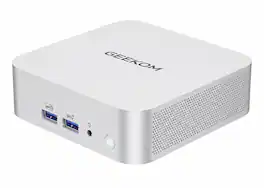
GEEKOM - A7 MAX AI Mini PC, High Performance AMD Ryzen 9 7940HS(Flagship) 16GB DDR5 RAM& 1TB SSD, Windows 11 Pro Pre-installed - Silver+Black
4.6(24)

GEEKOM A7 Max serves as a compact high-end workstation engineered for professional commercial deployment. With premium hardware calibration, it maintains consistent reliability under sustained heavy loads, ideal for creative studios, media production teams and enterprise R&D departments. The AMD Ryzen 9 7940HS platform provides robust computing power for 3D modeling, animation creation and 4K/8K video post-processing. Expandable memory and PCIe Gen4 SSD support efficient processing of large project files and simultaneous multi-task workloads. Multi-screen output further elevates team productivity for design and editing work.

MSI - Cubi NUC 1MG Mini Desktop - Intel Core 5-120U 2024 - 16GB Memory - Intel Graphics - 500GB Storage - Black
4.5(2)

The Cubi NUC is the perfect solution for confined spaces, adeptly handling a wide range of tasks from basic computing to multimedia streaming and multitasking, all while maintaining a compact size. The Cubi NUC Series seamlessly blends business-centric design with environmental responsibility, reflecting MSI's dedication to sustainability. By using green materials, such as PCR (Post-Consumer Recycled) plastic, these products not only ensure durability but also contribute to a greener world.The Cubi NUC Series represents sustainable value and enhanced productivity.

GEEKOM - A5 Pro Mini PC AMD Ryzen 5 7530U, 16GB DDR4 RAM, 512GB NVMe SSD Storage - Silver
5.0(5)

GEEKOM A5 Pro Mini PC with AMD Ryzen 5 7530U, 16GB DDR4 RAM(Upgradable to 96GB, Not LPDDR), 512GB NVMe SSD
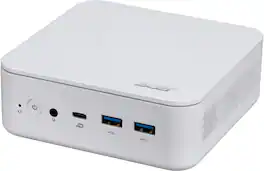
Pros for MSI - Cubi NUC 1MG Mini Desktop - Intel Core 3-100U 2024 - 16GB Memory - Intel Graphics - 500GB Storage - Black
Size, Overall Performance, Noise Level, Connectivity, Form FactorSize, Performance, Setup EaseThere were no pros for this productProcessor Speed
Cons for MSI - Cubi NUC 1MG Mini Desktop - Intel Core 3-100U 2024 - 16GB Memory - Intel Graphics - 500GB Storage - Black
CPU PerformanceProcessor SpeedThere were no cons for this productThere were no cons for this product

Specs

Questions & Answers
  • What operating system is installed on this desktop?

    Windows 11 operating system is installed on this desktop.

    This question and answer was generated by AI based on customer and product data.
  • How much system memory does this mini desktop have?

    This mini desktop has 16 gigabytes of system memory.

    This question and answer was generated by AI based on customer and product data.
  • Are there any ethernet ports on this desktop?

    Yes, this desktop has two ethernet ports.

    This question and answer was generated by AI based on customer and product data.
  • What is the total storage capacity of this desktop?

    The total storage capacity of this desktop is 500 gigabytes.

    This question and answer was generated by AI based on customer and product data.
  • What kind of processor does this desktop use?

    This desktop uses an Intel Core 3-100U processor.

    This question and answer was generated by AI based on customer and product data.
Ask a question
No content

Customers often buy these together

Sponsored

Finance Options

My Best Buy® Credit Card
Choose a benefit:Or
Buy Now, Pay Later
Lease to own

Special Offers

Top Offers
Included with Purchase

Finance Options

My Best Buy® Credit Card
Choose a benefit:Or
Buy Now, Pay Later
Lease to own

Special Offers

Top Offers
Included with Purchase