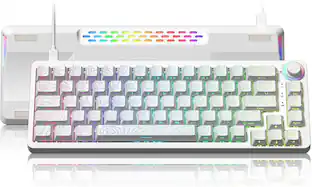
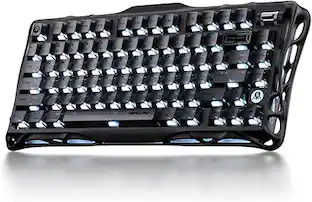
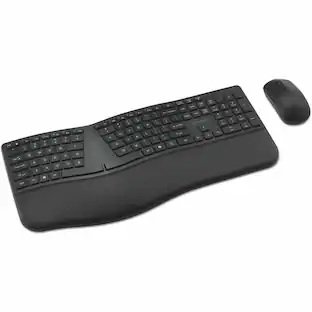
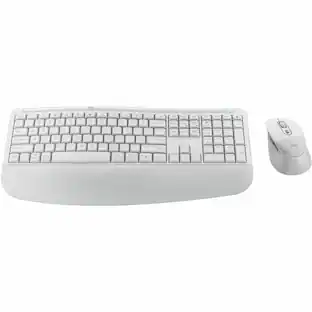
PRIMEPLUS - Wireless Keyboard & Mouse Combo, 2.4G Ergonomic Full-Size Wave Keys with Wrist Rest, 3-Level DPI Mouse for Win/Mac - White
Reviews coming soon
About this product
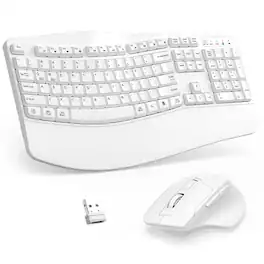
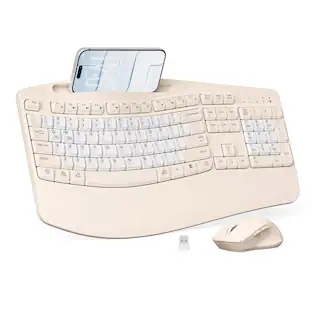
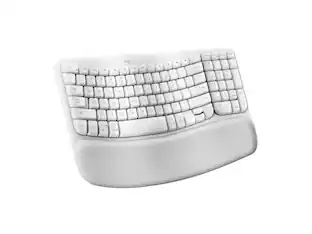
Work comfortably all day with this ergonomic wireless keyboard and mouse combo. The keyboard features a wave key design and built‑in wrist rest that naturally fits your fingers and relieves wrist strain. The adjustable stand lets you set the perfect typing angle. The contoured wireless mouse fits snugly in your right hand with forward/back buttons for faster web navigation. Both connect via a single 2.4GHz USB receiver – plug and play, no drivers needed, with reliable signal up to 33 feet. Auto‑sleep mode conserves battery life (keyboard sleeps after 30 seconds, mouse after 15 minutes). Compatible with Windows and Mac (switch layouts with FN+Q or FN+W). A comfortable, reliable setup for home, office, or anywhere you work.
Color
White1. Ergonomic Wave Keyboard with Wrist Rest
Wave key design and padded wrist rest naturally support your hands – reduces wrist strain during long typing sessions. Adjustable stand for personalized comfort.
2. Contoured Wireless Mouse with Forward/Back Buttons
Designed to fit your right hand naturally. Forward and back buttons let you navigate web pages faster and more efficiently. All controls easily within reach.
3. Plug‑and‑Play 2.4G Wireless – One Receiver for Both
Single USB receiver connects both keyboard and mouse – or use separately. No software download required. Reliable signal up to 33 feet (10 meters) without delays.
4. Auto‑Sleep Power Saving & Wide Compatibility
Keyboard sleeps after 30 seconds of inactivity, mouse after 15 minutes – greatly extends battery life. Press any key to wake. Works with Windows, Mac, and Chromebooks. Switch between Windows and Mac layouts with FN+Q or FN+W.
- Lighting TypeNoneForm FactorErgonomicConnection TypeWireless
Reviews
This product doesn't have any reviews yet.
Compare similar products
Work comfortably all day with this ergonomic wireless keyboard and mouse combo. The keyboard features a wave key design and built‑in wrist rest that naturally fits your fingers and relieves wrist strain. The adjustable stand lets you set the perfect typing angle. The contoured wireless mouse fits snugly in your right hand with forward/back buttons for faster web navigation. Both connect via a single 2.4GHz USB receiver – plug and play, no drivers needed, with reliable signal up to 33 feet. Auto‑sleep mode conserves battery life (keyboard sleeps after 30 seconds, mouse after 15 minutes). Compatible with Windows and Mac (switch layouts with FN+Q or FN+W). A comfortable, reliable setup for home, office, or anywhere you work.

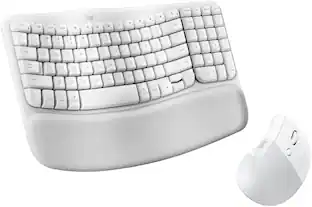
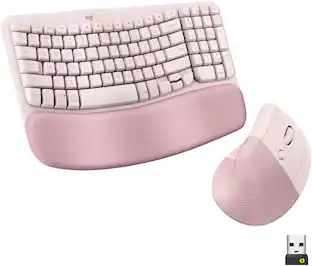
A duo designed for comfier days. Waves Keys for Mac and Lift for Mac are optimized for macOS, and work with iPad. Enjoy familiar, natural typing with a wavy keyframe design and raise your hand into a natural handshake position with Lift for Mac. Relax into focus with quiet typing and clicks, and personalize your experience using the Logi Options+ App.
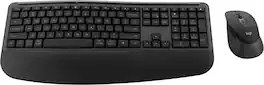
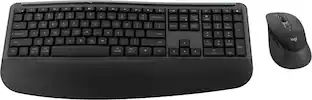
Feel the comfort all day with the Signature Comfort Plus MK880 bundle. Enjoy a keyboard with adjustable tilt legs and a curved palmrest and dual-foam support, keeping your hands relaxed even on busy days. The right-handed mouse is shaped for comfort, featuring a palm cushion and cozy side grips, plus quiet clicks and SmartWheel scrolling. Switch between up to three devices in a tap with Easy-Switch and Bluetooth—no dongle needed. Customizable shortcuts with Logi Options+ and dedicated AI launch key and video meeting keys make every workflow smarter. With long battery life and universal compatibility, MK880 fits every workspace and workday.
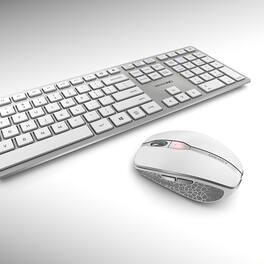
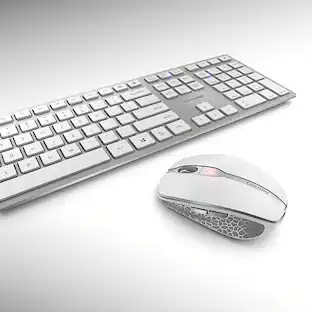
The Cherry DW 9100 slim combines innovative functions, outstanding workmanship, and a very slim design. The mix of aesthetics and optimum comfort is perfect for any modern work desk. A switch on the keyboard and mouse lets you toggle instantly between Bluetooth and 2.4 GHz connectivity. The nano USB receiver for 2.4 GHz wireless transmission is included in the bundle. In both cases, the data is transferred in with AES-128 encryption over a range of up to 32 feet.
| Pros for PRIMEPLUS - Wireless Keyboard & Mouse Combo, 2.4G Ergonomic Full-Size Wave Keys with Wrist Rest, 3-Level DPI Mouse for Win/Mac - White | |||
|---|---|---|---|
| There were no pros for this product— | Ergonomics, Overall Performance, Connectivity | There were no pros for this product— | There were no pros for this product— |
Specs
Be the first to ask a question.
We’ll try to get your question answered within 24 hours by a Best Buy customer or brand representative.
Customers often buy these together

Logitech - MK270 Full-size Wireless Membrane Keyboard and Mouse Bundle for PC - Black
$26.99The price was $29.99





![Sure, here is the corrected and grouped text from the image:
**Top Row:**
- ESC
- F1
- F2
- F3
- F4
- F5
- F6
- F7
- F8
- F9
- F10
- F11
- F12
- PRTSC
- DEL
**Number Row:**
- 1
- 2
- 3
- 4
- 5
- 6
- 7
- 8
- 9
- 0
- -
- =
- \
**Letter Row:**
- TAB
- Q
- W
- E
- R
- T
- Y
- U
- I
- O
- P
- [
- ]
- \
**Letter Row:**
- CAPS
- A
- S
- D
- F
- G
- H
- J
- K
- L
- ;
- '
**Letter Row:**
- SHIFT
- Z
- X
- C
- V
- B
- N
- M
- ,
- .
- /
**Function Row:**
-](https://pisces.bbystatic.com/image2/BestBuy_US/images/products/9be10b95-8e90-4a5d-b85f-cbc6a7d8e8df.png;maxHeight=232;maxWidth=233?format=webp)


![esc ~ ! 1 tab caps lock shift ctrl F2 Fl # 2 3 Q W A S Z start opt L F3 $ 4 E D X alt cmd3 ) FS F4 A % 5 6 R T F G V C logi 44 HI & F9 FID FB F7 F6 * ) - - & 0 8 9 7 O P U I Y K L H J > < N M 1 B PM + = { [ : I ; ? I alt cmd D 2 4 300 3 1 F12 . * page I insert home up clear backspace 8 9 + 7 page A pg up end down home } I delete ] / 6 4 5 4 enter 2 3 enter 1 dn Pg end shift = 0 del ins etrl fn opt](https://pisces.bbystatic.com/image2/BestBuy_US/images/products/6539/6539505_sd.jpg;maxHeight=232;maxWidth=233?format=webp)
![Sure, here is the corrected and grouped text:
```
ESC F1 F2 F3 F4 F5 F6 F7 F8 F9 F10 F11 F12 1 2 3 logitech - - 1 2 # $ 4 % 5 6 & 7 8 9 0 - - back insert home page up num lock clear / . tab Q W E R T Y U I O P { [ } ] / delete end page down 7 home 8 A 9 P9 up + caps lock A S D F G H J K L : ; a enter 4 5 6 shift Z X C V B N M < > ? shift 1 end 2 3 pg dn enter ctrl fn start alt opt alt crnd x alt cmd x fn ctrl alt opt 0 ins del 1 logitech
```](https://pisces.bbystatic.com/image2/BestBuy_US/images/products/5761/5761911_sd.jpg;maxHeight=232;maxWidth=233?format=webp)

![Esc F1 F2 F3 F4 F5 F6 F7 F8 F9 F10 F11 F12 Print Screen Scroll Lock Pause Break 1 2 3 4 5 6 7 8 9 0 - + = Backspace Insert Home H Page Up A Num Look 1 I Tab Q W E R T Y U I o P { [ } ] I I Delete End IN Page Down 7 Home 8 9 Pg Up Caps A Lock A S D F G H J K L ; : DE g Enter 4 5 6 Shift Z X C V N M < > ? I Shift 1 End 2 3 Pp Dn Enter Ctrl Alt Alt Ctrl 0 Ins Del](https://pisces.bbystatic.com/image2/BestBuy_US/images/products/a588d446-5678-40ae-86b8-1f15e0026e66.jpg;maxHeight=232;maxWidth=233?format=webp)


More to consider
 $69.99The price was $79.13
 Top Deal$49.99The price was $59.99


Explore tech essentials Sponsored
 Top Deal$119.99The price was $129.99




Keep exploring
 $199.95The price was $209.95
 $55.99The price was $62.99