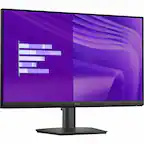
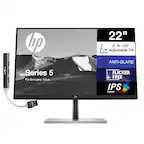
Samsung - 27" S3 (S30GD) IPS LED FHD 100Hz Monitor (HDMI, D-sub) - Black - Open Box - fair
Samsung - 27" S3 (S30GD) IPS LED FHD 100Hz Monitor (HDMI, D-sub) - Black - Open Box - fair
- Works like new. Restored to factory settings.
- May have larger dents or scratches.
- May be missing parts, accessories, or packaging.
More Buying Options
Related Item

Highlights
About This Item
About Open Box
Reviews
Customers are saying
Customers are pleased with the overall performance and large screen size of the 27" S3 monitor. Users find the resolution excellent for multi-screen setups and appreciate the ease of connectivity. The monitor's sleek design is also a plus for many users. However, some customers have noted that the power button can be difficult to access.
Customer Images
The vast majority of our reviews come from verified purchases. Reviews from customers may include My Best Buy members, employees, and Tech Insider Network members (as tagged). Select reviewers may receive discounted products, promotional considerations or entries into drawings for honest, helpful reviews.
Compare similar products
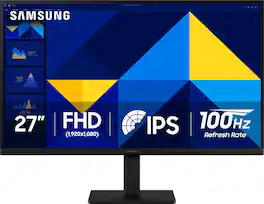
Samsung’s 27" S3 Monitor enables smooth performance, heightened productivity, and greater comfort. The IPS Panel delivers a stunning color experience across the entire display with less color washing, offering clarity from any viewpoint so tones stay consistent and accurate. The 100Hz refresh rate reduces lag and motion blur while playing games, watching videos, or working. Game Picture Mode with optimizable game settings enables instant adjustment of color and image contrast. Eye Saver Mode protects vision, reduces blue light and screen flicker, and extends comfort even during long sessions. The ergonomic super-slim design is a stylish addition to any environment, while ultra-thin border bezels make the most of screen space. Multiple connectivity enables devices to be plugged straight into the monitor for increased flexibility.

When it comes to gaming performance, the slightest disadvantage can be the difference between winning and losing a match. With a 240Hz refresh rate, lightning fast 1ms (GTG) response time and full adaptive G-Sync compatibility and FreeSync Premium support, you can be sure that the Odyssey G4 won’t let you down on the battlefield.
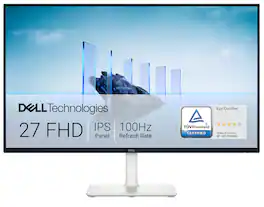
Dell 27 Monitor - S2725H. Made to be seen. And heard. With clear FHD resolution, high 100Hz refresh rate, integrated dual 5W speakers and subtle texture on the back inspired by Japanese sand raking, any activity becomes an immersive experience.

Samsung's 27" S3 FHD 100Hz Curved Monitor with Speakers provides an immersive viewing experience. The 1800R Curved Screen enhances depth perception and minimizes peripheral distractions, enabling greater focus. The 100Hz Refresh Rate reduces lag and motion blur when playing games, watching videos, or working on creative projects. Game Mode with optimizable settings allows color and image contrast to be instantly adjusted, filling the screen with every detail in view. Built-in Speakers free up desk space, minimize connections, and create a more efficient working environment for listening with ease. Eye Saver Mode with TÜV-certified eye comfort technology reduces irritating screen flicker and minimizes excessive blue light, even during long sessions. Multiple Connectivity enables devices to be plugged straight into the monitor for a more convenient computing environment.
| Pros for Samsung - 27" S3 (S30GD) IPS LED FHD 100Hz Monitor (HDMI, D-sub) - Black | |||
|---|---|---|---|
| Overall Performance, Screen Size, Design | Refresh Rate, Picture Quality, Performance, Price, Ease of use | Screen Size, Refresh Rate, Sound Quality, Ease of Use, Cable Management | Overall Performance, Screen Size, Refresh Rate, Resolution |
| Cons for Samsung - 27" S3 (S30GD) IPS LED FHD 100Hz Monitor (HDMI, D-sub) - Black | |||
| Adjustability, Speakers | Speakers, Screen, Stand, Ghosting, Lag | There were no cons for this product— | Speakers, Adjustability, Connectivity, Port Count |