Rating 4.6 out of 5 stars with 1050 reviews
4.6Top Mentions
- Overall Performance (241)
- Processor Speed (227)
- Screen Quality (180)
- Weight (180)
- Portability (108)
- USB Ports (47)
- Heat (32)
Customer Images
The vast majority of our reviews come from verified purchases. Reviews from customers may include My Best Buy members, employees, and Tech Insider Network members (as tagged). Select reviewers may receive discounted products, promotional considerations or entries into drawings for honest, helpful reviews.
- Rated 5 out of 5 stars
Samsung Galaxy Book2 Pro 360
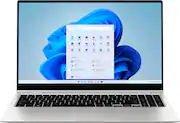
Compact Powerhouse, Doubles as Tablet–Has it All! This brand-new Samsung Galaxy Book2 Pro 360 is a superb combination of technology and functionality which will outperform almost all existing laptops thanks to its incorporation of a new 12th generation Intel Core i7 processing unit, an advanced GPU and an outstanding AMOLED touch screen in an elegant, very compact but sturdy casing which can double as a tablet. Samsung is one of the world’s largest consumer electronic firms. It was founded in 1938 as a diversified trading company which grew to include heavy industry, chemicals, financial services and food processing. It is the largest South Korean company. A subsidiary began to focus on electronics in the late 1960s. Today Samsung is a leading manufacturer of semiconductors, cell phones, LCD panels, digital TVs, computers, tablets, audio equipment and consumer products such as kitchen appliances, laundry equipment, air conditioners and floor care products. The Samsung Jetbot Mop is their newest entry for home use. Visually, the Samsung Galaxy Book2 is a stunning design with an ultra-slim beautiful silver grey body. The high contrast white-on-black keyboard has white backlighting which is activated automatically. The superb 015.6 inch AMOLED screen seems larger because it is jet black when off and incorporates a frameless thin black edge. Overall, the impression is very sophisticated and high tech. This design would be just as much at home in a corporate boardroom as in a college dorm. Consider this fine combination of features: • Samsung Galaxy Book2 Pro 360 (Model 950QED-KB1) • Intel Core i7 1260P CPU 4 performance cores/8 efficient cores, up to 16 hyper-threads, 28 watt base power with 64 watt turbo power mode • Processor runs at speeds from 2.1 to 4.7 GHz • 64 bit Windows 11 Home operating system • Intel Iris Xe GPU uses shared system memory • 16 GB LP-DDR5 high efficiency 5,200 MHz RAM primary memory • 1.0 TB Samsung PCIe NVMe Gen 3 SSD fast hard drive • 15.6” IPS AMOLED-backlit touch-screen display with 1920 x 1080 (full HD) resolution @ 60Hz • Tablet mode with auto-rotation of screen orientation • Samsung S-Pen included for Windows ink workspace • Full suite of Samsung utility programs • Alexa voice assistant built-in • AKG-tuned Dolby ATMOS 4 watt stereo speakers and audio processing • Full HD (1080P) wide-angle Webcam with auto-framing and dual microphones • Bluetooth 5.1 connectivity • 2 USB 3 Type C (up to 10 GBps), 1 USB 3 Type C with Thunderbolt 4 (up to 40 GBps) • WiFi 6E Wireless LAN 802.11ax 2x2 • Fingerprint scanner key to unlock PC • Headphone out/Microphone in 3.5 mm port • Micro-SD card slot can add 2 TB of secondary storage • Ultra-quiet cooling fan • 4 cell 68 Watt-Hour Lithium Ion battery provides up to 21 hours use • Compact 65 watt USB Type C charger restores 40% of power in 30 minutes • Full size back-lit keyboard with separate numeric pad • Fingerprint-resistant aluminum casing is certified for military-grade durability • Very slim and compact: 14” wide x 9” deep x 0.5” thick • Weight: 3.1 pounds • One year warranty on parts and labor So how does this laptop perform? Superbly. It is almost as fast as dedicated gaming laptops but has the portability and features which will make it the go-to choice for business travelers. It is beautifully engineered. The solid-state hard drive and low power needs of the CPU and GPU make fan noise almost non-existent. This is a very quiet device! It seemed very fast when I was using it, so I ran two well-regarded benchmark programs (Novabench and PC Mark 10) on both it and five of my other computers to determine their relative performance. These tests measure both CPU (general processing) and GPU (graphics processing) so they give a good overall measure of a computer’s speed. All five comparison computers were well-maintained, running identical Windows 10 versions with no other programs active. This laptop is running Windows 11. Here are the results (higher is faster): Novabench Results: Office desktop (AMD A6, 8 GB ram): 636 (Base case) All-in-One (i5-6400, 12 GB ram): 858 (35% faster than base) Gaming laptop (i5-8300H, 8 GB ram)): 2028 (219% faster than base) Two-in-One tablet/laptop (AMD Ryzen 5 3500U, 8 GB ram): 1425 (124% faster than base) 2021 Laptop (AMD Ryzen 7 4980U, 8 GB ram): 2981 (369% faster than base) Samsung Galaxy Book2 (i7-1260P, 16 GB ram): 2879 (353% faster than base) PC Mark 10 Results: Office desktop (AMD A6, 8 GB ram): 1451 (Base case) All-in-One (i5-6400, 12 GB ram): 2300 (59% faster than base) Gaming laptop (i5-8300H, 8 GB ram)): 4603 (217% faster than base) Two-in-One tablet/laptop (AMD Ryzen 5 3500U, 8 GB ram): 3698 (155% faster than base) 2021 Laptop (AMD Ryzen 7 4980U, 8 GB ram): 5096 (251% faster than base) Samsung Galaxy Book2 (i7-1260P, 16 GB ram): 4879 (236% faster than base) The results indicate that the 12th generation Intel Core i7 CPU/Iris Xe GPU is just a bit slower than a top AMD Ryzen CPU with a Radeon GPU. However, the Samsung’s additional 8 GB of RAM would eliminate that performance gap if multiple heavy RAM-demanding programs were in use. OK, that’s a lot of numbers and technical jargon but the bottom line is that you will find this Samsung capable of out-performing anything you currently own (unless you have a really geeked-out special system) and very smooth in running any games or software you may ever buy. Put this elegant notebook to work on most business software and it will never even break a sweat. Use it for photo or video editing and it will calmly do whatever you want, no drama. And you need not hesitate to fire up a graphics-intensive game because it has the power to handle even that core easily. The screen on this laptop is incredible. It uses AMOLED technology, the same as that found on Samsung’s premium cell phones, so it is very responsive and the colors are very vivid with blacks that are truly black. AMOLED also provides the highest contrast ratio (1 million to 1) of any screen type and supports HDR video. The quality of the display alone justifies the price of this laptop! The AKG Dolby ATMOS sound system on this notebook is surprisingly good. I listened to some of my favorite albums from Spotify and the speakers were much better than typical for laptops. They are mounted at the bottom, have decent volume and good stereo separation – certainly good enough for watching Netflix or YouTube videos. It also provides intelligent noise cancellation during Zoom calls. A major plus for this Samsung laptop is the outstanding battery life. I always test laptops by streaming Netflix series on battery power with a bright screen and high speaker volume. The combination of WiFi modem usage, video rendering, screen lighting and speaker volume usually drains most laptop batteries in less than two hours. But this Galaxy Book2 lasted 9.5 hours before exhausting the charge! That is long enough for five full movies or a full season of a TV series and certainly would suffice a traveler for all but the longest international flights. You can thank the ultra-efficient and power-miser Intel CPU/GPU and the new screen technology for that amazing performance. Another advantage for travelers is the compact size (just 14” wide, 9” deep and only 0.5” thick) and very light weight – about 3.2 pounds. The USB-C power cube is tiny (about 2” x 2” x 1”) so it won’t take up any precious space or weight in your briefcase/backpack, plus it can be used to charge your other USB-C powered accessories. The notebook is nicely balanced with a great lighted keyboard, separate numeric keypad and big touchpad, so those who like to literally use their laptop on their lap will be pleased. And since you can turn it into a tablet by rotating the touchscreen all the way around, it is ideal for reading online magazines and newspapers. In the tablet mode the Windows Ink Workspace feature really shines, especially with the included S-Pen. I can see the tablet feature being a big part of the daily use of this Galaxy Book2. If you do presentations, setting up the laptop in “tent” mode is very handy. Other bonus features: Built-in Alexa voice assistant, a nice fingerprint reader key, auto-framing by the 1080P wide-angle webcam, WiFi 6 connectivity, military-spec durable aluminum case, ability to run multiple monitors simultaneously, adjustable keyboard backlighting level, a nice suite of bundled utility apps, great integration with the Samsung family of phones and tablets, Micro-SD card reader which can be used to add up to 2 TB of supplemental storage. What are the weak points? Really, I had to dig deep to find any complaints. • It would have been nice to have a form-fitting cloth carrying case included (as many other notebook brands provide.) • While the laptop includes three USB-C ports (one of which is also a Thunderbolt ulta-speed port), it has no USB-A ports. This means that you will need to invest in a USB-C to USB-A converter cable in order to attach legacy devices. These are inexpensive and Samsung should have included one. • The lack of a USB-A port also means that you will need to use a Bluetooth (rather than WiFi or corded) mouse if you (like me) prefer a mouse to using a trackpad. • It would be nice if they provided a clip to secure the S-Pen to the laptop. I would hate to lose this valuable tool! • Finally, maybe they could come up with a shorter, punchier name than “Galaxy Book2 Pro 360?” But these are really just minor quibbles. When you consider all of its power and functionality you will agree that the price is a bargain. I can enthusiastically recommend the new Samsung Galaxy Book2 Pro 360 for both serious stay-at-home power users and for those who need a perfect travel
This review is from Samsung - Galaxy Book2 Pro 360 2-in-1 15.6” AMOLED Touch Screen Laptop - Intel 12th Gen Evo Core i7 - 16GB DDR5 Memory – 1TB SSD - Silver
Posted by Echoshow8pulgadas
- Rated 3 out of 5 stars
Great Laptop! Horrible Screen Durability!
I have had a Surface Pro 3 since 2014. It still works great but I need more RAM to operate my website for my small business. I also got sick of having to plug in an extension to use my num pad and wanted a larger screen. I use the touch screen often as well so that was a must for me. That's how I landed on this laptop. It was beautiful, sleek, and it was on sale. Having read the reviews, I swore there was no way I'd crack the screen because I take extra care of my devices. I know lots of folks don't do that so I figured that couldn't possibly be me. I was wrong! My screen cracked the third week in. I would let it soft close every time I put it away and one day, I heard this crunch. I opened the laptop to check if I closed it on something (my sister had recently closed her laptop on a peanut) but nothing was there...only a hairline crack from the left middle top area across to the right mid-top. I assume this crack may be from opening and closing somehow because I tend to use the left side to lift the screen. It's the only explanation I have. I have never ever broken or cracked a phone, tablet, or laptop in all my 40 years. I have been very careful with this laptop because of the reviews. I have my Surface Pro 3 since 2014 and have had a number of cats jump down onto it with no broken screen. This laptop can crack with the slightest movement. I tried to use the warranty and they refused. I have BestBuy Total Care and they still wanted me to pay $100 to have it fixed. I was appalled. Why charge so much for a laptop that is that delicate if WE, the consumer, have to pay to have it fixed when it's barely been removed from the packaging!!!?!! The tech guy at Best Buy pointed out that it is just the external part of the screen, with no damage to screen function, so he suggested I don't have it fixed and save my money. He didnt seem to understand why I was so upset. It's the principal of it all. I've had other laptops for over ten years that still function perfectly, albeit slow, and I'm supposed to be okay with this?! NO. I looked for another laptop that would suit my needs and nothing else would cut it, at least not at Best Buy where I have credit, so I just kept it. Thankfully, there's still no damage to the light up part or touch screen. I haven't seen anyone being transparent about possible reasons or actions that did or could have caused the problems with the screen. I'm probably too transparent and I figure that it doesn't matter if I omit the reason, Samsung won't repair the screen anyway so why omit it.... Month three a second crack parallel to the first showed up. I assume the second crack may have happened from one of the 3lb kittens I rescued walking across the top of the laptop before I put it up. I've been religious about ensuring I put it away, even choosing not to do more work for fear of breaking it more, which is ridiculous, I know. I'm not sure if that is what happened but it's my best guess unless it really is from opening from one side. Month 6 there is another small crack connecting the two cracks at the top of the screen. I really think the issue is the super slim screen that flexes when it shouldn't. If you don't open and close your laptop a lot, you might be okay, but I have interruptions quite often during my day and to protect my laptop, I close it and put it in my desk, so it doesn't get walked on. I'm starting to think it would be smarter to leave it open and sitting out rather than closing it. Who knows. You shouldn't have to worry about this issue this much. Laptops are NOT supposed to be this delicate. The whole point of a laptop is portability and durability. I expect more for the price of this laptop. The screen is definitely NOT durable. I have travelled with it from Texas to New York and it did quite well. No problems there but I already had a crack. When I pick it up and carry it by itself, I can hear this crackling sound...it makes me cringe because I know it's the screen and fear that looking at it wrong could upset it and crack this thing! I assume it's because there is not a hinge in the middle of the screen where most folks would grab it. It's truly a design flaw and Samsung won't own up to their mistake. While I understand that a cat walking over your laptop can cause damage and that is on me, there's no reason it should be so delicate that a kitten would cause damage. There's also no excuse that simply opening or carrying it would cause damage. It's preposterous! Outside of the screen, there have been a lot of errors and restarts but I don't know if it's related or not. It freezes at times and if you rotate the screen to work, when you try to rotate it back, it freezes. The 360 mode is worthless if you are using it interchangeably for work rather than a movie or something related. Also, if you do zoom calls or something of the sort, the video is not so great but considering my last one was 2014, it is much better. Again, for this price, the video should be a lot better. I really needed a laptop with a num pad and was sick of dealing with the folding of my keyboard of my surface when working from my lap. Touch screen was also a must as I use it just as much as the mouse and keyboard. Problem is, they messed up the num pad by switching the 0 and the period so there's a lot of corrections I have to make if I am not careful. I can work around that, and while one can say that at least the screen isn't fully damaged blah blah...it's still a pain and should not have happened. As for the errors, it does a great job of correcting itself, minus the need to restart when you rotate the screen, it tried to fix itself and I have waited for it for a long time and tried to help it without forcing it to restart but no dice. Whatever other errors are going on, I don't understand why. It's always something that has to do with the system and I haven't changed or added anything...so it aint me. Outside of all of that, I havent returned it because it hasn't exactly slowed me down. It fixes itself, restarts quickly, and all is pretty good. I like the sound. It connects to my bluetooth headphones, and runs mostly pretty darn smooth. It has seemed pretty hot when I use my fancy fifine microphone to edit youtube videos and tends to keep a decent charge while running a lot of RAM heavy applications. Do with this information what you will...I love this laptop for many reasons but Samsung should do something about the screen.
This review is from Samsung - Galaxy Book2 Pro 360 2-in-1 15.6” AMOLED Touch Screen Laptop - Intel 12th Gen Evo Core i7 - 16GB DDR5 Memory – 1TB SSD - Silver
Posted by piper
- Rated 5 out of 5 stars
The best Samsung Ultrabook!
After a full month with this Ultrabook I can fairly give it 5 out of 5 stars. It is replacing my 2016 Yoga i5 laptop. Pro's: If you are in the Samsung ecosystem its a no brainer. You can link your Galaxy phone and respond to text, phone calls, browse Instagram/Snapchat all from laptop screen, also connect seamlessly to galaxy buds just by opening bud case. Large comfortable keyboard/number pad, Do not worry screen is only 1080p as pixels are barely noticeable as the bright vibrant screen, and rich blacks make up for it not being 2k trust me. Extremely snappy performance, amazingly thin chassis for the size, premium solid feeling, good battery life, about 6 hours of screen on time at 60% brightness browsing chrome, email, and excel. About 3 hours of gaming at medium settings. I can go about a day and a half without needing to charge it. Note: At first battery life was not good maybe 3 hours at best, but after multiple large Samsung firmware updates it improved to the aforementioned 6 hours as of January 2023. Cons: Mostly quiet but fan can be a bit noisy and warm, it has silent mode to prevent it from turning on at reduced performance. Webcam is decent, a bit grainy compared to selfie camera on my S22 Ultra. Overall a sweet buy
This review is from Samsung - Galaxy Book2 Pro 360 2-in-1 15.6” AMOLED Touch Screen Laptop - Intel 12th Gen Evo Core i7 - 16GB DDR5 Memory – 1TB SSD - Silver
Posted by LuisF
- Rated 5 out of 5 stars
Laptop
This laptop is amazing fast and manageable. I love the keyboard the battery time. The lightness of it.. I am in college and I really enjoy how I can get to app so quickly and screen shot things.
This review is from Samsung - Galaxy Book2 Pro 360 2-in-1 15.6” AMOLED Touch Screen Laptop - Intel 12th Gen Evo Core i7 - 16GB DDR5 Memory – 1TB SSD - Silver
Posted by Reebz616
- Rated 5 out of 5 stars
Quick & Painless
The Samsung Galaxy Book2 Pro 360, is my first EVER SUPER COMPUTER! the only other Computer I Owned til now is the Samsung Galaxy Book S with LTE. NIGHT & DAY DIFFERENCE! HUGE SCREEN @ 15.6'' With an sAmoled & so bright you need Sunglasses! Performance is TOP NOTCH with the Newest 12th gen i7 Processor & 16gb of ram leave you wanting for NOTHING! if your Thinking about it or on the Fence, YOU WONT BE LET DOWN! & The only way I could have ever afforded this Beautiful Monster was Through Best Buys Partnership with Progressive Leasing! Quick & Painless & Backed By The Best Buy Guarantee, I feel like I Pulled one over on Them! BUY IT TODAY!
This review is from Samsung - Galaxy Book2 Pro 360 2-in-1 15.6” AMOLED Touch Screen Laptop - Intel 12th Gen Evo Core i7 - 16GB DDR5 Memory – 1TB SSD - Burgundy
Posted by BenW