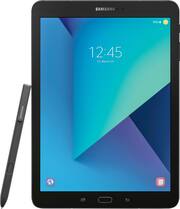
Rating 4.7 out of 5 stars with 2610 reviews
4.7- Screen Quality (637)
- Processor Speed (404)
- Ease of use (244)
- Battery Life (220)
- S Pen (211)
- Price (41)
- Storage (23)
Customer Images
The vast majority of our reviews come from verified purchases. Reviews from customers may include My Best Buy members, employees, and Tech Insider Network members (as tagged). Select reviewers may receive discounted products, promotional considerations or entries into drawings for honest, helpful reviews.
- Rated 5 out of 5 stars
Highly recommend
I love this tablet. I use it every day for school, and it has been so useful. The S pen (which was included) writes beautifully, and never needs to charge! This device is perfect if you take a lot of notes like I do. Split-screen function works well, One Note, Word, and email are all seamless. I bought a bluetooth keyboard case online for mine and it is really useful for writing essays. Screen is beautiful, audio sounds good, battery life is good, and it charges quickly. My one complaint is that Excel for the tablet is weak. This is probably more an issue with the app than with the tablet itself, but I am not impressed with Excel functions for the tablet beyond very basic features. If you do a lot of data analysis and graphing, you'll want to have access to a laptop or desktop to get the full version. Other than that, I really love this tablet, and people ask me about it all the time in my classes. I always say I recommend it.
Posted by Rose
- Rated 5 out of 5 stars
Great tablet do get the job done
I'm an Apple fan but I decided to get this tablet because I wanted to have access to the Amazon Underground app store because you can get a discount on purchasing coins for app store purchases and in-app purchases. It's cheaper than the Google Play store or the Apple App store. I do have to say that I'm please with this tablet, aesthetically and functionally. It gets the job done and is less restrictive than the iPad, meaning files and downloads can be easily downloaded. The camera though is ok. I found that shots taken outside produce better results than indoor shots. Even though it's got a high megapixel, there's something about it that doesn't produce a clear picture when taking them indoors. It's very fuzzy and the videos are the same way. You can see this when zooming in on a picture. It must be because of the sensor and low light conditions don't help produce the best pictures. I feel like my old iPhone 4s took better quality pictures than this. Now I didn't get this tablet to take pictures, so I really don't care that much about it. It's nice that I can take a picture if I need to but it's more of a hassle with it being so big also. I would definitely reach for my phone before I reach for the tablet to take a picture, even if the quality was as good as my phone. I've included some shots taken outside. The pen is a real nice feature and if you like to draw then that's a plus since it's included. Other similar tablets don't include the pen and cost much more. This is something else I could use the tablet for since I like to draw on my spare time. The resolution and screen is really nice as well. The speakers are great and really loud, being that there's four of them I find myself keeping the volume in the lower half of the volume bar. The fingerprint scanner is great and sometimes does't want to read my finger but I found that if my entire finger covers the sensor, then I don't have a problem. I don't own any other Android device so I can't speak on the other features that utilize the other functions between the devices. Overall I would say I'm happy with my purchase and don't regret it one bit.
This review is from Samsung - Galaxy Tab S3 - 9.7" - 32GB - Silver
Posted by sp66
- Rated 4 out of 5 stars
The tablet Android fans have been waiting for
Pros Beautiful, vibrant screen Excellent daylight reading High quality build Rounded metal edges are comfortable to hold for long periods Four excellent speakers that are loud without distorting With four speakers you still have sound regardless of how it is held Glass build prevents speakers from vibrating tablet at loud volume Includes stylus giving it many of the features of the Note line Stylus is smooth and responsive Storage doubled to 32GB from previous generations Noticeable faster than previous generations and very smooth Includes Blue Light filter mode to make nighttime viewing better Good battery life Rear facing camera has a flash Photos are good quality for a tablet in good lighting Split screen functionality for better multitasking USB-C MicroSD card slot for storage expansion Includes an LTE model Fast charging Includes plenty of extra stylus tips More capable as a 2-in-1 than other Android tablets Weight feels very good Very thin Cons Launch price is expensive Glass back is likely more fragile Glass back is a fingerprint magnet Glass back makes the tablet feel more slippery 32GB is low for the price point Not waterproof or water resistant Stylus cannot be stored internally Stylus pressure sensitivity inconsistent with stock note app Fingerprint scanner use still not reliable Cameras poor quality in anything but good light Looks like a boring slate even though it is high quality For a long time Android slates have looked fairly similar. They have been overall good quality but not quite the premium feel of competitors. Samsung in their Galaxy tablets improved build quality and used more premium materials but they did not have stylus functionality. The Note tablets could use a stylus but possessed a lower end processor and screen. The Galaxy Tab S3 is set to merge the two lines into one and expand the overall functionality to more of a 2-in-1 device like what most people are looking for today. The Tab S3 uses the exact same dimensions as it’s predecessor with a 9.7 inch screen but now it has a glass and metal build reminiscent the Galaxy smartphones. This gives the Tab S3 a very premium feel. The metal edges are rounded enough to prevent cutting the hand but still provide good grip. The same cannot be said of the back glass. It feels nice in the hand and looks premium but the back glass is more slippery, more likely to be damaged, and is a fingerprint magnet. Some of this could be alleviated by use of a case. In fact if you are accident prone that is the first accessory you should get. The design, although premium, is also very understated to the point of looking a bit boring. There is a definite upside to the glass back and that’s when it comes to sound. Most tables with metal backs cause a reverberation in the metal causing sound to degrade and distort with volume. With the Tab S3, the glass seems to temper this vibration. Combine this with the new four speaker setup and you get very loud, clean sound in a small package. This is quite possible the best sound quality of any tablet. With four speakers, the added bonus is no matter how you hold it you are unlikely to cover all four meaning you still get good sound. The Tab S3 sports the traditional hardware button saddled by two capacitive buttons. The hardware button does have a fingerprint reader that just requires a tap, not a swipe like the first generation Tab S. Unfortunately during testing, use was still unreliable. Sensitivity was excellent so hopefully this just requires a software fix. As with nearly any Samsung product what stands out is the screen. The Tab S3 seems to have bumped up the game quite a bit. The screen is the first thing that strikes you and maybe it’s a good thing the tablet design is somewhat boring because it allows you to fully appreciate this screen. This is the first tablet, other than one with an e-ink screen, that has been readable in the sun. In fact it can get so bright that you could easily use the screen as a flashlight in a dark room. This is also useful because, unless you spend most of your time outside, the screen rarely needs to ramp up the brightness past roughly 30%. The screen ratio does mean you will have black bars on the top and bottom for watching movies but it also means it is comfortable in both landscape and portrait orientation. It does seem Samsung intends most usage to be in portrait as the buttons are configured for portrait use. A welcomed addition to the Galaxy Tab line is the inclusion of an S-Pen. The old Note tablets were nice but lacked a high resolution screen and of course the old Galaxy Tab line lacked stylus support. It seems Samsung decided to simplify and merge the line to the benefit of fans. In fact, they have simplified things so far as to have only one tablet in the series. I suspect this is because if you want more, Samsung wants you to upgrade to their new Galaxy Book line. Otherwise, you essentially have a Note tablet with the high resolution screen and higher specs of a Galaxy Tab. Functionality is very similar to the Note line of phones although not identical. The S-Pen is very responsive and has almost no lag. It is light in the hand and has a nice amount resistance across the screen. Just like other S-Pens, no battery is required. Pressure sensitivity and tilt are included but pressure sensitivity was a bit inconsistent in the stock apps. Unfortunately unlike the Note phones you won’t find an S-Pen slot in the tablet so you are going to have to find a way to carry it, such as a case with a pen slot or loop. Overall, the S-Pen experience is very solid for a new product. The Tab S3 is a solid performer with a Snapdragon 820 and 4GB of ram. It might not have the latest processor or the most memory but they definitely didn’t skimp on power. Unfortunately, the storage is only 32GB. Although it doubled previous models and includes expandable MicroSD card storage, a lot of apps refuse to install to the card. This means you have more breathing room but power users will still have to watch their storage usage. Overall, the processor and memory combination leads to a much more fluid experience than existed on previous Galaxy tablets. Even with mild multitasking this tablet doesn’t see to lag at all. Animations are very smooth and fast giving the Tab S3 a fluidity that is rare in Android tablets. If you are an Android fan who has looked at tablet or 2-in-1 offerings and wished that Android had something comparable, this might finally be the one. Although it still leans towards content consumption, it definitely improves things in the productivity front as well. In fact, if there were an option, the Tab S3 would be rated 4.5 stars. If there is any major sticking point, it would be the price. The issue is that even though the specs have been upgraded and S-Pen functionality is now included, the price point puts it right in line with some regular 2-in-1 PC devices which offer greater functionality and similar premium build. Reports have surfaced that Samsung has been including the keyboard case in preorders which definitely sweetens the deal. The suggested retail price at time of launch makes it a little hard to recommend compared to other offerings unless you are a hardcore Android fan wanting a premium Android tablet now. The good thing is Samsung has a track record of running sales and specials shortly after launch. If history holds true, Samsung will make the Tab S3 look even more attractive not very long after launch. Wait for a promotion if you can. If you can’t wait, you will likely still be very happy with your purchase. This entire review was written and posted solely using the Tab S3 with the keyboard case.
Posted by CraigB
- Rated 5 out of 5 stars
Great for art
I use to have the Samsung Galaxy Note 8.0 and I loved it, but when my motherboard died I had to find an immediate replacement. Everything about this tablet feels better. The OLED screen provides brilliant contrast, the speakers are impressive, it feels very high end in the hand, as it is extremely thin... I mostly use it to draw and it's been involved in some of my best work. When drawing it blends the best of traditional media with digital. I am using it with the Straetler S-Pen Pencil because the original pen has a button on it that I often press while drawing-- which causes an annoying shortcut pop up menu. (That pop up is my only gripe, but the Straetler pencil fixes that issue.) As for the art feature, the things I enjoy about it most is the pressure sensitivity, the fact it can detect a difference between my pen and my hand so I can move the 'paper' without marking it. It feels natural, but also improved.
This review is from Samsung - Galaxy Tab S3 - 9.7" - 32GB - Silver
Posted by Apel
- Rated 5 out of 5 stars
So Far So Good
I am loving my new tablet. I already own a Galaxy S8 Plus, they work seamlessly together. I also bought it open box and paid about 485 dollars including the two year Warranty. Great bargain!
Posted by Ldymonique