Samsung - ViewFinity S65UA 34" LED Curved Ultra-WQHD FreeSync Monitor with HDR10 (USB Type-C, HDMI, DisplayPort, LAN, USB) - Black
About this product
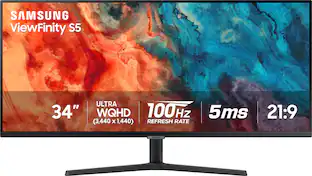
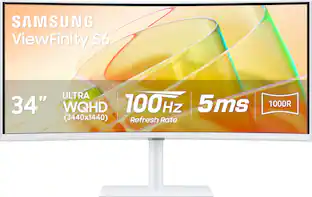
Never look at work the same way again. The difference is easy to see. The Samsung S65UA series is a premium monitor that offers a graceful, gorgeous, curved design. And by maintaining a more consistent distance from the eye, the 1000R curved VA panel provides greater user comfort. Its ultrawide screen provides more room to work, and the 3-sided bezelless frame is ideal for multi-monitor setups. WQHD resolution, 4000:1 contrast ratio and wide viewing angles combine to give you a beautiful picture full of sharp detail, even when viewed at off-angles. Get greater collaboration, comfort and productivity with the Samsung S65UA series monitor.
Highlights
Features
Ultra-WQHD Resolution with 34" Curved Display
Within games, movies or design projects, surround yourself with the 34" ultra-wide curved display featuring a 21:9 aspect ratio. Ultra-WQHD provides the simplest way to maximize your screen real estate and experience seamless multitasking on one screen.
Enhanced concentration and comfort
Boost productivity, reduce eyestrain. 1000R curvature matches human field of sight, minimizing eyestrain compared to flat monitors. View content at a glance for a comfortable, productive experience.
Fast 100Hz Refresh Rate
The fast 100Hz screen refresh rate provides smoother, silkier mouse sensitivity for enhanced productivity in any application. It also reduces screen stutter in fast-moving action scenes for a flawless gaming experience.
1 Billion Colors with HDR10
Enjoy any content in stunning color accuracy and detail. With a wide range of colors, near limitless hues and HDR10, which makes dark colors darker and the bright colors even brighter, every piece of content can be experienced exactly as the creator intended.
De-clutter your setup
Ditch the clutter and keep connected. S6 features a USB Type-C port with 90W charging to power your laptop and transmit data with just one cable, in addition to a LAN Port which allows a laptop that has no LAN port to simply connect to the monitor for Ethernet use.
Relieve your eyes from strain with TUV Certified Intelligent Eye Care
Brightness and color temperature adjust automatically for optimization in any environment. TUV-certified for intelligent eye care, Samsung protects eyes against excessive blue light with eye saver mode and a flicker-free feature.
Stay in sync with the action
Make your entertainment experience more fluid than ever. AMD FreeSync keeps your monitor and graphics card refresh rate in sync to reduced image tear and stutter. Movies and games have no interruptions and even fast action scenes are ultra–responsive and smooth.
Focus uninterrupted for optimum productivity
Stay focused with a virtually borderless design, minimizing distractions. Dual-monitors provide seamless continuity between apps and documents. Slim metal stand enhances aesthetics. Scan effortlessly without breaking focus.
Auto Source Switch
No more switching around. With Automatic Source Switch Plus, your monitor detects newly connected devices as soon as they're plugged in, and displays the correct signal. No more searching for the right input on the menu.
Optimal gaming experience with Samsung Game Mode
Instantly adjust settings for perfect viewing, enhanced colors, and improved contrast. Detect scene changes and ensure clear visibility of all the action, making dark spots darker and light spots lighter. Enjoy gaming at its best!
5ms (GTG) Response Time
Experience smooth and fluid visuals with a 5 ms response time. Enjoy quick and precise image transitions, reducing motion blur and ghosting for an enhanced viewing experience. Whether gaming or watching movies, enjoy crisp and clear visuals with minimal lag.
Height-adjustable tilt swivel stand
Achieve optimal viewing angles and ergonomic comfort with a tilt and swivel stand. Easily adjust the monitor to your preferred position, reducing neck and eye strain. Enjoy flexibility and ergonomic support for a more comfortable and enjoyable computing experience.
Specifications
- Refresh Rate100HzMaximum Resolution3440 x 1440Response Time5 millisecondsPanel TypeVASynchronization TechnologyFreeSync (AMD Adaptive Sync)
Reviews
Rating 4.1 out of 5 stars with 7 reviews
Customer Images
The vast majority of our reviews come from verified purchases. Reviews from customers may include My Best Buy members, employees, and Tech Insider Network members (as tagged). Select reviewers may receive discounted products, promotional considerations or entries into drawings for honest, helpful reviews.


- LG - UltraGear evo 45" 5K2K OLED 165Hz 0.03ms G-SYNC FreeSync Premium Pro Gaming Monitor with DisplayHDR400 TRUE - Black$1,699.99The price was $1,999.99
- LG - UltraGear evo GX9 39" 5K2K OLED 165Hz 0.03ms G-SYNC FreeSync Premium Pro Gaming Monitor with DisplayHDR TRUE 500 - Black$1,599.99The price was $1,799.99
Compare similar products

Never look at work the same way again. The difference is easy to see. The Samsung S65UA series is a premium monitor that offers a graceful, gorgeous, curved design. And by maintaining a more consistent distance from the eye, the 1000R curved VA panel provides greater user comfort. Its ultrawide screen provides more room to work, and the 3-sided bezelless frame is ideal for multi-monitor setups. WQHD resolution, 4000:1 contrast ratio and wide viewing angles combine to give you a beautiful picture full of sharp detail, even when viewed at off-angles. Get greater collaboration, comfort and productivity with the Samsung S65UA series monitor.

Samsung's Ultra-WQHD Monitor with a 34" 1000R curved display surrounds you with a 21:9 aspect ratio to maximize your screen's real estate. Featuring Thunderbolt 4 connectivity and multiple ports, you can power your devices while transmitting data. Experience 1 billion vivid colors with HDR10, providing near limitless hues, with darker darks and brighter brights. Built-in speakers minimize connections and free up desk space, while 100Hz refresh rate and AMD FreeSync keep the screen smooth across all applications and diminish screen stuttering and image tearing. With KVM Switch, Easy Setting Box, Picture-By-Picture, and Picture-In-Picture, you can play games while connecting with friends, watching movies, or working on projects. The ergonomically designed height-adjustable monitor creates a customized, comfortable environment in which to work and play, and TÜV-certified technology reduces eye strain.
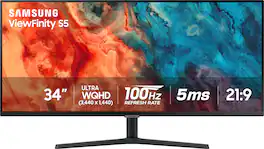
Samsung's 34" ViewFinity S50GC offers a wider workspace featuring a 21:9 ratio and lifelike detail with Ultra-WQHD resolution. AMD FreeSync and 100Hz refresh rate allow an ultra-smooth user experience. Avoid eyestrain with TUV-certified Intelligent Eye Care that automatically adjusts brightness. With HDR10 that displays over 1 billion colors compared to 16.7 million for typical SDR technology, dark colors are darker and the brightest are even brighter.

Discover Samsung’s 34" ViewFinity S65UC monitor. Ultra- WQHD enables you to immerse yourself in games, movies, or design projects. A 34" 1000R curved display surrounds you with a 21:9 aspect ratio. HDR10 provides one billion true-to-life colors, for darker darks and brighter brights. A USB-C port lets you power up your device and transmit data with just one cable, and a LAN port lets you connect to a LAN-less laptop for ethernet use. Featuring AMD FreeSync and 100Hz Refresh Rate to eliminate screen stuttering and image tearing. Ergonomic design, with built-in speakers and KVM switch.
| Pros for Samsung - ViewFinity S65UA 34" LED Curved Ultra-WQHD FreeSync Monitor with HDR10 (USB Type-C, HDMI, DisplayPort, LAN, USB) - Black | |||
|---|---|---|---|
| There were no pros for this product— | There were no pros for this product— | Screen Size, Overall Performance, Resolution, Refresh Rate, Ease of use | There were no pros for this product— |
| Cons for Samsung - ViewFinity S65UA 34" LED Curved Ultra-WQHD FreeSync Monitor with HDR10 (USB Type-C, HDMI, DisplayPort, LAN, USB) - Black | |||
| There were no cons for this product— | There were no cons for this product— | Speakers, Stand | There were no cons for this product— |
Specs
Questions & Answers
Can the 34" ViewFinity S65UA Ultra-WQHD 100Hz AMD FreeSync HDR10 with USB-C Curved Monitor be used to connect two laptops to 1 monitor?
Answered by SamsungThank you for your question! The S65UA has 1 HDMI, 1 Display port, 1 USB-C pot, and 2 dstops can be linked. Please note, those two sources are unable to be displayed on a single screen. You will be able to see each screen by switching the source.

What is the response time of this Samsung monitor?
This Samsung monitor has a 5ms (GTG) response time.
This question and answer was generated by AI based on customer and product data.What comes with this Samsung monitor?
This monitor includes a tilt and swivel stand.
This question and answer was generated by AI based on customer and product data.What type of panel does this monitor use?
This monitor uses a VA panel.
This question and answer was generated by AI based on customer and product data.What is the contrast ratio for this monitor?
This monitor has a contrast ratio of 4000:1.
This question and answer was generated by AI based on customer and product data.
Customers often buy these together
Monitor and Video Cables



Laptop Docking Stations
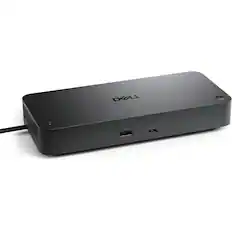
Dell - Pro Smart Dock DELL-SD25 - Black
$198.00The price was $254.99


More to consider
 $309.00The price was $329.99
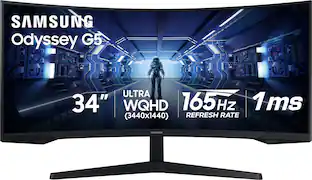 $269.99The price was $399.99
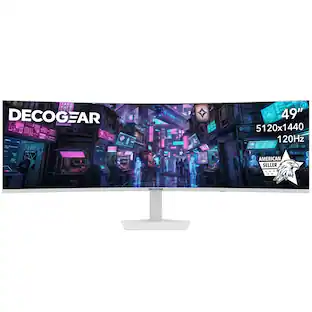 $479.99The price was $549.99

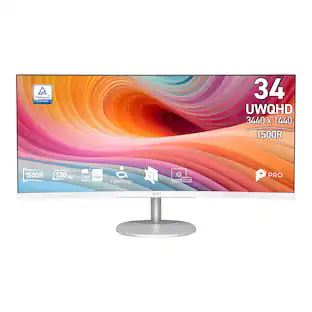
Explore tech essentials Sponsored
 $169.99The price was $199.99
 $229.99The price was $249.99
 $1,499.99The price was $1,999.99
Discover related products
 $249.00The price was $275.00
 $12.99The price was $13.99






Keep exploring
Deco Gear - 49" QD-OLED 240Hz Curved Super Ultrawide Gaming Monitor 5K DQHD 0.03 ms HDR400 90W USB-C
$799.99The price was $1,539.99 $1,029.99The price was $1,053.88
 $249.99The price was $323.99
 $700.99The price was $979.32