Skylight - Calendar: 15 Inch Touchscreen Smart Calendar and Chore Chart - Silver
Color
Silver
Key Accessories:
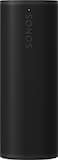
- Sonos - Roam 2 Portable Smart Speaker with Waterproof and Dustproof Design (Each) - Black$134.00The price was $179.00

More Buying Options from Best Buy and Marketplace sellers
Related Item

- General
- Brand: Skylight
- Model Number: 150BECa
- Product Name: Calendar: 15 Inch Touchscreen Smart Calendar and Chore Chart
- Color: Silver
- Dimensions
- Product Width: 1.4 inches (The out of box width of the item. Width is measured as the horizontal distance from one side of the item to the other as it would be primarily used or placed.)
- Product Height: 15.8 inches (The out of box height of the item. Height is measured as the vertical distance from the bottom of the item to the top as it would be primarily used or placed.)
- Product Depth: 9.9 inches (The out of box depth of the item. Depth is measured as the distance from the front of the item to the back as it would be primarily used or placed.)
- Product Weight: 8.05 pounds (The out of box weight of the item.)
- Imaging
- Image Resolution (Display): 1280 x 800 (Refers to the number of pixels, both horizontally and vertically, used to either capture an image or display it. The higher the resolution the finer the image details.)
- Compatibility
- Memory Card Compatibility: None (The type of memory card(s) recommended for use with the product.)
- Interface(s): None (Refers to the types of connections that devices use to interact and communicate with each other.)
- Minimum System Requirements: Not Applicable
- Wireless Connectivity: Wi-Fi (The manner in which a device sends data to another device over a short distance without the use of wires or cables.)
- Features
- Screen Size: 15 inches (Size of the screen, measured diagonally from corner to corner.)
- Built-in Storage: 32 gigabytes
- Warranty
- Warranty - Parts: 120 Days
- Warranty - Labor: 120 Days
- Other
- UPC: 860010968888
Skylight Calendar is an innovative touchscreen display for all your calendar events, to-do’s, grocery list, and chores to help you organize your family’s busy schedule. It has a 15” touch screen that displays your family’s schedule in HD clarity making it a beautiful centerpiece for your home. It is the perfect size for a kitchen counter or can be mounted on a wall. High-quality metal stand and wall mount included.
- Features: Skylight Calendar seamlessly auto-syncs family member's calendars so everyone's schedule is displayed in one place. With the free mobile app, everything on the Skylight Calendar is easily accessible on the go. Skylight Calendar is the ultimate smart calendar and organizer that will give you and your loved ones peace of mind and confidence that nothing gets missed.
- Quick setup: Seamlessly auto-syncs with Google, iCloud, Outlook, Yahoo, and Cozi. Simply plug it in, connect to Wi-Fi, and sync your calendars - all your events will automatically populate and sync to your Skylight Calendar.
- Beautiful and intuitive HD smart display: 15" touchscreen can be mounted on the wall or displayed on its stand. Bonus 32GB storage for photos and videos. The wall mount or tabletop option make this the perfect daily planner for the home or work planner to add to your office.
- Task and Chore Management: Add, edit, and easily check off chores throughout the day. Encourage healthy habits and autonomy with the interactive Chore Chart that transforms routine tasks into rewarding accomplishments.
- To-do's and checklists: Curate custom lists that encompass everything your family needs to remember, do, or purchase.
- All-in-one smart touchscreen calendar: Calendar and planner touchscreen display that will get the whole family organized and running smoothly. It's never been easier to keep the whole family informed by assigning each member their own color and chores.
- Drop more stress with even more features: Discover Meal Planning and plan the week's meals in 5 minutes, Magic Import for uploading events by emailing dates or emailing a PDF with dates to your Calendar and Photo & Screensaver which converts your Calendar into a digital photo frame, all available with Skylight Plus subscription (sold separately).
Whats Included
- Skylight Calendar
- Base Mount
- Stand & Screws
- Wall Mount & Screws
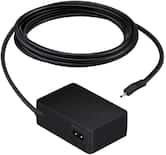
- Power Cable
Product Manuals
Q: Does this calendar have a touchscreen?
A: Yes, this calendar has a 15" touchscreen.
Q: What type of wireless connectivity does the calendar have?
A: The calendar has Wi-Fi wireless connectivity.
Q: What is the built-in storage capacity of this calendar?
A: The built-in storage capacity is 32 gigabytes.
Q: Is there a way to display photos on this calendar?
A: Yes, the calendar can convert into a digital photo frame.
Q: Does this smart calendar sync with Google calendar?
A: Yes, this smart calendar seamlessly auto-syncs with Google.
Q: Can this calendar be used for meal planning?
A: Yes, you can use this calendar for meal planning.
Q: Can I manage tasks using this smart calendar?
A: Yes, you can manage tasks using this smart calendar.
Q: Can the calendar and grocery list be up dated from an app? Is there an ongoing subscription cost?
A: Yes. The grocery list and chore chart can be updated from the Skylight app. The calendar can be updated from the calendar on your device. The subscription is only if you would like to convert emails, meetings etc into events and/or upload photos. You don’t need a subscription to link your calendar on your device such as your phone, iPad, laptop, etc. I hope this helps.
Compare similar products

Skylight Calendar is an innovative touchscreen display for all your calendar events, to-do’s, grocery list, and chores to help you organize your family’s busy schedule. It has a 15” touch screen that displays your family’s schedule in HD clarity making it a beautiful centerpiece for your home. It is the perfect size for a kitchen counter or can be mounted on a wall. High-quality metal stand and wall mount included.
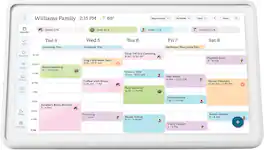
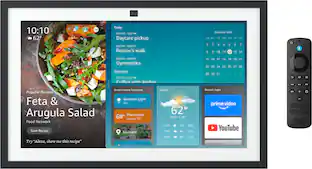
Skylight Calendar 2 - 15" Digital Calendar with removable Shadowbox Frame. Daily Planner, Touchscreen Smart Display for Family Schedules, Work, and Office. Get the whole family organized with chore charts, meal planning, and customizable lists on a WiFi-connected system with a beautiful and intuitive digital display.
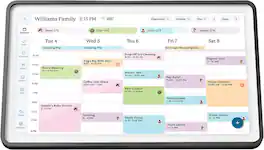
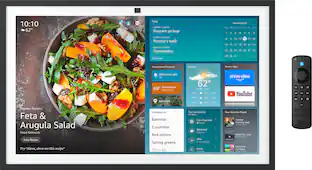
Skylight Calendar 2 - 15" Digital Calendar with removable Shadowbox Frame. Daily Planner and Touchscreen Smart Display for Family Schedules, Work, and Office. Get the whole family organized with chore charts, meal planning, and customizable lists on a WiFi-connected system with a beautiful and intuitive digital display.

Skylight Calendar Max 27-Inch Digital Calendar & Daily Planner, Touchscreen Smart Display For Work, Office and Family Schedules
| Pros for Skylight - Calendar: 15 Inch Touchscreen Smart Calendar and Chore Chart - Silver | |||
|---|---|---|---|
| There were no pros for this product— | Functionality, Overall Performance | Display Quality, Ease of Use, Design | There were no pros for this product— |
| Cons for Skylight - Calendar: 15 Inch Touchscreen Smart Calendar and Chore Chart - Silver | |||
| There were no cons for this product— | There were no cons for this product— | Connectivity | There were no cons for this product— |
Specs
Reviews
Customers are saying
Customers are satisfied with the ease of use, touchscreen, and overall performance of the Calendar: 15 Inch Touchscreen Smart Calendar and Chore Chart. Many appreciate the chore chart and organization features, as well as the screen size and synchronization capabilities. However, some customers have expressed concerns about the price and the subscription service for additional features. There were also a few comments about the product's lack of battery and its weight.
Customer Images
The vast majority of our reviews come from verified purchases. Reviews from customers may include My Best Buy members, employees, and Tech Insider Network members (as tagged). Select reviewers may receive discounted products, promotional considerations or entries into drawings for honest, helpful reviews.
- Rated 5 out of 5 stars
Game-Changer for Our Family of 5
This Skylight calendar has become indispensable for our family of 5. We were always juggling schedules with kids' activities, sports, school stuff, and work, and this thing keeps everything in one spot without anyone having to constantly check phones or a paper calendar. Setup was easy, we just plugged it in, connected to Wi-Fi, synced our Google and iCloud calendars, and it pulled everything over automatically. The 15" touchscreen is bright and clear, sits nicely on the kitchen counter, and the HD display makes it easy to read at a glance. The chore chart is a huge hit with the kids and they love checking off tasks and seeing their rewards build up (we set up little incentives for completed chores). Assigning colors to each family member helps everyone see their own stuff quickly, and the to-do lists and grocery lists keep us from forgetting things. I update it from my phone app when I'm out, and it syncs instantly. It's made a real difference in keeping us organized and reducing the "I didn't know about that" arguments. Only downside is I wish we had space for the bigger 27" model though 15" is great, but with five people and a packed schedule, more real estate would be nice. Still, highly recommend this one. It's been worth every penny for the peace of mind and smoother family flow.
This review is from Skylight - Calendar: 15 Inch Touchscreen Smart Calendar and Chore Chart - White
Jacob Posted
- Rated 4 out of 5 stars
Great Product Ruined By Hidden Subscription
This is a great product that my girlfriend and I have used for several months now and we love it. Unfortunately, if you want to display photos on the SkyLight it’ll cost you $4/mo or $40/year at the time of writing this. It really pains me to see this feature locked behind a paywall - and not even one you can buy permanently as there is no “lifetime” option. I would *consider* paying for that as a permanent upgrade, but to only have it available as a subscription can only be seen for what it is - a cash grab. Until they make a change to this business model, this product does not deserve five stars.
This review is from Skylight - Calendar: 15 Inch Touchscreen Smart Calendar and Chore Chart - White
mrosen97 Posted
- Rated 5 out of 5 stars
Simple, smart organizer
The Skylight Calendar is easy to use and keeps my schedule organized. It syncs with Google and Apple calendars, shows weather, and has a clear touchscreen. A simple, helpful way to manage family plans.
This review is from Skylight - Calendar: 15 Inch Touchscreen Smart Calendar and Chore Chart - White
HouseHarmony Posted