Labor Day Appliances SaleEnds 9/16. Limited quantities. No rainchecks.Shop now

Main Content

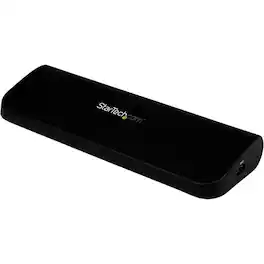
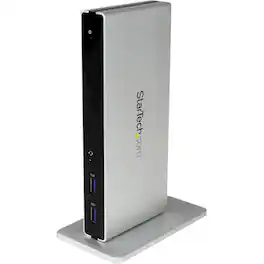
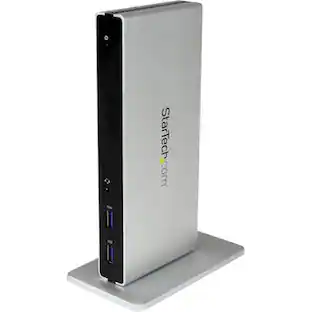
StarTech.com - HDMI, DVI/VGA, USB 3.0 Docking Station - Black

Model: USB3SDOCKHDV
SKU: 12480634
Sold & shipped by

About this product

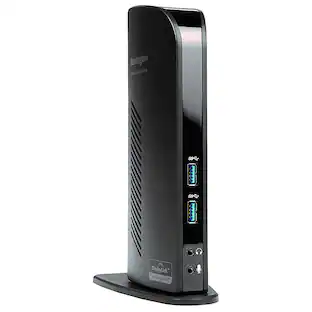
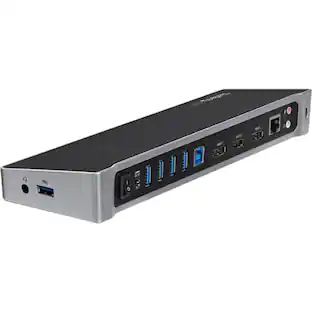
This USB 3.0 Docking Station combines USB 2.0 and USB 3.0 (3.1) hubs, headphone and microphone audio connectors, and a Gigabit Ethernet RJ45 port into a single docking station. It is the perfect accessory for enhancing your laptop's capabilities. Display Adaptability Offering flexible dual video combinations right out-of-the-box, this universal laptop docking station features HDMI, DVI and VGA external monitor outputs. Each video output supports HD video resolutions (2048x1152 max) and HD video playback for an ideal solution to expanding your notebook's video capability. Available combinations include: HDMI + VGA or HDMI + DVI. Integrated USB Dock - The built-in USB hub features three USB 3.0 ports for connecting extra peripherals such as external hard drives or a wired mouse, as if they are connected directly to your laptop. Direct Ethernet Connectivity - The integrated RJ45 Ethernet port supports speeds of 10/100/1000 Mbps, giving you an instant connection to a wired network. All-In-One Solution - StarTech.com's laptop docking stations can be used with current laptops for cost savings, faster deployment with just a single cable. USB3SDOCKHDV is backed by a StarTech.com 3-year warranty and free lifetime technical support.

Features
  • LAPTOP TO DESKTOP CONVERSION

    With just a single cable, your laptop gains full desktop capabilities—this USB 3.0 docking station combines USB 2.0 and USB 3.0 hubs, headphone and microphone audio connectors, and a Gigabit Ethernet RJ45 port into a single docking station

  • DISPLAY CONNECTOR OPTIONS

    This universal port replicator features HDMI and DVI/VGA external monitor outputs with HDMI+DVI or HDMI+VGA as available display configurations

  • INTEGRATED USB 3.0 HUB

    The built-in USB hub features 3 USB 3.0 ports for connecting extra peripherals such as external hard drives or a wired mouse as if they are connected directly to your laptop

  • NETWORK CONNECTIVITY

    The RJ45 Ethernet port built into the USB 3.0 dock supports speeds of 10/100/1000 Mbps, giving you an instant connection to a wired network

  • WIDE COMPATIBILITY

    This dual-monitor docking station supports your Windows laptop, Macbook Air, or Macbook Pro

See all features
Specifications
  • Maximum Number of Displays Supported
    1
    Number of DisplayPort Outputs (Total)
    0
Sponsored

Reviews

Rating 4.4 out of 5 stars with 31 reviews

84% would recommend to a friend

The vast majority of our reviews come from verified purchases. Reviews from customers may include My Best Buy members, employees, and Tech Insider Network members (as tagged). Select reviewers may receive discounted products, promotional considerations or entries into drawings for honest, helpful reviews.

  • Rated 5 out of 5 stars

    Perfect Docking Station

    I needed a docking station for my new Samsung laptop that I purchased from Best Buy. This is perfect and doesn’t take up much desk area. Note: I have a VGA connection for my monitor. It didn’t work initially. I had to download additional drivers via the internet and then my monitor started working. I can now use my laptop monitor and my external monitor as a two monitor setup. I love it!

    This review is from StarTech.com - HDMI, DVI/VGA, USB 3.0 Docking Station - Black

    Posted by Pepe17

  • Rated 5 out of 5 stars

    Docking station

    When I bought my new laptop, I bought this new docking station to upgrade the USB speed and port options. My present monitor, which does not have an HDMI connection, can be accommodated. When I upgrade to a 4K monitor, the HDMI port on the docking station will be waiting for it. In other words, this docking station has everything I need.

    This review is from StarTech.com - HDMI, DVI/VGA, USB 3.0 Docking Station - Black

    Posted by F92037

  • Rated 3 out of 5 stars

    So So

    I'm sure it would work properly if it came with the software and driver disks. Tried looking online without any luck. Returned it and found another brand that' working great.

    This review is from StarTech.com - HDMI, DVI/VGA, USB 3.0 Docking Station - Black

    Posted by BIGMIKE

  • Rated 4 out of 5 stars

    A complete Docking Station / Hub

    Nice product and great features. Thus far I've had limited use but it has functioned perfectly and it was easy to install with download from the web. The one real drawback is that the item and power cord and connecting USB cable come loosely and a small case / bag for it would have really made this a 5 star deal. Light and portable but somewhat too bulky to carry in hand luggage given the very stringent policies by the airlines. Would have been good if Best Buy had stocked this item in Store.

    This review is from StarTech.com - HDMI, DVI/VGA, USB 3.0 Docking Station - Black

    Posted by Jayantha

  • Rated 5 out of 5 stars

    Nice two-monitor docking station

    My wife gave me two monitors for Christmas so that I could bring work home instead of staying late at the office. This was the only docking station that I was able to find which would allow me to connect two external monitors to my Lenovo laptop. I'm still working out how to get both screens to work with a remote session but I think that's an issue with the remote connection and Windows, not with the docking station.

    This review is from StarTech.com - HDMI, DVI/VGA, USB 3.0 Docking Station - Black

    Posted by PSUBill80

Compare similar products

StarTech.com - HDMI, DVI/VGA, USB 3.0 Docking Station - Black
4.4(31)

This USB 3.0 Docking Station combines USB 2.0 and USB 3.0 (3.1) hubs, headphone and microphone audio connectors, and a Gigabit Ethernet RJ45 port into a single docking station. It is the perfect accessory for enhancing your laptop's capabilities. Display Adaptability Offering flexible dual video combinations right out-of-the-box, this universal laptop docking station features HDMI, DVI and VGA external monitor outputs. Each video output supports HD video resolutions (2048x1152 max) and HD video playback for an ideal solution to expanding your notebook's video capability. Available combinations include: HDMI + VGA or HDMI + DVI. Integrated USB Dock - The built-in USB hub features three USB 3.0 ports for connecting extra peripherals such as external hard drives or a wired mouse, as if they are connected directly to your laptop. Direct Ethernet Connectivity - The integrated RJ45 Ethernet port supports speeds of 10/100/1000 Mbps, giving you an instant connection to a wired network. All-In-One Solution - StarTech.com's laptop docking stations can be used with current laptops for cost savings, faster deployment with just a single cable. USB3SDOCKHDV is backed by a StarTech.com 3-year warranty and free lifetime technical support.
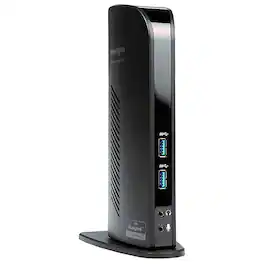
Plugable - USB-C Triple Display Laptop Docking Station 3 Monitors, 15-in-1: 3x HDMI, Dual 4K or Triple (1x 4K60 + 2x 1080p - Space Gray

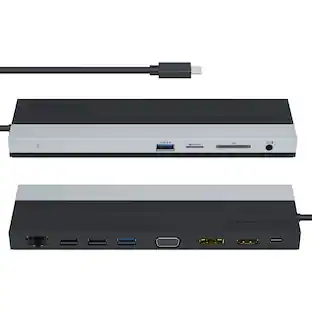
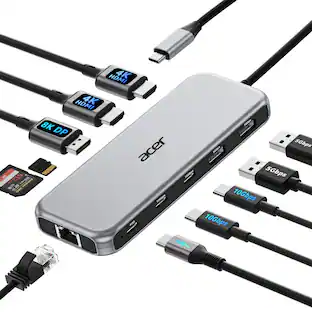
Meet the Plugable UD-MSTH3, a 15-in-1 Windows and ChromeOS docking station built to maximize your daily workspace productivity. Featuring three native HDMI 2.0 ports, this multi-display powerhouse allows you to instantly expand your desktop across two 4K monitors at 60Hz or up to three with 1x 4K 60Hz, 2x 1080p 60Hz, all through a single cable. The UD-MSTH3 delivers an efficient mix of modern charging infrastructure and high-speed data connectivity. The rear upstream port supplies up to 100W Power Delivery to keep your laptop fully charged under heavy processing loads, while a dedicated front-facing Type-C port outputs 30W to fast-charge your mobile devices on the fly. With 10 downstream expansion ports, your entire desk ecosystem stays connected. Transfer massive files via ultra-fast 10Gbps USB-C data ports, manage everyday peripherals with a balanced array of USB-A ports, offload media quickly using integrated SD and microSD readers, and enjoy low-latency networking with a next-gen 2.5Gbps Ethernet port.

Plugable - USB C Docking Station Dual Monitor 2 HDMI Ports, Power Delivery Dock Dual 4K Monitor for Windows, ChromeOS - Black
5.0(1)

Transform your workspace with one cable. The Plugable UD-MSTH2 docking station for laptop turns a compatible laptop into a complete workstation reducing cable clutter while adding dual-monitor productivity, charging, and everyday connectivity. The UD-MSTH2 was awarded the “Best Dual Monitor Docking Station” by WIRED Connect two HDMI monitors and expand your desktop for smoother multitasking across email, spreadsheets, and video calls. This is an MST dock (Multi-Stream Transport), enabling two displays from a single USB-C video connection on supported systems. Each display can support up to 4K 60Hz, but your actual resolution/refresh rate depends on your laptop’s capabilities. For video output, your USB-C port must support DisplayPort Alt Mode (not all USB-C ports support video). Beyond displays, the UD-MSTH2 works as an all-in-one connectivity hub with up to 65W laptop charging, Gigabit Ethernet for stable wired networking, USB ports for peripherals and storage, and a 3.5mm audio jack for headsets or speakers—ideal for remote work, shared desks, and office setups where you want everything ready the moment you plug in. Designed to be simple and stress-free on supported systems with driverless, plug-and-play operation. It’s a great fit for Windows 10+ and ChromeOS laptops that support USB-C video output, including many popular business and productivity lines and it can be a solid option for users searching for a Lenovo docking station as long as the Lenovo laptop’s USB-C port supports DisplayPort Alt Mode. macOS users should note that Apple’s display limitations mean this dock will support only one external display, so it is not recommended if you need two extended monitors. In the box: UD-MSTH2 dock, 110W power adapter (supports up to 65W charging), 1m USB-C host cable, and Quick Start Guide. Backed by Plugable’s lifetime support from our North American team of connectivity experts.

Plugable - USB 3.0 Universal Laptop Docking Station Dual HDMI Monitor for Windows and Mac USB 3.0 USB-C - TAA Compliant - Black
5.0(2)

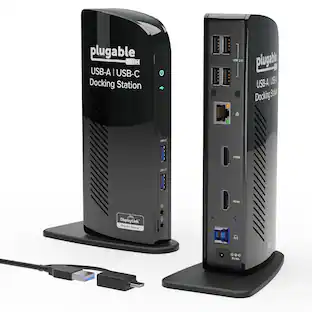
The TAA-compliant Plugable UD-3900 docking station is designed to expand your laptop or desktop’s capabilities by connecting up to ten accessories through a single cable. Whether you’re working with a Windows, Mac, or Chromebook system, the UD-3900 offers a convenient way to connect multiple displays, peripherals, and network access in one hub. It features two HDMI video output ports, to support dual HDMI displays. This setup allows you to mirror or extend your desktop with resolutions up to 1920×1200 @ 60Hz for dual displays, or up to 2560×1440 @ 50Hz on a single native HDMI display. Please note that 4K resolution is not supported. In addition to video outputs, the UD-3900 provides a wired Gigabit Ethernet port with full-duplex support, audio input and output jacks, two USB 3.0 ports for high-speed devices, and four USB 2.0 ports for peripherals like keyboards and mice. The dock is powered by a robust 20W UL-certified power supply to ensure reliable performance for connected devices, though it does not provide charging to the host laptop. Users should keep their laptop charger connected if charging is required. Compatibility is broad but requires specific setup steps for certain systems. Windows 11, 10, 8.x, and 7 support plug and play driver installation via Windows Update, while macOS 10.14 or later requires a manual DisplayLink driver installation, with instructions provided. ChromeOS 100 or later works without additional setup. The dock is not compatible with Linux/Unix systems, DisplayPort outputs, or mixed USB graphics chipsets. HDCP-protected content, such as Blu-ray playback, is not supported, and this dock is not intended for gaming or other graphics-intensive applications. For best results, use the UD-3900 for web browsing, office work, and productivity applications. If you encounter issues such as the dock not powering on or stopping after a short period, try the following steps: confirm the power adapter is securely connected to both the dock and a working outlet, check the power indicator light, reseat all cable connections, update your DisplayLink drivers from Plugable.com, and, if possible, test with another computer. These quick checks resolve most issues, but our U.S.-based support team is ready to help if you need further assistance. In the Box, you will find a UD-3900 docking station, a hybrid USB 3.0 and USB-C cable, a 20W UL-certified power adapter with a AC wall plug, and a quick install guide to get you set up right away. With its combination of connectivity, compatibility, and dedicated customer support, the UD-3900 is built to help you create a more efficient and reliable workspace.

Specs

Questions & Answers
  • What is the USB port on the right side facing my StarTech.com - HDMI, DVI/VGA, USB 3.0 Docking Station - Black

    The USB3SDOCKHDV has a USB 3.0 downstream port on the right side of the docking station. Atha, StarTech.com Support

    Answered by StarTech.com Support
No content
Sponsored

Finance Options

My Best Buy® Credit Card
Buy Now, Pay Later