
ViewSonic - Stylus - Capacitive Touchscreen Type Supported - Active - Replaceable Stylus Tip - Black
ViewSonic - Stylus - Capacitive Touchscreen Type Supported - Active - Replaceable Stylus Tip - Black
About This Item
- Key Specs
- Model Compatibility: Universal
- General
- Brand: ViewSonic
- Product Name: ViewSonic Stylus - Capacitive Touchscreen Type Supported - Active - Replaceable Stylus Tip - Black
- Color: Black
- Compatibility
- Brand Compatibility: Microsoft, Surface
- Model Compatibility: Universal
- Features
- Replaceable Stylus Tip: true
- Dimensions
- Product Length: 7.59843 inches (The out of box length of the item. Length is measured as the longest dimension of the item.)
- Product Diameter: 0.33 inches (The out of box diameter of the item, measured as a straight line passing from side to side of the item, through its center.)
- Product Weight: 0.01 ounces (The out of box weight of the item.)
- Warranty
- Warranty - Parts: Manufacturer Warranty
- Warranty - Labor: Manufacturer Warranty
- Other
- UPC: 766907018394
By implementing the MPP2.0 (Microsoft Pen Protocol) technology, ViewStylus ACP302 stylus that supports other touch-screens and laptops compatible with the MPP and supports 4,096 pen pressure, allowing you to easily edit and annotate your document. Also, ViewStylus ACP302 can be used with commonly used educational and business applications such as OneNote, Microsoft office, Adobe Suite, Drawboard, and more. More from the Manufacturer
- ViewSonic Stylus - Capacitive Touchscreen Type Supported: By implementing the MPP2.0 (Microsoft Pen Protocol) technology, ViewStylus ACP302 stylus that supports other touch-screens and laptops compatible with the MPP and supports 4,096 pen pressure, allowing you to easily edit and annotate your document. Also, ViewStylus ACP302 can be used with commonly used educational and business applications such as OneNote, Microsoft office, Adobe Suite, Drawboard, and more. More from the Manufacturer
Reviews
This product doesn't have any reviews yet.
Compare similar products
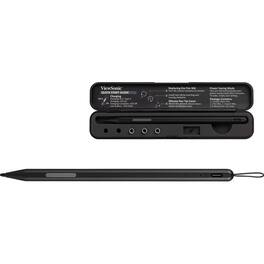
By implementing the MPP2.0 (Microsoft Pen Protocol) technology, ViewStylus ACP302 stylus that supports other touch-screens and laptops compatible with the MPP and supports 4,096 pen pressure, allowing you to easily edit and annotate your document. Also, ViewStylus ACP302 can be used with commonly used educational and business applications such as OneNote, Microsoft office, Adobe Suite, Drawboard, and more. More from the Manufacturer

Write, sketch, navigate, and recharge. Take handwritten notes and draw with the same feeling you get with pen on paper, with exceptional accuracy and a new storable design. Surface Slim Pen (2nd Edition) also delivers incredible shading and exceptional pressure sensitivity.¹
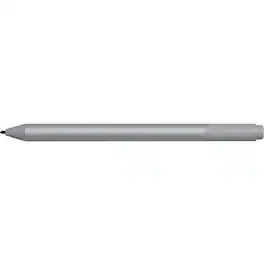
Microsoft Surface Pen Platinum - Tilt the tip to shade your drawings - Writes like pen on paper - Sketch, shade, and paint with artistic precision - Ink flows out in real time with no lag or latency - Rubber eraser rubs away your mistakes easily

The new Apple Pencil makes note-taking, writing, and drawing better than ever. It magnetically attaches to iPad Pro, charges wirelessly, and lets you change tools with a simple double tap. Apple Pencil (2nd generation) works with iPad Pro 12.9-inch (3rd, 4th, 5th, and 6th generation); iPad Pro 11-inch (1st, 2nd, 3rd, and 4th generation); iPad Air (4th and 5th generation); and iPad mini (6th generation).
| Pros for ViewSonic - Stylus - Capacitive Touchscreen Type Supported - Active - Replaceable Stylus Tip - Black | |||
|---|---|---|---|
| There were no pros for this product— | Ease of use, Overall Performance, Compatibility, Design, Weight | There were no pros for this product— | Ease of use, Overall Performance, Compatibility, Charging, Battery Life |
| Cons for ViewSonic - Stylus - Capacitive Touchscreen Type Supported - Active - Replaceable Stylus Tip - Black | |||
| There were no cons for this product— | Price, Lag, Tip, Charger, Magnet Strength | There were no cons for this product— | Price, Tip, Lag, Connection, Size |