Skip to contentGo to Product Search
Main Content

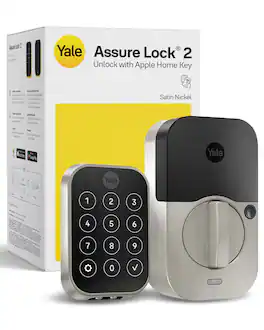
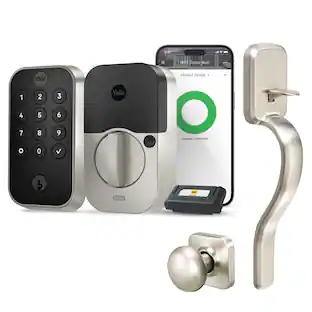
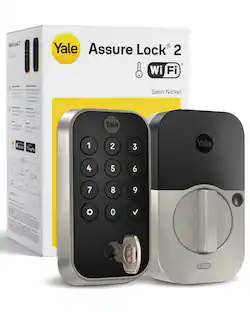
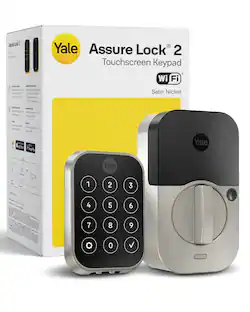
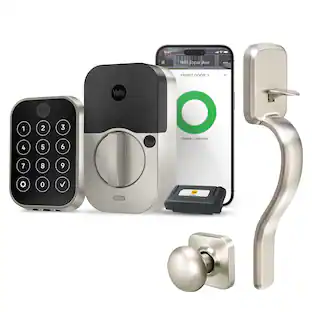
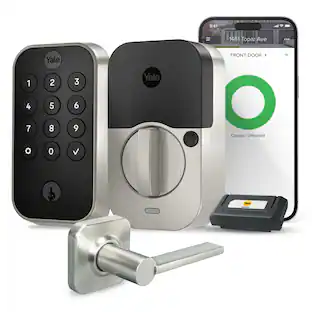
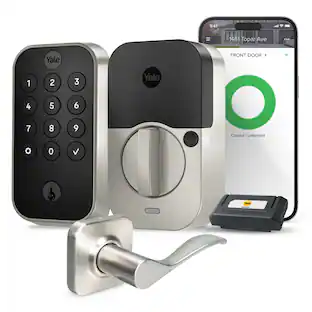
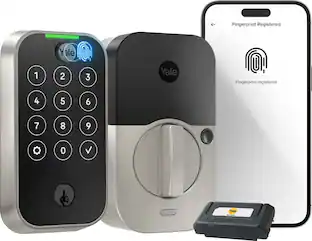
Yale - Assure Lock 2 - Smart Lock Keyless Wi-Fi Deadbolt with APPLE HOME KEYS | Touchscreen Keypad Access - Satin Nickel

Model: YRD450-N-WF1-619
SKU: 6563954
Sold byBest Buy

Customers are saying

Customers love the ease of use and straightforward installation process that this product offers. While users appreciate the sleek design, reliable security features, and integration with Apple Home Key, some have expressed concerns regarding the battery longevity and occasional Wi-Fi connectivity issues. Additionally, there is some feedback suggesting that the companion app could benefit from a more intuitive design.

Generated by AI based on customer reviews.

Highlights

Features

  • Tap and you're in

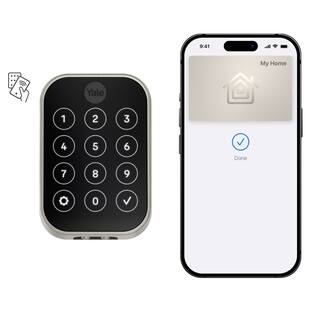
    Add your Home Key to Apple Wallet and unlock this keyless entry door lock with a tap of your iPhone or Apple Watch. With Express Mode, you don't even need to wake your device. Also offers Auto-Unlock and a touchscreen keypad.

  • Control from Anywhere

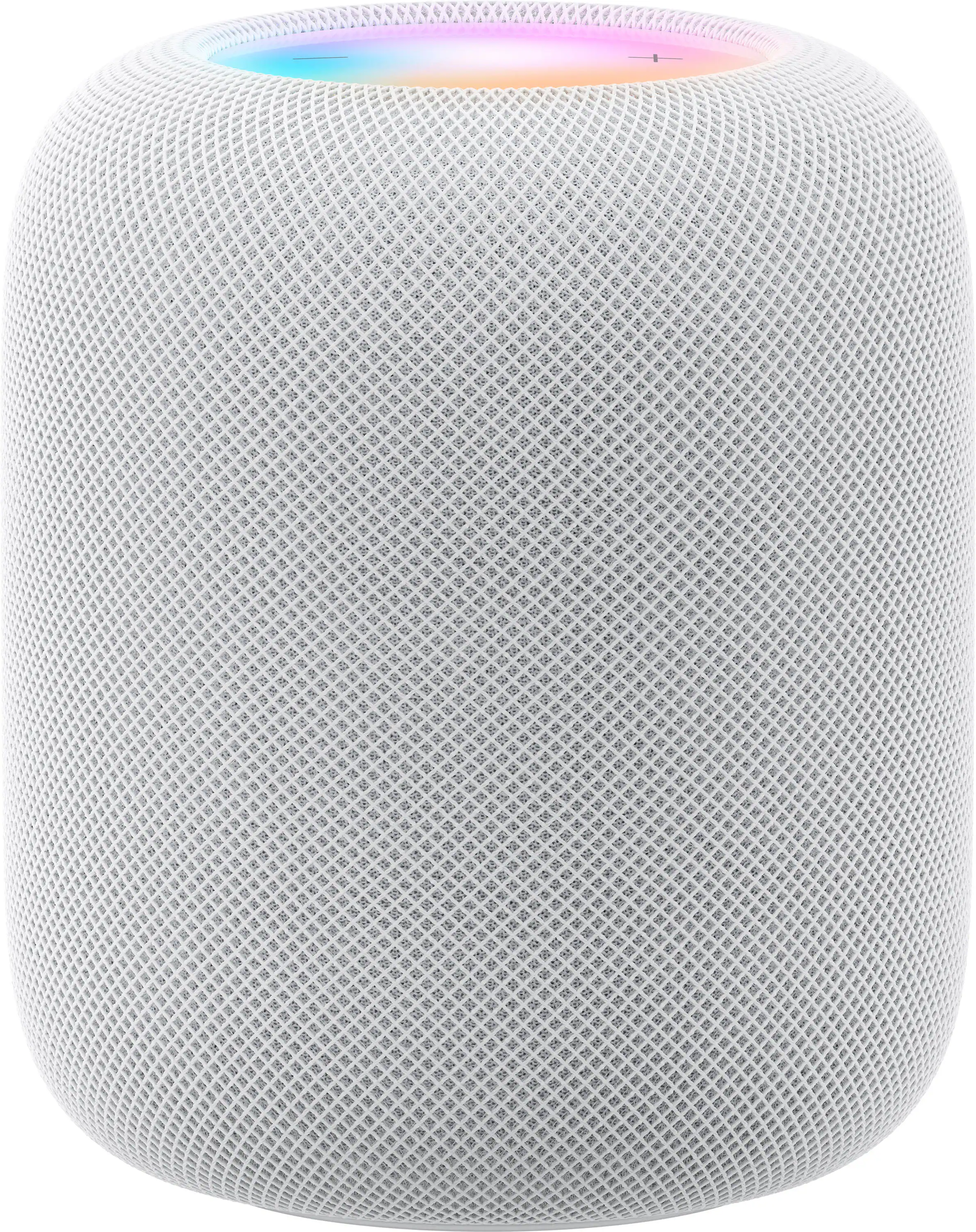
    This electronic door lock connects to 2.4 or 5 GHz Wi-Fi for remote access via the Yale Access App (US & Canada Only). Add a HomePod or Apple TV to share Home Keys, use Siri, and set up automations.

  • Unlimited code, complete control

    No more hiding spare keys. Give the dog walker Tuesday access, your parents a permanent code, and your Airbnb guest entry that expires at checkout. Share, schedule, or revoke access in seconds.

  • Wondering if you locked up?

    DoorSense® knows when your door is fully closed and Auto-Lock secures it for you. Head to bed, rush out the door, or chase after the kids—your smart front door lock handles the details so you don't have to worry.

  • Engineered for reliability

    Grade 2 certified by BHMA, the industry standard for commercial-grade durability. Built to perform from -22°F winters to 140°F summer heat. Low-power alerts let you know when batteries are about to run out.

Specifications

  • Color Finish
    Satin nickel
    Lock Type
    Deadbolt
    Lock/Unlock Mechanism
    Keypad, Electronic guest keys
    Power Source
    Battery-powered
    Installation Type
    Replacement
Sponsored

Reviews

Customers are sayingCustomers love the ease of use and straightforward installation process that this product offers. While users appreciate the sleek design, reliable security features, and integration with Apple Home Key, some have expressed concerns regarding the battery longevity and occasional Wi-Fi connectivity issues. Additionally, there is some feedback suggesting that the companion app could benefit from a more intuitive design.
This summary was generated by AI based on customer reviews.
  • Ease of use (32)
  • Installation (15)
  • Overall Performance (14)
  • Design (10)
  • Security (6)
  • Battery Life (13)
  • Wi-Fi (7)
  • App (3)

Customer Images

The vast majority of our reviews come from verified purchases. Reviews from customers may include My Best Buy members, employees, and Tech Insider Network members (as tagged). Select reviewers may receive discounted products, promotional considerations or entries into drawings for honest, helpful reviews.
  • Rated 5 out of 5 stars

    Yale lock

    Love it! So nice not fumbling with keys. I’m a contractor and use these often. So glad I went with this I can control from phone if needed. Easy to use. I actually purchased another one for another door. Nice and sleek looking

    This review is from Yale - Assure Lock 2 - Smart Lock Keyless Wi-Fi Deadbolt with APPLE HOME KEYS | Touchscreen Keypad Access - Black Suede

    Posted by JosephjC

  • Rated 5 out of 5 stars

    Great product.

    This product is awesome. It’s so easy to install and I was done in about 10 minutes. I love the app and being able to lock or unlock your front door from anywhere. The app also allows you to make different codes for other family members like your children. It’s nice being able to see when they access the front door after they get home from school. I would definitely recommend.

    Posted by ChrisB

  • Rated 4 out of 5 stars

    For Apple HomeKit experience, a good addition.

    Review of Yale Assure Lock 2 The Yale Assure Lock 2, a Smart Lock Keyless Wi-FI Deadbolt with Apple Home Keys and Touchscreen Keypad Access includes features that makes easy to install and uniquely compatible to Apple HomeKit. Its size compared to other models, looks compact as its design is simplistic and compact framework. At least visually makes appealing appearance. But on hand, it is heavy (4 lbs), feels sturdy and secure as impression. To install (hardware side), 1. IF need to make new hole, the manual includes measurements and guidance on how to measure 2. IF existing door and has standard hole, it can skip the “1” above, and start immediately installing. It fits to existing door lock deadbolt as it is removed and replace. Afterward of either options, the process is straight forward. The only step where I struggled a bit was first finding the right screw that match the door thickness as the door lock includes three type of screws, and secondly connecting the cable between both parts, the exterior touchscreen keypad and the interior lock as it was bit challenging to identify which side match each other connectors. To setup (software side) First, I started by adding to the Apple Home Kit without downloading the Yale App, and without doing the Bluetooth connection to the phone. By scanning the code for HomeKit directly, it was added to HomeKit. And this process took me a bit of challenge as the code is inside the Interior Lock in vertical and the phone was not recognizing it at first attempt. However, to continue, it requires the Yale App and add the lock via Bluetooth, then all the corresponding setting has to be done from the Yale App. After this, at high-level, everything else are almost similar as adding any device to the phone, needing to change settings and personalize for security. The experience via HomeKit Using the default setting as is out of box, and having setup to integrate with HomeKit, it can control to open and lock without issues. The HomeKit add a wallet card, and with it, as approaching the phone to the door touchscreen lock, it immediate recognize and unlock/lock. It is like using Apple Pay. From the Home app, it has toggle button as move up/down lock/unlock. On the other hand, while watching Apple TV and anyone lock/unlock the door, a message pop on the tv screen about the status. Similarly, while I am away and kids at home open the lock/unlock the door, its status shows up on the phone screen, if not on iPad screen. Hence it works seamlessly across multiple apple devices. The result is same as the home key is shared to second user by adding via invite or as homeowner, and of course it is another apple device user. The experience of personalizing To personalize, for this it has to be done via Yale application. It allows to set alike Auto Lock, Auto Unlock, Door Ajar Timing, Door Sense, Smart Alert to mention some of their features. The Auto Lock/Unlock I find it most practical need to use in such case that when I come home automatically sense the device and unlock. What it does or made well At first attempt it does well: - Connect to iPhone via Bluetooth. - Adjustable deadbolt is long at least as it is for the door where has been installed. I don’t know the standard, but I think it is a good thing. - Noise while locking and unlocking is smoother sound compared to another model from different brand I have. -Interior Lock turning nob turns smoothly - The Yale Smart Module is a separate piece such can be added or removed. This allow the Wi-Fi connection and I think it is good to have the hardware option to connect or not to Wi-Fi due to the remote hacking concern. And removing it, it doesn’t allow to control remotely while being away from home. - Some of features are only available to change only by being next to the lock and cannot be modified remotely or being away. This add to the security aspect of the lock, I think. What I wish it would do better: 1 - Wire connector, it is hard to identify and match both sides. And it is hard to remove once it is connected. It takes a bit of hassle to disconnect. 2. - As Locking/Unlocking, it does the sound as if it is rotating twice. Feels like if it is locked, to unlock, lock and unlock again or internal motor turning full circle. This potentially is not efficient for battery’s duration. 3- Locking/Unlocking from the phone, it is not instant, there is latency from the moment initiate the action to actually lock/unlock, and I think it is more than reasonable time. Of course, there is several factors in between, but under same Wi-Fi Network with same phone, the process with other brand doesn’t feel that latency. This observation is from using it at front of the door lock. 4- Auto Lock/Unlock, it doesn’t recognize when the user is inside/exterior home. For instance, if I want the feature get activated when I am arriving home, from external side, and only work in this use case, I can’t. Or if there is a way of setting such way, I couldn’t find it, or it is not a simple settings process if there is such setting. 5- It requires to install Yale application. It is not included in the HomeKit once it is integrated or added to it. The become another app on the phone. The package reviewed here included: 1. Door Sense, 2. Smart Module, 3. Battery Cover, 4. Mounting Plate 5. Exterior Touchscreen Keypad 6. Interior Lock 7. 4 Batteries 8. Adjustable Deadbolt 9. Strike Plate 10. Screws, Reset Pin, and other needed accessories for installation. To finish, the Yale Assure 2 is for HomeKit is not very different to other models. Only difference and how it changes the experience is mostly the device added to Apple ecosystem and its user experience. The installation process is same as other platform, in the same setting the software side. But it is good and possibly save deadlock if need specific for Apple experience and doesn't want or convert or integrate through separate application.

    Posted by MigDigital

  • Rated 5 out of 5 stars

    Good lock, apple integrations work

    Good lock, works with HomeKit and Apple iPhone and Apple Watch.

    This review is from Yale - Assure Lock 2 - Smart Lock Keyless Wi-Fi Deadbolt with APPLE HOME KEYS | Touchscreen Keypad Access - Black Suede

    Posted by JN24

  • Rated 5 out of 5 stars

    Installation is easy - Download the app first

    TL:DR - Easy to install, the design of the lock itself is nice. I don't like the app, seems poorly designed, but the app is easy to use and navigate. I love Apple Home Key, but I love auto-unlock more using my phones GPS. Guest access is nice, but kind of a bummer each guest has to have a different code which caused me to group people in a 'contact' within the app. For example "My Parents" as one contact, and "Wife's Family" as another group. I wish the app had the ability to group people. Aside from the app though, I enjoyed it. Highly recommended. ---------- First and foremost, the installation was super easy. It was essentially a brainless procedure. I'm not super, but even for me this was simple. The manual covers a lot of different types of doors, but if you have a standard house, I imagine it'll be fairly plug and play like it was for me. The hardest part of the install for me was the door sensor which I opted to install within the door frame rather than outside it. I did have to run to the store to buy a drill bit, but it was worth the trip. Despite getting the right size, the hole I made in my door frame was a tad too big and the sensor just fit right in, but wouldn't stay in. The manual recommends adding a little tape to the outside to help it stay in. I did just that and it's in there. I don't think it's gonna be a problem for me. The Smart Lock can pair to your phone using bluetooth, but this particular unit comes with a WiFi adapter. And from what I can tell, this adapter can be purchased separately which I think is awesome. Future upgradability for those that want to go without for now and upgrade later. Setting up the app was also very easy. In hindsight, I wish I downloaded the app first before I attempted the install because it goes through the installation step by step which would have been nice as a visual guide rather than reading the manual. Once I got the app setup and the lock configured, testing the lock was super simple. The app though is a downside to this product. I love the lock, it's a good looking device, a bit noisy when unlocking and locking, but overall the hardware is fantastic. The app on the otherhand is very poorly done. Visual glitches on iPhone, cumbersome design, and looks like something from the early 2000s. It's not a nicely done app, but it could be argued it has function over form. Setting up guest access was super easy, and I love the fact it can be set up as reoccuring for a house cleaner for example. Or temporary for a guest visiting, and always access for your kiddos to have a way in. It's kind of inconvenient for me since each user has to have a different code. So I ended up naming a group of people rather than naming the individual itself. For example "Wifes Family" as a first and last name and they had a code they could share, and my parents, got another code. Speaking of getting in, the keypad is one of four main ways to get into your house (and locking it too). First is the keypad itself. Second is the app, third is basically every voice assistant out there, and lastly Apple Home Key which I enjoy a lot more than I thought I would. Apple Home Key was super easy to set up. My wife which also has an iPhone and is also a family member in iCloud got the key. It just showed up in her wallet. She didn't have to do anything which I loved. I mentioned there's 4 major ways to unlock your door, but there's a couple other ways which I loved more which is Auto Unlock. It uses your phones GPS to handle this. After you exit a range it can be set to lock (or on a timer), and when you return, it'll auto unlock the door. FANTASTIC!!! At first I was super nervous about not having a key for the front door, but all things considered, I don't think it'll be missed. Plus it has a spot for a 9V battery to power on the lock in that situation. Granted if it has an electronic failure you're stuck, but fingers crossed that doesn't happen. I feel like I can go on about it's feature set, but long story short, I highly recommend it, it has made the door a lot more convenient. I really like this lock.

    Posted by GamingBusinessGuy

Compare similar products

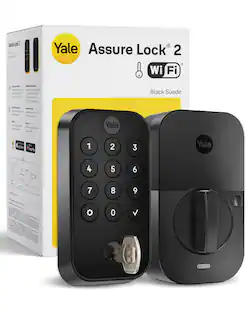
Yale - Assure Lock 2 - Smart Lock Keyless Wi-Fi Deadbolt with APPLE HOME KEYS | Touchscreen Keypad Access - Satin Nickel
4.6(94)

The Yale Assure Lock 2 Plus is a Wi-Fi smart deadbolt built for the Apple ecosystem. Add your Home Key to Apple Wallet and unlock with a tap of your iPhone or Apple Watch—with Express Mode enabled, you don't even need to wake your device. Pair with a HomePod, HomePod mini, or Apple TV to share Home Keys with family, control your lock with Siri, and create home automations. This digital door lock connects directly to your 2.4 or 5 GHz home network, giving you complete control with the free Yale Access App (US & Canada Only). Lock up, let a dog walker in, or get instant alerts—whether you're upstairs or three time zones away. The touchscreen keypad makes code entry easy in any lighting, and unlimited codes let you share access with family, guests, or service providers. Auto-Unlock senses when you're home for hands-free keyless entry. DoorSense® detects when the door closes and Auto-Lock secures it behind you. Power Reserve lets you unlock with Home Key for hours after your iPhone needs charging, and a 9V terminal provides emergency power. Fits most standard doors 1-3/4" to 2-1/4" thick. Grade 2 certified and built to operate from -22°F to 140°F. Requires iPhone XS or later with iOS 15 or later.

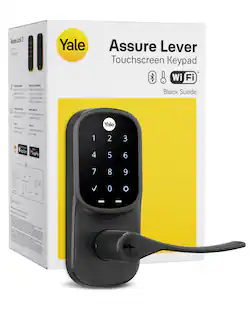
Yale - Assure Lock 2 Smart Lock Touch Key-Free Keypad with Bluetooth - Black Suede
4.4(54)

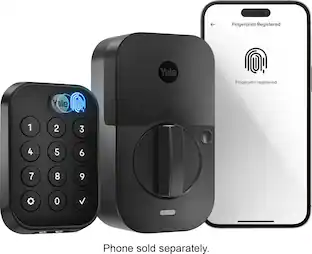
YALE ASSURE LOCK 2 TOUCH. A LOCK AS UNIQUE AS YOU. Make coming home more seamless than ever with the Yale Assure Lock 2 Touch. Thanks to the new biometric keypad, a simple touch of your finger is all it takes. Explore multiple ways to access your home including your fingerprint, entry code on the keypad, hands-free Auto-Unlock, or using the app on your phone (at the door only). For added peace of mind, never worry about locking the door behind you with advanced Auto-Lock and DoorSense. The Yale Assure Lock 2 Touch can be upgraded with a Wi-Fi Smart Module whenever you’re ready, so unlike other smart locks, you won’t have to buy a new one if your smart home needs change.
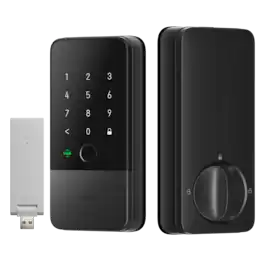
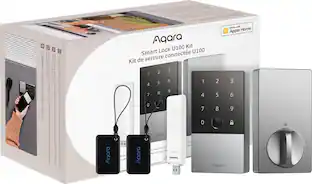
Aqara - UWB Smart Lock U400 Kit with M100 Hub, Matter, Thread, Wifi, Apple Home Key, Fingerprint, Rechargeable Battery - Black
4.8(43)

Powered by advanced UWB technology, the Aqara Smart Lock U400 transforms your phone into a proximity-based digital key. No taps, no codes—just approach, and the lock verifies your presence in real time, unlocking with pinpoint accuracy. The future of seamless, intelligent access starts here.
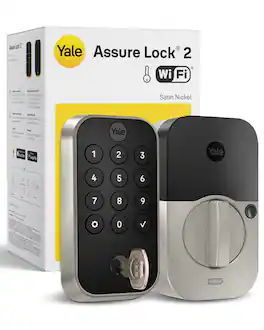
Yale - Assure Lock 2 - Smart Lock Wi-Fi Deadbolt with Push Button Keypad | Key Access - Satin Nickel

The Yale Assure Lock 2 is a Wi-Fi smart deadbolt lock built for the way you actually live. Push-button keypad on the outside. Full remote control on the inside. No Wi-Fi hub or bridge required. This digital door lock connects directly to your 2.4 or 5 GHz home network, giving you complete control with the free Yale Access App. Lock up, let a dog walker in, or get instant alerts the moment someone opens the door—whether you're upstairs or three time zones away. The backlit keypad makes code entry easy in any lighting, and unlimited codes let you share access with family, guests, or service providers. Set schedules, expiration dates, and track every entry from your phone. Auto-Unlock senses when you're home and opens hands-free. DoorSense® detects when the door closes and this automatic door lock secures it behind you. No second-guessing, no walking back to check. Fits most standard doors 1-3/4" to 2-1/4" thick with a 2-1/8" bore hole and 4" minimum center-to-center spacing between the deadbolt and knob. Grade 2 certified and built to operate from -22°F to 140°F, it'll protect your home for years to come. And for added peace of mind, a backup key is included.

Pros for Yale - Assure Lock 2 - Smart Lock Keyless Wi-Fi Deadbolt with APPLE HOME KEYS | Touchscreen Keypad Access - Satin Nickel
Ease of use, Installation, Overall Performance, Design, SecurityInstallation Ease, Fingerprint Reader, Build Quality, Door Detection, AppearanceInstallation Ease, Overall Performance, UWB Technology, Connectivity, Battery LifeEase of use, Overall Performance, Installation, Keypad, App
Cons for Yale - Assure Lock 2 - Smart Lock Keyless Wi-Fi Deadbolt with APPLE HOME KEYS | Touchscreen Keypad Access - Satin Nickel
Battery Life, Wi-Fi, AppConnectivityThere were no cons for this product—Battery Life, Connectivity, Auto Lock, Calibration

Specs

Questions & Answers

  • What is the warranty on the smart lock's electronics?

    The electronics on the smart lock have a one-year warranty.

    This question and answer was generated by AI based on customer and product data.
  • What type of battery does the smart lock use?

    The smart lock uses AA batteries.

    This question and answer was generated by AI based on customer and product data.
  • Does the smart lock have remote monitoring capabilities?

    This smart lock has remote monitoring capabilities.

    This question and answer was generated by AI based on customer and product data.
  • Can the smart lock be used with Apple HomeKit?

    This smart lock is compatible with Apple HomeKit.

    This question and answer was generated by AI based on customer and product data.
  • How many keypad codes can the smart lock support?

    This smart lock supports 99 keypad codes.

    This question and answer was generated by AI based on customer and product data.
Ask a question
No content

Customers often buy these together

Sponsored