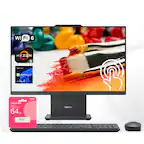
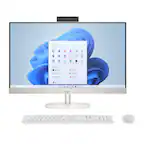
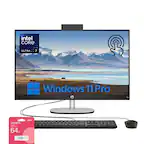
ASUS - V440 24" FHD Touch-Screen All-in-One - Intel Core i5 - 16GB Memory - 512GB SSD - White
ASUS - V440 24" FHD Touch-Screen All-in-One - Intel Core i5 - 16GB Memory - 512GB SSD - White
- ASUS - ProArt 27" 4K IPS Professional Monitor with HDR (DisplayPort, HDMI, USB-C) - Black$399.99
More Buying Options
Related Item

Highlights
- Key Specs
- Screen Size: 24 inches (Size of the screen, measured diagonally from corner to corner.)
- Processor Model: Intel 13th Generation Core i5 (Your computer's processor is like its brain. Working in combination with system memory, the power of the processor determines the complexity of software you can run, how many programs you can have open at the same time, and how fast those programs will run. Most computers feature an AMD, Intel or Snapdragon processor.)
- CPU Base Clock Frequency: 2.1 gigahertz (Actual central processing unit (CPU) speed may vary by device configuration and design. The average rate at which the processor is able to execute tasks under normal operating conditions as asserted by the manufacturer.)
- Storage Type: SSD
- Total Storage Capacity: 512 gigabytes
- System Memory (RAM): 16 gigabytes (Random-access memory (RAM) is a computing device's short-term data storage, which allows active information to be accessed quickly. The size and type of RAM determines how efficiently the device can handle large amounts of information at one time. For example, gaming or video editing requires more RAM for optimal performance.)
- Graphics: Intel UHD Graphics (Often referred to as a "graphics processing unit" (GPU), this device is responsible for displaying image content and decoding/encoding video content in programs and games.)
- General
- Brand: ASUS
- Model Number: V440VAT-I5512
- Product Name: V440 24" FHD Touch-Screen All-in-One - Intel Core i5 - 16GB Memory - 512GB SSD
- Color: White
- Year of Release: 2025
- Display
- Display Type: LCD
- Screen Type: IPS
- Screen Size: 24 inches (Size of the screen, measured diagonally from corner to corner.)
- Screen Resolution: 1920 x 1080 (Full HD) (Screens come in a range of resolutions (measured in pixels, horizontal x vertical). The higher the resolution, the greater the picture quality.)
- Touch Screen: true (Touch-screen devices make navigating more intuitive. Using a touch-screen display, you can do things such as tap to select, hold and drag to move items, swipe to scroll, and pinch to zoom.)
- Display Surface: Anti-glare
- Processor
- Processor Brand: Intel
- Processor Model: Intel 13th Generation Core i5 (Your computer's processor is like its brain. Working in combination with system memory, the power of the processor determines the complexity of software you can run, how many programs you can have open at the same time, and how fast those programs will run. Most computers feature an AMD, Intel or Snapdragon processor.)
- Processor Model Number: 13420H
- CPU Base Clock Frequency: 2.1 gigahertz (Actual central processing unit (CPU) speed may vary by device configuration and design. The average rate at which the processor is able to execute tasks under normal operating conditions as asserted by the manufacturer.)
- CPU Boost Clock Frequency: 4.6 gigahertz (Actual central processing unit (CPU) speed may vary by device configuration and design. The maximum rate at which the processor is able to execute tasks, typically only used for a short period of time as needed. This rate may temporarily boost the processor's performance, but may result in overheating, shutdown, or damage to equipment if sustained.)
- Number of CPU Cores: 8-core (A core, or "brain" of a CPU, allows it to receive and execute instructions. Each core can work independently or together to perform parallel operations.)
- Number of CPU Threads: 12 (Generally, the more threads, the faster and more responsive the operating system.)
- Neural Processing Unit (NPU): false (Whether the product comes with an integrated neural processing unit (NPU) that performs computations for AI (artificial intelligence) functions to increase proficiency of the CPU and reduce power consumption.)
- Storage
- Storage Type: SSD
- Total Storage Capacity: 512 gigabytes
- Solid State Drive Capacity: 512 gigabytes (The amount of data that can be stored on the device's solid state drive (SSD). SSD is a flash-based storage with faster speeds than a hard disk drive (HDD).)
- Solid State Drive Interface: PCIe 4.0 (Connects the solid state drive to the host system. PCI and SATA interfaces are the most common; PCI interfaces are typically faster, but SATA interfaces are compatible with a wider range of systems.)
- Memory
- System Memory (RAM): 16 gigabytes (Random-access memory (RAM) is a computing device's short-term data storage, which allows active information to be accessed quickly. The size and type of RAM determines how efficiently the device can handle large amounts of information at one time. For example, gaming or video editing requires more RAM for optimal performance.)
- Type of Memory (RAM): DDR5 (Each type of RAM delivers a different level of speed, bandwidth, energy efficiency and performance.)
- System Memory RAM Speed: 5200 megahertz (How fast the information-storing hardware operates. The faster the RAM, the faster memory can be transferred to other system components. Ultimately, faster RAM improves operational efficiency.)
- Number Of Memory Slots: 2
- System Memory RAM Expandable To: 32 gigabytes (Adding more random-access memory (RAM) to a computer speeds up performance and improves efficiency. Upgrades to memory are limited by the number of expansion slots for additional RAM and existing RAM installed on the device.)
- Graphics
- Graphics Type: Integrated (Dedicated graphics uses a separate graphics card for processing video images. Because it does not use memory from the system's RAM, there is no extra burden on the CPU and graphics are processed more efficiently. Integrated graphics shares system RAM to process video images.)
- GPU Brand: Intel
- Graphics: Intel UHD Graphics (Often referred to as a "graphics processing unit" (GPU), this device is responsible for displaying image content and decoding/encoding video content in programs and games.)
- Compatibility
- Operating System: Windows 11 Home (The operating system manages all software and hardware, including files, memory and connected devices. Most importantly, it lets you interact with your device and your programs in a visual way; otherwise, you'd be typing computer code to get anything done.)
- Connectivity
- Display Connector(s): 1 x HDMI 1.4 (The number and type of connectors used to connect to an external display.)
- Number of HDMI Outputs (Total): 1
- USB Ports: 3 x USB-A 3.2, 1 x USB-C 3.2 (The number and type of USB ports the product has.)
- Number of USB Ports (Total): 4
- Wireless Connectivity: Wi-Fi, Bluetooth (The manner in which a device sends data to another device over a short distance without the use of wires or cables.)
- Wireless Standard: AX (The wireless networking protocol used by the device. Each iteration of the protocol is based on the 802.11 standard developed by the Institute of Electrical and Electronics Engineers (IEEE) Standards Association. Denoted by letters following 802.11 (802.11a, 802.11ac, etc.), each version, published in alphabetical order, encompasses all previous versions.)
- Wireless Networking Standard: Wi-Fi 6 (The wireless networking standard used by the device. Each iteration of the standard developed by the Wi-Fi Alliance corresponds to an existing IEEE 802.11 protocol; for example, standard 802.11ac (or AC) is termed Wi-Fi 5. Refers specifically to the standard the device is designed to use, but ultimately determines product interoperability and backward compatibility including previous versions.)
- Number Of Ethernet Ports: 1
- Network Connectivity: None (The manner in which a device sends data to another device over a long distance using a cellular network.)
- Cooling
- CPU Cooling System: Air
- Camera
- Built-In Webcam: true
- Front-Facing Camera: true
- Front Facing Camera Video Resolution: 1080p (Refers to the number of pixels, both horizontally and vertically, used by the camera facing the user to capture video. The higher the resolution the finer the video detail that can be seen.)
- Built-In Microphone: true
- Features
- Audio Technology: Dolby Atmos with bass-reflex speakers, AI noise-cancelling for clear audio
- Dimensions
- Product Height: 16.38 inches (The out of box height of the item. Height is measured as the vertical distance from the bottom of the item to the top as it would be primarily used or placed.)
- Product Width: 21.3 inches (The out of box width of the item. Width is measured as the horizontal distance from one side of the item to the other as it would be primarily used or placed.)
- Product Depth: 8.27 inches (The out of box depth of the item. Depth is measured as the distance from the front of the item to the back as it would be primarily used or placed.)
- Product Weight: 15.21 pounds (The out of box weight of the item.)
- Certifications Listings & Approvals
- ENERGY STAR Certified: true (Devices carrying the ENERGY STAR service mark, such as computer products and peripherals, kitchen appliances, and other products, generally use 20% to 30% less energy than required by federal standards.)
- EPEAT Qualified: false (The Electronic Product Environmental Assessment Tool (EPEAT) was designed to provide an environmental assessment tool for purchasers. In order to qualify for EPEAT, a product must meet all 23 required criteria.)
- Included
- Included Software: MyASUS
- Wireless Keyboard: true
- Wireless Mouse: true
- Warranty
- Warranty - Parts: 1 year
- Warranty - Labor: 1 year
- Other
- UPC: 197105906594
The ASUS V440 All-in-One PC offers seamless performance in any workspace with its sleek, space-saving design and immersive touchscreen. The anti-glare display reduces eye strain, ensuring comfortable viewing for work or entertainment. AI-powered noise cancellation keeps video calls crisp and distraction-free, making it ideal for remote work. Fast, reliable connectivity ensures effortless device integration, while built-in security features provide peace of mind. Whether for productivity, creativity, or entertainment, the ASUS V440VAT-I5512 delivers performance, elegance, and smart features in a streamlined, all-in-one solution.
- Full HD Touchscreen Display: Experience crystal-clear visuals with a 24-inch IPS LCD touchscreen and an anti-glare surface for enhanced clarity and control.
- High Performance & Efficiency: Handle demanding tasks with the 8-core Intel Core i5 H-Series processor, delivering smooth multitasking and responsive performance.
- Fast Memory for Seamless Responsiveness: Equipped with 16GB of high-speed RAM, ensuring snappy performance for intensive applications
- Ultra-Fast Storage for Seamless Workflows: Store and access files faster with a 512GB PCIe 4.0 SSD, delivering up to 15x faster performance than traditional hard drives.
- Reliable Wi-Fi & Bluetooth Connectivity: Stay connected with Wi-Fi 6 for faster, more stable internet performance and Bluetooth for seamless device pairing with accessories.
- Advanced Two-Way AI Noise-Canceling Technology: AI-powered noise-canceling enhances video calls and conferencing by eliminating background noise, ensuring clear communication in any environment.
- Anti-Glare Touchscreen for Comfortable Viewing: Work and stream with less eye strain thanks to the anti-glare touchscreen, reducing reflections and enhancing clarity in bright environments.
- Built-In Kensington Lock for Security: Keep your device safe with the Kensington lock slot, providing physical security against theft for office and public environments.
Whats Included
- V440VAT-I5512 All-in-One
Q: What kind of wireless connectivity does the computer offer?
A: The computer offers Wi-Fi 6 and Bluetooth connectivity.
Q: How much RAM does the computer have?
A: The computer is equipped with 16GB of RAM.
Q: Is this computer ENERGY STAR certified?
A: Yes, this computer is ENERGY STAR certified.
Q: What type of storage does this computer use?
A: This computer uses a 512GB PCIe 4.0 SSD.
Q: Does the ASUS All-in-One PC have a built-in webcam?
A: Yes, it has a built-in webcam with 1080p resolution.
Q: What processor does the ASUS computer have?
A: It has an 8-core Intel Core i5 H-Series processor.
Q: Does this All-in-One PC have a touchscreen?
A: Yes, it has a 24-inch Full HD IPS LCD touchscreen with an anti-glare surface.
Q: Are keyboard and mouse included?
A: Yes they are! It even has built in speakers
Compare similar products
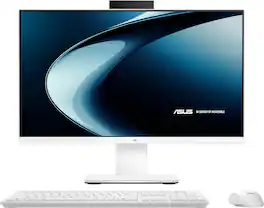
The ASUS V440 All-in-One PC offers seamless performance in any workspace with its sleek, space-saving design and immersive touchscreen. The anti-glare display reduces eye strain, ensuring comfortable viewing for work or entertainment. AI-powered noise cancellation keeps video calls crisp and distraction-free, making it ideal for remote work. Fast, reliable connectivity ensures effortless device integration, while built-in security features provide peace of mind. Whether for productivity, creativity, or entertainment, the ASUS V440VAT-I5512 delivers performance, elegance, and smart features in a streamlined, all-in-one solution.
Reliable. Affordable. Designed with the planet in mind. With a powerful Intel Core processor, ample storage, speedy connections, and plenty of memory, you're all set to take on any day. Plus, you can immerse yourself in whatever you are doing with an ultra-slim three-sided micro-edge display and up to a 89% screen-to-body ratio for enhanced viewing.

The clean lines and compact frame of the Lenovo IdeaCentre AIO encase a singularly performance-driven machine, with AMD Ryzen 5 Series processors for raw power and ultra-fast performance. And the tiny desk footprint of this quintessential family PC belies its entertainment features, including a wide three-sided narrow bezel FHD display and powerful stereo speakers by Harman.
Reliable. Affordable. Designed with the planet in mind. With a powerful Intel Core processor, ample storage, speedy connections, and plenty of memory, you're all set to take on any day. Plus, you can immerse yourself in whatever you are doing with an ultra-slim three-sided micro-edge display and up to a 89% screen-to-body ratio for enhanced viewing.
| Pros for ASUS - V440 24" FHD Touch-Screen All-in-One - Intel Core i5 - 16GB Memory - 512GB SSD - White | |||
|---|---|---|---|
| Overall Performance, Ease of Use, Design, Screen Quality, Processor Speed | Overall Performance, Ease of Use, Speed, Screen Size, Design | Overall Performance, Ease of Use, Screen Size, Speed | Overall Performance, Ease of Use, Screen Size, Speed, Design |
| Cons for ASUS - V440 24" FHD Touch-Screen All-in-One - Intel Core i5 - 16GB Memory - 512GB SSD - White | |||
| There were no cons for this product— | There were no cons for this product— | There were no cons for this product— | Connectivity |
Specs
Reviews
Customers are saying
Customers are positive about the V440 24" All-in-One computer, especially its screen quality and smooth performance. Users appreciate the fast processor and modern connectivity options like Wi-Fi 6. The all-in-one design is also praised for saving space, and the quiet operation is a welcome feature.
Customer Images
The vast majority of our reviews come from verified purchases. Reviews from customers may include My Best Buy members, employees, and Tech Insider Network members (as tagged). Select reviewers may receive discounted products, promotional considerations or entries into drawings for honest, helpful reviews.
- Rated 4 out of 5 stars
Solid performance & display, poor speakers
Quick take: ASUS V440 delivers smooth performance and crisp visuals, but the audio’s a letdown. Please read on for the details and test results. Depending on your needs, this might be all you need for a home or office all-in-one PC. Small footprint, runs quiet, even when the fan kicks on and goes to high, it’s not very loud or noisy. Comes with a matching basic keyboard and mouse. Batteries for them are included, too. It came well packed in a box in a box. You can keep the inner box if you think that you might need to take somewhere else occasionally. Assembly was easy. Attaching the foot to leg to make the base was super easy. It only goes one way and obvious how it goes together. The power brick has a coaxial style connector that plugs into the back. Any connections to the back can be routed through an opening at the top of the leg in the back. Setting up: Windows 11 was easy, as always. The computer will automatically detect the keyboard; however, the mouse has a USB-A dongle stowed in the battery compartment. You’ll need to remove it and plug it into a USB-A port on the back for the mouse to work. There’s also a USB-A port under the screen on the right, and you can plug it in there as well. But you might want to leave that one available for thumb drives, card readers or something else. Once online, it will check for Windows updates, download and install them. After that it’s ready for you to start using it. Add whatever apps you use, printers and such. Please see photos and specs for the USB, power, HDMI and other ports on the back and under the right side of the screen. One thing I noticed on this computer and others I've reviewed recently is not much if any bloatware. It comes with McAfee as an option, but that’s about it. Hardware: This PC uses an 8 core Intel Core i5-13420H It’s a 13th-generation mobile CPU typically found in mid-range laptops. And while this model is technically a laptop on a stand with a 24-inch touch screen, the chip provides solid performance for everyday use. The “H” designation places it between Intel’s ultra-efficient U-series and its high-performance HX lineup. That means you get faster speeds than U-series chips without the higher power consumption and heat of HX processors, which are usually reserved for high-end gaming laptops. Integrated Intel UHD Graphics are onboard, and good enough for typical home, office tasks and light gaming. See specs in product listing for more info. Memory and Storage: The V440 comes with DDR5-5200 MHz memory. It’s fast enough for multitasking and general workloads. Better yet, it’s upgradable to 64GB, if needed. As for the 512 GB SSD, ASUS indicates it’s not easily upgradeable. I find that a bit odd. Usually, it’s the memory that’s soldered in and can’t be upgraded. Screen: It features a slim bezel 24-inch FHD IPS LCD touchscreen with an anti-glare surface, 178 degree wide viewing angle, and 100% sRGB color gamut. The panel is made by LG and has a max 75hz refresh rate. The wide viewing angle works best if you are at least 2 feet away from the screen or farther. Closer and you might notice that the corners and the extreme right and left edges might appear darker than the middle. The monitor tilts on its stand, but if you tilt the top down too much, the bottom will appear darker no matter how far away you are. My Datacolor SpyderX Pro colorimeter reported 96% sRGB. Something I found neat was that you have HDMI in as well as out. You can use it as a monitor if need be. Sound: This is the only part where I think the V440 disappoints. The sound is boxy and muddy, lacks any high end. Sounds like a 1960s pocket AM radio under a pillow. It starts to distort and break up at around 50% volume. I’d definitely get a set on speakers to connect to it if you plan to listen to music or watch videos on it, other than vloggers. Pop-up camera: I really like the pop-up feature. Perfect for privacy, but not so much if you use Windows Hello. You’ll have to either leave it raised or pull it up every time. Picture quality for photos and video is passable. Ok in good light, very grainy and smeary in low light. However, Microphones and audio was good. Not as quite good as other laptops I’ve reviewed, which include Asus, Acer and Gigabyte. My iPad Air M3 and 9th gen iPad soundly beats them all. If you are used to using an iPad for video calls and such, the V440 isn’t going to live up to their performance. Keyboard: Not bad, but not great either. However, it’s light weight and feels solid. Flaky left shift key is hit and miss, and I know it’s not me because I don’t have that problem on any other keyboards I use. I had typing in high school and college going back 45 years. I know what typing on a good keyboard means. I’d consider getting a better one if you plan on doing a lot of typing. Mouse: I like the mouse. Just 2 buttons and a push button-scroll wheel. The buttons have a nice tactile feel as does the scroll wheel when you roll it. The USB-A dongle stows in the battery compartment. Performance: Cinebench: CPU Multi Core: 10,723 Single Core 1707 MP Ratio: 6.28 Geekbench CPU: Multi Core: 8161 Single Core:2310 Geekbench GPU: 7579 Passmark: 3830.3 (see photos for more details) CrystaldDisk: See photos Build Quality: I think the monitor – PC combo feels and looks well made. The base looks good and feels solid. The keyboard and mouse are pretty basic but will get the job done. Conclusion: I think for general PC use, the 440V will do a fine job. Especially in an office or home office environment. It’s powerful enough to use Affinity Photo 2 along with the rest of their apps. MS office 360 should work fine as well. I use the online version in Edge and it works perfect. The only cons are the speakers and keyboard. They leave a bit to be desired and the camera’s image quality is mediocre at best. But for a complete plug and play system out of the box, it’s pretty good. The overall performance and better than average monitor – touchscreen, make up for the cons. It's got it where it counts/ Recommended! Even more so if on sale.
MrLowNotes Posted
- Rated 5 out of 5 stars
Easy to set up and use!
With back to school season right around the corner, now is the perfect time to look into new gear, especially computers. This ASUS all-in-one touchscreen computer might be just what you're looking for. As soon as I saw it, I was sold it's super sleek, lightweight, and simply amazing. There's no need for a bulky tower or cords all over the place. The 24 inch screen is just the right size for me not too small, but not too large either. I mainly use this computer for surfing the web, paying bills, shopping, and a few small projects not anything too fancy. With 512 gigabytes of storage and 16 GB of RAM, I’m more than satisfied. The keyboard is wireless and very smooth for typing, and the mouse is also wireless, small, and precise (just remember to take the dongle out of the mouse). The screen is Full HD, making it great for watching movies and videos, I'm not planning on doing any gaming on this computer. Another great feature is Copilot, which feels like having a helpful friend it's a bit uncanny, but you can ask it just about anything, and it offers some really useful information. Microsoft 365 Copilot is also excellent. These computers are built with such high intelligence that they make tasks easy to complete. This ASUS computer comes with 4 USB inputs, 1 USB-C port, 1 HDMI port, and 1 headphone jack, giving you plenty of options for connecting devices. The beautiful white and gray finish makes this computer look modern and fabulous.
Ivette0930 Posted
- Rated 5 out of 5 stars
This ASUS kicks some...well...you know. It WORKS!
I was excited to receive this new ASUS V440 desktop computer as I was looking forward to using it as the "hub" for our home security camera system. I have an older (circa 2014) Mac Mini which I bought new at Best Buy that I replaced with this ASUS V440 because the ASUS is much faster, has more RAM and storage the MAC Mini and with the Mini being about 11 years old it was not nearly up to the task. The all in one nature of the V440 is a welcome and in our case, easy fitting feature! It is easily mounted and secured to the included stand and the keyboard and mouse both work as one would expect them to. Flawlessly. I had researched whether or not a Windows 11 device could be used with Blink Home Cameras and discovered that it is possible with what is called an "Android Emulator". Having used a program with a similar mission many years ago, to present an Apple Computer as a "Windows" device and load it with Windows and Windows programs, I was not concerned with compatibility problems. Prior to downloading the emulation software I did a Windows Update to bring the computer up to date on all necessary software and firmware updates. Next I downloaded the necessary software for this computer onto it' drive. I chose BlueStacks and found that Pie 64-Bit was what the ASUS V440 required. I opened the BlueStacks application on the desktop and proceeded to add Sync Modules and Cameras to it. I then checked them all individually and the FHD (Full High Definition) screen on the ASUS V440 is superb! While I cannot monitor more than one camera at a time, that matters little as my wife and I wanted a stand alone PC for this purpose and NOT an Amazon Echo Device for security reasons. The speed of the ASUS V440 is excellent with average download speeds in our home of 510 mbps and upload speeds rated at an average 110 mbps. Research indicates that the refresh rate for the beautiful 24" (diagonal) screen is 100Hz. More than up to the task of delivering excellent live and recorded video (via USB) from a separate Sync Module and played back on the ASUS V440. This desktop will be centrally located in our family room so that when our grandchildren visit we can easily monitor them in our backyard should we have to go inside for a moment. By the end of the year we will have also added Tax Preparation Software to the ASUS as well as MicroSoft 365 for my wife to use and if we are called upon to help out, Video Editing Software to use in editing our church's in-house programs. The ASUS V440 is ready for a variety of tasks! If called upon to stream a movie from for example Disney Plus or HBO Max, the ASUS 24" FHD V440 can do so flawlessly. With the Android Emulator installed, I could also add a variety of applications meant for Android devices. Applications such as Denon's HEOS (Home Entertainment Operating System) which I use throughout our home to play music or even games but that is not this unit's raison d'etre in our home. It is here for the business of monitoring our home's security camera system as well as tax preparation and for document creation/editing! The ASUS 24" FHD V440 All-In-One Desktop is fast and family oriented. It is an all-in-one that quite frankly can do it all for us. Highly recommended? YES!!
SSSS Posted