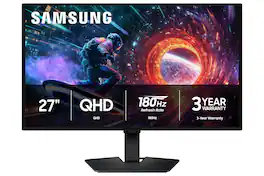
Samsung - 27" Odyssey OLED G5 (G50SF) QHD 180Hz 0.03ms G-Sync & FreeSync Compatible Glare Free Gaming Monitor - Black

Key Accessories:
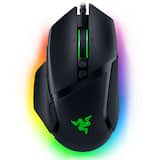
- Razer - Basilisk V3 Optical Gaming Mouse with Chroma RBG Lighting - Wired - Black$32.29The price was $69.99
More Buying Options from Best Buy and Marketplace sellers
Related Item

Highlights
- Key Specs
- Refresh Rate: 180Hz (The number of frames per second the device can produce natively without enhancement. Higher rates help produce smooth, seamless pictures.)
- Maximum Resolution: 2560 x 1440 (Maximum resolution refers to the highest number of pixels that a screen can process and display. Higher resolution signals produce more detailed images.)
- Response Time: 0.03 milliseconds (The speed at which pixels can change colors is called response time. It is measured in milliseconds (ms).)
- Panel Type: Not Applicable (Technology that affects response time and image quality.)
- Synchronization Technology: FreeSync (AMD Adaptive Sync), G-SYNC Compatible (NVIDIA Adaptive Sync) (Generally, these technologies allow syncing between a computer/console game's frame rate and the device's refresh rate for a smoother display without tearing.)
- Screen Size: 27 inches (Size of the screen, measured diagonally from corner to corner.)
- Display Connector(s): 1 x DisplayPort 1.2, 1 x HDMI 2.0 (The number and type of connectors used to connect to an external display.)
- General
- Brand: Samsung
- Model Number: LS27FG500SNXZA
- Product Name: 27" Odyssey OLED G5 (G50SF) QHD 180Hz 0.03ms G-Sync & FreeSync Compatible Glare Free Gaming Monitor
- Color: Black
- Operating System Compatibility: Windows
- Display
- Refresh Rate: 180Hz (The number of frames per second the device can produce natively without enhancement. Higher rates help produce smooth, seamless pictures.)
- Maximum Resolution: 2560 x 1440 (Maximum resolution refers to the highest number of pixels that a screen can process and display. Higher resolution signals produce more detailed images.)
- Native Resolution: 2560 x 1440 (Native resolution of a screen refers to its single, fixed resolution. Sometimes screens must scale an image up or down in order to fit the native resolution. This can cause a loss of resolution or detail.)
- Contrast Ratio: 1,000,000:1 (Measured difference between a displayed image's brightest whites and darkest blacks. The larger the first number, the more detail and color that can be displayed.)
- Response Time: 0.03 milliseconds (The speed at which pixels can change colors is called response time. It is measured in milliseconds (ms).)
- Display Type: OLED
- Panel Type: Not Applicable (Technology that affects response time and image quality.)
- Synchronization Technology: FreeSync (AMD Adaptive Sync), G-SYNC Compatible (NVIDIA Adaptive Sync) (Generally, these technologies allow syncing between a computer/console game's frame rate and the device's refresh rate for a smoother display without tearing.)
- Aspect Ratio: 16:9 (The measurement of the width of a screen compared to the height of a screen, expressed as a ratio.)
- Curved Screen: false
- Brightness: 200 candela per square meter (A measure of the total light output.)
- Screen Size: 27 inches (Size of the screen, measured diagonally from corner to corner.)
- High Dynamic Range (HDR): true (An HDR-compatible 4K TV or other HDR-compatible product displays HDR video content when it's available from sources like 4K Ultra HD Blu-ray Discs and 4K streaming services.)
- High Dynamic Range Format: HDR 10 (There are a few HDR formats that tell the TV or other HDR-compatible product how to best utilize its capabilities to display HDR content. HDR technology can support one or multiple formats, each with various benefits to picture quality.)
- Horizontal Viewing Angle: 178 degrees (The maximum angle at which the display can be viewed with acceptable visual performance from either side.)
- Vertical Viewing Angle: 178 degrees (The maximum angle at which the display can be viewed with acceptable visual performance from above or below.)
- On-Screen Display Languages: English (The available language options for displayed text.)
- Connectivity
- Number of DisplayPort Inputs (Total): 1
- Number of HDMI Inputs (Total): 1
- Display Connector(s): 1 x DisplayPort 1.2, 1 x HDMI 2.0 (The number and type of connectors used to connect to an external display.)
- USB Ports: None (The number and type of USB ports the product has.)
- Headphone Jack: true (The device features an interface that allows for the connection of headphones.)
- Compatibility
- Wall Mountable: true (The product is able to be secured to a wall. Some products are designed ready to mount, while others may require additional hardware/accessories for installation.)
- VESA Wall Mount Standard: 100mm x 100mm (VESA wall mount standards refer to the spacing of screw holes built into a TV in order to fit with standard TV wall mounts. These standards are implemented into most TVs and monitors.)
- Voice Assistant Built-in: Not Applicable (A digital assistant built into the device that uses voice commands to answer questions and control smart devices.)
- Features
- Tiltable: true
- Adjustable Stand Height: false
- Anti-Glare: true (Product has features, such as a matte finish, that reduce the likelihood for screen glare.)
- Eye Relief Features: Anti-glare
- Built-In Webcam: false
- Integrated Speaker(s): false
- Smart Capable: false (Smart, or smart-capable devices are able to connect directly to your home network in order to stream content from the Internet, run Internet-based apps, or connect to other smart devices.)
- Dimensions
- Product Height With Stand: 18.3 inches
- Product Height Without Stand: 14.1 inches
- Product Width: 24 inches (The out of box width of the item. Width is measured as the horizontal distance from one side of the item to the other as it would be primarily used or placed.)
- Product Depth (With Stand): 9.2 inches
- Product Depth Without Stand: 2.2 inches
- Product Weight: 7.3 pounds (The out of box weight of the item.)
- Stand Included: true
- Cord Length: 59.05 inches
- Power
- Power Consumption: 78 watts
- Certifications Listings & Approvals
- ENERGY STAR Certified: false (Devices carrying the ENERGY STAR service mark, such as computer products and peripherals, kitchen appliances, and other products, generally use 20% to 30% less energy than required by federal standards.)
- EPEAT Qualified: false (The Electronic Product Environmental Assessment Tool (EPEAT) was designed to provide an environmental assessment tool for purchasers. In order to qualify for EPEAT, a product must meet all 23 required criteria.)
- Warranty
- Warranty - Parts: 3 years
- Warranty - Labor: 3 years
- Other
- UPC: 198957224218
Samsung’s 27" Odyssey OLED G5 QHD Gaming Monitor delivers hyper-real visuals and lightning-fast action for exhilarating gameplay, and QD-OLED with QHD resolution provides unmatched picture quality and produces the highest levels of color accuracy and brightness. OLED Safeguard keeps the screen cool by actively helping to prevent burn-in with a Thermal Modulation System, Logo and Taskbar Detection, and Screen Saver while 3-year warranty protects the monitor for the long haul. Glare Free technology enables uninterrupted gaming as it keeps the screen clear of reflections from external light sources. The Pantone Validated screen accurately reproduces 2100+ colors for more immersive gameplay, while HDR10 provides brighter highlights and nuanced shadows for added depth. 180Hz Refresh Rate and 0.03ms (GtG) response time enables fast reactions for ultra-smooth gaming, plus G-Sync compatibility along with AMD FreeSync™ reduces choppiness, screen lag, and image tearing. Black Equalizer improves visibility in shadows, and Virtual Aim Point increases accuracy. Auto Source Switch+ allows instantaneous switching between connected devices.
- QD-OLED Quality: Step into a world of hyper-real visuals. Samsung QD-OLED displays with QHD resolution deliver unmatched picture quality through quantum dot technology, producing the highest possible level of color accuracy and brightness. Reveal every hidden enemy, every breathtaking world, and every heart-pounding moment with astonishing clarity.
- 3 Year Warranty: Samsung OLED monitors aren’t just engineered for perfection, they're protected for the long haul. Our 3-year warranty¹ includes burn-in coverage, meaning you can game, stream, and create without compromise. Your passion deserves performance you can trust.
- OLED Safeguard: OLED brilliance meets Samsung innovation. Our advanced OLED Safeguard technology actively helps prevent burn-in with our thermal modulation system² to keep your screen cool. Logo and Taskbar Detection³ automatically dims static images, even long-haul gaming marathons won't leave a mark. The Screen Saver dims the screen after 10 minutes of inactivity and comes back to regular brightness with any input.
- Monitor Variety: Choose the perfect vantage point. With Samsung’s innovative range of curved and flat OLED monitors, from 27" precision screens to immersive 49" panoramic battle stations, every gamer can find their perfect fit. No compromises. Just the ultimate expression of how you play.
- Glare Free: Keep playing uninterrupted with Glare Free technology. Samsung's Glare Free film is 54% less glossy than conventional Anti-Reflection film, keeping the screen clear of reflections from external light sources. Now you can get the drop on your enemies even when daylight is streaming in.⁴
- Pantone Validated: Enjoy immersive gaming with precise color reproduction. Our Pantone Validated screen can accurately reproduce 2100+ colors and 110+ SkinTone shades from Pantone's library. Plus, the brilliant QD-OLED display helps bring games to life as intended by developers — for an engaging gaming experience.⁵
- HDR10: Enjoy lifelike visuals with improved contrast and color accuracy. HDR10 provides brighter highlights and nuanced shadows for added depth — making scenes feel more vivid and realistic.⁶
- 0.03ms Response Time & 180Hz Refresh Rate: Race to the top with ultimate speed. The 0.03ms (GtG) response time captures movements in realtime, while the 180Hz refresh rate minimizes lag — allowing you to react fast to exhilarating gameplay with ultra-smooth action.⁷
- NVIDIA G-Sync Compatible: G-Sync compatibility syncs the GPU and panel to reduce choppiness, screen lag and image tearing. Along with AMD FreeSync™, it creates ultra-smooth scenes, giving you a competitive edge in gaming.⁸
- Black Equalizer: Spot your opponents hiding in the corners. Black Equalizer allows you to adjust dark areas in games, so you can locate your enemies in even the deepest shadows.⁶
- Virtual Aim Point: Gain precision in your shots with Virtual Aim Point. Crosshairs on the screen increase the accuracy of your aim when the action peaks.
- Auto Source Switch+: Get to your game action faster with Auto Source Switch+. Your monitor detects when connected devices are turned on and instantly switches to the new source signal without having to flip through multiple inputs.⁶
- #1 Brand: Samsung is proud to be the #1 monitor brand in the U.S. 3 years in a row⁹, and it's no accident. Gamers, creators and industry pros trust Samsung’s legacy of market-leading innovation and quality to deliver the highest performance, stunning visuals, and game-changing reliability. When it matters most, the best trust Samsung.
Whats Included
- Monitor
- Stand
- Power Cable
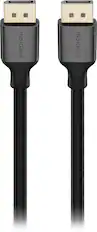
- DP Cable
Disclaimers
- ¹3 Year Warranty available on select models only, visit https://www. samsung.com/us/support/legal/ LGL10000312/#standard-limitedwarranty to learn more.
- ²When "Adjust Logo Brightness" setting is on "Off" or "Low," Thermal Modulation is active in pre-set picture modes only. When "Adjust Logo Brightness" setting is on "High," Thermal Modulation is always active.
- ³Logo detection is not available in PC mode. Screen images simulated for illustrative purposes.
- ⁴Verified as Glare Free by UL based on the verification methods used by UL. For more information on the verification methods used, please visit https://verify.ul.com/ verifications/732. "Glare Free" terminology comes from the UL standards for certification and may not accurately describe the feature's performance. Comparison based on internal test results. Anti-Reflection film is applied to certain 2023 Odyssey models.
- ⁵For more information, please visit https://www.pantone.com/license/ pantone-validated-for-designers.
- ⁶Screen images simulated for illustrative purposes.
- ⁷Based on GtG measured under internal test conditions. Results may vary by content and monitor settings. GtG (Gray to Gray) measures the time taken for a monitor pixel to change from one gray value to another. Refresh rate may vary based on the performance of the input source.
- ⁸Screen images simulated for illustrative purposes. The application of the G-Sync logo on the package and product may vary depending on the time of purchase. G-Sync Compatible and AMD FreeSync™ are available only when compatible NVIDIA and AMD graphics cards are used, respectively.
- ⁹Source: Circana, LLC, Retail Tracking Service, US, Monitors, Dollar & Unit Sales, January 2022 – December 2024. Source: Circana, LLC, Retail Tracking Service, US, Monitors, OLED, Dollar & Unit Sales, January – December 2024.
Q: Does this monitor have a headphone jack?
A: Yes, this monitor has a headphone jack.
Q: Can this monitor be mounted on a wall?
A: Yes, this monitor is wall mountable.
Q: Is the screen of this monitor curved?
A: No, the screen of this monitor is not curved.
Q: What is the response time of this gaming monitor?
A: The response time of this gaming monitor is 0.03 milliseconds.
Q: Does this gaming monitor have integrated speakers?
A: No, this gaming monitor does not have integrated speakers.
Q: Does this monitor support High Dynamic Range?
A: Yes, this monitor supports High Dynamic Range (HDR).
Q: What is the refresh rate of this gaming monitor?
A: The refresh rate of this gaming monitor is 180Hz.
Q: Does the HDMI port support ARC HDMI?
A: John: No, the HDMI port on the Samsung G50SF monitor does not support HDMI ARC. - Samsung Monitors
Compare similar products
Samsung’s 27" Odyssey OLED G5 QHD Gaming Monitor delivers hyper-real visuals and lightning-fast action for exhilarating gameplay, and QD-OLED with QHD resolution provides unmatched picture quality and produces the highest levels of color accuracy and brightness. OLED Safeguard keeps the screen cool by actively helping to prevent burn-in with a Thermal Modulation System, Logo and Taskbar Detection, and Screen Saver while 3-year warranty protects the monitor for the long haul. Glare Free technology enables uninterrupted gaming as it keeps the screen clear of reflections from external light sources. The Pantone Validated screen accurately reproduces 2100+ colors for more immersive gameplay, while HDR10 provides brighter highlights and nuanced shadows for added depth. 180Hz Refresh Rate and 0.03ms (GtG) response time enables fast reactions for ultra-smooth gaming, plus G-Sync compatibility along with AMD FreeSync™ reduces choppiness, screen lag, and image tearing. Black Equalizer improves visibility in shadows, and Virtual Aim Point increases accuracy. Auto Source Switch+ allows instantaneous switching between connected devices.
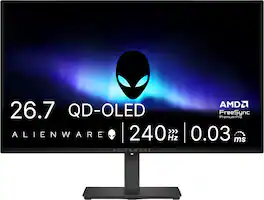
Alienware 27 240Hz QD-OLED Gaming Monitor. Take in superb QD-OLED visuals and fluid gameplay on the 27" flat panel monitor featuring a fast 240Hz refresh rate.
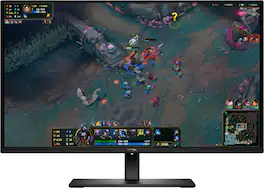
Transform your everyday gaming experience with OLED quality on the HyperX OMEN OLED 27q. Bringing premium OLED screen to the mainstream, this QHD 240 Hz monitor is backed by HyperX burn-in protections, factory color calibration, and software features only found with a HyperX monitor.

The Q27G41ZDF delivers lightning-fast 240Hz refresh rates, 0.03ms GtG pixel response, and low input lag for ultra-responsive gameplay. The ultra-responsive QD-OLED panel and 10-bit color space provides sharp visuals with unbelievable contrast and vibrant colors, while the NVIDIA G-SYNCA Compatible AdaptiveSync and HDR ready panel enhances clarity and fluidity. Built for eSports, its stable base ensures a solid setup for intense matches.
| Pros for Samsung - 27" Odyssey OLED G5 (G50SF) QHD 180Hz 0.03ms G-Sync & FreeSync Compatible Glare Free Gaming Monitor - Black | |||
|---|---|---|---|
| Color Quality, Refresh Rate, Glare Reduction, Contrast, Gaming Performance | OLED Quality, Refresh Rate, Overall Performance, Stand Adjustability | Color Quality, Refresh Rate, Performance, Adjustability, Connectivity | OLED Quality, Overall Performance, Refresh Rate, Black Levels |
| Cons for Samsung - 27" Odyssey OLED G5 (G50SF) QHD 180Hz 0.03ms G-Sync & FreeSync Compatible Glare Free Gaming Monitor - Black | |||
| Adjustability, Button Layout, Port Selection | Brightness, USB Ports | There were no cons for this product— | Brightness, Connectivity, Size |
Specs
Reviews
Rating 4.6 out of 5 stars with 58 reviews
- Color Quality (21)
- Refresh Rate (10)
- Glare Reduction (7)
- Contrast (4)
- Gaming Performance (4)
- Adjustability (4)
- Button Layout (3)
- Port Selection (3)
Customer Images
The vast majority of our reviews come from verified purchases. Reviews from customers may include My Best Buy members, employees, and Tech Insider Network members (as tagged). Select reviewers may receive discounted products, promotional considerations or entries into drawings for honest, helpful reviews.
Customers often buy these together
Monitor Stands
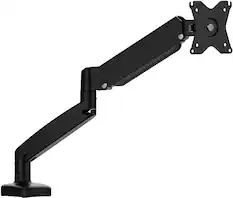
j5create - Ergonomic Monitor Desk Mount for Most 17” -32” Monitors - Black
Tech Fest Deal$45.99The price was $59.99
j5create - Ergonomic Dual Monitor Desk Mount for Most 17” -32” Monitors - Black
Tech Fest Deal$89.99The price was $99.99
Monitor and Video Cables




More recommended items
 Laptop Docking Stations
 Computer Speakers
 Cables and Adapters
 PC Gaming Headsets
More to consider
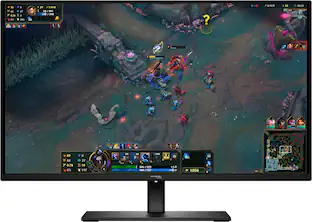 Tech Fest Deal$349.99The price was $499.99
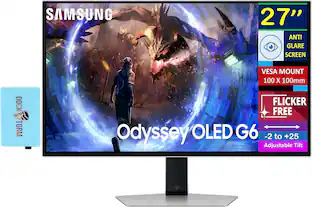 $779.99The price was $789.99
 Tech Fest Deal$179.99The price was $329.99
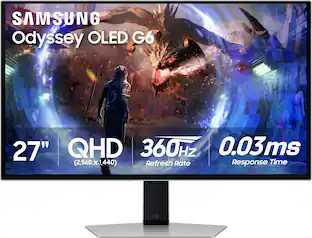 Clearance$629.99The price was $899.99
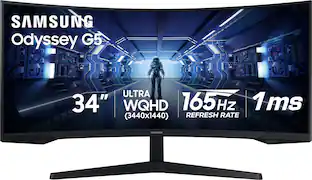 Tech Fest Deal$265.04The price was $399.99
 Tech Fest Deal$679.99The price was $799.99
 Tech Fest Deal$189.99The price was $299.99


Explore tech essentials Sponsored
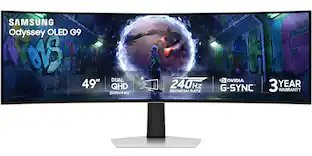 Tech Fest Deal$999.99The price was $1,699.99
- Tech Fest Deal$189.99The price was $299.99
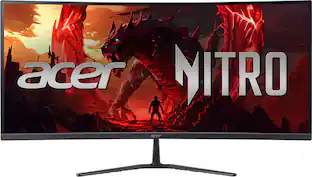 Tech Fest Deal$249.99The price was $349.99
- Tech Fest Deal$179.99The price was $329.99
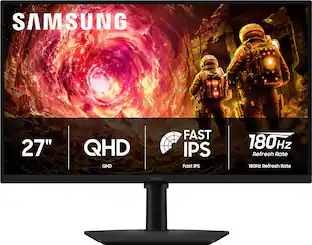 Tech Fest Deal$169.00The price was $279.99
- Tech Fest Deal$349.99The price was $499.99
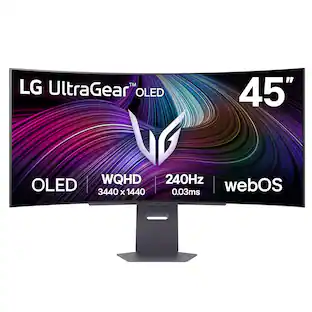 Tech Fest Deal$899.99The price was $1,699.99
Discover related products
 $649.99The price was $669.99
 $1,399.99The price was $1,449.99
 New Limited Time Deal$594.15The price was $799.00
 Tech Fest Deal$36.99The price was $49.99
 New Limited Time Deal$11.99The price was $14.99
 $649.99The price was $799.99



Keep exploring
 $486.99The price was $519.99
 $257.99The price was $279.99
 $299.99The price was $349.99
 $194.49The price was $226.99
 $718.99The price was $885.76
 $529.99The price was $699.99
 $891.99The price was $1,186.18
 $215.99The price was $323.99