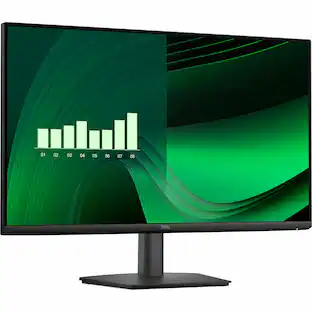
Dell - SE2426HS 24" IPS LCD FHD 144Hz FreeSync Height Adjustable Monitor (HDMI) - Black
Screen Size
24"
Key Accessories:
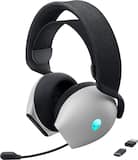
- Alienware - AW725H Tri Mode Wireless Over-the-Ear Gaming Headset for PC, Xbox X|S, Xbox One, PS5, PS4, Switch and Mobile - Lunar Light$149.99
More Buying Options from Best Buy
Related Item

Highlights
- Key Specs
- Refresh Rate: 144Hz (The number of frames per second the device can produce natively without enhancement. Higher rates help produce smooth, seamless pictures.)
- Maximum Resolution: 1920 x 1080 (Maximum resolution refers to the highest number of pixels that a screen can process and display. Higher resolution signals produce more detailed images.)
- Response Time: 1 milliseconds (The speed at which pixels can change colors is called response time. It is measured in milliseconds (ms).)
- Panel Type: IPS (Technology that affects response time and image quality.)
- Synchronization Technology: FreeSync (AMD Adaptive Sync) (Generally, these technologies allow syncing between a computer/console game's frame rate and the device's refresh rate for a smoother display without tearing.)
- Screen Size: 24 inches (Size of the screen, measured diagonally from corner to corner.)
- Display Connector(s): 2 x HDMI 1.4 (The number and type of connectors used to connect to an external display.)
- General
- Brand: Dell
- Model Number: SE2426HS
- Product Name: SE2426HS 24" IPS LCD FHD 144Hz FreeSync Height Adjustable Monitor (HDMI)
- Color: Black
- Operating System Compatibility: Windows
- Display
- Refresh Rate: 144Hz (The number of frames per second the device can produce natively without enhancement. Higher rates help produce smooth, seamless pictures.)
- Maximum Resolution: 1920 x 1080 (Maximum resolution refers to the highest number of pixels that a screen can process and display. Higher resolution signals produce more detailed images.)
- Contrast Ratio: 1000:1 (Measured difference between a displayed image's brightest whites and darkest blacks. The larger the first number, the more detail and color that can be displayed.)
- Response Time: 1 milliseconds (The speed at which pixels can change colors is called response time. It is measured in milliseconds (ms).)
- Display Type: LCD
- Panel Type: IPS (Technology that affects response time and image quality.)
- Synchronization Technology: FreeSync (AMD Adaptive Sync) (Generally, these technologies allow syncing between a computer/console game's frame rate and the device's refresh rate for a smoother display without tearing.)
- Aspect Ratio: 16:9 (The measurement of the width of a screen compared to the height of a screen, expressed as a ratio.)
- Curved Screen: false
- Pixel Density: 93 pixels per inch (The number of pixels present per inch on the device's display. Higher pixel density improves the clarity and sharpness of the displayed image.)
- Brightness: 300 candela per square meter (A measure of the total light output.)
- Screen Size: 24 inches (Size of the screen, measured diagonally from corner to corner.)
- High Dynamic Range (HDR): false (An HDR-compatible 4K TV or other HDR-compatible product displays HDR video content when it's available from sources like 4K Ultra HD Blu-ray Discs and 4K streaming services.)
- Horizontal Viewing Angle: 178 degrees (The maximum angle at which the display can be viewed with acceptable visual performance from either side.)
- Vertical Viewing Angle: 178 degrees (The maximum angle at which the display can be viewed with acceptable visual performance from above or below.)
- Touch Screen: false (Touch-screen devices make navigating more intuitive. Using a touch-screen display, you can do things such as tap to select, hold and drag to move items, swipe to scroll, and pinch to zoom.)
- Display Surface: Anti-glare, 3H hardness
- Color Gamut (NTSC): 72 percent
- Connectivity
- Number of HDMI Inputs (Total): 2
- Number of VGA Ports: 0 (VGA (Video Graphics Adapter or Video Graphics Array) is a display standard that transmits via analog signals. This type of interface is typically used to connect a computer to a display device such as a monitor, projector, or TV.)
- Number of DVI Inputs: 0 (The number of digital cables carrying analog (VGA) video signals that can be connected to the product.)
- Number of Mini DisplayPort Inputs: 0
- Number of Thunderbolt Ports (Total): 0
- Display Connector(s): 2 x HDMI 1.4 (The number and type of connectors used to connect to an external display.)
- Number of USB Ports (Total): 0
- Compatibility
- Wall Mountable: true (The product is able to be secured to a wall. Some products are designed ready to mount, while others may require additional hardware/accessories for installation.)
- VESA Wall Mount Standard: 100mm x 100mm (VESA wall mount standards refer to the spacing of screw holes built into a TV in order to fit with standard TV wall mounts. These standards are implemented into most TVs and monitors.)
- Features
- Tiltable: true
- Adjustable Stand Height: true
- Anti-Glare: true (Product has features, such as a matte finish, that reduce the likelihood for screen glare.)
- Eye Relief Features: Anti-glare, Low blue light, Flicker free
- Built-In Webcam: false
- Integrated Speaker(s): false
- Dimensions
- Product Height With Stand: 19.17 inches
- Product Height Without Stand: 12.76 inches
- Product Width: 21.21 inches (The out of box width of the item. Width is measured as the horizontal distance from one side of the item to the other as it would be primarily used or placed.)
- Product Depth (With Stand): 8.33 inches
- Product Depth Without Stand: 1.88 inches
- Product Weight: 9.61 pounds (The out of box weight of the item.)
- Stand Included: true
- Stand Width: 10.12 inches (The horizontal measurement of the stand/base, or the distance from the outside of one leg to the outside of the opposite leg, as it is attached to the product.)
- Power
- Power Consumption: 13.3 watts
- Power Saving/Off Mode: 0.3 watts (This mode will turn the display and/or the device off, or into a standby mode, after a preset length of time with no activity to conserve power.)
- Certifications Listings & Approvals
- ENERGY STAR Certified: true (Devices carrying the ENERGY STAR service mark, such as computer products and peripherals, kitchen appliances, and other products, generally use 20% to 30% less energy than required by federal standards.)
- EPEAT Qualified: false (The Electronic Product Environmental Assessment Tool (EPEAT) was designed to provide an environmental assessment tool for purchasers. In order to qualify for EPEAT, a product must meet all 23 required criteria.)
- Warranty
- Warranty - Parts: 3 Years Advance Exchanged Service and Premium Panel Exchange.
- Warranty - Labor: 3 Years Advance Exchanged Service and Premium Panel Exchange.
- Other
- UPC: 884116700470
Breeze through everyday tasks on this 23.8-inch monitor with 144Hz refresh rate, 1ms Moving Picture Response Time (MPRT), and TÜV 3-star certification for eye comfort.
- Clear visuals, Fluid motion: A 144Hz refresh rate and 1ms MPRT deliver smooth, tear‑free motion across work, gaming, and streaming for clearer, more fluid viewing.
- Eye comfort: TÜV Rheinland 3‑star* certification reduces harmful blue light while preserving stunning color quality without compromise.
- Wide viewing angle: Get consistent views across a wide 178° /178° viewing angle.
- In-Plane Switching (IPS): See excellent color accuracy and consistency across wide viewing angles with In-plane Switching (IPS) technology.
- Ultra-thin bezels: Maximize your viewing experience with thin bezels.
Whats Included
- Monitor
- Stand riser
- Stand base
- Power cable (varies by country or region)
- HDMI cable (1.80 m)
- QR card
- Safety, Environmental, and Regulatory Information
Product Manuals
Disclaimers
- *TÜV Rheinland 3-star eye comfort certification.
- AMD, AMD Arrow logo, AMD Athlon, QuantiSpeed, AMD PowerNow! And combinations thereof are trademarks of Advanced Micro Devices, Inc
Q: What type of panel does this monitor use?
A: This monitor uses an IPS panel.
Q: Is the monitor wall mountable?
A: Yes, the monitor is wall mountable with VESA Wall Mount Standard 100mm x 100mm.
Q: Does this monitor have integrated speakers?
A: No, this monitor does not have integrated speakers.
Q: Are there any USB ports on this monitor?
A: No, there are zero USB ports on this monitor.
Q: What is the response time of the monitor?
A: The response time of the monitor is 1 milliseconds.
Q: Does this monitor have an anti-glare screen?
A: Yes, this monitor has an anti-glare screen.
Q: What is the refresh rate of this monitor?
A: The refresh rate of this monitor is 144Hz.
A: Yes, it is height adjustable. ✔️ Height adjustment (you can raise/lower the screen), Tilt adjustment (typical for Dell S/SE series monitors), VESA mount (100×100 mm) if you want a monitor arm instead.
Compare similar products
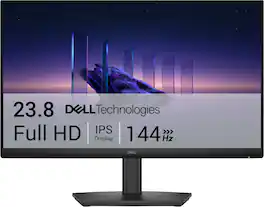
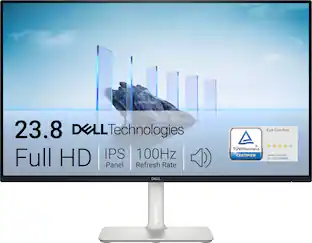
Breeze through everyday tasks on this 23.8-inch monitor with 144Hz refresh rate, 1ms Moving Picture Response Time (MPRT), and TÜV 3-star certification for eye comfort.

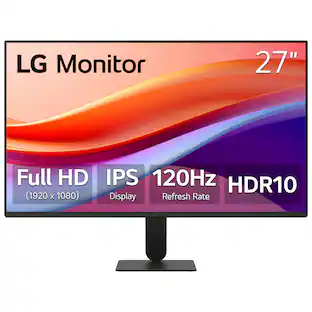
The 27" Full HD (1920 x 1080) IPS monitor delivers sharp, vibrant visuals from virtually any viewing angle—ideal for working ...and even playing from home. Whether you're tackling emails, browsing the web, or managing projects, this monitor helps you stay clear, focused, and productive. The display's ultra-slim bezels and 3-side virtually borderless design bring a clean, modern look to any home office setup. The sleek stand adds a floating feel that’s perfect for dual monitor workstations or minimal desk spaces. A 120Hz refresh rate ensures smoother scrolling and frame transitions, while 1ms Motion Blur Reduction (MBR) keeps fast-moving visuals crisp—great for multitasking or after-hours gaming. With HDR10 support and up to 99% sRGB color gamut coverage, this LG monitor delivers vivid, accurate color across everything from video calls to creative projects. Whether you're outfitting a new home office or upgrading your current work-from-home setup, the LG 27U41YA-B monitor offers the clarity, speed, and style you need to stay productive and inspired.

In competitive gaming, every frame matters. Introducing Acer's XV240Y gaming monitor - the Full HD (1920 x 1080) resolution monitor that can keep up with your game play. Through AMD FreeSync Premium Technology, the game’s frame rate is determined by your graphics card, not the fixed refresh rate of the monitor, giving you a serious competitive edge. Plus, users can enjoy comfortable viewing experience while gaming via flicker-less, low dimming and ComfyView display. The design saves space on your desk and lets you place multiple monitors side by side to build a seamless big-screen display
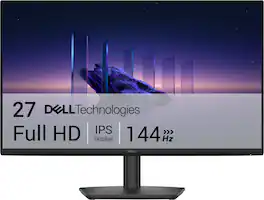
Breeze through everyday tasks on this 27-inch monitor with 144Hz refresh rate, 1ms Moving Picture Response Time (MPRT), and TÜV 3-star certification for eye comfort.
| Pros for Dell - SE2426HS 24" IPS LCD FHD 144Hz FreeSync Height Adjustable Monitor (HDMI) - Black | |||
|---|---|---|---|
| Adjustability, Image Quality, Response Time | Overall Performance, Refresh Rate, Size, Resolution, Design | Overall Performance, Refresh Rate, Adjustability | Refresh Rate |
| Cons for Dell - SE2426HS 24" IPS LCD FHD 144Hz FreeSync Height Adjustable Monitor (HDMI) - Black | |||
| Connectivity | Brightness, Adjustability | Brightness, Stand Size | There were no cons for this product— |
Specs
Reviews
Top Mentions
- Image Quality (5)
- Adjustability (3)
- Response Time (3)
- Connectivity (5)
Customer Images
The vast majority of our reviews come from verified purchases. Reviews from customers may include My Best Buy members, employees, and Tech Insider Network members (as tagged). Select reviewers may receive discounted products, promotional considerations or entries into drawings for honest, helpful reviews.
- Rated 5 out of 5 stars
Excellent Entry Level Monitor
This is a basic monitor that serves its purpose. It supports AMD FreeSync and can output a 144 Hz refresh rate, which is pretty nice for an entry-level monitor. It also has a 1 ms response time. It doesn’t have a DisplayPort input, but there are two HDMI 1.4 ports. Installation is quick and easy with all the tools provided. I use this monitor for my Mac Mini and it’s been working great. At Full HD resolution on a 24-inch screen, text and images look crisp and clear. The IPS panel offers excellent value, and it’s versatile for a variety of uses such as gaming, work, and entertainment. I have several monitors ranging from high-end OLED displays to mid-range and entry-level IPS panels, and this one delivers a lot for an entry-level monitor. The panel quality is excellent, and I don’t notice any glare under normal ambient lighting. The monitor stand is functional and offers height and tilt adjustments. The dual HDMI inputs are very useful so I can quickly connect the monitor to my laptop for a dual screen setup. Bottom line: this is an excellent entry-level monitor. It lacks DisplayPort input, but it doesn’t really matter for my purpose.
Fudgear Posted
- Rated 5 out of 5 stars
Fantastic monitor in just about every way.
I am extremely impressed by this monitor. For the asking price ($120 at the time of writing), you get a monitor with some fantastic specifications that aren't just for show. There's one minor quirk I think anyone purchasing this should know, but it's something that's pretty easy to work around, if it's a problem at all. To begin with, this monitor has, to my eye, some excellent colors. I don't know about the actual numbers for color accuracy that you get using software, but to my eye, this looks fantastic. Colors are bright and vibrant, and blacks get quite dark for being a standard IPS LCD. It's no OLED, of course, but it still manages to look great regardless. Using it for some art, web browsing, and basic productivity tasks, there was no point where the colors were noticeably off or wrong. The monitor gets quite bright, too. Bright enough that you definitely shouldn't have any issues in any lighting. Out of the box, it starts at 75% of its maximum brightness, and personally, I found that I like it at about 85%, but it's good all the way up and down the gamut. It will give you a warning when you try to put the brightness above 75%, telling you that it will consume more power, which is good to know. The responsiveness of this monitor is excellent. It's listed as 1ms, and it feels like 1ms, which is to say that it's imperceptible. I expected it to be much higher, since this isn't meant to be some high-end gaming monitor or anything, but no. I feel that I could game on this if I wanted to, and not notice ghosting or extra latency from my input to the monitor. The high refresh rate also rivals many high-end gaming monitors at 144hz. If your cable and your computer are capable of outputting those frames, it is smooth as butter, with no noticeable ghosting. Even doing the little UFO test, it looks fantastic. Again, this is a feature I'd expect to see on a high end gaming monitor, not something you can pick up for $120. There's a couple of caveats, though they're minor. The first is that it's only 1080p. Of course, that's listed everywhere, both on the box and on the website, but it is worth noting that if you wanted to use this for video editing, artwork, or gaming, you'll have some limitations due to the resolution. It looks great for 1080p, but it can never be as crisp as a 1440p or 4K monitor. The second thing is that there are 2 inputs, and both are HDMI. Most computers, consoles, and whatever other input you can think of have HDMI on them somewhere, so it shouldn't be an issue for most, but I do think it's noteworthy, as it's pretty unusual. I don't think I've ever seen a monitor before this one that didn't have more than one kind of connector, except for an ancient VGA monitor I had back in the 00s. Whatever the case may be, I have nothing negative to say about this monitor whatsoever. It looks great, it has a high refresh rate and low input latency, and I can see this being useful as a budget gaming monitor, or a very high end productivity monitor. Would absolutely recommend if you're in the market for a 1080p monitor.
Ben Reed Posted
- Rated 5 out of 5 stars
A Solid & Affordable Monitor
Dell gets straight to the point. Do you need a beautiful FHD, that's going to look great in your office space? I've got'chu, Boo (as the kids say in the streets.), or at least, I think they'd say that. I'm also out of touch. Not when it comes to a really good 24" monitor, though. Desk-top or laptop, this screen integrates seamlessly, with a simple connection the included HDMI cable. Oh! I guess you'll want to know what comes inside the box. Wouldn't you? Here ya go. Upon opening the box, you're instantly greeted with your power source, and HDMI cable. The base for the adjustable stand (Yes. Up and down, to adjust to your eye placement.) and the screw kit, for easy installation. The holes, in the back, are placed perfectly for the optional floating stand you may want to go with (sold separately.) There are four buttons on the right undercarriage of the screen, right next the power button. So, you can call those 5 buttons. These are for setting up your preferable display, of course. Even though this monitor isn't specifically for gaming. You still are looking at a 144Hz FreeSync IPS LCD FHD screen with minimal bezels. So, you know you'll get some pretty visuals while gaming, if you choose to do so. However, I recommend video editing with this one but do with it what you will. The problem that I always bring up, is still yet to be addressed, but for the price and general use of this particular model, I should let it slide. That doesn't mean that I won't complain about it, though. Where are my integrated speakers? As a matter of fact. I don't even see a 3.5 mm jack. Again, this isn't a unit designed for entertainment purposes. Although, you can be entertained with it. This is for a PC. So, if you're looking for a screen for your console, you're gonna need to shell out a few extra tokens for that. In the end, I wanted to deduct points for the minor things that it's lacking, but truthfully, it does what it is totally designed to do, and you'll get extra depending on the PC that you're using it on.
hitsuyoo Posted
Explore tech essentials Sponsored
 $199.99The price was $459.99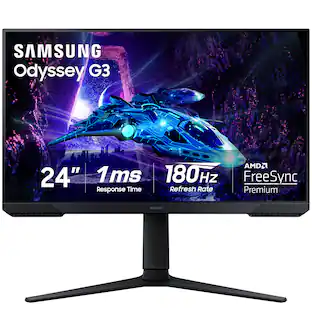
Samsung - Odyssey G30D 24" LED FHD AMD FreeSync Premium 180Hz 1ms Gaming Monitor (DisplayPort, HDMI)
$149.99The price was $199.99 $279.99The price was $369.99