Holiday deals. Holideals?Either way, start saving.Shop now

Skip to contentGo to Product Search
Main Content

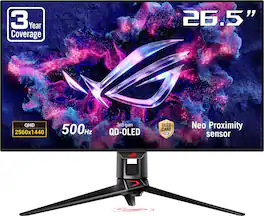
ASUS - ROG Swift 27" 2K OLED 500Hz 0.03ms Gaming Monitor with FreeSync Premium Pro and HDR (DisplayPort, HDMI) - Black

Model: PG27AQDPR
SKU: 6685336
Sold byBest Buy

About this product

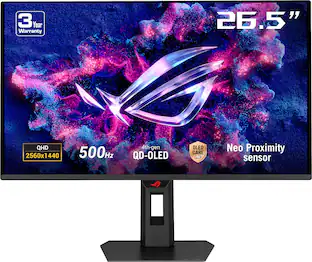
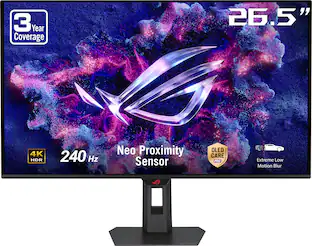
The ROG Swift OLED PG27AQDPR is a 27-inch, 500Hz QHD gaming monitor. The cutting-edge QD-OLED panel offers greater longevity compared to previous OLED technologies and minimal flicker―even when frame rates fluctuate. With the addition of the Neo Proximity Sensor in the new ROG OLED Care Pro suite, the monitor transitions to a black screen when no user is detected, guarding against burn-in.

Highlights

Features

  • 500Hz QD-OLED Gaming Performance

    27-inch QHD (2560 × 1440) QD-OLED gaming monitor with an ultra-fast 500Hz refresh rate and 0.03ms GTG response time for exceptionally smooth, responsive gameplay

  • OLED Motion Clarity Technology

    ASUS Extreme Low Motion Blur technology, AMD FreeSync Premium Pro, and NVIDIA G-SYNC compatibility work together to reduce ghosting, blur, tearing, and latency for fluid competitive gaming

  • True Black HDR Visuals

    VESA DisplayHDR 500 True Black compliance, 99% DCI-P3 color gamut, true 10-bit color, and Delta E < 2 accuracy deliver stunning contrast, vibrant colors, and lifelike HDR performance

  • ASUS OLED Care Pro Protection

    Comprehensive OLED Care Pro technologies including Pixel Cleaning, Screen Move, Boundary Detection, Logo Brightness Adjustment, Taskbar Detection, and advanced dimming controls help protect the panel and extend display longevity

  • Neo Proximity Sensor

    Precisely detects when you step away from the monitor and automatically transitions to a black screen to reduce burn-in risk, instantly restoring content when you return

  • OLED Anti-Flicker 2.0 Comfort

    A new luminance compensation algorithm reduces onscreen flicker by up to 20% versus previous-generation panels while maintaining smooth visuals and viewing comfort

  • AI-Powered Gaming Enhancements

    ROG Gaming A.I. features including AI Crosshair, AI Shadow Boost, and AI Visual intelligently optimize gameplay, visibility, and aiming accuracy

  • Smart Display Control

    DisplayWidget Center provides easy mouse-based access to OLED Care Pro settings, monitor controls, firmware updates, display profiles, and personalized configurations

  • Premium Design, Connectivity & Warranty

    Rich connectivity with DisplayPort 1.4 DSC, dual HDMI 2.1, USB hub support, ergonomic adjustments, gaming-focused ROG design elements, complete accessory bundle, and ASUS Rapid Replacement (ARR) 3-year warranty with burn-in coverage and cross-shipping service

Specifications

  • Refresh Rate
    500Hz
    Maximum Resolution
    2560 x 1440
    Response Time
    0.03 milliseconds
    Synchronization Technology
    FreeSync Premium Pro (AMD Adaptive Sync), G-SYNC Compatible (NVIDIA Adaptive Sync)
    Screen Size
    27 inches
Sponsored

Reviews

Rating 4.9 out of 5 stars with 24 reviews

5 star rating. 21 reviews4 star rating. 3 reviews
88% would recommend to a friend

Customer Images

The vast majority of our reviews come from verified purchases. Reviews from customers may include My Best Buy members, employees, and Tech Insider Network members (as tagged). Select reviewers may receive discounted products, promotional considerations or entries into drawings for honest, helpful reviews.

  • Rated 5 out of 5 stars

    Not a monitor--it's the ULTIMATE gaming statement!

    Bottom line: If you thought 240Hz was smooth and 480Hz was peak indulgence, the ROG Swift PG27AQDPR is here to make your current daily driver look like an antique. Between a blistering 500Hz refresh rate, true black OLED contrast, and a voodoo-like chemical anti-reflective treatment that actually preserves picture clarity in a daylight room on a glossy screen, this monitor is pure, unfiltered display gluttony. It is aggressively styled and unapologetically gamer-centric—but the sheer glassy fluidity in motion makes it almost impossible to look away from. PROS: - Mind-Bending 500Hz Motion Clarity: Paired with near-instantaneous OLED pixel response, fast-paced motion achieves an almost eerie, glassy smoothness that completely spoils lower refresh rates. - Under-Promised, Over-Delivered Brightness: Rated for typical 300 nits SDR, but my Calibrite colorimeter clocked it pushing nearly 450 nits out of the box. - Legit Anti-Reflective Coating: Keeps the deep black levels and vibrant pop of a glossy screen without turning into a direct mirror for ambient room lighting. - Surgical Text Sharpness: The "Clear Pixel Edge" feature practically eliminates the notorious subpixel fringing that has historically plagued OLED productivity. Fine text is clean, crisp, and effortless to read. - Factory-Calibrated sRGB Out of the Box: Includes a verified factory calibration report and locks in a dedicated sRGB Cal mode within the GameVisual OSD so you never lose your baseline. - The Neo Proximity Sensor Works Flawlessly: Automatically cuts the panel when you leave your desk and wakes it instantly upon your return. It’s practical, convenient, and spares the panel unnecessary wear. - Thoughtful Stand Mechanics: A compact desktop footprint reclaims precious desk space, while generous rearward tilt lets you actually see the bottom-facing I/O ports without lying on the floor with a flashlight. CONS: - Loud, Unapologetic "Gamer" Styling: Sharp angles, transparent casing accents, blueprint detailing, and ambient RGB (including a desk logo projector). You can disable the lighting, but it won’t easily blend into a conservative office setup. - Heavy and Unwieldy: The combination of panel heft and the spindly desktop stand makes carrying this across a room an exercise in white-knuckle caution. - No Onboard Speakers: A minor point given most will pair this with dedicated audio or a gaming headset, but at this price point, basic emergency speakers would have been a welcome addition. - Extensive OSD Can Feel Overwhelming: The depth of color, PQ, and OLED care toggles is great for purists, but casual users could easily get lost in the menu weeds. DESIGN & ERGONOMICS Out of the box, ASUS isn’t pretending this is a discreet productivity display. The aesthetic is loud, aggressive, and proudly futuristic. The transparent rear casing reveals blueprint-style equipment labels, accompanied by a sharp, angular chassis. For lighting enthusiasts, the setup goes all out: an adjustable projector shoots the ROG eye onto your desk surface, accompanied by rear accent arrays that either dance autonomously or sync up with your existing AuraSync ecosystem. If you prefer a darker room, the lighting can be toggled off, but the sharp silhouette still makes its intentions known. Mechanically, the stand is a triumph of common sense. Despite supporting a deceptively heavy piece of hardware, the base has a surprisingly shallow reach that avoids eating up precious desktop real estate. It offers complete tilt, pivot, height adjustment, and vertical orientation. Best of all, the rearward tilt angle is generous enough that you can simply angle the screen back and clearly see the bottom-facing connection ports from the front of your desk—no contorting under the chassis required when it's time to hook up a laptop to an open HDMI port. I/O is generously appointed with two HDMI 2.1 ports, a DisplayPort 1.4 connection, a 3.5mm headphone jack, and a USB 3.2 hub providing two accessible USB-A passthrough ports. PANEL PERFORMANCE & PICTURE QUALITY The visual presentation here feels downright decadent. While officially spec'd around 300 nits average brightness, my Calibrite colorimeter measured the panel pushing nearly 450 nits in SDR mode. Coupled with the DisplayHDR True Black 500 certification and per-pixel dimming, the contrast between blinding highlights and absolute, inky blacks is simply staggering. Text handling on desktop OLEDs has historically been a sore spot, but ASUS’s "Clear Pixel Edge" processing does heavy lifting here. It cleanly eliminates the distracting red/green fringe artifacts along high-contrast letter edges, making document editing and web browsing just as comfortable as gaming. Reflections are managed through an exceptionally clever anti-reflective finish. Rather than employing a heavy matte layer that turns deep blacks hazy and compromises color saturation, the panel retains a glassy luster while using a chemical coating beneath the surface to diffuse harsh ambient light. Even positioned in a brightly lit home office, daylight reflections were kept remarkably in check without muddying the picture. Color fidelity is treated with serious care. ASUS packs in a serialized factory calibration test sheet, and rather than burying the profile where it might get overwritten by casual tweaking, an "sRGB Cal" preset is permanently baked into the GameVisual menu. For those who want wider palettes, selectable options include 99% DCI-P3 for HDR entertainment and a Wide Gamut mode that lets colors REALLY stretch their legs. The sheer granular depth of color adjustments available—even within the HDR modes!!!—gives enthusiast media creators and OCD calibrators every conceivable slider they could ask for. MOTION & 500Hz GAMING Spinning up fast-paced shooters like Doom with an RTX 4090 at high frame rates reveals what this monitor is truly built for. Running at a native 500Hz with both G-Sync and FreeSync Premium Pro support, motion clarity transitions from simply smooth to an otherworldly, glassy fluidness. Tracking erratic targets feels instantaneous, with virtually zero perceptible ghosting or smear. For visual stability, ASUS's Anti-Flicker 2.0 system noticeably smooths out brightness transitions between frame cycles, eliminating the subtle pulsing sensation sometimes noticeable around vibrant, neon-lit assets during marathon gaming sessions. For competitive esports purists, Extreme Low Motion Blur (ELMB) strobing is also on deck to sharpen high-speed motion even further--though, admittedly, neither my eyes nor my reflexes work well enough for me to really put that feature through its paces. OLED CARE & UTILITY FEATURES ASUS clearly recognized the lingering consumer anxiety surrounding OLED longevity, packing the PG27AQDPR with an extensive "OLED Care Pro" safeguard suite. Options include dynamic taskbar and logo detection, boundary protection to prevent uneven wear from letterboxed cinematic black bars, customizable pixel cleaning timers, and subtle screen-shift routines. The "Uniform Brightness" toggle deserves special mention: rather than acting like a crude dimmer, it caps peak output to eliminate jarring Automatic Brightness Limiter (ABL) shifts when resizing large, bright white windows on the desktop. It also keeps long-term viewing fatigue to an absolute minimum. The real surprise standout to me wass the Neo Proximity Sensor. Rather than relying on static timers or screensavers to protect the screen, the sensor detects physical presence in your chair using customizable range and sensitivity thresholds. Step away from your desk, and the panel blanks out automatically; sit back down, and the picture immediately snaps back to life without hesitation. On the software front, the DisplayWidget Center application lets you bypass reaching blindly behind the bezel, mapping virtually every OSD parameter directly to mouse and keyboard shortcuts. It even features an optional AI mode that can dynamically tweak shadow boost or crosshair visibility based on onscreen content, subtly adjusting visual presets between dark gameplay corridors and cinematic cutscenes. VERDICT I’ve spent considerable time gaming on an expansive 38-inch curved ultrawide IPS panel with G-Sync Ultimate, and I love that immersive wraparound view. But the PG27AQDPR’s staggering contrast, surgically clean text rendering, and mind-boggling 500Hz fluidity are so compelling that I am actively considering retiring 11 inches of diagonal screen space just to keep these visuals on my desk full-time. If you want a subdued office appliance, this isn't it. But if you have the GPU horsepower to drive it and want a no-compromise, bleeding-edge display that turns high-framerate PC gaming into a genuine spectacle, the ASUS ROG Swift PG27AQDPR earns a full, enthusiastic five stars as a simply outstanding piece of hardware.

    Posted by WyldeBlue

  • Rated 5 out of 5 stars

    Great monitor for both work and gaming

    First Impressions and Build: The monitor looks clean and solid right out of the box. It’s a flat 27-inch (about 26.5 inches of actual viewing area) black panel with the usual ROG styling—thin bezels, a sturdy stand, and that little ROG logo light on the bottom. The stand is fully adjustable: height, tilt, swivel, and it even pivots into portrait mode if you ever need it. Setup takes five minutes. Plug it in, adjust the height so the top of the screen is roughly at eye level, and you’re good. It sits stably on a desk without wobbling, which matters when you’re leaning in to check measurements on plans or quickly switching between windows. The finish is matte-ish on the back and frame, glossy on the screen itself (typical for OLED). Reflections can show up in a bright room, but it’s not bad once you angle it a bit or turn down overhead lights. Everyday Work Use: This is where a lot of high-refresh gaming monitors fall short, but this one doesn’t. The 2560 x 1440 resolution is sharp enough for real work. Text in spreadsheets, PDFs, emails, and plan drawings looks clean. I can have a full set of elevation plans or a takeoff spreadsheet open on one side and reference materials or email on the other without everything feeling cramped. Windows snap side-by-side nicely, and the pixel density is high enough that small numbers and line measurements stay readable without zooming constantly. OLED blacks are a big help here. Dark UI elements in software don’t look washed out, and there’s no gray haze like you get on a lot of IPS panels. Colors are accurate enough out of the box that photos, product images, or even just colored plan markups look natural. I don’t have to spend time calibrating it for normal estimating work. Brightness is solid for an OLED—plenty for an indoor office or home setup without blasting your eyes. There’s a uniform brightness mode that keeps the whole screen even, which is useful when you’re looking at large documents. Long sessions are comfortable. The anti-flicker stuff and the way it handles variable frame rates mean less eye strain when you’re scrolling through long material lists or switching between apps all day. It also has a proximity sensor that dims or blacks out the screen when you step away. Handy for reducing the chance of burn-in if you leave a static spreadsheet open while you go grab lunch or head out to a job site. Gaming Performance: Switch to gaming and the monitor transforms. The 500Hz refresh rate and 0.03ms response time make motion look incredibly smooth and clear. Fast-paced shooters, racing games, or anything with quick camera movement feels responsive. There’s almost no blur or ghosting—things just stay sharp when they move. FreeSync Premium Pro and G-SYNC Compatible support keep it tear-free whether you’re on an NVIDIA or AMD card. You don’t need to hit 500 frames per second all the time to notice the benefit. Even at 200–300 fps the image stays cleaner than on a typical 144Hz or 240Hz panel. Competitive games feel snappier; single-player games look more fluid. HDR works well too. The DisplayHDR 500 True Black certification and the deep OLED blacks make dark scenes look proper dark while bright highlights pop. Colors are rich (covering most of the DCI-P3 range) without looking oversaturated in normal modes.

    Posted by EnglishD

  • Rated 5 out of 5 stars

    Speed, Color, Action! This 500Hz OLED Came to Play

    Some monitors sit on your desk, this one wants to steal the show. The ASUS ROG Swift pairs gorgeous visuals with an unbelievable 500Hz refresh rate, it brings plenty of excitement to frantic shootouts, tight corners, and those game worlds you can’t help stopping to admire and suddenly that “just one quick match” into hours of pure bliss. Display: The 27-inch QD-OLED display is a huge part of the appeal, delivering deep blacks, vibrant colors, and striking contrast. Its QHD resolution of 2560 × 1440 keeps the picture sharp and super detailed. The VESA DisplayHDR 500 True Black adds extra impact to HDR content, while 99% DCI-P3 color coverage and true 10-bit color give the screen a rich, colorful picture. The anti-reflective screen is also welcome addition, helping cut down on distracting reflections from room lighting, resulting in less distractions and more action. Gaming Performance: That massive 500Hz refresh rate isn’t the only speed-focused feature here. The monitor also boasts an ultra-fast 0.03ms gray-to-gray response time, making this an exciting combination for fast-paced shooters, racing games, and other competitive titles where clear, responsive action matters. Forza and Call of Duty 4 gave me two different ways to enjoy the monitor. In Forza, I appreciated the smooth sense of motion while working through corners and keeping up with the action. Call of Duty 4 was more about quick turns and fast-moving chaos, and the responsive feel made jumping back into a familiar favorite especially enjoyable. A new monitor didn’t magically improve my aim, but it certainly makes the attempt more fun. I wasn’t able to reach the full 500Hz with my setup, which I expected, but I did get close to the 300Hz range. Even without maxing it out, I enjoyed what this monitor brought to both games. Of course, a 500Hz display doesn’t mean every game will run at 500 frames per second. Your PC, settings, and the game itself all play a part. You’ll need a powerful setup and sufficiently high frame rates to take full advantage of that refresh rate, but having that headroom is a big part of the appeal. ASUS Extras: The Neo Proximity Sensor is one of those features that makes everyday use more convenient. When you step away, it automatically switches the screen to black to help reduce burn-in risk, then restores your content when you return. Adjusting settings doesn’t have to mean endlessly fiddling with the monitor’s buttons. DisplayWidget Center provides mouse-based access to monitor controls, OLED Care Pro settings, firmware updates, display profiles, and personalized configurations. Being able to make those adjustments from the desktop is a practical convenience. There’s plenty to customize here, and making those controls easier to access is a welcome touch. Connectivity: The monitor offers the following connections: • 1 × DisplayPort 1.4 • 2 × HDMI 2.1 ports • 2 x USB-A 3.2 Warranty: Rest assured, your monitor comes with ASUS Rapid Replacement’s three-year warranty which includes burn-in coverage and cross-shipping service. Screen-care features are great to have, but warranty support makes the overall package even more appealing. Overall, What I enjoy most about this monitor is how racing games and shooters show off different sides of its appeal. Forza gives me an excuse to admire the scenery between corners, while Call of Duty 4 gets me straight into fast-paced action. Having a display that makes both enjoyable is a big win. The ASUS ROG Swift brings more to the desk than a big refresh-rate number. Between the sharp QHD picture, QD-OLED contrast, high refresh rate, and thoughtful extras, this ROG Swift brings plenty of excitement to a gaming setup. If you have a machine powerful enough or are in the process of building one to handle this beast than I would without a doubt recommend it.

    Posted by Hmirza

  • Rated 5 out of 5 stars

    A work of art!

    The first thing I noticed about this monitor was its weight, even before I even got it out of the box. Once I assembled it, everything made sense. The base and stand feel substantial, and the tripod-style design is incredibly sturdy. This monitor doesn’t move on my desk, at all. It stays firmly planted wherever I place it. The construction along made a really solid first impression. That attention to detail continues around the back, where you’ll find a translucent housing gives you a glimpse of the internal components. There are a few subtle color changing lights here that are really well done. The screen, stand, and lighting all feel like parts of a thoughtfully designed product. It’s almost like a little piece of art sitting on my desk. The 27-inch QHD OLED display is equally impressive. It looks beautiful and feels very comfortable on my eyes. My primary monitor is a larger LG 5K2K OLED, which is really in a different class entirely, but I’m already accustomed to a nice display. While I can see a difference in the quality, it’s very minor, and if anything, the Asus really holds it weight. I do a lot of coding, and OLED’s deep blacks and contrast are a big part of its appeal to me. Text clarity can sometimes be a weak point with OLED, but ASUS nailed this one, making text clear and comfortable to read. Because of such, my biggest surprise has been portrait mode. The stand lets me rotate the screen vertically, which I initially tried mostly out of curiosity, but now I’m hooked. I know I’m under-utilizing this monitor as such, but having a tall workspace for code with an OLED of this quality has become a luxury. The 500Hz refresh rate is clearly a major selling point for competitive gaming, and motion looks excellent to me. It’s so smooth that at times it can be almost disorienting because I’ve never experienced a monitor with such a high refresh rate. I also appreciate the USB-B upstream connection for the built-in USB hub. That might sound like a small thing, but I like having that dedicated connection for my desktop. My LG relies on USB-C for its upstream connection and it’s a big drawback to me, so I’m happy to see ASUS stay with the USB-B on this panel. My one and only complaint is the logo projected beneath the stand. ASUS calls this “Light in Motion,” which is the last setting you’ll try when looking for when trying to control a solid stationary light. The light is fixed as red and cannot be changed. Likely there is no RGB, but rather, just a red light projected downward. However, ASUS includes several interchangeable plastic projection masks (one with a variation of the logo). I can’t help but wonder why they didn’t just make the light white and offer color filters projection masks Overall, the monitor is absolutely stunning. It has a permanent place on my desk, which really says a lot. I’m constantly moving monitors around the house, between rooms or floors, but this one isn’t going anywhere. I can’t imagine anyone being disappointed with this display, especially if you are somebody who really needs the ultra-high frame rate, because it’s absolutely mesmerizing to use.

    Posted by CatCity

  • Rated 5 out of 5 stars

    High Refresh OLED Gaming + Everyday use monitor

    Unboxing and Setup - The monitor arrived nicely boxed and protected by recyclable cardboard that was slightly damaged from shipping trauma. The monitor itself, stand and accessories were not damaged in any way. I used the foam sleeve to protect the screen and installed the base and inventoried the accessories. It includes a mesh bag, numerous cables and quick setup guide. The stand is well weighted and allows for easy adjustment. Notably this supports portrait or landscape use on the original stand. Display - This is a top tier 1440p gaming monitor built for competitive play - I.e. the QD-OLED panel combines deep blacks and vivid color with exceptionally fast motion. it is exceptionally fast and blur free. I am driving it with a 5080 for gaming and can run "ludicrously high" framerates on some older games however the real advantage is in the variable refresh rate that keeps everything smooth at a continuously changing high frame rate. No tearing, no blur and the overall awesome contrast and color that only an OLED can deliver. Features - It has dynamic lighting, an easy to use settings menu ( software driven or manual via selection buttons ), multiple inputs and includes high quality connection cables. The monitor can act as a USB hub but does not support USB-C input as a hub. This does not have built in speakers but does support pass through mode. Color accuracy - Excellent out of the box. I did not have to calibrate or create a specific profile to accurately grade color while editing videos and photos. Notably the profile to use is the sRB CAL - not the default profile which is Gaming Mode. Controls - There is a small joystick and two buttons, Monitor settings and modes CAN be changed without loading software with the physical control set. I appreciate this as I will occasionally hook up a device where setting up the software based controls may be difficult. What I love: Deep blacks, wide range and awesome contrast of OLED Ultra fast, no blur no tearing clean display for gaming Excellent for everyday and any use - not just gaming ! Room for improvement: Please consider adding a USB-C standard hub input in future models.

    Posted by James K

Compare similar products

ASUS - ROG Swift 27" 2K OLED 500Hz 0.03ms Gaming Monitor with FreeSync Premium Pro and HDR (DisplayPort, HDMI) - Black
4.9(24)

The ROG Swift OLED PG27AQDPR is a 27-inch, 500Hz QHD gaming monitor. The cutting-edge QD-OLED panel offers greater longevity compared to previous OLED technologies and minimal flicker―even when frame rates fluctuate. With the addition of the Neo Proximity Sensor in the new ROG OLED Care Pro suite, the monitor transitions to a black screen when no user is detected, guarding against burn-in.

MSI - MPG 271QR QD-OLED X50 27" QHD 500Hz 0.03ms Gaming Monitor G-SYNC FreeSync Premium Pro TB 400 (HDMI, DP, USB-C) - Metallic Black - RGB
5.0(5)

Experience immersive gaming with the MPG 271QR QD-OLED X50. Featuring a 2560 x 1440 (WQHD) QD-OLED panel, 500Hz refresh rate, and 0.03ms (GtG) response time, it delivers stunning clarity and speed. VESA ClearMR 21000 and DisplayHDR True Black 500 ensure vivid visuals with deep blacks and minimal motion blur.

ASUS - ROG Swift 27" Dual Mode (2K 540Hz, HD 720Hz) OLED 0.02ms Gaming Monitor with FreeSync Premium Pro and HDR - 20th Edition
4.8(6)

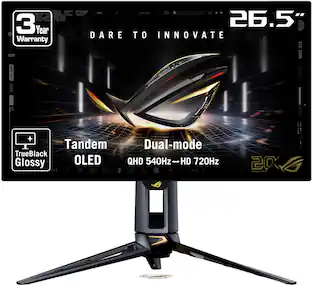
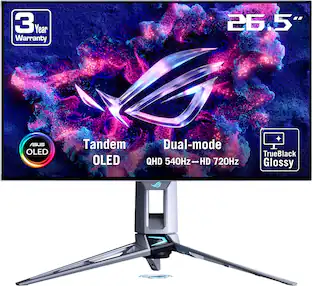
ASUS ROG Swift PG27AQWP-G Edition 20 OLED gaming monitor features a striking black translucent shell revealing the precision within, complemented by an authentic 24K gold-plated accent. Every detail is crafted to stand out, creating a bold yet refined statement piece to commemorate the 20th anniversary of ROG. It redefines gaming performance with dual-mode QHD @ 540Hz or HD @ 720Hz visuals and a 0.02ms gray-to-gray response time. This 26.5-inch QHD OLED monitor boasts new Tandem OLED technology for 15% higher peak brightness, 25% larger color volume, and 60% longer OLED lifespan compared to previous-generation WOLED panels. The TrueBlack Glossy panel provides a zero-haze surface to ensure exceptional clarity and supersharp imagery. And to guard against panel burn-in, the PG27AQWP-G features ASUS OLED Care Pro technology with the Neo Proximity Sensor. Extensive connectivity options include HDMI and DisplayPort 2.1a UHBR20 with full 80Gbps bandwidth, ensuring compatibility with a wide range of devices.
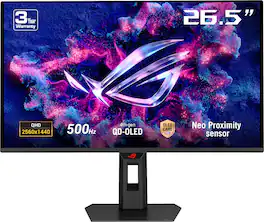
ASUS - ROG Strix 27" 2K OLED 500Hz 0.03ms Gaming Monitor with G-SYNC/FreeSync and HDR (HDMI, DisplayPort) - Black

The ROG Strix OLED XG27AQDPG is a 27-inch, 500Hz QHD gaming monitor. The cutting-edge QD-OLED panel offers greater longevity compared to previous OLED technologies and minimal flicker―even when frame rates fluctuate. With the addition of the Neo Proximity Sensor in the new ROG OLED Care Pro suite, the monitor transitions to a black screen when no user is detected, guarding against burn-in

Pros for ASUS - ROG Swift 27" 2K OLED 500Hz 0.03ms Gaming Monitor with FreeSync Premium Pro and HDR (DisplayPort, HDMI) - Black
There were no pros for this product—PerformanceOLED QualityColor Quality, Refresh Rate, HDR Performance, Connectivity

Specs

Be the first to ask a question.

We’ll try to get your question answered within 24 hours by a Best Buy customer or brand representative.

No content

Customers often buy these together

Sponsored