Logitech - MX Master 4 Creator Edition, Ergonomic Wireless Mouse with Advanced Performance Haptic Feedback - Wireless - Red
Reviews coming soon
About this product
The MX Master 4 Creator Edition makes its official debut as a physical canvas for those who shape the digital world. Crafted as a quiet nod to the designers, editors, and visual thinkers behind the screen, this edition translates the rituals of the studio directly onto the shell. Every millimeter holds a hidden homage to visual craft—from alignment crosshairs and center lines that mirror precision grids, to delicate Bézier nodes and timeline stamps marking shared moments in creative history. It’s a wearable draft of the creator’s native language, designed to honor the artboard-inspired instincts and obsessive attention to detail that prove creativity has no boundaries.
Features
Precision you can feel with the Haptic Sense Panel
Customizable (1) haptic feedback on specific actions, shortcuts, notifications enhancing productivity on this wireless Bluetooth mouse
Effortlessly access favorite tools with Actions Ring (2) on this MX Series mouse
A dynamic, customizable overlay adapts to each app, placing most used filters, adjustments, and shortcuts at your cursor
Scroll 1,000 lines per second and stop on a pixel with the MagSpeed scroll wheel
Logitech’s fastest (3), quietest, and most precise (4) scrolling experience
Enjoy 2X more powerful connectivity (7) with a USB-C dongle, advanced radio chip, and optimized antenna for faster, stronger, reliable performance
Or use Bluetooth for more versatility
Ergonomic mouse designed for comfort
MX Master 4 keeps you in flow with a natural tilt, intuitive buttons, and a thumb scroll wheel that reduces hand stress for fluid navigation
Quiet Clicks on MX Master 4
Reduce noise and distractions, offering a soft, satisfying feel with 90% less click noise (8)—perfect for focused workflows
Get a complimentary 1-month Adobe Creative Cloud subscription with your purchase of MX Master 4
Compatible with Googlebook laptops
Unlock the speed, precision and ergonomic comfort needed to power through your heaviest workflows
(1) Requires LogiOptions+ app, available for Windows and macOS. Haptic feedback panel customization is not supported on Googlebook laptops.
(2) Logitech Ergo Lab study (2025) with 37 MX Master mouse users tested across 8 desktop actions. Results may vary depending on assigned shortcuts. Limited Logi Options+ features available for Googlebook laptops (requires active Gemini AI features). Actions Ring customization and plugins not supported on Googlebook laptops
(3) Compared to Logitech Master 2S mouse with Logitech Options installed and Smooth scrolling enabled
(4) Compared to regular Logitech mouse without an electromagnetic scroll wheel
(7) Compared to MX Master 3S
(8) Compared to MX Master 3, MX Master 4 has 90% less Sound Power Level left and right click.
Specifications
- Maximum Sensitivity8000 dots per inchNumber of Buttons (Total)8Connection TypeWireless
Reviews
This product doesn't have any reviews yet.



Compare similar products
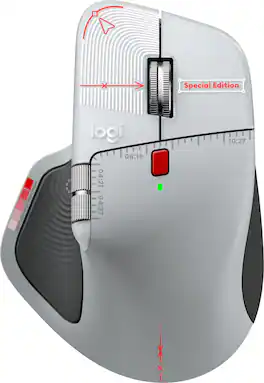
The MX Master 4 Creator Edition makes its official debut as a physical canvas for those who shape the digital world. Crafted as a quiet nod to the designers, editors, and visual thinkers behind the screen, this edition translates the rituals of the studio directly onto the shell. Every millimeter holds a hidden homage to visual craft—from alignment crosshairs and center lines that mirror precision grids, to delicate Bézier nodes and timeline stamps marking shared moments in creative history. It’s a wearable draft of the creator’s native language, designed to honor the artboard-inspired instincts and obsessive attention to detail that prove creativity has no boundaries.

The Logitech MX Master 4 brings immersive control and precision you can feel with haptic feedback. Experience haptic feedback on specific actions, shortcuts, notifications like switching desktops, slider adjustments and more. Customize vibration intensity in Logi Options+. With Actions Ring shortcuts and MX Master 4, save up to 33% of your time by accessing tools and filters at your cursor, reducing repetitive movements by up to 63%. Experience uninterrupted performance with 2X more powerful connectivity, powered by an advanced radio chip, optimized antenna placement, and a new USB-C dongle.
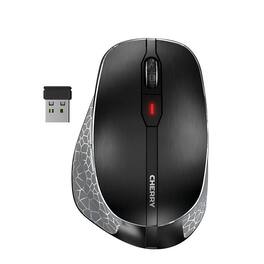
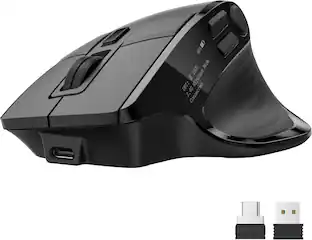
With this ergonomic mouse for right-handed users, you'll be the hands down favorite in any marathon work session! Medium and large hands in particular glide smoothly and easily across the table with this wireless mouse. The thumb rest is exceptionally comfortabe and it’s easy on the wrist. The materials used to manufacture the MW 8C ERGO are of the highest quality. Mouse buttons made of anodized aluminum and side panels with a trendy Voronoi pattern complement each other perfectly. They are a real eye-catcher and leave no question as to the quality of the product. Another plus for the wireless MW 8C ERGO is its metal mouse wheel.

The Logitech MX Master 4 brings immersive control and precision you can feel with haptic feedback. Experience haptic feedback on specific actions, shortcuts, notifications like switching desktops, slider adjustments and more. Customize vibration intensity in Logi Options+. With Actions Ring shortcuts and MX Master 4, save up to 33% of your time by accessing tools and filters at your cursor, reducing repetitive movements by up to 63%. Experience uninterrupted performance with 2X more powerful connectivity, powered by an advanced radio chip, optimized antenna placement, and a new USB-C dongle.
| Pros for Logitech - MX Master 4 Creator Edition, Ergonomic Wireless Mouse with Advanced Performance Haptic Feedback - Wireless - Red | |||
|---|---|---|---|
| There were no pros for this product— | Ergonomics, Overall Performance, Haptic Feedback, Battery Life, Button Functionality | There were no pros for this product— | Ergonomics, Overall Performance, Haptic Feedback, Battery Life, Connectivity |
| Cons for Logitech - MX Master 4 Creator Edition, Ergonomic Wireless Mouse with Advanced Performance Haptic Feedback - Wireless - Red | |||
| There were no cons for this product— | Weight, Size | There were no cons for this product— | Weight, Size |
Specs
Customers often buy these together
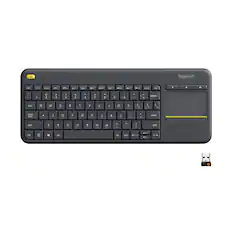
Computer Keyboards

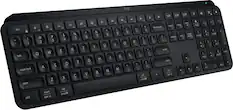
Logitech - MX Keys Mini TKL Wireless Bluetooth Scissor Keyboard with Backlit Keys - Black
$79.99The price was $99.99
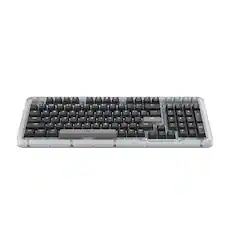
JLab - Epic Wireless Keyboard - Black
$45.49The price was $69.99

Mouse Pads
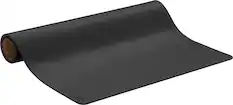
Insignia™ - Desk Mat - Black
Black Friday Deal$12.49The price was $24.99


Customers ultimately bought
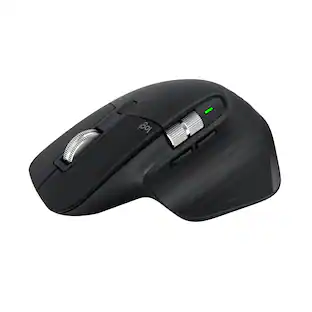
Logitech MX Master 4 Wireless Laser Ergonomic Mouse with Advanced Performance Haptic Feedback
Black Friday Deal$109.99The price was $119.99Logitech MX Master 4 - Adobe Edition - Wireless Laser Ergonomic Mouse with Advanced Performance Haptic Feedback
Black Friday Deal$109.99The price was $119.99Logitech Lift Vertical Wireless Optical Ergonomic Mouse with 4 Customizable Buttons
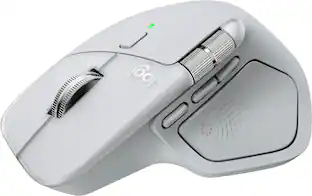
$56.99The price was $79.99Logitech MX Master 3S Bluetooth Edition Performance Wireless Optical Mouse with Ultra-fast Scrolling and Quiet Clicks
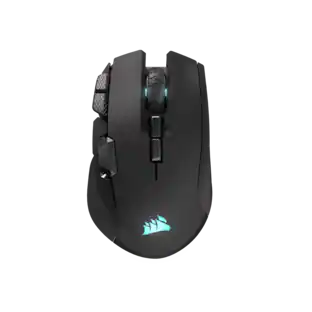
Black Friday Deal$79.99The price was $99.99CORSAIR IRONCLAW WIRELESS SE FPS/MOBA/MMO Optical Gaming Mouse
Black Friday Deal$59.99The price was $89.99Logitech MX Master 4 for Mac - Wireless Laser Ergonomic Mouse with Advanced Performance Haptic Feedback
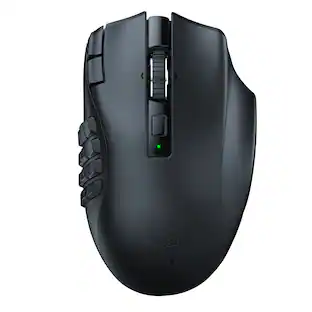
Black Friday Deal$109.99The price was $119.99Razer Naga V2 HyperSpeed MMO Optical Gaming Mouse with 19 Programmable Buttons
Black Friday Deal$56.99The price was $99.99Razer Basilisk V3 X HyperSpeed Optical Gaming Mouse with 9 Customizable Controls
Black Friday Deal$41.99The price was $69.99
Explore tech essentials Sponsored
Logitech MX Master 4 - Adobe Edition - Wireless Laser Ergonomic Mouse with Advanced Performance Haptic Feedback
Black Friday Deal$109.99The price was $119.99Logitech MX Anywhere 3S Wireless Bluetooth Optical Fast Scrolling Mouse with Programmable Buttons
Black Friday Deal$69.99The price was $89.99Logitech MK540 Full-size Advanced Wireless Membrane Keyboard and Mouse Combo for PC
Black Friday Deal$39.99The price was $59.99UGREEN Nexode Air 100W Ultra-Slim USB-C Charger, 3-Port Fast GaN Charger for MacBooks, Laptops, Tablets, Cell Phones
Black Friday Deal$54.99The price was $74.99Logitech MK850 Performance Full-size Wireless Membrane Keyboard and Mouse Combo for PC and Mac
Black Friday Deal$69.99The price was $99.99

Discover related products
GEEKOM Air12 Lite Mini PC, Intel Processor N95 Desktop Computer, 8GB DDR4 RAM & 256GB SSD, Windows 11 Pro Pre-installed
Black Friday Deal$259.00The price was $599.00Logitech Wave Keys Wireless Ergonomic Keyboard with Palm Rest, Bluetooth, Logi Bolt, Multi-OS
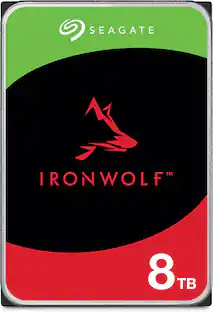
$69.99The price was $89.99Seagate IronWolf Pro ST16000NT001 16TB 7200 RPM 256MB Cache SATA 3.5 inch Internal Hard Drive
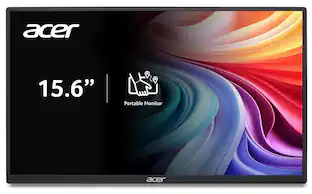
$667.99The price was $688.99Acer PM161Q 15.6" Portable Monitor Full HD 1920x1080 IPS USB-C HDMI Refurbished
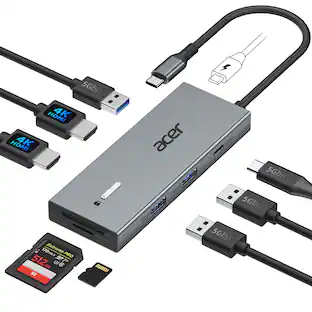
$44.99The price was $48.99Acer USB C Docking Station With 2 HDMI, 9-IN-1 Docking Hub with USB A&C 3.0, SD/Micro SD, 100W Charging
$42.99The price was $47.99

Keep exploring
Kensington SlimBlade Pro Trackball - Optical - Cable/Wireless - Bluetooth/Radio Frequency - 2.40 GHz - Rechargeable
Black Friday Deal$119.99The price was $141.93Logitech Design Mouse Limited Edition Wireless Optical 3-button Mouse with Broad Compatibility
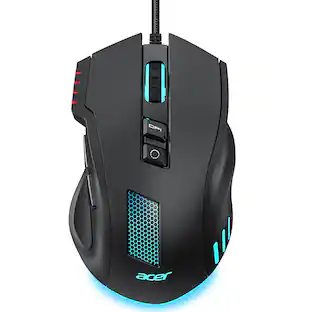
$31.84The price was $55.07Acer Wired Gaming Mouse, 12,800 DPI Optical Sensor RGB Ergonomic Mouse with 8 Programmable Buttons, 12 Backlit Modes
Black Friday Deal$17.99The price was $21.99GravaStar Mercury M1 Pro Special Edition Wireless Gaming Mouse with 26000 DPI and Magnesium Alloy Frame
$74.95The price was $99.95GravaStar Mercury X Wireless Optical Gaming Mouse with 32000 DPI and 49g Magnesium Alloy Frame
$59.95The price was $109.95Logitech 910-001439 B100 Optical USB 2.0 Left/Right Hand Mouse
Black Friday Deal$11.49The price was $20.06