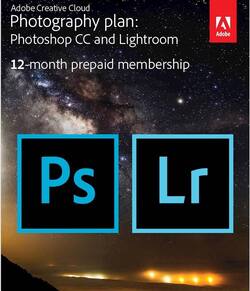
Adobe - Creative Cloud Photography Plan (1-Year Subscription) - Mac OS, Windows
- Key Specs
- Operating System Compatibility: Mac OS, Windows
- Software Format: Physical (Physical software requires a disc, cartridge, etc. be inserted into the gaming console or computer to download and/or operate the software. Digital software allows for downloading and/or playing the software on the gaming console or computer without a physical disc, cartridge, etc. Physical (Download Code Only) software is purchased in physical form with a code that allows for downloading and/or playing the software on the gaming console or computer without a physical disc, cartridge, etc.)
- Subscription Period: 1 Year
- General
- Product Name: Creative Cloud Photography Plan (1-Year Subscription)
- Brand: Adobe
- Publisher: Adobe
- Model Number: ADO951800F030
- Features
- Editing Type(s): Photo editing
- In-Software Purchases: Subscription renewals
- Language(s): English
- Cloud Based Software: true
- Compatibility
- Operating System Compatibility: Mac OS, Windows
- Software Format: Physical (Physical software requires a disc, cartridge, etc. be inserted into the gaming console or computer to download and/or operate the software. Digital software allows for downloading and/or playing the software on the gaming console or computer without a physical disc, cartridge, etc. Physical (Download Code Only) software is purchased in physical form with a code that allows for downloading and/or playing the software on the gaming console or computer without a physical disc, cartridge, etc.)
- Number Of Discs: 0
- Requirements
- System Requirements: Mac, Windows (The software that a product must have for it to be able to integrate with another product.)
- Subscription: true
- Subscription Period: 1 Year
- Other
- UPC: 883919264936
Select individuals seem to possess an inherently creative nature. They see the world differently from those around them, imagining potential in even the most mundane of objects and images. A blank canvas transforms in their mind, becoming rife with vivid colors, shapes and swirls. Creativity used to be limited to the physical tools of pen, paint brush and film, but now, there are an entire host of digital tools available to take creativity to new heights. With access to the powerful, industry-standard imaging tools offered in this Adobe Creative Cloud Photography Plan, you'll be able to make your creative vision a reality.
Bring your vision to life by downloading and installing Adobe Photoshop CC and Adobe Lightroom on your PC and Mac desktops and iOS mobile devices for up to one year. With the tight integration of these two programs across your computers and mobile devices, you'll be able to enjoy a seamless workflow, creating composites in Photoshop Mix on your iPad and then editing them on your desktop. Order and improve the appearance of images in Lightroom on your iPhone and the changes you make will automatically sync back to your Lightroom catalog. With extensive learning content, you'll be able to begin working right away, and thanks to constant updates, you can be sure you're always working with the latest software version. Creative freedom is within your reach with this Adobe Creative Cloud Photography Plan.
Whats Included
- Adobe Creative Cloud Photography Plan (1-Year Subscription)
A: It will run under Win7. BUT check Adobe website first. Go to free trial download and it will check if your machine meets minimum requirements. If it does you can download and use for 30 days and then buy key card to activate
A: Once the subscription is up the software stops working. It literally gives you a popup that says you have to renew it to use the software.
Q: Does this include Photoshop, Lightroom CC and Lightroom Classic??
A: Yes it does
Q: Does this come with the software, or do I have to purchase separately?
A: This gives you the ability to download and use the software for 1 year.
Q: How are the apps downloaded once you receive the code?
A: The codes are on the card. Like a acratch off lottery ticket. Then you go to the website listed on the card and enter your codes and download product.
Q: Is the Lightroom a Classic or CC?
A: This is both... I would suggest using the classic version over the CC version - if you don't want to store your pictures on the Web.
Q: Following initial purchase, what is the cost to renew the annual subscription?
A: It's the same price, $119 if you buy another year or $10 a month
Q: Can I use this in more than 1 device with 1 license, same user per device?
A: You can use the single license on up to two devices at a time. *Taken from Adobe's Website* "You can install Photoshop and other Creative Cloud apps on up to two computers. If you want to install it on a third computer, you'll need to deactivate it on one of your previous machines."