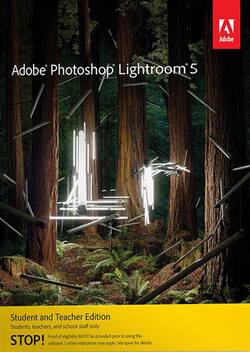
Adobe - Photoshop Lightroom 5 Student and Teacher Edition
- Key Specs
- Software Format: DVD-ROM (Physical software requires a disc, cartridge, etc. be inserted into the gaming console or computer to download and/or operate the software. Digital software allows for downloading and/or playing the software on the gaming console or computer without a physical disc, cartridge, etc. Physical (Download Code Only) software is purchased in physical form with a code that allows for downloading and/or playing the software on the gaming console or computer without a physical disc, cartridge, etc.)
- General
- Product Name: Adobe Photoshop Lightroom 5 Student and Teacher Edition
- Brand: Adobe
- Publisher: Adobe
- Model Number: 65219643
- Features
- Software Subject: Photo editing
- Compatibility
- Software Format: DVD-ROM (Physical software requires a disc, cartridge, etc. be inserted into the gaming console or computer to download and/or operate the software. Digital software allows for downloading and/or playing the software on the gaming console or computer without a physical disc, cartridge, etc. Physical (Download Code Only) software is purchased in physical form with a code that allows for downloading and/or playing the software on the gaming console or computer without a physical disc, cartridge, etc.)
- Number Of Discs: 1
- Other
- UPC: 883919254029
Note: This Adobe Student and Teacher Edition software is only for use by students, teachers, instructors and other educators who meet Adobe eligibility guidelines. Proof of eligibility will be required after purchase in order to use the software. End users will be authorized for only one license of any Adobe Student and Teacher Edition software product. See terms and conditions.
Whether your photography experience is newsstand magazine-level expert or a freshman snapping pics of your friends, there will always be aspects of your photos that can be improved upon. When you're capturing a moving, changing environment with unpredictable subjects and constantly evolving conditions, your images are bound to contain unplanned and unwanted facets that, while not ruining the entire photo, may detract from the final product. Then there are characteristics of every photo that can be tweaked, increased, lowered or adjusted to elevate the quality of the image — things like lighting, contrast, saturation, shadows and more. With Adobe Photoshop Lightroom 5, you've got the solutions you need to remove those unwanted aspects and make adjustments in an easy-to-use format that puts intuitive tools at your fingertips.
You may be looking for the ability to fine-tune your photographs or you may have the intention of adding artistic adjustments to the images you've captured. No matter what your proficiency level is, whether you're a teacher or student, Adobe Photoshop Lightroom 5 gives you the freedom to edit your photos to your preference. Make unwanted objects vanish from the image with precise swipes of the advanced Healing Brush. Selectively adjust brightness, contrast, white balance, sharpness, noise reduction, moiré removal and more in targeted areas of your images with selective adjustment brushes that expand your creative control. Add interesting and eye-catching vignette effects to emphasize the more important aspects of your image with the radial gradient tool. Straighten tilted images, even when the horizon is hidden, with just one click of the Upright tool. With all of these editing tools, Lightroom 5 allows you to change your image in a nondestructive environment that makes it easy to reverse your steps and edits without altering the original image. When you've made the changes to your photos and you've edited them to perfection, print them into beautiful photo books with the software's customizable book templates, or share them with the world on social networks, such as Facebook or Flickr. With Adobe Photoshop Lightroom 5, it's easy to go from simply capturing an image frozen in time to sharing a piece of your art with the world.
- Lightroom 5: Polish your photographs into perfected images with the innovative and intuitive digital photography tools of
- Adobe Photoshop: Open one or multiple photographs in to perform detailed, pixel-level editing, and view the results in Lightroom with Photoshop integration
- Lightroom: Explore the powerful tools of without affecting your original images in the nondestructive work environment that makes it easy to reverse your edits
- Lightroom: Share your photos with the world by posting the images to social media and photo sharing sites, such as Facebook and Flickr — online comments about your images can be visible in the library






















