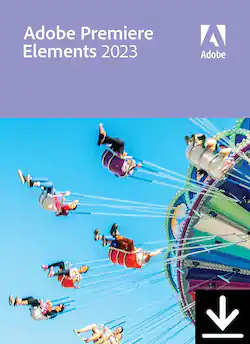
Adobe - Premiere Elements 2023 - Mac OS [Digital]
Model: ADO951800V551
SKU: 6517265
This item is no longer available in new condition. See similar items below
- Key Specs
- Operating System Compatibility: Mac OS
- Software Format: Digital (Physical software requires a disc, cartridge, etc. be inserted into the gaming console or computer to download and/or operate the software. Digital software allows for downloading and/or playing the software on the gaming console or computer without a physical disc, cartridge, etc. Physical (Download Code Only) software is purchased in physical form with a code that allows for downloading and/or playing the software on the gaming console or computer without a physical disc, cartridge, etc.)
- General
- Brand: Adobe
- Model Number: ADO951800V551
- Product Name: Premiere Elements 2023
- Publisher: Adobe
- Features
- Software Subject: Video editing
- Compatibility
- Operating System Compatibility: Mac OS
- Software Format: Digital (Physical software requires a disc, cartridge, etc. be inserted into the gaming console or computer to download and/or operate the software. Digital software allows for downloading and/or playing the software on the gaming console or computer without a physical disc, cartridge, etc. Physical (Download Code Only) software is purchased in physical form with a code that allows for downloading and/or playing the software on the gaming console or computer without a physical disc, cartridge, etc.)
- Requirements
- Digital Delivery Type: Download
- Other
- UPC: 883919285627
Whether you want to resize and trim or add creative effects and overlays, making awe-inspiring movies is easier than ever. With Adobe Sensei*, click once to transform your videos with effects inspired by famous works of art. Showcase your memories with new photo and video slideshow templates, and create the mood you want with new audio tracks. Plus, go beyond your desktop with new web and mobile companion apps (English-onlybeta), and enjoy faster installation and performance plus Apple M1 chip support. Have fun with the easy moviemaker for Mac and Windows.
- Click once to turn your videos into art: Transform your clips with effects inspired by famous works of art or popular art styles. Just like with Photoshop Elements, you can click to add an amazing artistic effect.
- Tell stories with all-new slideshow templates: Share your photos and videos in animated slideshows that feature a range of modern looks and themes.
- Try out great audio tracks: The perfect video needs the perfect soundtrack. Create just the feel you want with fresh audio tracks, including new options.
- Experience better performance and stability: Enjoy up to 35% faster installation and launch times. And since we've reduced the app size by up to 45%, less space is required on your computer.
- Apple M1 chip support: With full support for Apple M1 chip systems, you’ll enjoy up to 70% faster launch times and performance on Mac computers.
- Do more from any browser (English-only beta): Explore the new web companion app to access and view your edited Elements photos and videos from any browser, create collages and slideshows, and share the way you like.
- Have fun with your photos on the go (English-only beta): Try the new Android companion app to upload mobile photos and videos to Elements on desktop and web, do more creative and advanced editing on the desktop, and then access, view, and share back on your mobile.
- Enjoy ongoing companion app updates and included storage (English-only beta): The web and mobile beta apps are just the beginning—they’ll be updated throughout the year with new features. The apps are available to licensed Elements users and they come with 2GB of cloud storage.
- Auto-reframe your subject: Easily resize your videos for social media and more while keeping the most important part of the action in the frame. Works great for clips with a lot of movement, like a kid’s birthday party or a sporting event
- Make precise selections in video: Select a specific object—or area—of your video and easily apply an effect that tracks throughout the video, like brightening the subject or blurring the background.
- Improve grainy videos: Shot your video in low light? Make it look crisperwith a simple drag and drop of the Reduce Noise effect.
- Smart Trim: Smart Trim finds and brings together the best scenes based on the style of your video.
- Click once to turn your videos into art: Transform your clips with effects inspired by famous works of art or popular art styles. Just like with Photoshop Elements, you can click to add an amazing artistic effect.
- Tell stories with all-new slideshow templates: Share your photos and videos in animated slideshows that feature a range of modern looks and themes.
- Try out great audio tracks: The perfect video needs the perfect soundtrack. Create just the feel you want with fresh audio tracks, including new options.
- Experience better performance and stability: Enjoy up to 35% faster installation and launch times. And since we've reduced the app size by up to 45%, less space is required on your computer.
- Apple M1 chip support: With full support for Apple M1 chip systems, you’ll enjoy up to 70% faster launch times and performance on Mac computers.
- Do more from any browser (English-only beta): Explore the new web companion app to access and view your edited Elements photos and videos from any browser, create collages and slideshows, and share the way you like.
- Have fun with your photos on the go (English-only beta): Try the new Android companion app to upload mobile photos and videos to Elements on desktop and web, do more creative and advanced editing on the desktop, and then access, view, and share back on your mobile.
- Enjoy ongoing companion app updates and included storage (English-only beta): The web and mobile beta apps are just the beginning—they’ll be updated throughout the year with new features. The apps are available to licensed Elements users and they come with 2GB of cloud storage.
- Auto-reframe your subject: Easily resize your videos for social media and more while keeping the most important part of the action in the frame. Works great for clips with a lot of movement, like a kid’s birthday party or a sporting event
- Make precise selections in video: Select a specific object—or area—of your video and easily apply an effect that tracks throughout the video, like brightening the subject or blurring the background.
- Improve grainy videos: Shot your video in low light? Make it look crisperwith a simple drag and drop of the Reduce Noise effect.
- Smart Trim: Smart Trim finds and brings together the best scenes based on the style of your video.