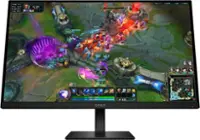
Alienware - AW2525HM 25" LCD FHD 320Hz 0.5-ms FreeSync and G-SYNC Gaming Monitor (HDMI, DisplayPort) - Black
 Dell - DA305 6-in-1 USB-C Universal Multiport Adapter Docking Station - Gray$79.99

More Buying Options
Related Item

Highlights
- Key Specs
- Refresh Rate: 320Hz (The number of frames per second the device can produce natively without enhancement. Higher rates help produce smooth, seamless pictures.)
- Maximum Resolution: 1920 x 1080 (Maximum resolution refers to the highest number of pixels that a screen can process and display. Higher resolution signals produce more detailed images.)
- Response Time: 0.5 milliseconds (The speed at which pixels can change colors is called response time. It is measured in milliseconds (ms).)
- Panel Type: IPS (Technology that affects response time and image quality.)
- Synchronization Technology: FreeSync Premium (AMD Adaptive Sync), G-SYNC (NVIDIA Adaptive Sync) (Generally, these technologies allow syncing between a computer/console game's frame rate and the device's refresh rate for a smoother display without tearing.)
- Screen Size: 24.5 inches (Size of the screen, measured diagonally from corner to corner.)
- Display Connector(s): 1 x DisplayPort 1.4, 2 x HDMI 2.1 (The number and type of connectors used to connect to an external display.)
- General
- Brand: Alienware
- Model Number: AW2525HM
- Product Name: AW2525HM 25" LCD FHD 320Hz 0.5-ms FreeSync and G-SYNC Gaming Monitor (HDMI, DisplayPort)
- Color: Black
- Operating System Compatibility: Windows
- Display
- Refresh Rate: 320Hz (The number of frames per second the device can produce natively without enhancement. Higher rates help produce smooth, seamless pictures.)
- Maximum Resolution: 1920 x 1080 (Maximum resolution refers to the highest number of pixels that a screen can process and display. Higher resolution signals produce more detailed images.)
- Contrast Ratio: 1000:1 (Measured difference between a displayed image's brightest whites and darkest blacks. The larger the first number, the more detail and color that can be displayed.)
- Response Time: 0.5 milliseconds (The speed at which pixels can change colors is called response time. It is measured in milliseconds (ms).)
- Display Type: LCD
- Panel Type: IPS (Technology that affects response time and image quality.)
- Synchronization Technology: FreeSync Premium (AMD Adaptive Sync), G-SYNC (NVIDIA Adaptive Sync) (Generally, these technologies allow syncing between a computer/console game's frame rate and the device's refresh rate for a smoother display without tearing.)
- Aspect Ratio: 16:9 (The measurement of the width of a screen compared to the height of a screen, expressed as a ratio.)
- Curved Screen: false
- Pixel Density: 90 pixels per inch (The number of pixels present per inch on the device's display. Higher pixel density improves the clarity and sharpness of the displayed image.)
- Brightness: 400 candela per square meter (A measure of the total light output.)
- Screen Size: 24.5 inches (Size of the screen, measured diagonally from corner to corner.)
- High Dynamic Range (HDR): false (An HDR-compatible 4K TV or other HDR-compatible product displays HDR video content when it's available from sources like 4K Ultra HD Blu-ray Discs and 4K streaming services.)
- Horizontal Viewing Angle: 178 degrees (The maximum angle at which the display can be viewed with acceptable visual performance from either side.)
- Vertical Viewing Angle: 178 degrees (The maximum angle at which the display can be viewed with acceptable visual performance from above or below.)
- Touch Screen: false (Touch-screen devices make navigating more intuitive. Using a touch-screen display, you can do things such as tap to select, hold and drag to move items, swipe to scroll, and pinch to zoom.)
- Display Surface: Anti-glare
- Color Gamut (NTSC): 99 percent
- Connectivity
- Number of DisplayPort Inputs (Total): 3
- Number of HDMI Inputs (Total): 2
- Display Connector(s): 1 x DisplayPort 1.4, 2 x HDMI 2.1 (The number and type of connectors used to connect to an external display.)
- Number of USB Ports (Total): 5
- USB Ports: 1 x USB-B, 3 x USB-A, 1 x USB-C (The number and type of USB ports the product has.)
- Number of USB-C Charging Ports: 1
- Number of USB-B Ports: 1
- Compatibility
- Wall Mountable: true (The product is able to be secured to a wall. Some products are designed ready to mount, while others may require additional hardware/accessories for installation.)
- VESA Wall Mount Standard: 100mm x 100mm (VESA wall mount standards refer to the spacing of screw holes built into a TV in order to fit with standard TV wall mounts. These standards are implemented into most TVs and monitors.)
- Features
- Adjustable Stand Height: true
- Anti-Glare: true (Product has features, such as a matte finish, that reduce the likelihood for screen glare.)
- Eye Relief Features: Anti-glare
- Built-In Webcam: false
- Integrated Speaker(s): false
- Dimensions
- Product Height With Stand: 15.38 inches
- Product Height Without Stand: 12.97 inches
- Product Width: 21.87 inches (The out of box width of the item. Width is measured as the horizontal distance from one side of the item to the other as it would be primarily used or placed.)
- Product Depth (With Stand): 8.11 inches
- Product Depth Without Stand: 2.71 inches
- Product Weight: 13.38 pounds (The out of box weight of the item.)
- Stand Included: true
- Power
- Power Consumption: 18.1 watts
- Power Saving/Off Mode: 0.3 watts (This mode will turn the display and/or the device off, or into a standby mode, after a preset length of time with no activity to conserve power.)
- Certifications Listings & Approvals
- ENERGY STAR Certified: false (Devices carrying the ENERGY STAR service mark, such as computer products and peripherals, kitchen appliances, and other products, generally use 20% to 30% less energy than required by federal standards.)
- EPEAT Qualified: false (The Electronic Product Environmental Assessment Tool (EPEAT) was designed to provide an environmental assessment tool for purchasers. In order to qualify for EPEAT, a product must meet all 23 required criteria.)
- Warranty
- Warranty - Parts: 3 Years Limited Hardware and Advanced Exchanged Service
- Warranty - Labor: 3 Years Limited Hardware and Advanced Exchanged Service
- Other
- UPC: 884116639640
Alienware 25 320Hz Gaming Monitor – AW2525HM. Gain your competitive edge with a 320Hz refresh rate and 0.5ms grey to grey response time, delivering ultra-smooth visuals and winner’s-circle-worthy color performance from every angle.
- Legendary performance: Games feel effortlessly smooth with adaptive sync technologies like NVIDIA G-SYNC Compatible, AMD FreeSync Premium and VESA AdaptiveSync.
- Minimize motion blur: 0.5ms* grey to grey response meets a 320Hz refresh rate to make high-speed objects look crisp and clear.
- Colorful clarity: See game details as intended with 99% sRGB color coverage.
- Game comfortably: ComfortView Plus hardware-based low blue light solution improves eye comfort and lessen distractions without color distortion.
- Effortless speed: See the difference in gameplay and clarity thanks to the 320 Hz refresh-rate, delivering ultra-smooth gameplay and lightning-fast reaction times.
- Legendary performance: Games feel effortlessly smooth with adaptive sync technologies like NVIDIA G-SYNC Compatible, AMD FreeSync Premium and VESA AdaptiveSync.
- Minimize motion blur: 0.5ms* grey to grey response meets a 320Hz refresh rate to make high-speed objects look crisp and clear.
- Colorful clarity: See game details as intended with 99% sRGB color coverage.
- Game comfortably: ComfortView Plus hardware-based low blue light solution improves eye comfort and lessen distractions without color distortion.
- Effortless speed: See the difference in gameplay and clarity thanks to the 320 Hz refresh-rate, delivering ultra-smooth gameplay and lightning-fast reaction times.
Whats Included
- Dell Alienware AW2525HM Widescreen LED Monitor
- Stand riser
- Stand base
- Power cable
- HDMI 2.1 TMDS cable (1.80 m)
- DisplayPort to DisplayPort 1.4 cable (1.80 m
- USB Type-A to Type-B 5Gbps cable (enables the USB ports on the monitor, 1.80 m
- Microfiber cloth
- QR Card, Alienware Sticker
- Safety, Environmental, and Regulatory Information
- Dell Alienware AW2525HM Widescreen LED Monitor
- Stand riser
- Stand base
- Power cable
- HDMI 2.1 TMDS cable (1.80 m)
- DisplayPort to DisplayPort 1.4 cable (1.80 m
- USB Type-A to Type-B 5Gbps cable (enables the USB ports on the monitor, 1.80 m
- Microfiber cloth
- QR Card, Alienware Sticker
- Safety, Environmental, and Regulatory Information
Disclaimers
- *0.5ms (grey-to-grey min), 1ms (grey-to-grey most observed) in Extreme mode.
- *0.5ms (grey-to-grey min), 1ms (grey-to-grey most observed) in Extreme mode.
Q: What is the refresh rate with the hdmi port?
A: HDMI 2.1: Up to 255 Hz at Full HD (1920 × 1080) So, if you want the full 320 Hz, you’ll need to use DisplayPort. HDMI is still very fast at 255 Hz, which is excellent for most gaming setups.
Q: Can I get 320hz through the HDMI port or only the display port
A: DisplayPort 1.4 is required for the full 320Hz refresh rate.
Q: Does this have hdmi 2.0 or 2.1? Does anyone know.
A: It is HDMI 2.1.
Compare similar products

Alienware 25 320Hz Gaming Monitor – AW2525HM. Gain your competitive edge with a 320Hz refresh rate and 0.5ms grey to grey response time, delivering ultra-smooth visuals and winner’s-circle-worthy color performance from every angle.

Alienware 27 Gaming Monitor - AW2725DM. Bring your favorite games to life in a 27” QHD gaming monitor featuring a Fast IPS panel, vivid color and smooth visuals.

The Alienware AW2724HF 27" Gaming Monitor with a 360Hz variable refresh rate and blazing-fast 0.5ms GtG (Gray to Gray) response time, you’ll experience unbelievably smooth gameplay while being able to view fast-moving graphics with incredible clarity for a quicker in-game reaction time. AMD FreeSync Premium Technology and VESA Adaptive Sync certification lets you experience stutter-free, tear-free gaming and crystal-clear graphics, even during action packed sequences.

The Alienware 25" Gaming Monitor with a 360Hz variable refresh rate and blazing-fast 0.5ms GtG (Gray to Gray) response time, you’ll experience unbelievably smooth gameplay while being able to view fast-moving graphics with incredible clarity for a quicker in-game reaction time. AMD FreeSync Premium Technology and VESA Adaptive Sync certification lets you experience stutter-free, tear-free gaming and crystal-clear graphics, even during action packed sequences.
| Pros for Alienware - AW2525HM 25" LCD FHD 320Hz 0.5-ms FreeSync and G-SYNC Gaming Monitor (HDMI, DisplayPort) - Black | |||
|---|---|---|---|
| Color Quality, Refresh Rate, Connectivity, Stand Design, Performance | Color Quality, Refresh Rate, Connectivity, Resolution, Design | Overall Performance, Refresh Rate, Color, DisplayPort, Display | Refresh Rate, Overall Performance, Gaming, Price, FPS |
| Cons for Alienware - AW2525HM 25" LCD FHD 320Hz 0.5-ms FreeSync and G-SYNC Gaming Monitor (HDMI, DisplayPort) - Black | |||
| There were no cons for this product— | Speakers | Speakers, Ghosting | Speakers |
Specs
Reviews
Customer Images
The vast majority of our reviews come from verified purchases. Reviews from customers may include My Best Buy members, employees, and Tech Insider Network members (as tagged). Select reviewers may receive discounted products, promotional considerations or entries into drawings for honest, helpful reviews.
- Rated 5 out of 5 stars
Out of This World (For the Most Part)
PROS + wicked fast display, up to 320 Hz + high color accuracy and vibrant display + creative and ergo-friendly stand with lots of adjustment + USB ports along the bottom for easy access + headphone hook is a nice touch CONS - 1080p - IPS panel (not as much 'richness' or contrast as OLED) - no audio jacks NEGOTIABLES > only two downstream USB-A ports. Fine for most, but worth noting 1080p in 2025 is a rough pitch, but Alienware somehow pulled it off! From the start, the packaging is phenomenal. That's usually not a highlight of most products, and it certainly isn't the highlight of the AW2525HM (side note: can we start a standard of more human-friendly names for monitors?), but it is a perk that I feel is worth mentioning after unboxing a fair amount of monitors in my life. The clamshell-style box is a fantastic choice, and I particularly appreciated that all four cables (HDMI, DP, USB, power) were neatly wrapped and included, and that there was almost no waste plastic at all (good job, Dell!); overall, a 10/10 experience when so much tech still comes absolutely drowning in plastic that will never get recycled. I was also thoroughly impressed by the stand. Biggest points: it has height, tilt, and rotation adjustment, and feels quite solid to boot. It's a fun design, too. The "floating" look is a cute touch for the brand, and while I wish the stand went a teensy bit higher and had better cable management, it is a step above many included budget monitor stands. The screen itself is brilliant, especially for a budget gaming IPS monitor. It's bright and smooth and feels buttery smooth. I tend to err on the side of believing firmly that the past 120 Hz you're paying for diminishing returns, but I have to admit the 320 Hz is impressive and noticeably smoother. I found myself actually in awe at times while gaming. There's no real detectable input lag or ghosting that I could detect, which is great for a monitor so heavily geared towards gaming. Color accuracy is surprisingly solid, especially for a gaming monitor. I did find it runs ever so slightly warm out of the box, and the standard preset adds a bit of "flavor blasting" by boosting the colors in a way that can be undesirable for some. Luckily, you can tweak the color settings, and the sRGB preset helps rectify that slightly, though that preset comes at the cost of saturation. Still, with tweaking in the custom preset, it's hard to dislike. I use a BenQ PD2700U for most of my professional work, which costs a good deal more than the Alienware and is obviously more color-accurate, but found myself surprised that looking between the two, the Alienware *still* looked great. It would be more than enough for the vast majority of use cases, including gaming and consuming content, and it would even suit creative work that doesn't rely on precise color accuracy. I found the brightness was impressive as well; if it doesn't hit the advertised 400 nits, I'd be shocked. 75%, the default, is plenty, and 100% is pretty blinding. The only gripe that I have with the monitor is that 1080p is suboptimal for text, specifically, which makes this hard to sell as a vertical side monitor...not an issue as it's a fantastic main one, though! My original intention was to use it for that purpose and replace my current side monitor, but it's harsher to read text on, especially smaller text, than my current one (the BenQ GW2480, which specifically has "eye care tech" that seems to work well for this purpose). Ultimately, however, the Alienware's such a good monitor that I ended up flipping it back to landscape and using it for watching content and playing games instead. Win/win! Additionally, there are appreciated little features in the monitor itself. Those include a number of presets aimed at different use cases (such as sports or MOBA/RTS), customizable shortcut keys to easily access menu items such as brightness and contrast, and even a clever pop-out headphone holder on the top left — despite the ironic lack of a headphone jack, or any audio ports whatsoever. The holographic Alienware logo on the back is another cute touch. I'll admit, I am not a fan of the "nipple" to navigate monitor menus, but with some practice, you do get used to it. I/O is decent but not the best I've ever seen; it's better than nothing, though, and I do appreciate that the two downstream USB-A ports to connect peripherals are placed on the bottom of the monitor for easy access. It's a feature I haven't encountered before and is surprisingly useful. I did test out the Alienvision feature, but have never used these while gaming, and find them a tad gimmicky. You may be happy to know there are three variations of the vision overlay, and you can customize them somewhat if you so desire. The major catches I can think of after using this monitor for a few days are that it is "only" 1080p (although it still feels fantastic to use and watch/play media and games on, thanks to the high refresh rate as well as the incredible color accuracy and brightness) and bizarrely lacks any audio jacks whatsoever. These might be dealbreakers for some, but if you can overlook them, you may just find yourself thoroughly pleased with this monitor. I have heard hype around the Alienware monitors specifically and always wondered why, and they've just made a new convert of me. It's fast, it's well-built, it looks great, and the little touches in the design make me feel that someone somewhere in that product design team, actually cared about what they were doing enough to put those little touches that could easily be missed or omitted entirely for the sake of profit. This could so easily have been just another cheap rectangle on a rectangle stand with no unique points at all, and yet it manages to cram charm points where other monitors fall a bit flat (such as the included stand and headphone holder). Are they *necessary*? Not really, but they are pleasant perks on a monitor that was already excellent. I would happily recommend the AW2525HM to any competitive gamers, gamers in general, casual users, as well as creatives and professionals who don't need perfect color accuracy. It has far exceeded my expectations, from unboxing to use.
Posted by R Tanaka
- Rated 5 out of 5 stars
Good space-saving monitor
A pretty good monitor. THE GOOD: ~ 320Mhz refresh rate ~ Sleek design ~ Easy set up ~ Nice packaging (neat and easy to locate things) ~ Numerous presets for color ~ Pop-out headphone rest ~ Plenty of inputs (1xDP and 2xHDMI) ~ Charging port (USB-A unfortunately)~ Highly adjustable~ Plug and play THE BAD ~ Power light THE MEH (Could go either way) ~ Power Light ~ Charging port not USB-C ~ Upstream USB port ~ 1080p ~ No HDR OVERALL Everything came neatly packaged and was easy to locate. Setup was a breeze, too. It was a matter of screwing the base onto the stand. No screwdriver is required because the screw has a tab you can simply lift and twist. I hooked up the Display Port and power and was done. I normally run a 2k 27" monitor, but I needed another monitor for a different rig and this is Alienware, so I had to try it out. I have several AW products and love them all. The colors are good on the monitor. To be honest, it depends on what you're looking at and which setting you're using. Some settings are warmer and others are cooler. (Red vs blue tints). There was minimal banding on tests. Gaming, working, and video watching all look good. Watching hi-res videos of nature (a test I use on all monitors) proves some brilliant and beautiful colors. Game play was very smooth and enjoyable (despite the one hiccup detailed at the end of this). When facing the monitor, there is a button on the upper left edge. If you press it, a bar pops out. This is nice if you use a headset during work or gaming. It is a space saver and allows you to simply hang up your headset when you're done. Very nice touch. Not only can you easily raise and lower the monitor to the appropriate height, but you can adjust the tilt and even rotate it. There is no on-board sound. To me, that's a good thing. I don't understand why so many companies waste time, effort, and materials (then pass those costs to a consumer) putting in a 2w speaker that is just below tin-can quality. The one thing I do not like is the power button. It is a bright white light.I find it annoying. It wouldn't be so bad if it were blue, but the white is stark against the black frame. THE BIG QUESTION:Would I recommend this to someone?Yes, but with some caveats. This monitor won't be for every gamer. I think this would be an excellent monitor for the college student who has limited dorm-room space, but wants to be able to work and game. THE HICCUP: When I first loaded into World of Tanks (game), I hated this monitor. My game was dark and the video was extremely choppy. I hit the joystick button on the monitor and changed the setting to the FPS preset. The color was much better, however, gameplay was still rough. What I like about this monitor is as I was changing the video setting, it told me what my refresh rate was. That was the problem. It was 24Mhz. Windows had defaulted down to 60Mhz. Changing to 320Mhz in Windows didn't fix the game problem. The game had actually dropped it to 24Mhz. Once I changed the in-game setting to 320, it flowed very smoothly. So, if you're using it as a gaming monitor and the video is laggy, check the refresh rate.
Posted by BamaBubba
- Rated 5 out of 5 stars
Great for gaming!
Finally getting some good quality frames and refresh rate!
Posted by Nicolle