Customer Ratings & Reviews
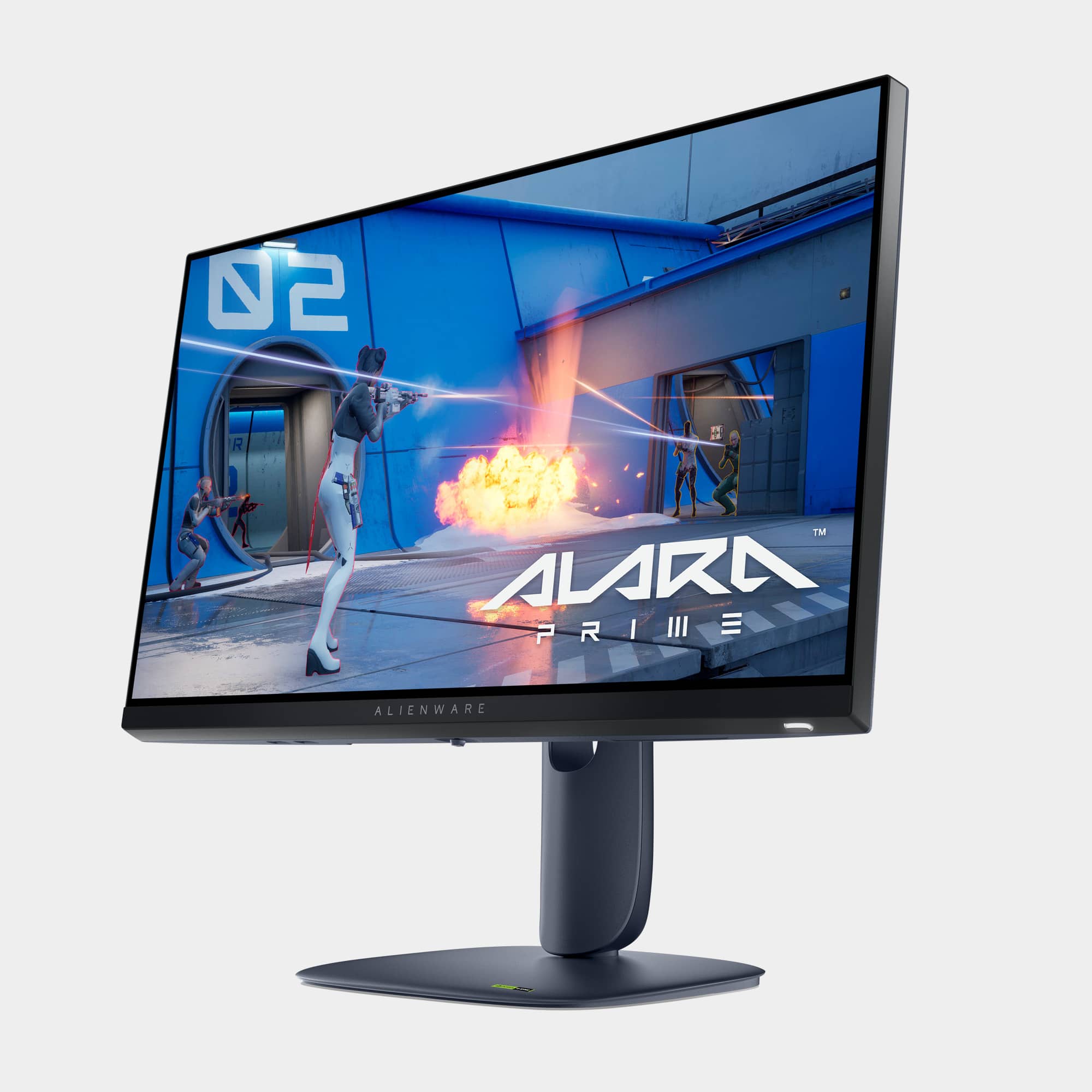
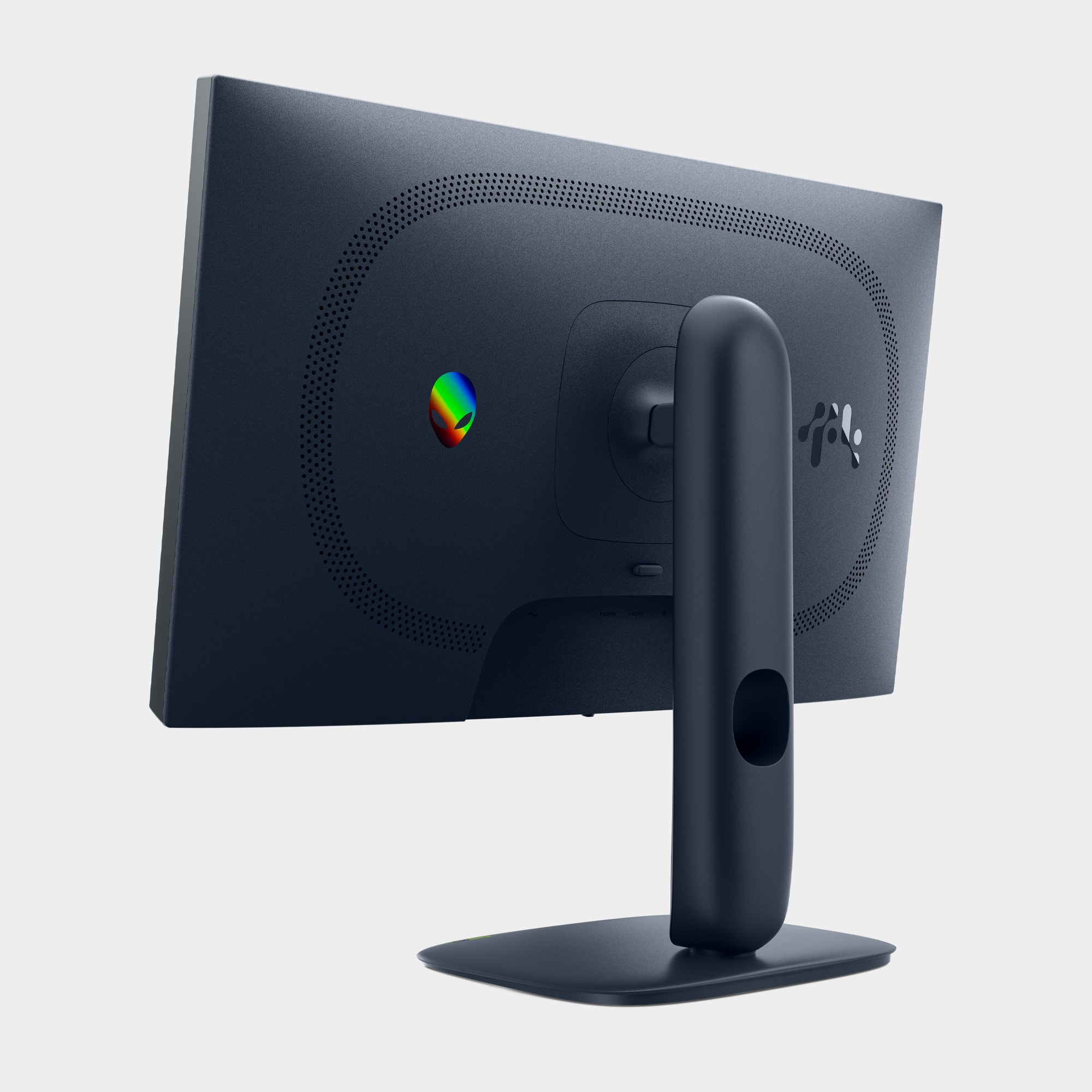
- Model:
- AW2525HM
- SKU:
- 6640500
Rating by feature
- Display Quality
Rating 4.8 out of 5 stars
- Ease of Use
Rating 4.9 out of 5 stars
- Features
Rating 4.7 out of 5 stars
Customers are saying
Customers are impressed with the AW2525HM gaming monitor, particularly its vibrant color quality and high refresh rate, which contributes to outstanding performance for an IPS panel. The monitor's stand design is solid and adjustable, and it offers good connectivity with DisplayPort and HDMI inputs. Additional features like the inclusion of HDMI cables and a built-in headset hanger are also appreciated.
This summary was generated by AI based on customer reviews.
- Pros mentioned:Overall performance
Very happy
||Posted . Owned for 1 month when reviewed.This reviewer received promo considerations or sweepstakes entry for writing a review.Absolutely love this monitor, perfect size for me. Great proformance. Very happy with purchase.
I would recommend this to a friend Great monitor for the price
||Posted . Owned for 1 month when reviewed.This reviewer received promo considerations or sweepstakes entry for writing a review.I’m very happy with this monitor. The picture quality is excellent, colors are bright and sharp, and it works perfectly for everyday use. Setup was quick and easy. For the price, it’s a great value and I definitely recommend it
I would recommend this to a friend- Pros mentioned:Refresh rate
Foortnite
||Posted .This reviewer received promo considerations or sweepstakes entry for writing a review.Great for Fortnite. Great refresh rate. Donald Mustard recommended this to me.
I would recommend this to a friend - Pros mentioned:Refresh rate
Good monitor
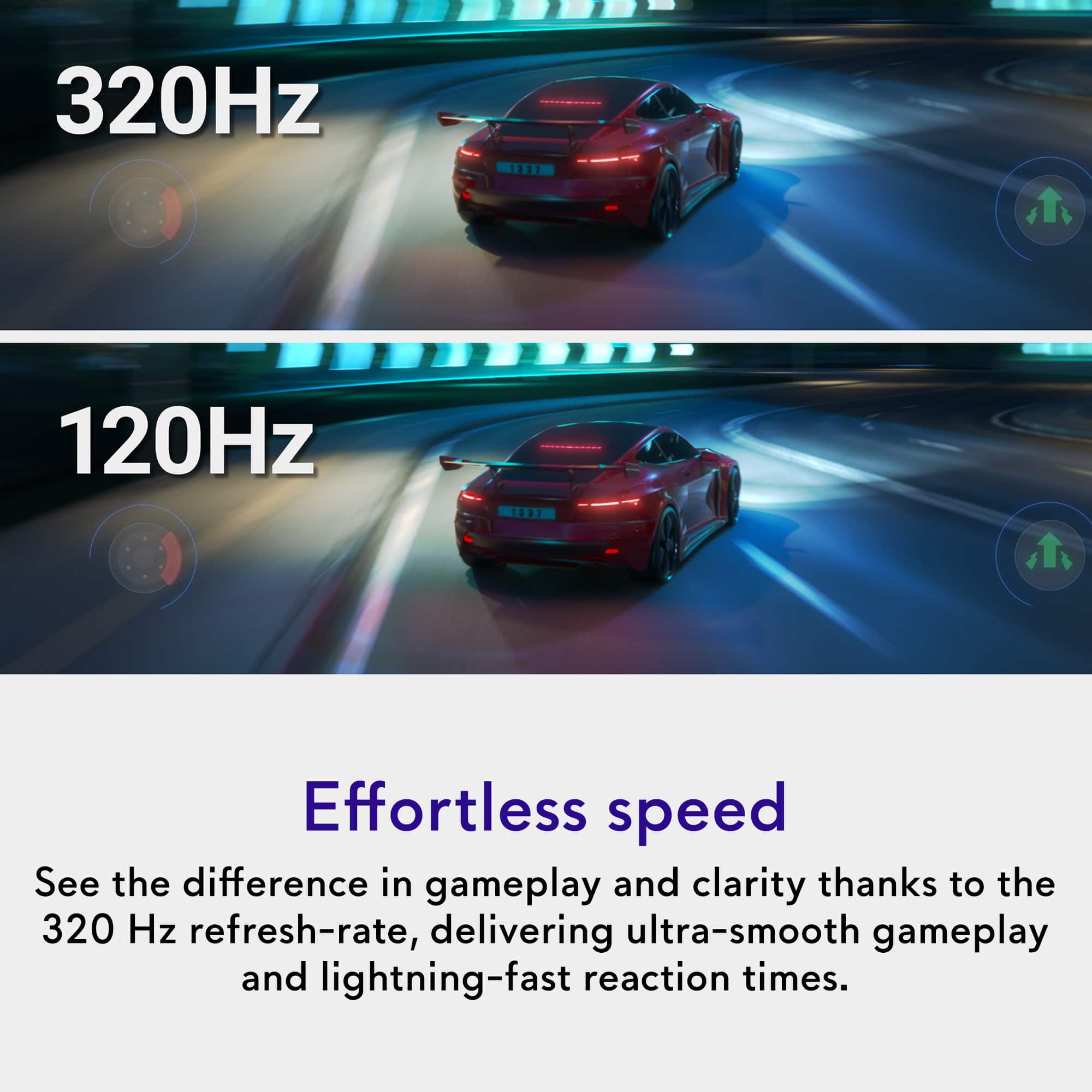
||Posted .This reviewer received promo considerations or sweepstakes entry for writing a review.Great monitor for gaming went from 140 hz to 320 hz game changer highly recommended
I would recommend this to a friend - Pros mentioned:Refresh rate
Great for gaming!
||Posted . Owned for less than 1 week when reviewed.This reviewer received promo considerations or sweepstakes entry for writing a review.Finally getting some good quality frames and refresh rate!
I would recommend this to a friend - Pros mentioned:Connectivity, Design, Overall performance

Good space-saving monitor
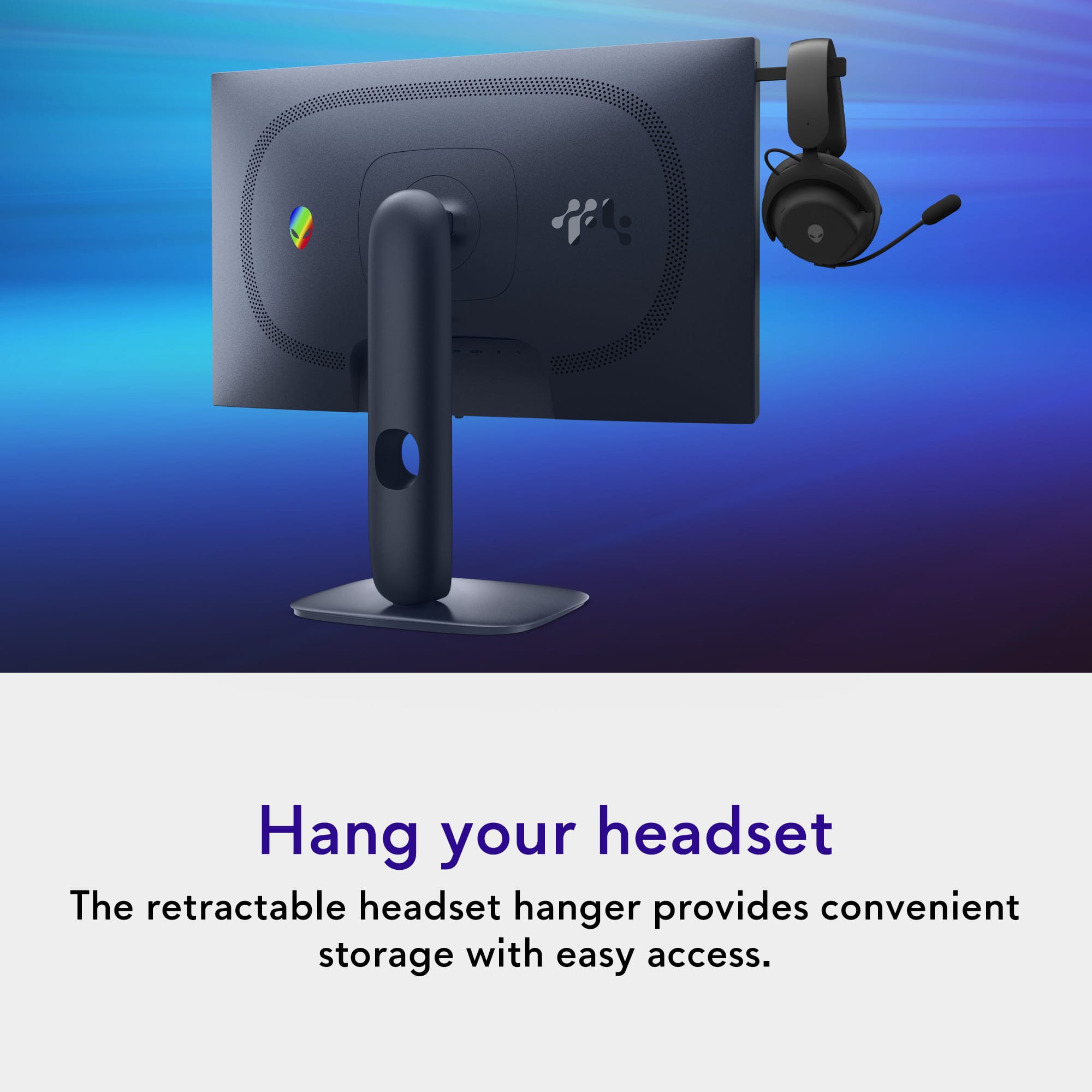
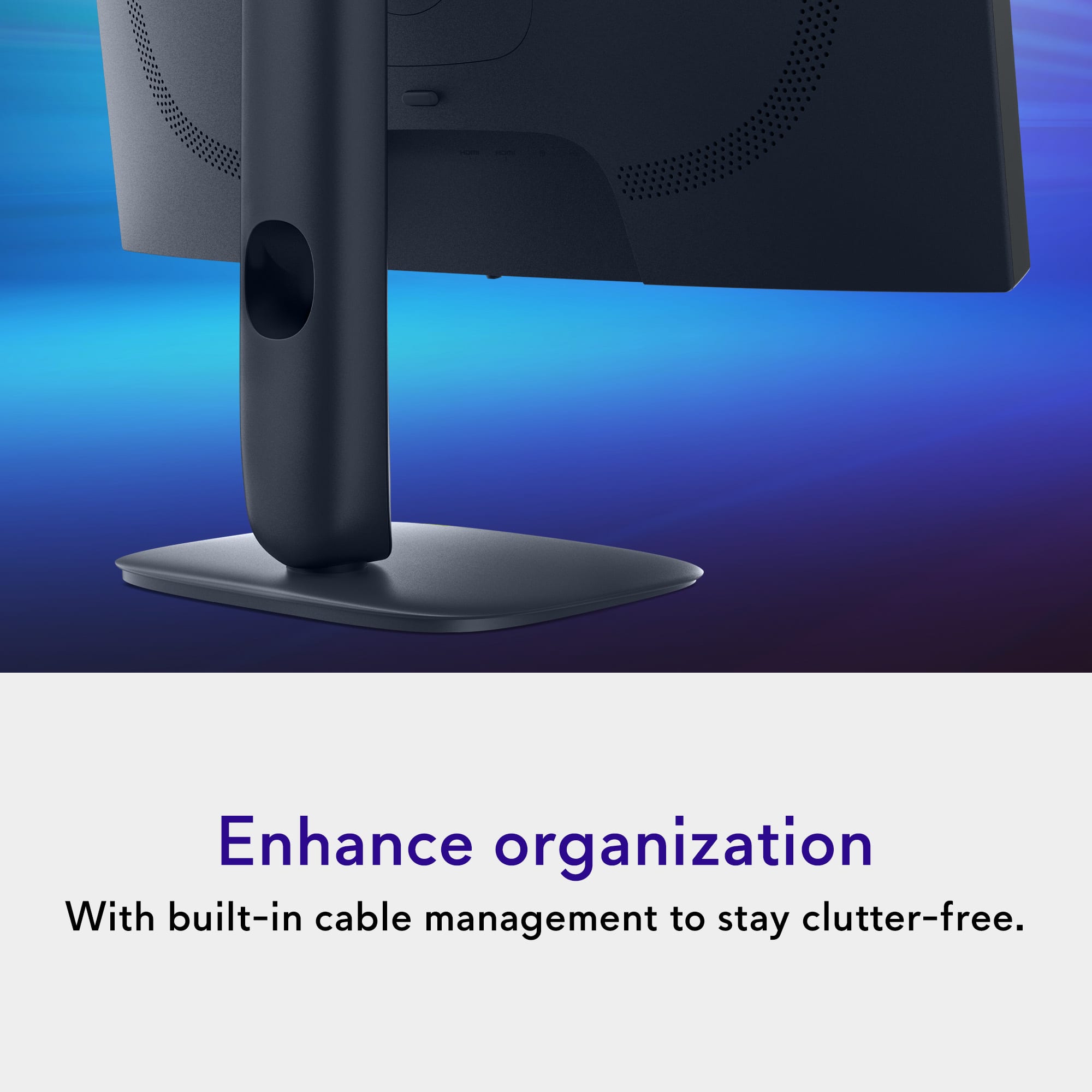
|Posted .This reviewer received promo considerations or sweepstakes entry for writing a review.A pretty good monitor. THE GOOD: ~ 320Mhz refresh rate ~ Sleek design ~ Easy set up ~ Nice packaging (neat and easy to locate things) ~ Numerous presets for color ~ Pop-out headphone rest ~ Plenty of inputs (1xDP and 2xHDMI) ~ Charging port (USB-A unfortunately)~ Highly adjustable~ Plug and play THE BAD ~ Power light THE MEH (Could go either way) ~ Power Light ~ Charging port not USB-C ~ Upstream USB port ~ 1080p ~ No HDR OVERALL Everything came neatly packaged and was easy to locate. Setup was a breeze, too. It was a matter of screwing the base onto the stand. No screwdriver is required because the screw has a tab you can simply lift and twist. I hooked up the Display Port and power and was done. I normally run a 2k 27" monitor, but I needed another monitor for a different rig and this is Alienware, so I had to try it out. I have several AW products and love them all. The colors are good on the monitor. To be honest, it depends on what you're looking at and which setting you're using. Some settings are warmer and others are cooler. (Red vs blue tints). There was minimal banding on tests. Gaming, working, and video watching all look good. Watching hi-res videos of nature (a test I use on all monitors) proves some brilliant and beautiful colors. Game play was very smooth and enjoyable (despite the one hiccup detailed at the end of this). When facing the monitor, there is a button on the upper left edge. If you press it, a bar pops out. This is nice if you use a headset during work or gaming. It is a space saver and allows you to simply hang up your headset when you're done. Very nice touch. Not only can you easily raise and lower the monitor to the appropriate height, but you can adjust the tilt and even rotate it. There is no on-board sound. To me, that's a good thing. I don't understand why so many companies waste time, effort, and materials (then pass those costs to a consumer) putting in a 2w speaker that is just below tin-can quality. The one thing I do not like is the power button. It is a bright white light.I find it annoying. It wouldn't be so bad if it were blue, but the white is stark against the black frame. THE BIG QUESTION:Would I recommend this to someone?Yes, but with some caveats. This monitor won't be for every gamer. I think this would be an excellent monitor for the college student who has limited dorm-room space, but wants to be able to work and game. THE HICCUP: When I first loaded into World of Tanks (game), I hated this monitor. My game was dark and the video was extremely choppy. I hit the joystick button on the monitor and changed the setting to the FPS preset. The color was much better, however, gameplay was still rough. What I like about this monitor is as I was changing the video setting, it told me what my refresh rate was. That was the problem. It was 24Mhz. Windows had defaulted down to 60Mhz. Changing to 320Mhz in Windows didn't fix the game problem. The game had actually dropped it to 24Mhz. Once I changed the in-game setting to 320, it flowed very smoothly. So, if you're using it as a gaming monitor and the video is laggy, check the refresh rate.
I would recommend this to a friend AW2525HM
||Posted . Owned for 1 week when reviewed.This reviewer received promo considerations or sweepstakes entry for writing a review.great monitor amazing colors and has nice features.
I would recommend this to a friend- Pros mentioned:DesignCons mentioned:Audio output
Out of This World (For the Most Part)
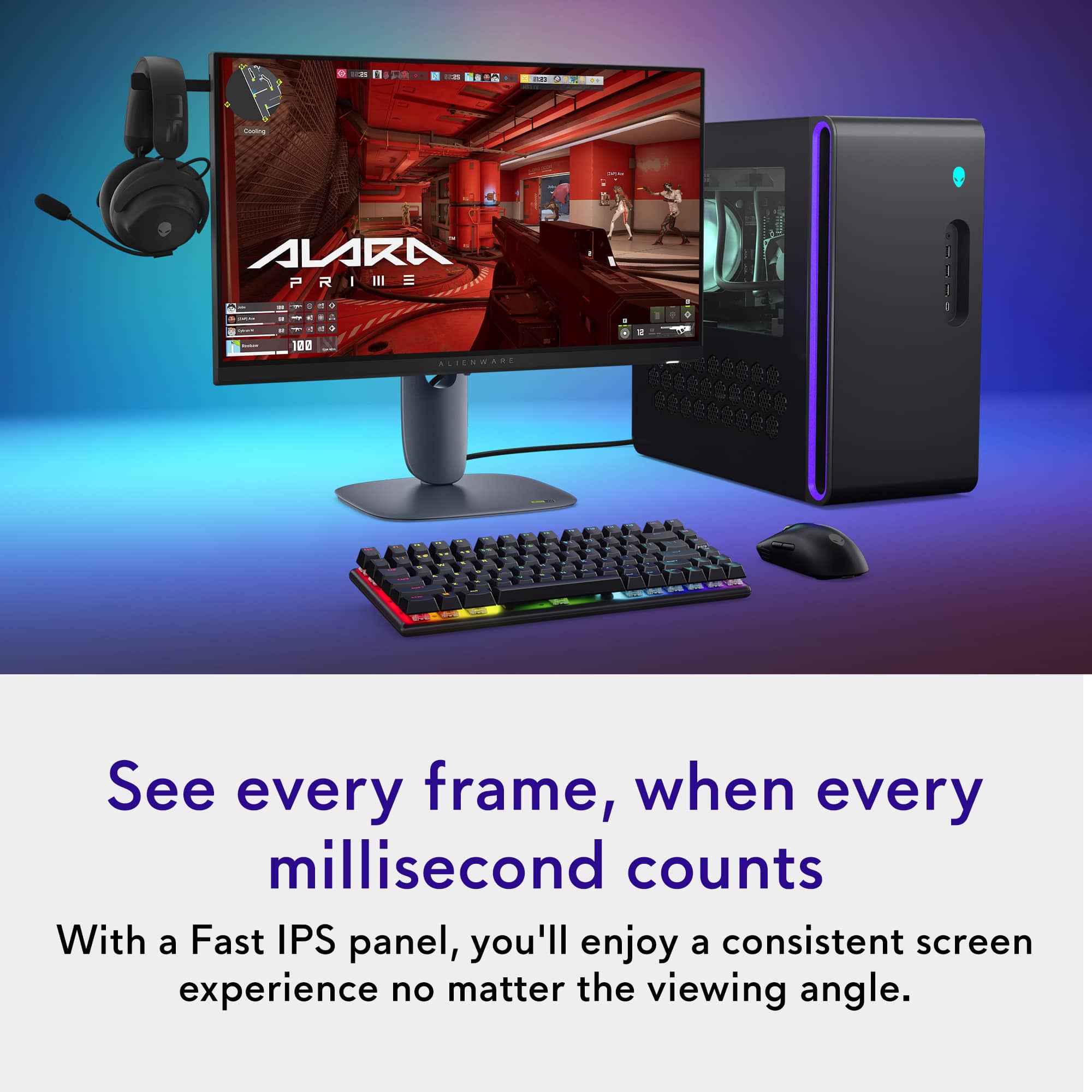
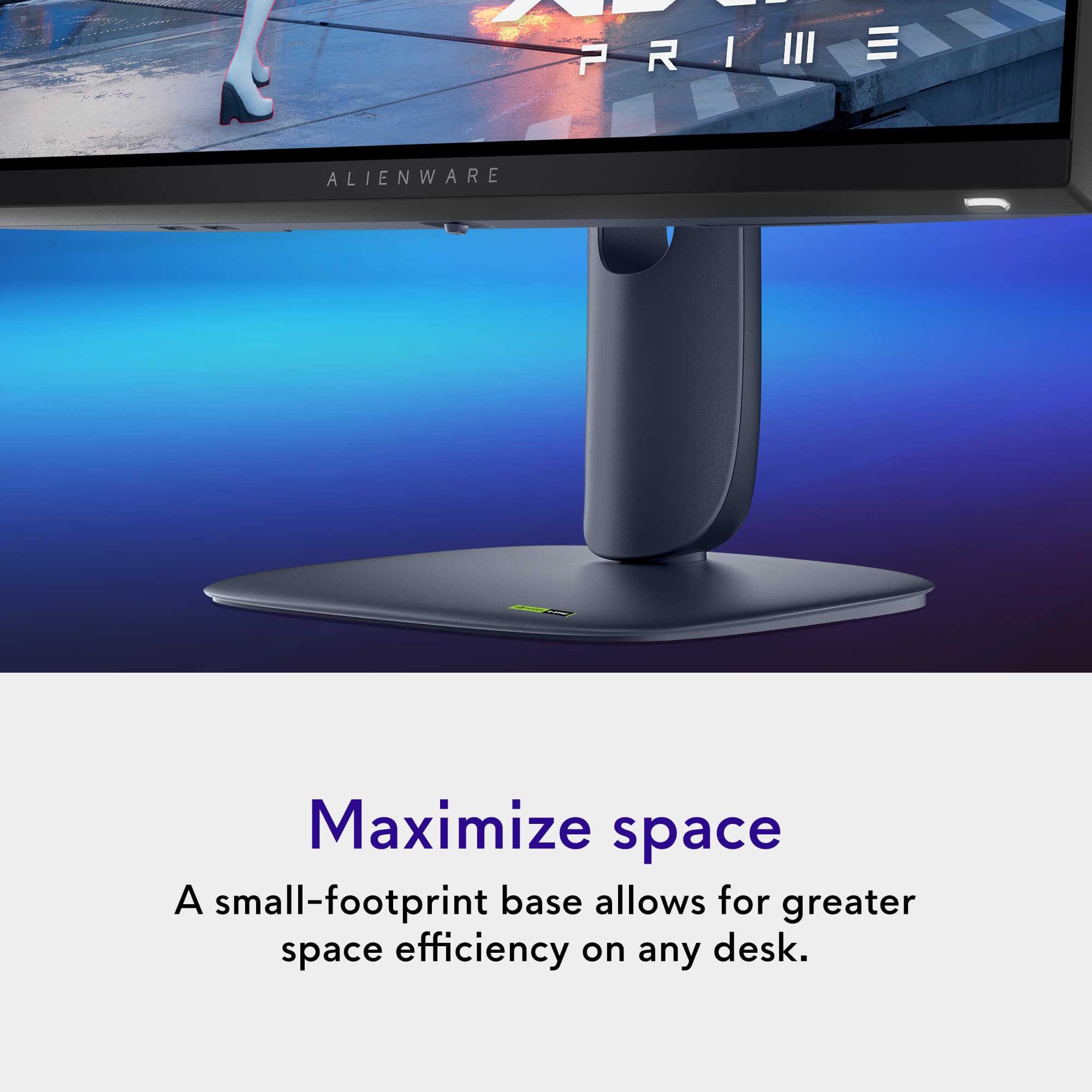
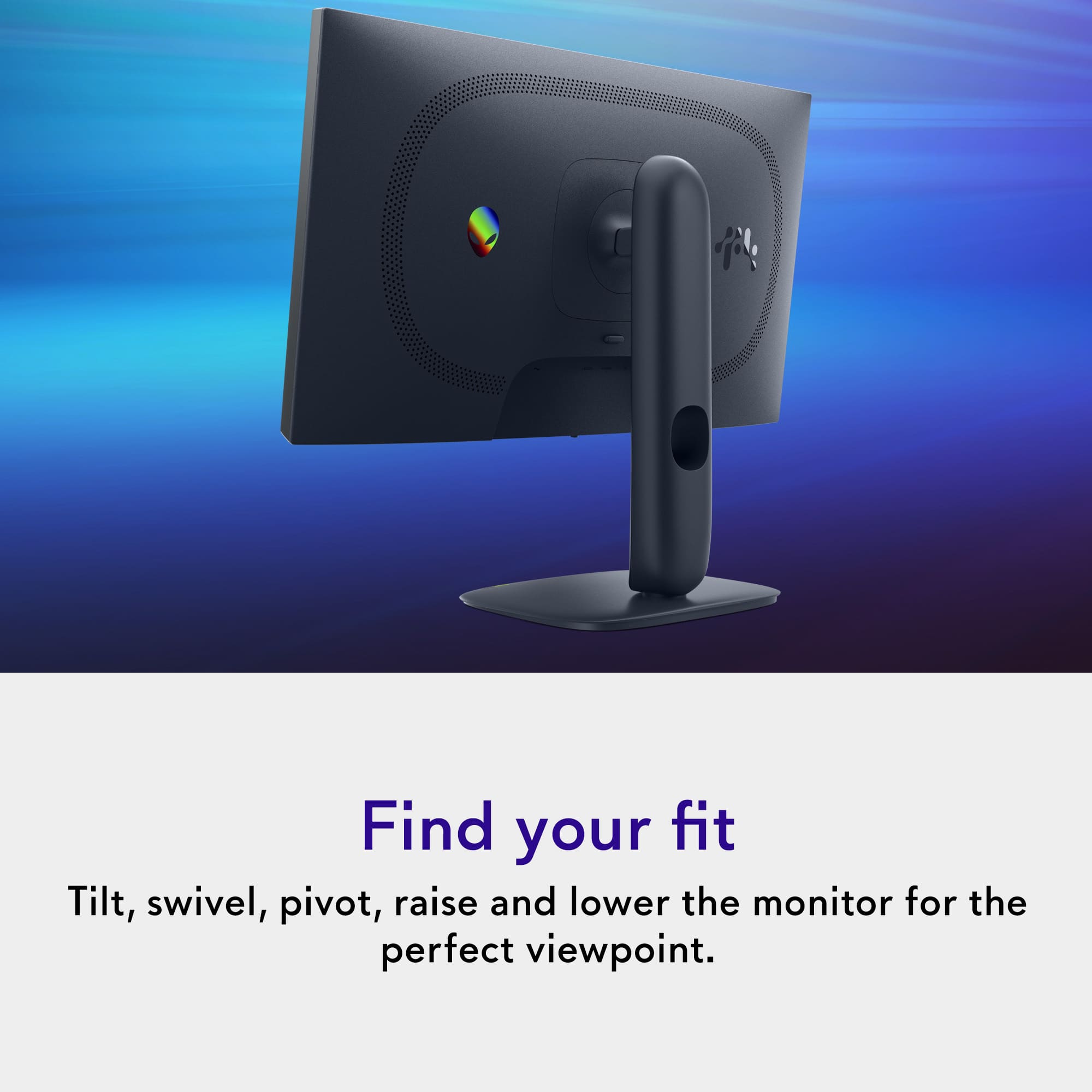
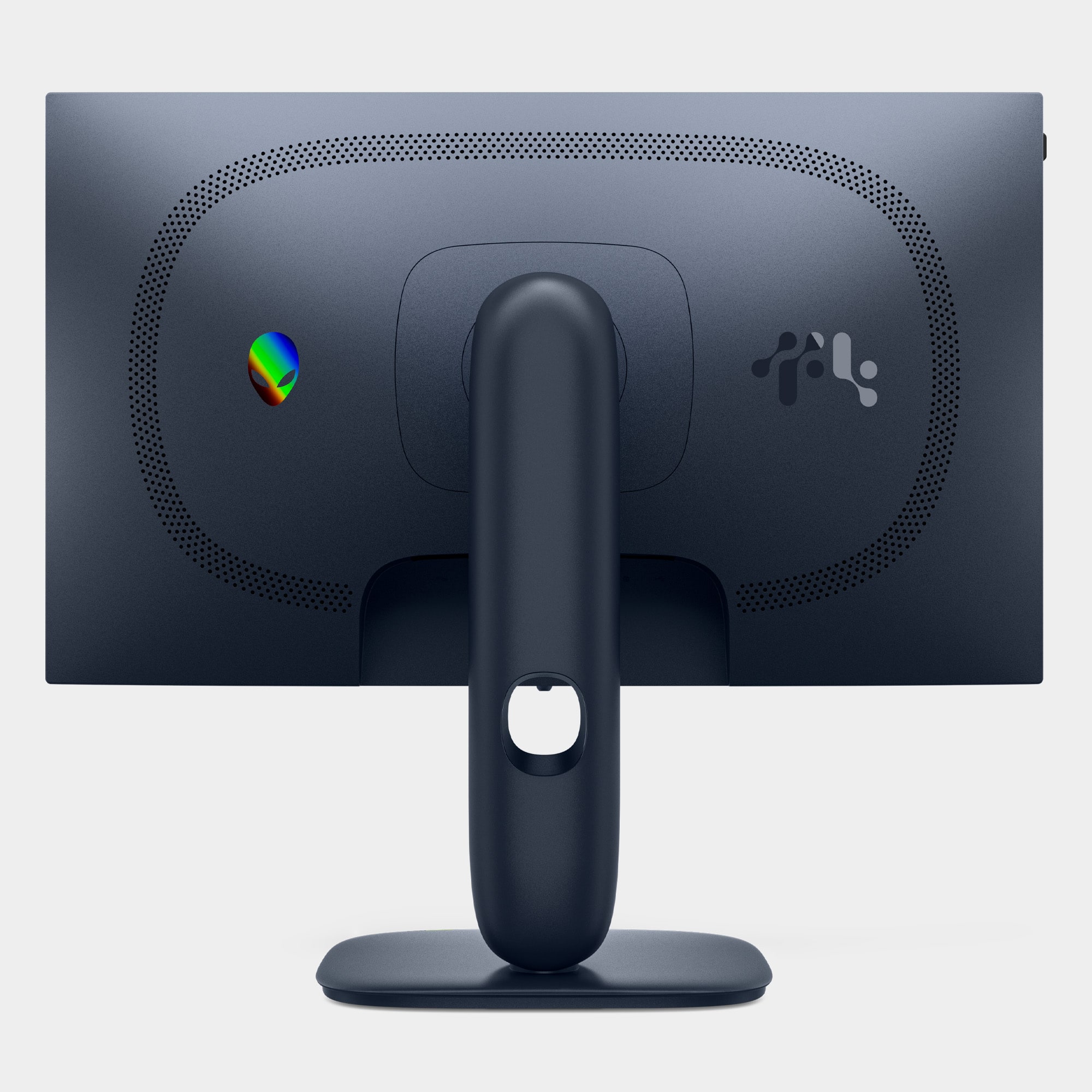
|Posted .This reviewer received promo considerations or sweepstakes entry for writing a review.PROS + wicked fast display, up to 320 Hz + high color accuracy and vibrant display + creative and ergo-friendly stand with lots of adjustment + USB ports along the bottom for easy access + headphone hook is a nice touch CONS - 1080p - IPS panel (not as much 'richness' or contrast as OLED) - no audio jacks NEGOTIABLES > only two downstream USB-A ports. Fine for most, but worth noting 1080p in 2025 is a rough pitch, but Alienware somehow pulled it off! From the start, the packaging is phenomenal. That's usually not a highlight of most products, and it certainly isn't the highlight of the AW2525HM (side note: can we start a standard of more human-friendly names for monitors?), but it is a perk that I feel is worth mentioning after unboxing a fair amount of monitors in my life. The clamshell-style box is a fantastic choice, and I particularly appreciated that all four cables (HDMI, DP, USB, power) were neatly wrapped and included, and that there was almost no waste plastic at all (good job, Dell!); overall, a 10/10 experience when so much tech still comes absolutely drowning in plastic that will never get recycled. I was also thoroughly impressed by the stand. Biggest points: it has height, tilt, and rotation adjustment, and feels quite solid to boot. It's a fun design, too. The "floating" look is a cute touch for the brand, and while I wish the stand went a teensy bit higher and had better cable management, it is a step above many included budget monitor stands. The screen itself is brilliant, especially for a budget gaming IPS monitor. It's bright and smooth and feels buttery smooth. I tend to err on the side of believing firmly that the past 120 Hz you're paying for diminishing returns, but I have to admit the 320 Hz is impressive and noticeably smoother. I found myself actually in awe at times while gaming. There's no real detectable input lag or ghosting that I could detect, which is great for a monitor so heavily geared towards gaming. Color accuracy is surprisingly solid, especially for a gaming monitor. I did find it runs ever so slightly warm out of the box, and the standard preset adds a bit of "flavor blasting" by boosting the colors in a way that can be undesirable for some. Luckily, you can tweak the color settings, and the sRGB preset helps rectify that slightly, though that preset comes at the cost of saturation. Still, with tweaking in the custom preset, it's hard to dislike. I use a BenQ PD2700U for most of my professional work, which costs a good deal more than the Alienware and is obviously more color-accurate, but found myself surprised that looking between the two, the Alienware *still* looked great. It would be more than enough for the vast majority of use cases, including gaming and consuming content, and it would even suit creative work that doesn't rely on precise color accuracy. I found the brightness was impressive as well; if it doesn't hit the advertised 400 nits, I'd be shocked. 75%, the default, is plenty, and 100% is pretty blinding. The only gripe that I have with the monitor is that 1080p is suboptimal for text, specifically, which makes this hard to sell as a vertical side monitor...not an issue as it's a fantastic main one, though! My original intention was to use it for that purpose and replace my current side monitor, but it's harsher to read text on, especially smaller text, than my current one (the BenQ GW2480, which specifically has "eye care tech" that seems to work well for this purpose). Ultimately, however, the Alienware's such a good monitor that I ended up flipping it back to landscape and using it for watching content and playing games instead. Win/win! Additionally, there are appreciated little features in the monitor itself. Those include a number of presets aimed at different use cases (such as sports or MOBA/RTS), customizable shortcut keys to easily access menu items such as brightness and contrast, and even a clever pop-out headphone holder on the top left — despite the ironic lack of a headphone jack, or any audio ports whatsoever. The holographic Alienware logo on the back is another cute touch. I'll admit, I am not a fan of the "nipple" to navigate monitor menus, but with some practice, you do get used to it. I/O is decent but not the best I've ever seen; it's better than nothing, though, and I do appreciate that the two downstream USB-A ports to connect peripherals are placed on the bottom of the monitor for easy access. It's a feature I haven't encountered before and is surprisingly useful. I did test out the Alienvision feature, but have never used these while gaming, and find them a tad gimmicky. You may be happy to know there are three variations of the vision overlay, and you can customize them somewhat if you so desire. The major catches I can think of after using this monitor for a few days are that it is "only" 1080p (although it still feels fantastic to use and watch/play media and games on, thanks to the high refresh rate as well as the incredible color accuracy and brightness) and bizarrely lacks any audio jacks whatsoever. These might be dealbreakers for some, but if you can overlook them, you may just find yourself thoroughly pleased with this monitor. I have heard hype around the Alienware monitors specifically and always wondered why, and they've just made a new convert of me. It's fast, it's well-built, it looks great, and the little touches in the design make me feel that someone somewhere in that product design team, actually cared about what they were doing enough to put those little touches that could easily be missed or omitted entirely for the sake of profit. This could so easily have been just another cheap rectangle on a rectangle stand with no unique points at all, and yet it manages to cram charm points where other monitors fall a bit flat (such as the included stand and headphone holder). Are they *necessary*? Not really, but they are pleasant perks on a monitor that was already excellent. I would happily recommend the AW2525HM to any competitive gamers, gamers in general, casual users, as well as creatives and professionals who don't need perfect color accuracy. It has far exceeded my expectations, from unboxing to use.
I would recommend this to a friend - Pros mentioned:Connectivity, Design, Refresh rateCons mentioned:Sharpness
Everything I was looking for in a monitor!
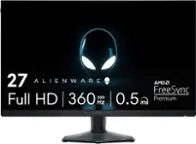
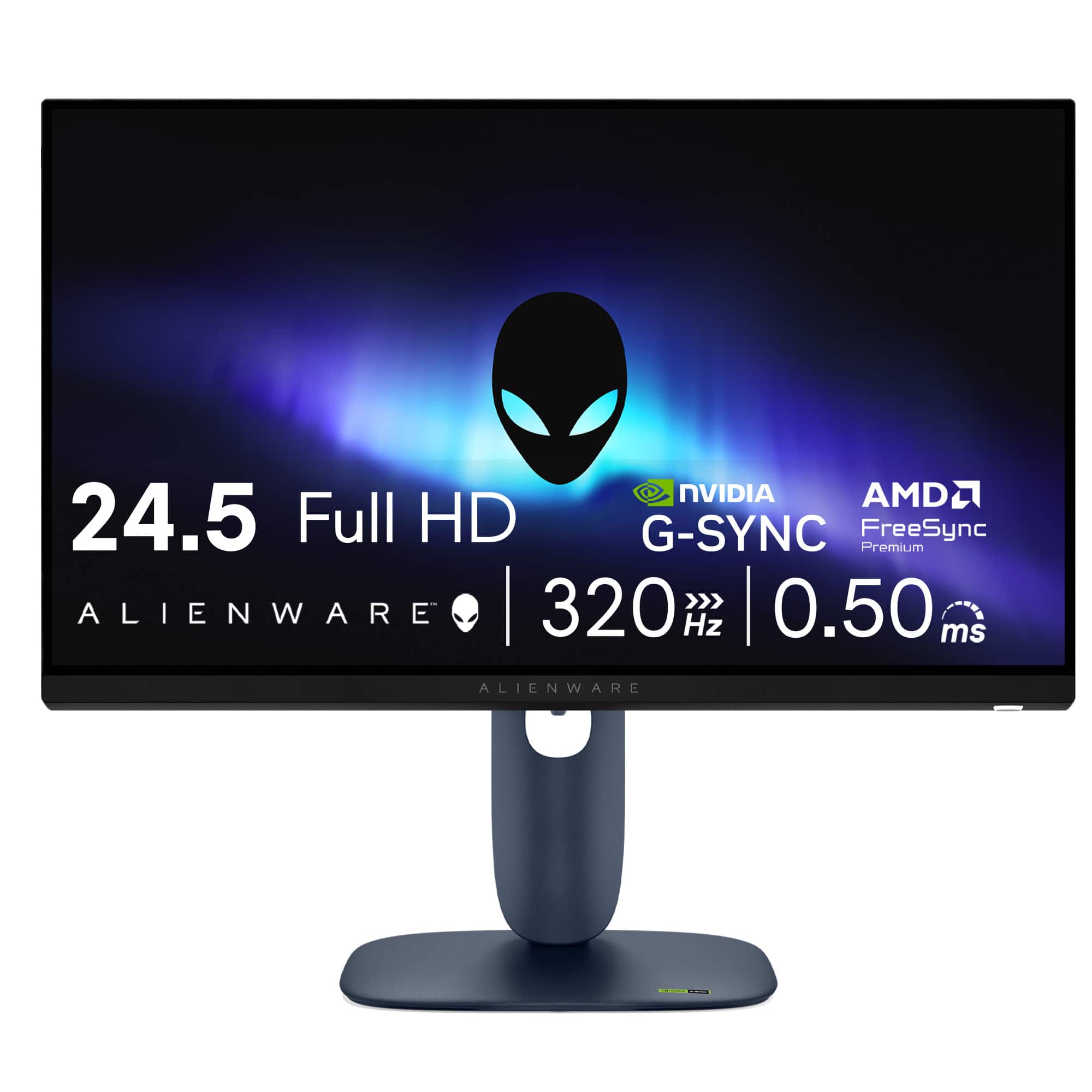
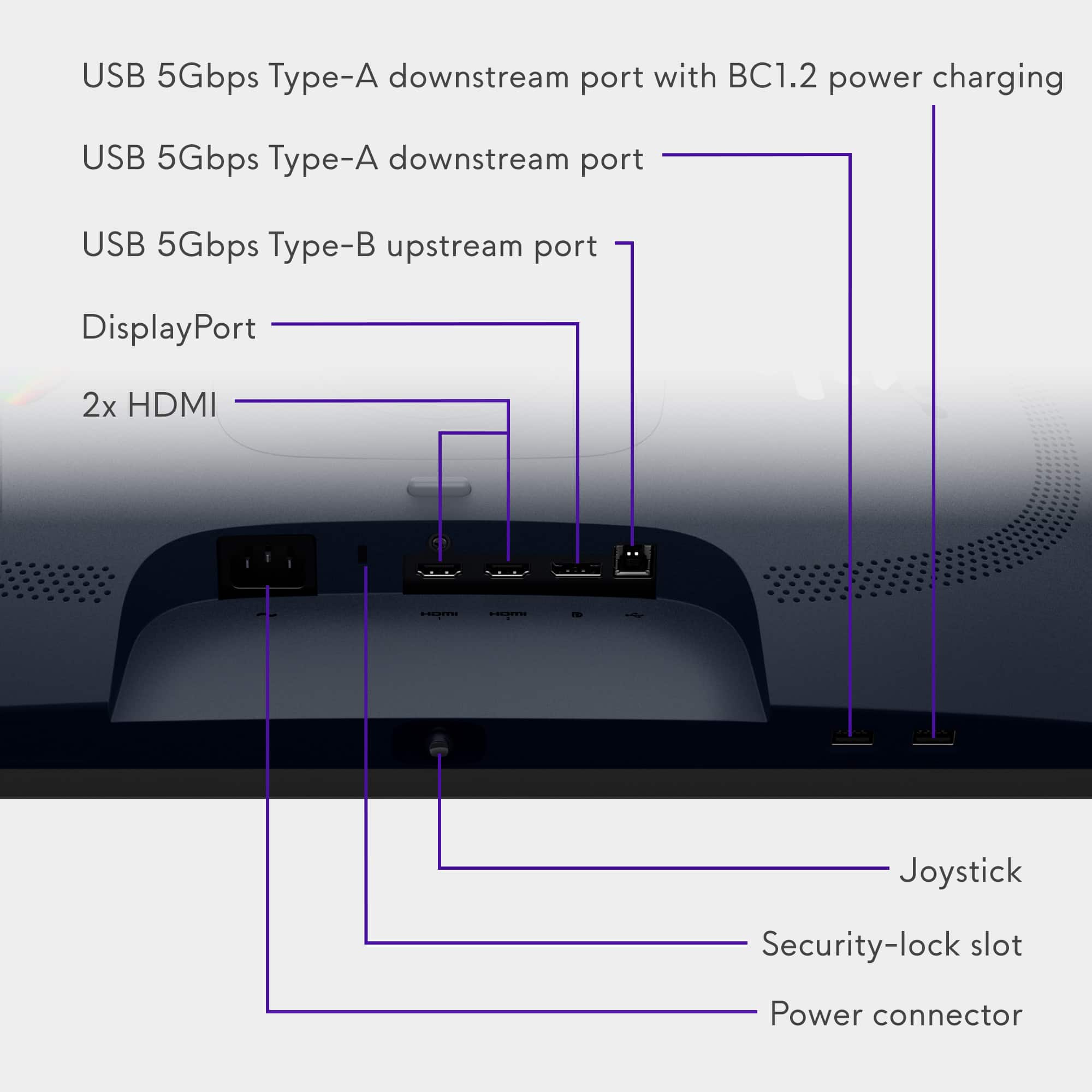
|Posted .This reviewer received promo considerations or sweepstakes entry for writing a review.The Alienware AW2525HM 25" LCD FHD 320Hz 0.5-ms FreeSync and G-SYNC Gaming Monitor is a stunning display of technology. Now, I am not an "elite" gamer by any means, but I do enjoy playing games and this is everything I was looking for in a monitor. Setup was a snap. The stand for this monitor is really nice - you actually snap the "arm" onto the back of the monitor while it is still in the box. Then you screw on the small base, which doesn't even need a screwdriver because it has a tab-like thing you just turn to tighten. Then you can adjust it by sliding it up or down, tilting it or flipping it to vertical if you wish. There is really nothing to setup - plug it in then choose how you wish to connect. There is a baby "joystick" button on the bottom that is used for all of the monitor's settings. I found it a tad confusing at first, but soon it made sense to me. This comes with a HDMI to HDMI cable (there are 2 HDMI 2.1 ports), display port to display port cable and a USB-A to USB-B 5Gbps cable. The latter must be used if you wish to power the 2 USB-A ports which are on the bottom of the monitor. I haven't used those ports yet, but that is what documentation shows. Other than HDMI, the other available ports are display, USB 5Gbps Type-B upstream port, USB 5Gbps Type-A downstream port and another USB 5Gbps Type-A downstream port but with BC1.2 power charging. This has an extremely fast refresh rate at 320 Hz with a minimum .5ms response time so everything I play, which is mostly adventure games, look amazingly smooth when playing. They have included AMD FreeSync Premium and it is NVIDIA G-SYNC compatible, so no matter your GPU, this should work quite well. I didn't notice any blur at all. I would actually prefer this monitor was 2k or 4k rather than 1080p only because of the types of games I tend to play most often. I am missing that amazing sharpness and clarity that I want. Still, if I wasn't so picky, this would be just fine. But I do understand why it is 1080p, which I would guess is preferred by those "elite" gamers. This monitor also doesn't have a headphone port. Of course using wireless headphones makes that a moot point. The Alienware AW2525HM 25" LCD FHD 320Hz 0.5-ms FreeSync and G-SYNC Gaming Monitor is fast and responsive and more than enough for my needs. The refresh rate is very fast and the clarity is good. The ports are ample and they have supplied any necessary cords to connect. To me, this is a keeper and I would recommend it to those looking for a quality 25" monitor for gaming.
I would recommend this to a friend - Pros mentioned:Overall performance, Refresh rate
Great for Esports & FPS
|Posted .This reviewer received promo considerations or sweepstakes entry for writing a review.I needed a high refresh rate monitor that was under 27in with USB ports to plug in a Mouse and Keyboard. As this was for a gaming setup, I decided to check out what Alienware had, which lead me to the Alienware AW2525HM 25in LCD FHD 320Hz 0.5ms Gaming Monitor which checked off all my boxes. Pros: - 320Hz Refresh Rate with 0.5ms Response Time. - LCD Panel with 99% NTSC Color Gamut. - 2xUSB-A 3.0 Ports. - Included Headphone Hook. Cons: - None. Out of the Box: Alienware is a subsidiary of Dell and use the same simple yet thoughtful way of packing their products. The Monitor was easy to get out of the packaging, with a quick an easy open to the back of the monitor, where you could attach the stand to the back right out of the box. Included in the box is the Monitor Panel, Stand, Power Cable, USB-B to USB-A Cable, HDMI 2.1 Cable, and DisplayPort 1.4 Cable. The monitor has 2xHDMI 2.1 ports, 1xDisplayPort 1.4 port, and a USB-B Upstream Port that feeds the 2xUSB-A 3.0 ports on the bottom edge of the monitor. The monitor is 25in with a resolution of 1080 and a very high refresh rate of 320Hz! Look: One thing I’ve really enjoyed over the last few years is the return to the old look that was Alienware. The rounded edges and corners, matte colors and extra little features that were made for gamers. The monitor doesn’t stand out too much but is clean and sleek. There is a cable organizing hole in the stand which helps keep everything routed neatly. Performance: Your results will vary based on your PC, but I was able to hit 300+FPS stable in fortnite running at low-mid settings at 1080 resolution with an RTX 4080. I did all my testing on default settings without any adjustments to the out of the box settings to get a real sense of what would need to be done for this monitor to be better. But honestly, I spent only enough time to flip through the settings to see what the options were than any time adjusting it. Out of the box defaults were plenty good for my use. The monitor is perfect of esports titles and FPS games, with very low latency and near zero ghosting. In the UFO Test, there’s almost no ghosting! Check the photo, yes there is blur but that’s due to the camera not being fast enough to capture 320Hz. Movement is butter smooth with the right settings and depending on the game. As for colors, it was great overall though I’m a bit bias due to my use of mainly OLED monitors for personnel use. Dark environments were a bit grey, but I say that due to my bias of comparing ISP Black to OLED True Black. Otherwise, in most gaming situations I couldn’t see any major difference. Extra Features: One of my requirements was to have additional USB ports on the monitor, as I’ll be hiding the PC Desktop out of sight with longer cables, so the monitor needed to be able to plug in the Mouse and Keyboard, which the monitor includes 2 plugs on the bottom of the monitor edge. This is perfect, as they are easier to find and plugin/remove than having the USB near the video ports. On the Left side of the monitor is a little bump that when pushed in will pop out a headphone Headphone Hook that is designed to hold your headphones right next to the monitor. This is a perfect little touch for gamers. Conclusion: If you want a high refresh rate 1080p gaming monitor for Esport or FPS games, Alienware has you covered with the Alienware AW2525HM 25in FHD 320Hz Gaming monitor. Images are completely smooth with almost no latency while the colors are amazing for a monitor focused on Refresh Rate and Latency. Honestly, adding this monitor to my recommendation for Esports and FPS!
I would recommend this to a friend - Pros mentioned:Connectivity, Refresh rate
A Superb Monitor (No Speakers)
|Posted .This reviewer received promo considerations or sweepstakes entry for writing a review.Monitor quality keeps improving. I come from the CRT monitor era. But I continue to evolve and I'm always looking for a better computer monitor. I'm a software developer. I use my different notebooks (8 Windows, 3 Apples) for different projects. I keep some with older OS's for testing, others for the differing software and hardware projects I'm working on. In most situations I prefer a multiple monitor setup, I almost always have another monitor next to the notebook I'm using (when I travel I have 2 USB portable monitors). I pretty much can't work without a second monitor. This Alienware AW2525HM is a standard HD, matt screen monitor. I'm going to use it on my development station, which I also use for light gaming (mostly car racing). My first impression when I connected the Alienware AW2525HM to my notebook - the colors and stability are spectacular. I'm amazed how vivid this monitor is. My notebook display supports a 120Hz refresh rate. But the Alienware AW2525HM supports a 320Hz refresh rate (255Hz via HDMI). Several years ago a response time of 8ms was considered good, and a couple of years ago 2ms was the fastest available, so this monitor's 0.5ms response time is a huge step forward. Assembly of the unit is very simple, screw the base into the mounting arm, and with the monitor in the box, click the monitor onto the arm. The monitor supports 2 HDMI ports (HDCP 1.4 & 2.3, HDMI 2.1, 255Hz), 1 Display port (HDCP 1.4 & 2.3, HDMI 2.1, 320Hz) and it serves as a USB3 hub (5Gbps, with BC1.2 (0.5A & 1.5A Fast Charging), with two USB-A ports. The monitor supports: Nvidia G-Sync, AMD's FreeSync Premium and VESA AdaptiveSync. It also has 4 VESA mounting holes (100x100) on the back (which are hidden). The package includes a DisplayPort cable, a HDMI cable, and USB Type-A to Type-B cable all are 5.9 feet long. The monitor does not have speakers and does not have a headphone port (boo, but I knew this). It has a 3-year warranty. This monitor supports HDR10 (all 4 modes); I'm a big fan of HDR (it ensures the monitor's calibration matches what's expected from a video). And it ensures that black levels are perfect. I've found in editing photos and videos it makes a big difference in getting accurate colors. Microsoft now has a HDR Calibration tool (which you must download, but it makes calibration a simple process). You should use this tool, it is much better than the built in HDR tool that was built into Windows 10 & 11. Do make sure your drivers are current to get the correct refresh rate. I had to load the latest Alienware Command Center and Alienware drivers from Dell's web site to enable all of the options. The display is extremely steady, no flickering. Its matt screen really prevents any reflections. It has a built-in feature that reduces blue light emissions (ComfortView) that is an always on feature. I thoroughly enjoyed watching videos on this display. The on screen setup for the display is very extensive (accessed via joystick on the center bottom of the monitor). The monitor stand offers only a tilt and height adjustments. It has a native resolution of 1920x1080 with a screen brightness of 400 nits. I noticed that its blacks on some dark videos were extremely precise (I could see shadows within shadows). The extensive color/contrast controls can be used to make additional changes as desired. Used for gaming or day-to-day work it's a superb monitor. Its very thin bezel makes it very easy to put two side by side.
I would recommend this to a friend - Pros mentioned:Refresh rate
Super smooth motion
|Posted .This reviewer received promo considerations or sweepstakes entry for writing a review.This Alienware monitor is a really impressive display for such an affordable price. I’ve spent the past week using it and honestly haven’t found any flaws worth noting. Display - The colors are rich and vivid across the board, with none of them falling behind. In all the color tests I ran, I noticed no light bleeding. There is some panel vignetting (edge falloff), which is totally normal for high-refresh IPS monitors and shouldn’t be confused with backlight bleed. The difference is that panel vignetting appears as a uniform darkening around the edges, while backlight bleed looks more like uneven patches of light near the bezel. The vignetting on this display is mild, consistent, nothing to be concerned about. I also love the built-in headset hanger on this monitor. It’s a sturdy pop out metal hook that’s perfectly placed near the monitor’s onboard USB ports, which leads to another great feature - USB-B Input. A monitor at this price point including a USB-B input (allowing you to route your desktop’s USBs directly to the monitor’s outputs) is surprisingly uncommon, but super convenient. Refresh Rate - It performs exactly as advertised. I had no issues getting the full 320 Hz right out of the box, and every test I ran confirmed it’s hitting that rate consistently. On a side note, a lot of people don’t realize that your FPS is only as useful as your monitor’s refresh rate. For example, if your game shows 120 FPS but your monitor is 60 Hz, you’re still only seeing 60 frames per second. It's true a higher FPS can smooth things out a little, but it’s more of a visual trick than true additional frames. I let my kid try this monitor on Roblox, pushing 240 FPS, and it was silky smooth. He has a cart ride that always tears on our other computer, but it ran flawlessly on this one. Assembly - This is as easy as it gets. You can put this thing together in about 60 seconds without a screwdriver. You’ll probably spend more time breaking down the packaging than assembling the monitor. All the new Alienwares have a snap-lock stand connection that is fantastic. It's very secure. Overall - If high refresh rate and smooth FPS are what you’re after, you’ll love this monitor. Personally, I’m 40 now, and I’m willing to trade refresh rate for higher resolution since I struggle now to read text on monitors. However my kid absolutely loves this monitor, and we had a great bonding moment testing out refresh rates and FPS together. For gaming, it’s a solid, well-built, and an overall great value
I would recommend this to a friend - Pros mentioned:Overall performance, Refresh rate
Games are more fun with this great monitor
|Posted .This reviewer received promo considerations or sweepstakes entry for writing a review.The Alienware 25 320Hz Gaming Monitor (AW2525HM) is an instant, premium upgrade. It contains a stand that allows for easy tilt, swivel, and height adjustments, making it simple to find a really good setup. I have had a few different desks, and have had to add books underneath my stand to get the height where I wanted it – this is a really simple feature to use and adjust. Just plug in the video (DisplayPort or HDMI) and optional USB for the built-in hub. The different screen adjustments are quick and easy to make with the controls on the monitor. Generally, the higher the refresh rate (Hz) the smoother the picture looks. My prior monitor was 144 Hz and looked good, but was only 21.5” and I wanted something bigger. This monitor trounces my old one in both of these features – the 24.5” is noticeably bigger when playing, but doesn’t take up much additional space on my desk. But the display on all of my games just looks incredible. While I knew I was getting an upgrade, I didn’t expect how much better everything would look – I didn’t realize it, but my old screen looks washed out comparatively. My games are just more fun now. And after playing different games over the last few weeks, the blur is gone while playing on peak performance. I'm really happy with my upgrade to a 320 Hz monitor and enjoying games much more now.
I would recommend this to a friend - Pros mentioned:Design, Refresh rate
My Monitor Is Faster Than Your WiFi
|Posted .This reviewer received promo considerations or sweepstakes entry for writing a review.If you told me years ago that I’d be raving about an Alienware monitor looking like something Dell could sneak into an office, I’d have laughed—until I unpacked the AW2525HM. First impression: it’s sleek, minimal, and could easily pass for a business display. But there are major clues this is built for gaming geeks like us! First, 320Hz refresh rate. With new 50-series GPUs finally able to push crazy-high frame rates at 1080p, this thing keeps up without breaking a sweat. The response time means everything is crisp and buttery no matter how wild the match gets. If you haven’t gamed above 240Hz yet, trust me, this upgrade is worth it—the difference is super noticeable in shooters and competitive titles. Second, the built-in headphone stand. I did a double-take! Why doesn’t every monitor have this? It’s genius—a cheap but super practical extra. I do think that the monitor menus are so year 2000. It's about time that monitor ROMs have more than 16k of space so that we can get some monitor configuration menus that look like they weren't programed in the 1980's. For real, this Alienware doesn’t shout “RGB gamer” or “spaceship,” but it quietly delivers top-tier specs and smart touches that make it awesome for both gaming and working. If you want unobtrusive looks and esports-level speed, it’s easy to like. I might not go back to lower refresh rates after this.
I would recommend this to a friend - Pros mentioned:Design, Refresh rate
Great high refresh rate experience + great quality
|Posted .This reviewer received promo considerations or sweepstakes entry for writing a review.In the past the Alienware branding meant you were paying extra for the name, but this 25” AW2525HM proves that you can get a good value, great quality, and a stellar display from them! To start, I can say this display is close to what I’d call “gorgeous” due to the PPI being quite low at 1080p over a 25” display. BUT PPI is not what this display is about at all, its about FAST response times, and crazy quick refresh rates. It excels at its main job, fast enough that my “old” 37 year old eyes had to adjust, and I legitimately had to adjust my mouse settings in BF6 because it was reacting quicker than I could deal with! (ran my settings at low and 1080p with some FSR and frame gen to keep my FPS between 200-300fps, and let me tell you, I don’t think I can react any faster even if I had more frames!) This monitor completely knocks it out of the park with its main objective of being a super fast 1080p gaming display, but the little things add up to make it a stellar value. It has an awesome little retractable holder for your headset, comes with HDMI and Displayport cables, and a bonus Alienware sticker! The stand is super adjustable, height, angle, tilt, rotation, and the stand is super solid so you can get the monitor right to where it works for you! If you’re looking for a solid high fresh rate option, consider this Alienware!
I would recommend this to a friend - Pros mentioned:Overall performance
Speed & clarity in a compact package
|Posted .This reviewer received promo considerations or sweepstakes entry for writing a review.This dispaly is super impressive in terms of pure performance and responsiveness. Even as someone who isn't a professional gamer, I immediately felt the difference; the speed and clarity put this monitor firmly in a top weight class. I'm particularly impressed with the color coverage - games look vibrant, not washed out, even at the really high refresh rates. In terms of physical design, the monitor is definitely compact. This is actually a major plus for me in my current setup, as I use it as a second screen for my gaming laptop in an alternate working space, and it's excellent for maximizing desk space there. However, coming from my normal workstation with 32-inch monitors, the 25-inch footprint is an obvious difference. It definitely doesn't feel bigger than it is. My favorite small design detail is the retractable headset hanger. It's a simple little thing, tucked neatly into the side of the stand, but it delights me because it keeps my headphones off the desk when not in use and eliminates clutter. Overall, this is a highly recommended monitor for anyone prioritizing ultra-low latency and speed in a secondary or space-constrained environment.
I would recommend this to a friend - Pros mentioned:Overall performance, Refresh rate
The Facehugger of Alienware Monitors
|Posted .This reviewer received promo considerations or sweepstakes entry for writing a review.OK so the title might fly over the head of non-Alien fans, but the Facehuggers are the "entry-level" beginning of Aliens from the Ridley Scott movies. This monitor is similar, its kind of the entry-level into Alienware monitors, which I absolutely love and use for a number of reasons. Why Alienware? 1. Best in industry warranty. 3 years with Advanced Exchange Service, paid shipping both ways, 0 dead/bright pixel policy and burn-in even for OLED. You won't care about this until you actually need it, and once you've used it you'll really put Dell/Alienware at the top of your list even if the specs or aesthetics might be a compromise. 2. Its a Dell. Dell has always made great monitors. They won't always have the highest-end specs, but they will blend the most important specs and features with a great price point and the aesthetics and function are generally great. 3. Price. As mentioned, Dell sells in huge volume and this gives them the ability to sell their monitors cheaper at lower prices compared to comparably spec'd panels. 4. Specs. As mentioned this is usually a strong point for Dell Alienware as this panel is built for high refresh rates at 320Hz using Display Port, and only 255Hz for HDMI. Its also an IPS panel with fast response time of 0.5ms which is an upgrade from some of the previous IPS Alienware panels I owned which were 1ms. 5. Aesthetics. While this new dark blue "design language" isn't my favorite from Alienware, it still looks good. There's no LED backlights or lights on the Alienware logo that we see on higher end Alienware displays, but the panel is super thin, light and the bezels on the top and sides are also super slim. The AW2525HM still hits these highlights for Dell Alienware, but admittedly, it falls a bit flat compared to my other Dell monitors in terms of function and visuals. Performance is outstanding for an IPS panel, but there is a lot of screen surface shifting and blacks are the typical grey for IPS panels. Panel uniformity isn't as good as some of my other panels, and the 1080p is hard for me to use after having used 1440p, 1440p UW, 1600p UW and now 4K for so long. All of that goes away however when you're cranking along at 200+ FPS which is awesome. I would recommend a fast CPU if you want to see 200+ FPS and also a fast GPU, probably a 5070/9070 card for 1080p. You can also use DLSS and frame gen (FG) to help you hit those high Frame rates. So while this panel isn't perfect, its a great intro panel into the world of gaming monitors. Grab it for your kid and let them make the most of it while their eyes and reflexes are still good.
I would recommend this to a friend Speed, Style, and Serious Performance
|Posted .This reviewer received promo considerations or sweepstakes entry for writing a review.First Impressions: Sleek, Smart, and Ready to Game Gaming monitors have come a long way, and Alienware’s AW2525HM feels like it’s made for the future. It’s built for players who care about every frame, every pixel, and every split-second decision. From the moment you unbox it, the design screams premium — not just in looks, but in how it’s engineered to fit into real gaming setups. The matte finish, subtle lighting, and clean lines give it a modern edge, but it’s the thoughtful details — like the adjustable stand and cable management — that show Alienware knows what gamers actually need. Build Quality: Solid, Flexible, and Ergonomic This monitor isn’t just pretty — it’s built like a tank. The stand is one of the best in its class: weight, height, tilt, swivel, even portrait mode — it’s all there. Whether you’re grinding ranked matches or switching between coding and gaming, it adapts effortlessly. It feels sturdy without being bulky, and the materials have that satisfying “this is going to last” vibe. For the price, the level of adjustability and build quality is impressive. Ports and Setup: Plug-and-Play Perfection Alienware nailed the connectivity. You get HDMI, DisplayPort, and a USB hub that actually makes sense — perfect for plugging in your mouse, keyboard, or controller without reaching behind your PC. Even better, it comes with all the cables you need. No last-minute scrambling or digging through drawers. Just plug it in and go. Performance: Blazing Fast and Butter Smooth Here’s where the AW2525HM really flexes. A 320Hz refresh rate and 0.5ms response time? That’s elite territory. Competitive players will feel the difference instantly — smoother tracking, snappier reactions, and zero ghosting. It supports both FreeSync and G-SYNC, so no matter your GPU, you’re getting tear-free gameplay. And the color reproduction? Surprisingly rich for an LCD. Shadows are deep, highlights pop, and everything feels alive. Visuals: Compact Size, Big Impact At 25 inches, it hits a sweet spot. You get immersive visuals without overwhelming your desk. It’s just a hair smaller than a 27", but the space savings are real — especially if you’re working with a tighter setup or planning a multi-monitor rig. Colors are vibrant, blacks are deep, and the contrast holds up even in darker scenes. It’s not OLED, but it punches way above its weight. Sound: Handy Backup, Not a Headliner The built-in speakers are fine — good enough for casual listening or quick sessions when you don’t want to wear headphones. They won’t replace a dedicated setup, but they’re a nice fallback when you need them. Competitive Features: Built to Win If you’re chasing high ranks or just love buttery gameplay, this monitor delivers. That 320Hz refresh rate isn’t just marketing fluff — it genuinely gives you an edge in fast-paced titles. Combined with the ultra-low response time, it’s a dream for twitch shooters and esports. Mounting and Setup: Your Desk, Your Way VESA compatibility means you can mount it, swing it, stack it — whatever fits your space. The included stand is great, but if you want a custom arm or multi-monitor setup, it’s ready. Value: Premium Performance Without the Premium Price For what it offers, the AW2525HM is a steal. You’re getting top-tier specs, excellent build quality, and gamer-focused features without breaking the bank. Whether you’re upgrading from a 144Hz panel or building a new battlestation, it’s a smart buy. Final Verdict: Fast, Flexible, and Future-Ready Alienware’s AW2525HM isn’t just another gaming monitor — it’s a statement. It blends speed, style, and substance in a way that feels genuinely exciting. If you care about performance and want a monitor that looks as good as it plays, this one’s hard to beat. Recommended!
I would recommend this to a friend- Pros mentioned:Design, Overall performance, Refresh rate
Miss Enger
||Posted . Owned for 3 weeks when reviewed.This reviewer received promo considerations or sweepstakes entry for writing a review.Excellent gaming monitor with stunning visuals and ultra-smooth performance. The refresh rate and response time make a noticeable difference, especially for fast-paced games. Solid build quality and a sleek design
I would recommend this to a friend - Pros mentioned:DesignCons mentioned:Audio output
Great monitor for the price.
||Posted . Owned for 1 week when reviewed.This reviewer received promo considerations or sweepstakes entry for writing a review.Great monitor for the price. The headset holder is a nice bonus. Colors are pretty accurate out of the box. It has a rather unique space color to it that is unique to a monitor as most monitors are black. The monitor settings are super easy to navigate on with the joystick in the middle. The only downside would be not having a dedicated audio jack. Which could be a dealbreaker to some but not that big of a deal to me as I have external speakers. (Monitor doesn’t have its own speakers.)
I would recommend this to a friend