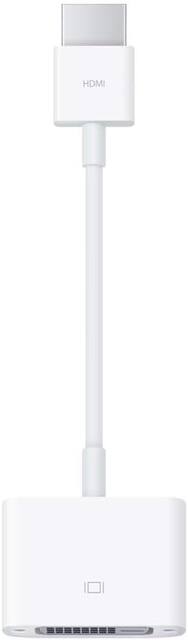
Apple - HDMI to DVI Adapter - White
- Key Specs
- Connector Type (End 1): HDMI Type A
- Gender (End 1): Male
- Connector Type (End 2): DVI
- Gender (End 2): Female
- General
- Product Name: HDMI to DVI Adapter
- Brand: Apple
- Compatibility: Mac systems with built-in HDMI.
- Model Number: MJVU2AM/A
- Connectivity
- Cable Type: DVI, HDMI
- Product Type: Adapter
- Connector Type (End 1): HDMI Type A
- Gender (End 1): Male
- Connector Type (End 2): DVI
- Gender (End 2): Female
- Other
- UPC: 888462110327
This Apple HDMI to DVI Adapter allows you to connect your Mac with built-in HDMI to a DVI display or projector. You can use an external display as your primary display, extend your desktop to a second display, or work in mirroring mode with a projector so you can view what your audience sees. Use this HDMI to DVI Adapter to connect a single-link DVI digital monitor, such as the 20-inch or 23-inch Apple Cinema Display that includes a DVI connector. Review the documentation or check with the manufacturer of your monitor to make sure you're choosing the right adapter.
Whats Included
- Apple HDMI to DVI Adapter
A: That's the wrong adapter. You selected lightning (iPhone side) to DVI. DVi (Digital Video Input) connectors are used for computer monitors. You need the lightning-to-HDMI adapter and also an HDMI cable to connect to the adapter then to the back of the TV. I selected both products that you need. This is what it says about the adapter, "Display media from your Apple device on an HDTV or other HDMI-compatible screen using this Apple® MD826ZM/A Lightning digital A/V adapter, which features video mirroring capability for enjoying content in up to 1080p resolution." Good luck!
A: yes, this should work with any HDMI input on a TV or otherwise, doesn't have to be from Apple...














