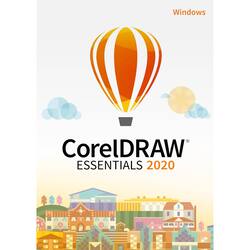
Corel - DRAW Essentials 2020 - Windows [Digital]
Model: ESDCDE2020AM
SKU: 6413448
This item is no longer available in new condition. See similar items below
- Key Specs
- Operating System Compatibility: Windows
- Software Format: Digital (Physical software requires a disc, cartridge, etc. be inserted into the gaming console or computer to download and/or operate the software. Digital software allows for downloading and/or playing the software on the gaming console or computer without a physical disc, cartridge, etc. Physical (Download Code Only) software is purchased in physical form with a code that allows for downloading and/or playing the software on the gaming console or computer without a physical disc, cartridge, etc.)
- General
- Brand: Corel
- Model Number: ESDCDE2020AM
- Product Name: DRAW Essentials 2020
- Publisher: Corel
- Features
- Editing Type(s): Illustration, Photo editing
- Compatibility
- Operating System Compatibility: Windows
- Software Format: Digital (Physical software requires a disc, cartridge, etc. be inserted into the gaming console or computer to download and/or operate the software. Digital software allows for downloading and/or playing the software on the gaming console or computer without a physical disc, cartridge, etc. Physical (Download Code Only) software is purchased in physical form with a code that allows for downloading and/or playing the software on the gaming console or computer without a physical disc, cartridge, etc.)
- Requirements
- System Requirements: Intel Core i3 or AMD Ryzen 3 processor, 4GB RAM, 1280 x 800 screen resolution, multi-touch screen, mouse or tablet (The software that a product must have for it to be able to integrate with another product.)
- Subscription: false
- Download Requirements: Internet connection
- Hard Drive Space Required: 4 gigabytes
- Other
- UPC: 735163158489
Design for the fun of it with the CorelDRAW Essentials 2020 design tool kit for DIY graphics projects. If you're new to design, this intuitive vector illustration software will help you create invites, greeting cards, social media images, and whatever else sparks your interest with complete confidence and ease.
- CorelDRAW Essentials 2020: Allows creating attention-grabbing greeting cards, social media images, and whatever else sparks your interest with complete confidence and ease, even if you are an occasional graphics user or creative consumer.
- Vector illustration: Turn basic lines and shapes into works of art. Create curves with the versatile shaping and drawing tools.
- Page layout: Use the rulers, grids, and guidelines to help you organize objects and place them exactly where you want, create layouts for invites, collages, multipage designs and more.
- Typography: Add type to any design with the built-in text tools, and play with the text effects to make your final product brilliant.
- Object management: Hide, rename, search for objects, and change their stacking order using the convenient Objects panel. The Object Properties panel allows you to manage object formatting, fills and more.
- Color, fills, and transparencies: Apply color to fills and outlines using the color swatches. Change the transparency of an object, and fill objects with the patterns, gradients and more.
- File compatibility: Share your designs with ease using common file formats.
- CorelDRAW Essentials 2020: Allows creating attention-grabbing greeting cards, social media images, and whatever else sparks your interest with complete confidence and ease, even if you are an occasional graphics user or creative consumer.
- Vector illustration: Turn basic lines and shapes into works of art. Create curves with the versatile shaping and drawing tools.
- Page layout: Use the rulers, grids, and guidelines to help you organize objects and place them exactly where you want, create layouts for invites, collages, multipage designs and more.
- Typography: Add type to any design with the built-in text tools, and play with the text effects to make your final product brilliant.
- Object management: Hide, rename, search for objects, and change their stacking order using the convenient Objects panel. The Object Properties panel allows you to manage object formatting, fills and more.
- Color, fills, and transparencies: Apply color to fills and outlines using the color swatches. Change the transparency of an object, and fill objects with the patterns, gradients and more.
- File compatibility: Share your designs with ease using common file formats.