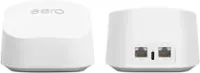
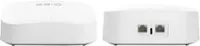
eero - 6+ Dual-band Mesh Wi-Fi 6 System (3-pack) - White
Series
6+ AX3000Number of Wi-Fi Satellites Included
3- eero - Outdoor 7 Dual-band Mesh Wi-Fi 7 Router (1-pack) - White$299.00$399.99


More Buying Options
Related Item

Highlights
- Key Specs
- Wi-Fi Range: 4500 square feet (The device will provide a Wi-Fi connection to this approximate area.)
- Wi-Fi Mesh System: true (A single wireless network consisting of a main router (connected directly to a modem) that connects to a series of satellite modules or nodes placed around the home. Routers with this capability promote stronger, faster wireless signals as well as increase Wi-Fi coverage by reducing interference and eliminating dead zones.)
- Number of Wi-Fi Satellites Included: 3 (Quantity of Wi-Fi satellite modules/nodes for a Wi-Fi Mesh System that come with the product.)
- Wi-Fi Speed: 0.94 gigabits per second (The maximum rate at which data is transferred between a network device and wireless router.)
- Works With: Amazon Alexa (Compatible with or able to be connected to other smart devices or applications.)
- General
- Brand: eero
- Model Number: R010311
- Product Name: eero 6+ Dual-band Mesh Wi-Fi 6 System (3-pack)
- Color: White
- Security
- Data Encryption: true
- Encryption Type: WPA3-Personal, WPA2-PSK (The security protocols or certification programs that protect the Wi-Fi network.)
- Firewall Type: NAT, None (The method the firewall uses to filter and process data to increase network security, primarily by blocking malicious traffic requests while allowing legitimate traffic through.)
- Parental Controls: true (Allows user to block unwanted content, signals, channels, networks, etc. from being received or accessed.)
- Network
- Band Technology: Dual (Refers to the number of frequency bands used to wirelessly transmit an internet signal. For example, dual-band devices may use one 2.4 and one 5 GHz band, while tri-band devices may use one 2.4 and two 5 GHz bands. Multiple bands also provide more flexibility for designating connected devices to specific band use.)
- Ethernet Standard: 10/100/1000 (Each standard is a variation of the IEEE 802.3 set of computer networking technologies known as Ethernet. New versions evolved to include higher bandwidth, different physical media, and other new and improved features. Standards are often denoted by speeds (in Megabits per second). For example, a 10/100/1000 Ethernet port transmits at 10 Mbps, 100 Mbps, and 1000 Mbps (1 Gbps).)
- Frequency Band: 2.4 GHz, 5.0 GHz, Not Applicable, Not Applicable, Not Applicable (Bands may be grouped into categories such as low- and high-band VHF (Very High Frequency), low- and high-band UHF (Ultra High Frequency), or certain frequency channels (measured in MHz or GHz). Generally, higher frequencies transmit information faster but have shorter range than lower frequencies.)
- Wireless Networking Standard: Wi-Fi 6 (The wireless networking standard used by the device. Each iteration of the standard developed by the Wi-Fi Alliance corresponds to an existing IEEE 802.11 protocol; for example, standard 802.11ac (or AC) is termed Wi-Fi 5. Refers specifically to the standard the device is designed to use, but ultimately determines product interoperability and backward compatibility including previous versions.)
- Wireless Standard: AC, N, AX (The wireless networking protocol used by the device. Each iteration of the protocol is based on the 802.11 standard developed by the Institute of Electrical and Electronics Engineers (IEEE) Standards Association. Denoted by letters following 802.11 (802.11a, 802.11ac, etc.), each version, published in alphabetical order, encompasses all previous versions.)
- Wi-Fi Range: 4500 square feet (The device will provide a Wi-Fi connection to this approximate area.)
- Input/Output Technology: MIMO (Multiple-Input Multiple Output) (Generally, multiple-input multiple-output communication technologies allow for more signals to be transmitted at a single time, which can improve the device's overall performance.)
- Number of 2.4Ghz Streams: 2 (A router's streams are like lanes on a highway. The more streams a router has, the less traffic congestion. Because the 2.4 GHz band is used to transmit wireless signals to a wide variety of devices, there is often high amounts of traffic on that stream. But with multiple streams, each can be designated to a specific device for optimal performance. For example, if one 2.4 GHz stream is assigned to one device, such as a desktop computer, it leaves the remaining streams open for guest users, devices that use more data, or devices with specific band compatibility.)
- Number of 5.0Ghz Streams: 2 (A router's streams are like lanes on a highway. The more streams a router has, the less traffic congestion. The 5.0 GHz band provides high speed, short-range data transmission and typically has less traffic than the 2.4 GHz band. With multiple streams, each can be designated to a specific device for optimal performance. For example, if one 5.0 GHz stream is assigned to one device, such as a streaming media player, it leaves the remaining streams open for guest users, devices that need less data, or devices with specific band compatibility.)
- Wi-Fi Mesh System: true (A single wireless network consisting of a main router (connected directly to a modem) that connects to a series of satellite modules or nodes placed around the home. Routers with this capability promote stronger, faster wireless signals as well as increase Wi-Fi coverage by reducing interference and eliminating dead zones.)
- Number of Wi-Fi Satellites Included: 3 (Quantity of Wi-Fi satellite modules/nodes for a Wi-Fi Mesh System that come with the product.)
- Number of Wi-Fi Satellites Supported: 32 (Maximum quantity of Wi-Fi satellite modules/nodes that are able to be connected to the main router in a Wi-Fi Mesh System.)
- Wired Backhaul: true (Also known as Ethernet backhaul or backbone, this capability can be enabled to directly wire a secondary router or satellite to the main router via Ethernet cable. This connection allows for faster and more stable data upload.)
- Ethernet Switch: false (Connects multiple devices to expand the Local Area Network (LAN).)
- Certifications Listings & Approvals
- ENERGY STAR Certified: false (Devices carrying the ENERGY STAR service mark, such as computer products and peripherals, kitchen appliances, and other products, generally use 20% to 30% less energy than required by federal standards.)
- Features
- App Compatible: true (The product can be connected to a program or software application on a mobile device, which then receives collected data from the product.)
- App Name: eero
- Integrated Modem: false
- Wireless: true
- Ports
- Port Type(s): RJ-45, None, None, None (USB 2.0 connects external drives, gaming controllers, smartphones, MP3 players and other accessories.USB 3.0 transfers data faster than USB 2.0, but only when used with USB 3.0 devices.USB Type-C provides fast speeds and versatile power, featuring connectors with identical ends that plug in upside down or right side up. Adapters allow for video as well as backward compatibility.Thunderbolt provides ultra-high bandwidth for fast data transfer between devices featuring a Thunderbolt or MiniDisplayPort connection.HDMI allows you to connect a projector or display HD media on your HDTV or monitor.Media card slots allow you to transfer photos from your digital camera or camcorder.)
- Speed
- Wired Speed: 940 megabits per second (The maximum rate at which data is transferred between a network device and router using an Ethernet cable.)
- Wi-Fi Speed: 0.94 gigabits per second (The maximum rate at which data is transferred between a network device and wireless router.)
- Gigabit Ethernet Speed: true (Supports the gigabit Ethernet networking standard, which has a data rate of at least one gigabit per second, or 1,000 Mbps.)
- Compatibility
- Works With: Amazon Alexa (Compatible with or able to be connected to other smart devices or applications.)
- Dimensions
- Product Height: 2.35 inches (The out of box height of the item. Height is measured as the vertical distance from the bottom of the item to the top as it would be primarily used or placed.)
- Product Length: 3.819 inches (The out of box length of the item. Length is measured as the longest dimension of the item.)
- Product Width: 3.913 inches (The out of box width of the item. Width is measured as the horizontal distance from one side of the item to the other as it would be primarily used or placed.)
- Product Weight: 0.7 pounds (The out of box weight of the item.)
- Warranty
- Warranty - Parts: 1 year
- Warranty - Labor: 1 year
- Other
- UPC: 840080562926
eero 6+ is our most affordable gigabit system ever. Access premium wifi performance and speeds up to a gigabit, without the premium price tag. eero 6+ gives you all the connectivity, with all the reliability. So you can work from home with confidence—and say goodbye to dropped video calls. Or keep your entire smart home running, even when you’re away.*
- Wi-Fi 6 gets a boost: An eero 6+ (3-pack) covers up to 4,500 sq. ft. with wifi, delivers wifi speeds up to a gigabit, and supports 75+ connected devices.
- Increased bandwidth: eero 6+ supports additional wifi bandwidth on the 160 MHz radio channel (that’s just wifi talk for faster connectivity). With the eero 6+, you’ll get enough wifi for the whole family to work, stream, and video chat—all at the same time.
- Say goodbye to dead spots and buffering: eero's patented TrueMesh technology intelligently routes traffic to reduce drop-offs so you can confidently stream 4K video, game, and video conference.
- Simple set up in minutes: The eero app walk you through setup and allows you to manage your network from anywhere. Plus, free eero Customer Support is available 7 days a week.
- Built-in smart home hub: eero 6+ contains a smart home hub to connect compatible Thread and Zigbee devices on your network with Alexa, replacing the need to buy separate hubs.
- Gets better over time: Automatic updates bring the latest and greatest in eero wifi while also helping to keep your network safe and secure.
- Easily expand your system: With cross-compatible hardware, you can easily add eero products as your needs change.
Whats Included
- 6+ AX3000 Dual-Band Mesh Wi-Fi 6 System (3-pack)
Q: Is it a all in one or do i have to get wifi service separate
A: This is a wifi router. It is designed so that if you give it internet access via an ethernet cable (this would be via the modem your Internet Service Provider provides you) it will create wifi network for your devices to connect to. The neat thing about eero is if you have additional eero (like the other two in this pack) those can connect to the head/gateway eero (the one hardwired to the modem) either wirelessly or wired and those additional ones will broadcast the same wifi network, giving much greater range and speed for your devices.
A: That is fine. You will want to make sure to follow topology requirements, one eero has to be upstream of any other eero for everything to work right. For example you do not want to go internet/router->switch->multiple eero, you want to go internet/router->gateway eero->switch->other eero, even if using bridge mode on the eero.
A: You can mix and match any eero!
A: Very easy, they have an app you download onto your phone and it will walk your step by step with pictures on what needs to be done, it takes about 5 minutes to setup
Q: Is this compatible with Starlink internet provider?
A: If you have a LAN connection on the back of your internet modem. Sometimes they are a yellow plug in the back The eero would connect up to it and provide wifi to your place.
A: It did for me. I'm running at about 335mps.
A: We purchased 3 basic eeros about a year ago. We have a 1250 sqft house. Modem and first eero are located in front office. Second is located downstairs in living room. Third is located in a detached studio located about 50 ft from the house. Considering our experience, I’d say a mirrored wall wouldn’t be a problem. About a month ago, the unit in the studio started having some issues. I’m assuming it was an isolated issue with that particular unit. Upgraded that one unit to an eero+6 and it’s been working great
A: Each of these devices can be a router or extender. The first one you setup that is connected to your modem will be the router and extender. The rest will be extenders. I have found if possible to place the extenders where they can have a wired connection to the router however, it areas where that is not possible, you can use wifi connectivity but you need to make sure there is a good signal between the devices when using wifi connectivity. Line of sight is the best option. The app will tell you if the connection is good or not when using wifi to connect an extender to a router.
Compare similar products

eero 6+ is our most affordable gigabit system ever. Access premium wifi performance and speeds up to a gigabit, without the premium price tag. eero 6+ gives you all the connectivity, with all the reliability. So you can work from home with confidence—and say goodbye to dropped video calls. Or keep your entire smart home running, even when you’re away.*
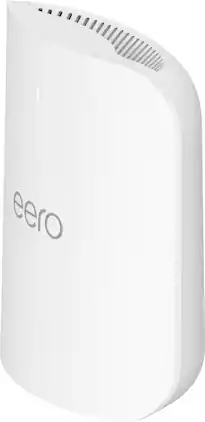
Introducing eero Pro 7 tri-band mesh Wi-Fi 7 router. Supports internet plans up to 5 Gbps, coverage up to 2,000 sq. ft., wireless speed up to 3.9 Gbps and wired speeds up to 4.7 Gbps. Supports 200+ connected devices. 1-pack

Introducing eero 7 dual-band mesh Wi-Fi 7 router. Supports internet plans up to 2.5 Gbps, coverage up to 6,000 sq. ft., wireless speed up to 1.8 Gbps and wired speeds up to 2.3 Gbps. Supports 120+ connected devices. 3-pack

Experience fast, reliable Wi-Fi 6 for your connected home. eero 6 uses the power of Wi-Fi 6 to support faster speeds to every corner of your space, increase your internet’s efficiency, and reduce network congestion compared to prior Wi-Fi standards. eero makes it easy to expand your system as your needs change. With cross-compatible hardware, you can easily add eero products in minutes. Best of all, you can say goodbye to dead spots and buffering. eero’s mesh wifi technology optimizes for your space—so you can confidently stream 4K video, game, and video conference across your home.
| Pros for eero - 6+ Dual-band Mesh Wi-Fi 6 System (3-pack) - White | |||
|---|---|---|---|
| Ease of use, Overall Performance, Speed, Wi-Fi Coverage, Setup | Overall Performance, Coverage, Speed, Connectivity, Signal Strength | Connectivity, Coverage, Signal Strength, Range, Setup Ease | Ease of use, Wi-Fi Coverage, Speed, Range, Performance |
| Cons for eero - 6+ Dual-band Mesh Wi-Fi 6 System (3-pack) - White | |||
| Buffering, Lag, Compatibility, Dead Spots, Price | There were no cons for this product— | There were no cons for this product— | Buffering |
Specs

- NETGEAR - Nighthawk BE18000 Tri-Band Wi-Fi 7 Router - Black$449.99$499.99


Reviews
Customers are saying
Customers are enthusiastic about the 6+ Dual-band Mesh Wi-Fi 6 Router, highlighting its ease of use, overall performance, and impressive speed. Many users have reported significant improvements in Wi-Fi coverage, setup simplicity, and reliable signal strength. While some find the price point a concern, others have noted a reduction in buffering and elimination of dead spots. The router's compatibility with various devices and its ability to minimize lag have also been positively mentioned.
Customer Images
The vast majority of our reviews come from verified purchases. Reviews from customers may include My Best Buy members, employees, and Tech Insider Network members (as tagged). Select reviewers may receive discounted products, promotional considerations or entries into drawings for honest, helpful reviews.
- Rated 5 out of 5 stars
Great Product!
Super-Fast Connection easy to use! The app made it seamless to setup.
This review is from eero - 6+ Dual-band Mesh Wi-Fi 6 Router (1-pack) - White
MichaelS Posted
- Rated 5 out of 5 stars
Wi fi
Easy set up. Nice design able to hide if you want. Gets that needed WiFi everywhere
Hotsoup01 Posted
- Rated 5 out of 5 stars
Improved speed, easy to set up, and saved us money
When we upgraded our internet to fiber optic the technician recommended that we get the Eero router. We are very happy with eero. They were very easy to set up and our internet speed (download and upload) tripled since getting them. They will also pay for themselves in a year with what we save from the monthly rental of the router from the cable company.
DanielleK Posted