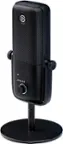
Elgato - Facecam Pro, True 4K60 Ultra HD Webcam SONY Starvis Sensor for Video Conferencing, Gaming and Streaming - Black
Elgato - Facecam Pro, True 4K60 Ultra HD Webcam SONY Starvis Sensor for Video Conferencing, Gaming and Streaming - Black
Related Item

Specifications
- Video Resolution4K (2160p)
- Key Specs
- Video Resolution: 4K (2160p) (Refers to the number of pixels, both horizontally and vertically, used to capture the video. The higher the resolution the finer the video detail that can be seen.)
- General
- Brand: Elgato
- Model Number: 10WAB9901
- Product Name: Facecam Pro, True 4K60 Ultra HD Webcam SONY Starvis Sensor for Video Conferencing, Gaming and Streaming
- Color: Black
- Camera
- Video Resolution: 4K (2160p) (Refers to the number of pixels, both horizontally and vertically, used to capture the video. The higher the resolution the finer the video detail that can be seen.)
- Maximum Video Frame Rate: 2160p (4K) @ 60 FPS (The maximum frequency at which consecutive images can be captured by a video recording device.)
- Megapixels: 100 megapixels (Measures the amount of graphic resolution that the product can capture.)
- Image Resolution (Display): 4096 x 2160 (Refers to the number of pixels, both horizontally and vertically, used to either capture an image or display it. The higher the resolution the finer the image details.)
- Autofocus: true (Allows the camera to automatically focus through the lens, rather than by adjusting the lens manually.)
- Field of View (Diagonal): 82 degrees
- Features
- Integrated Microphone: false
- Mount Type: Clip-on, Tripod
- Privacy Shutter: false
- Plug And Play Operation: false (The product can work when first used or connected, without reconfiguration or adjustment by the user.)
- 360 Degrees Rotation: false (The product is capable of turning freely about an axis, incorporating horizontal points of view covering 360 degrees.)
- Connectivity
- System Requirements: Windows 10 (64-Bit), Intel or AMD CPU, macOS 11.0, Intel or Apple CPU, USB Type C (The software that a product must have for it to be able to integrate with another product.)
- Connectivity: USB-C
- Cable Length: 6 feet
- Dimensions
- Product Height: 3.11 inches (The out of box height of the item. Height is measured as the vertical distance from the bottom of the item to the top as it would be primarily used or placed.)
- Product Width: 4.57 inches (The out of box width of the item. Width is measured as the horizontal distance from one side of the item to the other as it would be primarily used or placed.)
- Product Depth: 1.5 inches (The out of box depth of the item. Depth is measured as the distance from the front of the item to the back as it would be primarily used or placed.)
- Product Weight: 0.53 pounds (The out of box weight of the item.)
- Warranty
- Warranty - Parts: 2 years
- Warranty - Labor: 2 years
- Other
- UPC: 840006656746
With next-level optics, a large area SONY sensor and high-speed circuitry, Facecam Pro captures ultra-detailed 4K60 video like no other webcam. Powerful software equips you to dial in the perfect shot with ease, and onboard camera memory keeps you looking sharp every time you go live. A field view of up to 90-degrees lets you capture your surroundings or entire team, while manual and autofocus modes put you in complete control of your image. You can even pan, tilt, crop and zoom while maintaining excellent image quality. Make no mistake – Facecam Pro is a massive leap in webcam technology.
- True 4K UHD: Resolution at sixty frames per secondAnti-reflective f/2.0 21 mm Elgato Premium Autofocus Lens.
- Large Area Sony STARVIS sensor: Optimized for natural and artificial light.
- Up to 90-degree field of view: Great for ultra-wide shots.
- Multiple options: Set focus manually or select autofocus.
- Pan, tilt, or crop and zoom: While maintaining excellent image quality.
- Advanced image engine: Processes maximum data at high speed.
- In the app: Set brightness, exposure, and more.
- Save settings: Directly to the camera.
- Attach to a monitor or tripod: With the included mount.
Whats Included
- Facecam Pro
- Mount with 1/4“ Thread
- USB-C to USB-C Cable
- Quick Start Guide
Product Manuals
Q: Does this webcam have autofocus capabilities?
A: Yes, the Elgato Facecam Pro offers both manual and autofocus modes, giving you complete control over your image.
Q: What kind of sensor does this webcam use?
A: The Elgato Facecam Pro uses a large area SONY STARVIS sensor, which is optimized for both natural and artificial light.
Q: Can I use this webcam with a tripod?
A: Yes, the Elgato Facecam Pro includes a mount that allows you to attach it to a monitor or a tripod.
Q: What is the maximum video frame rate of the Elgato Facecam Pro?
A: This webcam can capture ultra-detailed video at a maximum frame rate of 4K resolution at 60 frames per second.
Q: What is the field of view for this webcam?
A: The Elgato Facecam Pro has a field of view up to 90 degrees, which is great for capturing your surroundings or your entire team.
A: Unfortunately, Facecam Pro isn’t recognized by PS5. If you’re capturing gameplay through a PC with a capture card, you can still use it in your setup. Otherwise, you’ll want a PlayStation certified camera. -JE
A: Hi moe, yes - our Facecam Pro can record 4K60.
Q: Is it compatible with Apple DISPLAY XDR with MACMINI M4? With independent Shure Mic??
A: Hi there! Facecam Pro is compatible with Mac mini with M4 but does not have a magnetic base. It includes a monitor clamp for mounting or can be attached using its 1/4"-20 thread. -James
Compare similar products

With next-level optics, a large area SONY sensor and high-speed circuitry, Facecam Pro captures ultra-detailed 4K60 video like no other webcam. Powerful software equips you to dial in the perfect shot with ease, and onboard camera memory keeps you looking sharp every time you go live. A field view of up to 90-degrees lets you capture your surroundings or entire team, while manual and autofocus modes put you in complete control of your image. You can even pan, tilt, crop and zoom while maintaining excellent image quality. Make no mistake – Facecam Pro is a massive leap in webcam technology.

Meet, stream, master with the Logitech MX Brio Ultra HD 4K Webcam for Collaboration and Streaming. Experience sharp, ultra HD 4k resolution video with AI image enhancement, our in-house designed lens, and our most advanced webcam sensor yet with 70% bigger pixels for 2X better face visibility and 2x finer image details in difficult lighting conditions.. Fine controls on this HD webcam let you precisely adjust lighting and white balance with ISO, Shutter Speed, Temperature, Tint, and Vibrance. Dual omnidirectional microphones reduce background sound so you can be heard clearly with noise-reducing technology. Show Mode lets you share your physical work and notes on video calls by tilting the web camera down.

Elgato FaceCam Webcam - 60 fps - Black - USB 3.0 Type C - 4K - 3840 x 2160 Video - CMOS Sensor - Fixed Focus - 90° Angle - For Monitor - Windows, Windows 11 or Later - AI-powered - Noise Reduction

We think webcams should do more. With Facecam, you get not only 1080p 60fps capture, but also uncompressed, low-latency video in lifelike detail and color. Adept in low-light conditions, Facecam even overcomes tricky high-contrast lighting—like bright office windows—thanks to HDR capability. Its software, Camera Hub, offers not just superficial settings, but instead deep DSLR-style control such as ISO and shutter speed to customize your image. What’s more, your settings won’t disappear when you reboot or change computers. Loaded with features like cinematic FX and Stream Deck compatibility, Facecam does what other webcams don’t—because “good enough“ is no longer good enough.
| Pros for Elgato - Facecam Pro, True 4K60 Ultra HD Webcam SONY Starvis Sensor for Video Conferencing, Gaming and Streaming - Black | |||
|---|---|---|---|
| Image Quality | Image Quality, Privacy Feature, Ease of Use, Field of View, Connectivity | There were no pros for this product— | There were no pros for this product— |
| Cons for Elgato - Facecam Pro, True 4K60 Ultra HD Webcam SONY Starvis Sensor for Video Conferencing, Gaming and Streaming - Black | |||
| There were no cons for this product— | Mounting | There were no cons for this product— | There were no cons for this product— |
Specs
Reviews
Customers are saying
Customers recognize the Facecam Pro excels in image quality, making it ideal for video conferencing, gaming, and streaming. The webcam's 4K60 Ultra HD resolution and SONY Starvis sensor contribute to its amazing picture. There were no cons mentioned about the product.
Customer Images
The vast majority of our reviews come from verified purchases. Reviews from customers may include My Best Buy members, employees, and Tech Insider Network members (as tagged). Select reviewers may receive discounted products, promotional considerations or entries into drawings for honest, helpful reviews.
- Rated 5 out of 5 stars
Best web cam for content creator
Amazed by high quality of image, have a great sony sensor that feels almost as a professional camera. Strong and heavy build. The platform give you many futures and variability, i must say that perform great in low light ambiance and all this without any lag. I totally recomend it for content creators who whant to perform to the next level
OsmanyR Posted
- Rated 5 out of 5 stars
If you want a great webcam without DSLR
My old logitech brio 4k kicked the bucket. Exchanged it for this badboy. The amount of tweaks within the elgato cam software is top notch. Even better in lowlighting with this sensor. Using on obs studio w Twitch is everything I wanted with this camera. It was between this and spending my money on the Razer Kiyo Ultra.
Davidb910 Posted
- Rated 5 out of 5 stars
Crystal Clear
Facecam is super clear and super easy to setup. Once the program is installed and updated for use, ELGATO has some pretty nice features you can use free of charge.
Will Posted