Epson - WorkForce ES-C220 Compact Desktop Document Scanner - Black
- Epson - WorkForce WF-110 Wireless Inkjet Printer - Black$199.99$349.99

Specifications
- Scan (Color) Speed30 copies per minuteScan MethodMulti passDuplex Scan FunctionYes
- Key Specs
- Scan (Color) Speed: 30 copies per minute (The number of color pages able to be scanned per minute.)
- Scan Method: Multi pass
- Duplex Scan Function: true
- General
- Brand: Epson
- Model Number: B11B272202
- Product Name: WorkForce ES-C220 Compact Desktop Document Scanner
- Color: Black
- Connectivity
- Scanner Connectivity: USB
- Dimensions
- Product Height: 4.9 inches (The out of box height of the item. Height is measured as the vertical distance from the bottom of the item to the top as it would be primarily used or placed.)
- Product Width: 11.7 inches (The out of box width of the item. Width is measured as the horizontal distance from one side of the item to the other as it would be primarily used or placed.)
- Maximum Document Length: 120 inches
- Maximum Document Width: 8.5 inches
- Product Weight: 3.85 pounds (The out of box weight of the item.)
- Features
- Automatic Document Feeder Capacity: 20 sheets
- Automatic Document Feeder Included: true
- Scanner Type: Document, Sheetfed
- Transparency Scanning: false (This function supports scanning of transparent media, such as film slides or negatives.)
- Scanner Resolution: Up to 600 (Refers to the number of pixels/dots, both horizontally and vertically, of the image produced by the scanner. Generally, the higher the resolution, the sharper and cleaner the produced image.)
- Image Scanner Type: CIS
- Grayscale Depth: 10-bit input/8-bit output (Refers to the number of bits used to define each pixel in the captured image, which determines the number of tones, or levels, that can be represented. Generally, the greater the bit depth, the better the image quality.)
- Scanner Info
- Scan (Monochromatic) Speed: 30 copies per minute (The number of monochromatic grayscale pages able to be scanned per minute.)
- Included
- Included Software: Epson ScanSmart, NewSoft Presto! BizCard
- Certifications Listings & Approvals
- ENERGY STAR Certified: true (Devices carrying the ENERGY STAR service mark, such as computer products and peripherals, kitchen appliances, and other products, generally use 20% to 30% less energy than required by federal standards.)
- TWAIN Compliant: true (Products with this label are compliant with standards set by the TWAIN Working Group for regulating communication between software and digital imaging devices. Devices that are TWAIN compliant are compatible for use with each other without requiring additional software, even if they have different capabilities.)
- Warranty
- Warranty - Parts: 1 year limited
- Warranty - Labor: 1 year limited
- Other
- UPC: 010343979246
A compact modern wonder, the WorkForce ES-C220 keeps things simple with its intuitive design and exceptional flexibility. With the ES-C220, you can organize stacks of documents and make keeping piles of paperwork for your records a thing of the past. Ideal for the home or office, this easy-to-use scanner is the definition of innovation, saving 60% of desk space and scanning two sides at once as fast as 30 ppm/60 ipm. Offering a robust solution to managing your workflow, the included Epson ScanSmart software allows you to preview, email and upload your scans. In addition, help save valuable time with automatic file name suggestion for streamlined file management. The scanner features a 20-page Auto Document Feeder that makes it easy to scan in batches. In addition, the versatile ES-C220 scans papers of varying sizes up to 8.5" x 120". Maintain amazing quality with intelligent image adjustments such as cropping, paper skew correction and dirt detection. The ES-C220 proves bigger isn’t always better.
- Ultra compact space-saving design: Saves 60% of desk space in virtually any environment
- Quickly scan two sides at once: Single-step technology captures both sides of a sheet of paper in one pass as fast as 30 ppm/60 ipm
- Easily scan in batches: Robust 20-page Auto Document Feeder accommodates stacks of paper of varying sizes
- Remarkable versatility: Scan most document types, from standard paper to cards and passports, using the flexible scan path
- Enjoy amazing image quality: Intelligent image adjustments with automatic cropping, blank page deletion, background removal, dirt detection, paper skew correction and staple protection
- Powerful software included: Easy scanning with intuitive Epson ScanSmart software; preview, email, upload and more; automatic file name suggestion and OCR help save time
- Convenient portability: Small, lightweight design
Whats Included
- WorkForce ES-C220 document scanner
- Start Here poster
- USB cable
- AC adapter and power cable
Product Manuals
Q: How fast can this scanner scan a document?
A: This scanner can scan as fast as 30 ppm/60 ipm.
Q: Does this scanner have a compact design?
A: Yes, it has an ultra compact space-saving design that saves 60% of desk space.
Q: What software comes included with this scanner?
A: This scanner includes Epson ScanSmart software, NewSoft Presto! BizCard, and is TWAIN Compliant.
Q: Can this scanner scan documents of different sizes?
A: Yes, it can scan various sizes up to 8.5 inches wide and 120 inches long.
Q: What is the automatic document feeder capacity of this scanner?
A: The automatic document feeder has a capacity of 20 sheets.
Q: What is the file type from the scan?
A: PDF
Q: Does Epson offer any ARM compatible scanners?
A: Hello Recommendations. Epson Scanners are compatible with Mac computers that have ARM processors. Unfortunately, for Windows-based devices that use ARM processors, there are currently no drivers available. Regards, Kevin - The Epson Team.
Q: Can this scan to an email address?
A: Hello trip. Using your computer and the Epson ScanSmart, the ES-C220 can scan an original and attach it to a message in your e-mail program, such as Microsoft Outlook, Mac Mail, Windows Live Mail, and Entourage. Regards, Kevin - The Epson Team.
Compare similar products
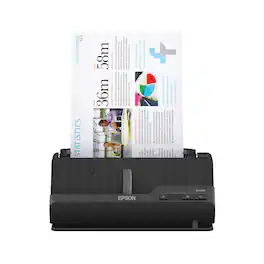
A compact modern wonder, the WorkForce ES-C220 keeps things simple with its intuitive design and exceptional flexibility. With the ES-C220, you can organize stacks of documents and make keeping piles of paperwork for your records a thing of the past. Ideal for the home or office, this easy-to-use scanner is the definition of innovation, saving 60% of desk space and scanning two sides at once as fast as 30 ppm/60 ipm. Offering a robust solution to managing your workflow, the included Epson ScanSmart software allows you to preview, email and upload your scans. In addition, help save valuable time with automatic file name suggestion for streamlined file management. The scanner features a 20-page Auto Document Feeder that makes it easy to scan in batches. In addition, the versatile ES-C220 scans papers of varying sizes up to 8.5" x 120". Maintain amazing quality with intelligent image adjustments such as cropping, paper skew correction and dirt detection. The ES-C220 proves bigger isn’t always better.
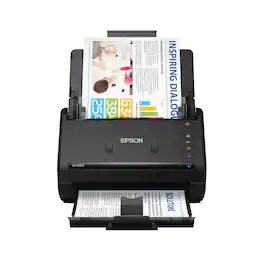
Get organized fast with the WorkForce ES-400 II duplex desktop document scanner. This reliable, easy-to-use performer speeds through scans up to 35 ppm/70 ipm1, capturing both sides of each sheet in one pass. Its 50-sheet Auto Document Feeder allows you to breeze through stacks of documents of varying sizes. Intuitive Epson ScanSmart Software2 means you can easily preview, email and upload your scans. The included TWAIN driver ensures compatibility with most document management software. Scan to cloud storage accounts2 or searchable PDFs. Color and image adjustment features such as auto crop, dirt detection, staple protection and paper-skew correction help ensure remarkable image quality, whatever the scan.

Create digital copies of important documents with this Epson WorkForce scanner. Its versatile document-handling capability accommodates standard paper, ID cards and receipts, and the included Nuance OCR software converts output into editable files or searchable PDFs for efficient archiving. This Epson WorkForce scanner’s small, lightweight design offers portability, and the USB interface provides easy connectivity.
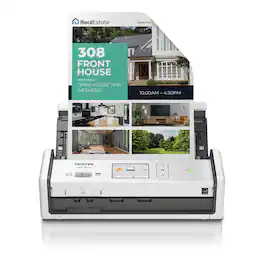
Scan documents your way, when and where you want with the Brother ADS-1800W. It’s like a virtual assistant for your small office or home office, helping you scan with ease from almost anywhere when connected to your scanner over a Wi-Fi connection. Scan photos and documents directly to your mobile device and share or save via the Brother Mobile Connect App(1), and automate your workflows using the 2.8” color touchscreen. Easy to use and affordable, the Brother ADS-1800W Compact Desktop helps you organize and digitize your documents, photos, and so much more. With fast scanning speeds up to 30 pages per minute(2) (ppm), a large 20-page automatic document feeder(3), and easy single-pass double-sided scanning capabilities, this scanner delivers precise black and white or color scans at a sharp 600 x 600ppi. Compact and lightweight, the Brother ADS-1800W is ready to work where you are, whether you’re scanning photos, organizing your library of business cards, digitizing your receipts, or scanning contracts. Plus, it’s powered directly through your computer or laptop via an included USB-C cable, meaning fewer messy cords and plugs in your way. Perfect for daily or occasional scanning, the Brother ADS-1800W handles multiple document sizes, and features a handy card slot for easy scanning of ID cards, business cards, and even credit cards. It also comes bundled with robust software(1) to manage files, create, and edit PDFs, and automate workflows for the ultimate in convenience. It’s so simple to use, you’ll never know how you organized yourself without it.
| Pros for Epson - WorkForce ES-C220 Compact Desktop Document Scanner - Black | |||
|---|---|---|---|
| Ease of use, Size, Scanning Speed, Image Quality, Software | Speed, Ease of use, Scan Quality, Size, Overall Performance | Ease of use, Scan Quality, Size, Overall Performance, Speed | There were no pros for this product— |
| Cons for Epson - WorkForce ES-C220 Compact Desktop Document Scanner - Black | |||
| WiFi | Paper Handling, Wireless | Paper Handling, Software, Connectivity, Compatibility | There were no cons for this product— |
Specs
Reviews
Customers are saying
Customers are impressed with the WorkForce ES-C220 Compact Desktop Document Scanner for its fast scanning speed, compact size, and user-friendly software. They appreciate the automatic file naming feature that helps streamline file management and the OCR software that accurately recognizes text. While some customers would prefer a wireless connection, many find the scanner to be a great value for its price.
Customer Images
The vast majority of our reviews come from verified purchases. Reviews from customers may include My Best Buy members, employees, and Tech Insider Network members (as tagged). Select reviewers may receive discounted products, promotional considerations or entries into drawings for honest, helpful reviews.
- Rated 5 out of 5 stars
Compact, fast, easy-to-use scanner - 2 sides even!
Quick Overview ================================= The Epson ES-C220 is a compact, vertical-style, desktop document scanner with an Automatic Document Feeder (ADF), fast performance, and flexible options. Overall build and Setup ================================= The box is smaller than you'd think, and the contents are even smaller! I have two different MultiFunction printer/scanners in the house, and the footprint that they take up on tables/desks is pretty significant. I've always wanted a quick vertical-style scanner after seeing them in use at offices (like doctor's offices when they scan your ID). It's black plastic, nothing fancy, with a lot of blue tape holding the doors shut during shipping. The quick setup poster shows it's just a few steps to get started. I removed the shipping tape from the outside, then inside. Next, I connected power, and connected the USB-A to USB-C cable to my computer. It was detected and probably would have worked a generic TWAIN-compliant scanner, but I wanted to test the Epson software as well. A quick search for "Epson ES-C220 drivers" will bring you to Epson's page where you can select your operating system and then download the "combo" pack that has drivers and utilities. Once you install them, you will be walked through the process to properly set up your device and install some helpful utilities. At the end, you'll be prompted to do a firmware upgrade (if available) which completed in about 3 minutes total. After that, I was ready to go! Performance ================================= Depending on what you want to scan, there's truly "vertical" mode where the paper goes through a "U-shaped" path and finishes in the front tray, parallel to where it started from. This is perfect for papers, multiple papers (ADF), and business cards. The "straight through" mode tilts the scanner back a few degrees and the scanned document exits out of a slot at the bottom. This can scan all of the above, but is best for booklets, brochures, and things like passports. Whatever you're scanning, this thing is fast! I added a stack of documents, pushed the "One Touch" button (far right) and it zipped through them immediately. I tried some singles and more stacks and was impressed that there were no issues feeding and the speed is a night and day difference between something like this and a flat bed scanner. Once your documents go through, you'll be greeted with a preview window where you can quickly sort through them to ensure they look correct. If you're happy, click next and you can choose where to save them. Not only can you save them to a folder, there are options to integrate with Google Drive, Microsoft's OneDrive, Dropbox, attaching them to an email, and more. I tested the OneDrive integration and it immediately uploaded them to a folder I chose (Scans) and I could choose the filename for my document(s) as well. Overall it's very easy to use and can scan up to 120" long document. I didn't have anything longer than an 8.5" x 14". Scanning a business card to test was a nice surprise because it automatcally scanned both sides in one pass! I was pleasantly surprised when I saw the preview included both sides of the card, saving me one more step. The ADF can scan up to 20 pages at once and it can go as fast as 30ppm at 300 dpi. This would be a great way to finally clean up the stack of old documents you may have sitting around in folders that you'll only need "in an emergency". Now, you can get rid of the clutter and store them safely online. I think it'd be a great way to store all my kid's drawings as well! I hate to throw away any of their precious art, but sometimes you have to be more practical than sentimental, and as long as I have a good copy of it to remember, then I'll feel better about recycling some of it. Unfortunately this specific model doesn't have Wi-Fi which means I don't have network connectivity to test the Android or iOS app. Still it's convenient and fast enough that I can always walk over, power it on, load my documents, and press the "One Touch" scan button. Conclusion ================================= This is a great compact and fast scanner for all of your document needs. This is not a high-res photo scanner, but it is a super-fast document scanner with the ability to scan two sides at once and handle 20 pages at a time. I'm sure this will finally help power through my stack of papers in the office, and I'd recommend getting one if you're looking to do the same!
Posted by Kaizoku
- Rated 5 out of 5 stars
Compact and easy to use
This little baby is fast!! I love how easy it was to unbox and start using!
Posted by JANS
- Rated 5 out of 5 stars
Bigger isn’t always better!
The Epson ES-C220 Scanner is a handy desktop scanner. Included with the scanner: online user manual, USB-A to USB-C cable, Start Guide, symbols guide, and Power Cord. Installing the Scan Smart software was very easy. Since I already have an Epson Printer/Scanner, the Install wizard automatically recognized that the Scan Smart was already installed. Therefore, only the drivers for the ES-C220 needed to be installed. Other software that is installed is called Presto!BizCard6. This software lets you make your own business cards. The Epson ES-C220 unfortunately does not have WiFi capabilities. It can only be used when hardwired to your computer/laptop using the supplied USB cable. The Start Guide is clear with its instructions as how to set up the scanner and it only took me about 10min to get the ES-C220 up and running. Scanning is quick and easy. Just put the item to be scanned in the back of the scanner, push the scan button and that’s it. The input slot has guides to make sure that the item is scanned properly. The Epson ES-C220 can scan just about anything, from small business cards, to documents up to 8 ½ inches x 120”. You can also choose between 1-sided or 2 sided copies (without having to rescan the second side of the item being scanned) within the Scan Smart Software. The scan speed is 30ppm/60ipm. The auto document feeder can feed up to 20 pages at a time. The Epson ES-C220 scanner has automatic imaging adjustment functions, IE: cropping, Paper skew correction, dirt detection, staple protection, and background removal. Pictures/photos scanned are clear and perfectly focused with excellent color saturation equal to that of the original picture/photo. The Epson ES-C220 Scanner’s compact design makes it perfect for desks, saving space by not needing a separate stand or table. It is also considered Energy Star qualified. All in all, the Epson Workforce ES-C220 Scanner is a niece space saving , versatile scanner for any home office, office, or just for individual home use. The only issue for me was, it has to be hard wired (does not have WiFi capabilities) so it needs to be near the computer or laptop.
Posted by dstracker