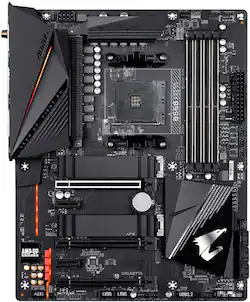
GIGABYTE - B550 AORUS PRO AC AM4 USB 3.1 AMD Motherboard with WIFI - Black
- Key Specs
- Chipset: AMD B550
- Form Factor: ATX (The size, arrangement, and physical configuration of the product.)
- Processor Socket: Socket AM4 (Type of pin configuration that connects a CPU to a computer’s motherboard.)
- General
- Product Name: B550 AORUS PRO AC AM4 USB 3.1 AMD Motherboard with WIFI
- Brand: GIGABYTE
- Model Number: B550 AORUS PRO AC
- Compatibility
- Chipset: AMD B550
- Form Factor: ATX (The size, arrangement, and physical configuration of the product.)
- Processor Socket: Socket AM4 (Type of pin configuration that connects a CPU to a computer’s motherboard.)
- Processor Compatibility: AMD Ryzen 5 5000 Series, AMD Ryzen 7 5000 Series, AMD Ryzen 9 5000 Series, AMD G-Series
- Dimensions
- Product Width: 269.75 millimeters (The out of box width of the item. Width is measured as the horizontal distance from one side of the item to the other as it would be primarily used or placed.)
- Other
- UPC: 889523022856
B550 AORUS PRO AC motherboard uses an 12*+2 phases digital CPU power design which includes both digital PWM Controller and DrMOS. These 100% digital controller offer incredible precision in delivering power to the motherboard's most power-hungry and energy-sensitive components, allowing enthusiasts to get the absolute maximum performance from 3rd Gen AMD Ryzen™ processors.
- Processor Compatibility: AMD Socket AM4
- Expansion Slots: Ultra Durable PCIe 4.0 Ready x16 Slot
- Graphics: Integrated in the New Generation AMD Ryzen™ with Radeon™ Graphics processors: 1 x HDMI port, supporting a maximum resolution of 4096x2160@60 Hz
- Memory: 4 x DDR4 DIMM sockets supporting up to 128 GB (32 GB single DIMM capacity) of system memory
- Audio: Realtek® ALC1220-VB codec
- VRM: True 12+2 Phases Digital VRM Solution with 50A DrMOS
- Operating System: Windows® 10 64-bit
A: Bought this mobo because of the spec, which included onboard wifi. Couldn't get more than 50MB despite being feet from the wifi router. updated drivers, checked all settings, but couldn't get much out of it. Ran a hard line and getting 150MB now. While researching the issues, found others had the same issue.
Q: Does this mother support 5000 series ryzen out of the box or do I have to update the bios?
A: The B550 aorus pro ac I received did not support ryzen 5000 series out of the box. They could start shipping them anytime with a sticker that says it now support it but the board I got about a month ago did not so I would plan on it not. This was my first pc build so I didn't have any other processor than my 5600x so I had to flash the bios before it would boot which is made easy with gigabytes q flash. Not a hard process to do but just make sure you follow all the directions, there are plenty of videos online how to do it so don't let that deter your from buying this board.
Q: Does this motherboard support the Ryzen 5000 series out of the box or do I have to update the BIOS?
A: Hi Justin, B550 AORUS PRO AC supports Ryzen 5000 series out of the box. If there are any issues, you can always use our Q-Flash Plus feature to update the BIOS without installing the CPU, Memory, and Graphics Card. Thank you! - Howard
Q: Will this support two GPU s with SLI ?
A: undefined
Q: Is this board windows 11 ready?
A: Hi, This MB is ready for Windows 11! Hope this helps. - John
Q: Will this support the ryzen 5 4600g? I don’t want to spend another 200 dollars on a CPU.
A: Hi Kob208, That CPU will work with our B550 board. We recommend you update the bios when you can for peak performance and security features! Hope this helps.
Q: Is anyone using this with a 5950x? How is it if so?
A: You may need to flash bios before putting a 5000 series in this but it holds up well with my 5900x





















