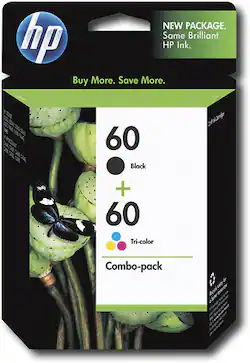
HP - 60 2-Pack Ink Cartridges - Black/Cyan/Magenta/Yellow
- General
- Product Name: 60 2-Pack Ink Cartridges
- Brand: HP
- Model Number: CD947FN#140
- Color: Black/Cyan/Magenta/Yellow
- Features
- Package Type: Multiple
- Cartridge Color(s): Tri-color
- High Yield: false (Contains more ink or toner than a comparable standard-size unit and is capable of producing a higher page yield.)
- Ink Code: HP 60 (The manufacturer’s alpha-numeric code that identifies a printer ink cartridge or bottle. The code is used to connect compatible ink cartridges or bottles to compatible printers. The code format is as follows: Brand, 2-3 letters, dash or space, 2-3 figure number. Vendors do not always use all these elements. Color and capacity are not included because this information is not needed to connect printers and cartridges.)
- Other
- Brand Compatibility: HP
- Model Compatibility: D1660, D2545, D2560, D2563, D2566, D2660, D2680, D5560, F2420, F2430, F2480, F2492, F4210, F4230, F4235, F4240, F4250, F4272, F4273, F4274, F4275, F4280, F4283, F4288, F4292, F4293, F4435, F4440, F4480, F4580, 100-D410b, 110-D410a, 110-D411a, 110-D411b, 111-D411d, 114-D411c, 120, 121, C4610, C4635, C4640, C4650, C4670, C4673, C4680, C4683, C4685, C4688, C4740, C4750, C4780, C4783, C4785, C4788, C4793, C4795, C4798, C4799, CN731S, D110a
- UPC: 883585826926
Use this twin pack of ink cartridges to create dark, crisp text or vibrant pictures for any project.
Whats Included
- 60 2-Pack Ink Cartridges
- Owner's manual
Q: is this compatible with the HP e all-in-one D110A
A: Yes, the HP Photosmart e-All-in-One Printer - D110a uses the HP 60 series ink cartridges.
Q: What ink is compatible with the HP Photosmart All in One eStation C510A?
A: hp 564 according to hp.com
Q: could you refill this Cartridge
A: Hewlett-Packard does not sell, manufacture, or support refillable ink cartridges. For this and other reasons, HP ink cartridges should not be refilled: Refilled ink cartridges might leak and cause product damage. One method for refilling ink cartridges is to drill a hole through the cartridge, refill the ink, and then plug it. In some cases, this plug does not hold, and the ink runs into the product and damages the printed circuit boards. Refilled ink cartridges frequently exhibit spotty printing or fail to print. This problem might be a direct result of the nozzles being plugged with dried ink. Because the vents of the refilled cartridges have been opened, air is able to enter the cartridge and dry the ink. Refilled ink cartridges might exhibit lower print quality, for the following reasons. Printing algorithms used to create the various colors are based on HP inks. Using incompatible inks might result in color matching problems. Refilled cartridges might have damaged nozzle orifices, result in various problems with print quality. Hewlett-Packard products use a time delay between pages to accommodate the properties of the specific media type and ink being used. This prevents smearing problems from one page to the next. Using incompatible ink will alter the effects of this time delay and might result in poor print quality. Hewlett-Packard products might not recognize refilled ink cartridges. The refilling process may involve altering the ink cartridge enough that the product is unable to recognize it. The condition of the print cartridge electrical contacts deteriorates with use. This also results in the product being unable to recognize the refilled cartridge. Refilled ink cartridges might get stuck in the product. Because the cartridges from other manufacturers have been altered, cartridges might become stuck in the product. This problem might require that the product be disassembled to remove the cartridge. Hewlett-Packard cannot predict the long-term effects on product reliability from using different ink formulations.
Q: What is the print yield for these cartridges?
A: The HP 60 Black ink cartridge has an approximate page yield of 200 pages. The HP 60 Tri-color ink cartridge has an approximate page yield of 160 pages. Average page yields are tested on 8.5" x 11" paper with 5% page coverage (a normal document).
A: Yes, it will. 60 is the regular size & 60xl is able to print more pages using the same sized cartridge.
Q: 1
A: the liquid on your finger causes the ink to spread
Q: I have a Hp Deskjet printer What ink do i use??
A: go to hp site, put in printer type and it will list the ink type you need. or the store has a list they can tell you which number is right.





















