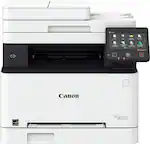
HP - DeskJet 2855e Wireless AI-Enabled All-in-One Inkjet Printer with 3 Months of Instant Ink (+1 Bonus Month of Ink w/ Code) - White
HP - DeskJet 2855e Wireless AI-Enabled All-in-One Inkjet Printer with 3 Months of Instant Ink (+1 Bonus Month of Ink w/ Code) - White
- HP - 67 Standard Capacity Ink Cartridge - Black$22.89
More Buying Options
Related Item

Specifications
- NetworkingWirelessENERGY STAR CertifiedYesPrinter TypeAll In OneISO Color Print Speed5.5 pages per minuteISO Mono Print Speed7.5 pages per minuteOutput Tray Capacity25
- Key Specs
- Networking: Wireless
- ENERGY STAR Certified: true (Devices carrying the ENERGY STAR service mark, such as computer products and peripherals, kitchen appliances, and other products, generally use 20% to 30% less energy than required by federal standards.)
- Printer Type: All In One
- ISO Color Print Speed: 5.5 pages per minute (The number of color pages able to be printed per minute in the device's default single-side mode, as tested by the International Standards Organization (ISO).)
- ISO Mono Print Speed: 7.5 pages per minute (The number of black ink (grayscale) pages able to be printed per minute in the device's default single-side mode, as tested by the International Standards Organization (ISO).)
- Output Tray Capacity: 25
- Touch Screen: false (Touch-screen devices make navigating more intuitive. Using a touch-screen display, you can do things such as tap to select, hold and drag to move items, swipe to scroll, and pinch to zoom.)
- General
- Brand: HP
- Model Number: DJ 2855E/588S5A#B1H
- Product Name: DeskJet 2855e Wireless AI-Enabled All-in-One Inkjet Printer with 3 Months of Instant Ink (+1 Bonus Month of Ink w/ Code)
- Color: White
- Display Screen: true
- Display Screen Size: 1 inches
- Dimensions
- Product Height: 6.06 inches (The out of box height of the item. Height is measured as the vertical distance from the bottom of the item to the top as it would be primarily used or placed.)
- Product Width: 16.7 inches (The out of box width of the item. Width is measured as the horizontal distance from one side of the item to the other as it would be primarily used or placed.)
- Product Depth: 11.97 inches (The out of box depth of the item. Depth is measured as the distance from the front of the item to the back as it would be primarily used or placed.)
- Product Weight: 7.55 pounds (The out of box weight of the item.)
- Features
- Automatic Document Feeder: false
- Photo Printing: true
- Monochromatic/Color: Color
- Automatic Two-Sided Printing: false
- Tray Capacity: 60
- Duty Cycle: Up to 1,000 (The maximum number of pages per month that the device can produce without failing, as specified by the manufacturer.)
- Connectivity
- Wired Connectivity: USB-B
- Wireless Connectivity: Wi-Fi (The manner in which a device sends data to another device over a short distance without the use of wires or cables.)
- Minimum System Requirements: PC: Windows 10, 11, 1 GHz 32-bit (x86) or 64-bit (x64) processor, 2 GB available harddisk space; Mac: macOS V10.14 Mojave, macOS10.15 Catalina, macOS 11 Big Sur, macOS 12 Monterey, macOS 13 Ventura; 2 GB HD; Internet required
- Certifications Listings & Approvals
- EPEAT Qualified: true (The Electronic Product Environmental Assessment Tool (EPEAT) was designed to provide an environmental assessment tool for purchasers. In order to qualify for EPEAT, a product must meet all 23 required criteria.)
- EPEAT Level: Silver (The Electronic Product Environmental Assessment Tool (EPEAT) was designed to provide an environmental assessment tool for purchasers. In order to qualify for EPEAT, a product must meet all 23 required criteria. Products are rated Bronze, Silver or Gold based on how many of 28 optional criteria they meet (below 50%, 50%, 75%).)
- Scanner Info
- Scanner Type: Flatbed
- Scanner Resolution: Up to 1200 x 1200 (Refers to the number of pixels/dots, both horizontally and vertically, of the image produced by the scanner. Generally, the higher the resolution, the sharper and cleaner the produced image.)
- Fax Info
- Integrated Fax: false
- Ink
- Compatible Cartridges: HP 67
- Ink Subscription Service Available: true (The printer monitors ink usage and alerts the subscription provider when levels are low. A purchased subscription provides refills of ink based on usage.)
- Ink Cartridges Required: 1 x Black, 1 x Tri-color (The quantity and color of ink cartridges required for the printer to operate.)
- Ink Cartridges Included: 1 x Black, 1 x Tri-color (The quantity and color of ink cartridges included.)
- Ink Bags/Bottles Required: None (The quantity and color of ink bags/bottles required for the printer to operate.)
- Ink Bags/Bottles Included: None (The quantity and color of ink bags/bottles included.)
- Paper Info
- Maximum Document Length: 14 inches
- Maximum Document Width: 8.5 inches
- Supported Paper Sizes: Letter; legal; 4 x 6in; 5 x 7in; 8 x 10in; No. 10 envelopes
- Paper Feeder: Tray loader
- Compatible Media Types: Plain paper, photo paper, brochure paper, envelopes and other specialty inkjet papers
- Copier Info
- Maximum Number Of Copies: 9
- Copier Resolution (Black): Up to 300 x 300 (Refers to the number of pixels/dots, both horizontally and vertically, of the image produced by the copier in black ink. Generally, the higher the resolution, the sharper and cleaner the produced image.)
- Copier Resolution (Color): Up to 300 x 300 (Refers to the number of pixels/dots, both horizontally and vertically, of the image produced by the copier in colored ink. Generally, the higher the resolution, the sharper and cleaner the produced image.)
- Performance
- Printer Resolution (Black): Up to 1200 x 1200 (Refers to the number of pixels/dots, both horizontally and vertically, of the image produced by the printer in black ink. Generally, the higher the resolution, the sharper and cleaner the produced image.)
- Printer Resolution (Color): Up to 4800 x 1200 (Refers to the number of pixels/dots, both horizontally and vertically, of the image produced by the printer in colored ink. Generally, the higher the resolution, the sharper and cleaner the produced image.)
- Approximate Page Yield (Black): 0
- Warranty
- Warranty - Parts: 1 year
- Warranty - Labor: 1 year
- Other
- UPC: 196337380097
The HP DeskJet 2855e delivers color printing, 60-sheet paper capacity, and a flatbed scanner for easy scanning and copying. It's AI-enabled to intuitively adapt to your workflow, with wireless and security features that keep your multifunction printer up to date and secure.
- From America's most trusted printer brand: The DeskJet 2855e is perfect for homes printing to-do lists, letters, financial documents and recipes. Print speeds up to 5.5 ppm color, 7.5 ppm black.
- Perfectly formatted prints with HP AI¹: Print web pages and emails with precision—no wasted pages or awkward layouts; HP AI easily removes unwanted content, so your prints are just the way you want
- Key features: Color printing, copy, scan, and a 60-sheet input tray
- Bonus 1 Month of Instant Ink: Use promo code HOLIDAY25 during printer setup to get 1 bonus month in addition to the 3 months of free Instant Ink service already included with this printer. Note: Enter the code during HP Inkjet printer setup, not at checkout.
- Wireless printing: Stay connected with our most reliable single-band Wi-Fi, which automatically detects and resolves connection issues
- 3 months of free ink when you activate HP+: Subscribe to Instant Ink delivery service to get ink delivered directly to your door before you run out. After 3 months, monthly fee applies unless cancelled, and you save up to 50%.
- HP app: Print, scan, copy, or fax right from your smartphone with the easiest-to-use print app
- Icon LCD: Print your basic documents with ease from the intuitive control panel
- Sustainable design: Made with at least 60% recycled plastic
- Compact design: Made to fit any home
- ENERGY STAR and EPEAT certified: Save energy with a printer that meets industry efficiency standards
- Dynamic security: This printer is intended to work only with cartridges with original HP chips or circuitry and will block cartridges using non-HP chips or circuitry. Periodic firmware updates will maintain the effectiveness of these measures.
- From America's most trusted printer brand: The DeskJet 2855e is perfect for homes printing to-do lists, letters, financial documents and recipes. Print speeds up to 5.5 ppm color, 7.5 ppm black.
Whats Included
- HP DeskJet 2855e All-in-One
- HP 67 Setup Black Cartridge
- HP 67 Setup Tri-color Cartridge
- Regulatory flyer
- Setup guide
- Reference guide
- Power cord
Product Manuals
Disclaimers
- ¹Requires Windows 11. HP AI features are available in U.S. English only and require a U.S. location for printer setup. Availability of features varies by supported printers. Requires HP AI-enabled printer set-up after September 15, 2025, and the HP app. Internet access is required and must be purchased separately. Wireless operations are compatible with 2.4GHz and 5.0GHz operations only.
- *Requires a high-speed Internet connection.
Q: How can I set up this HP printer?
A: You can easily set up this printer using the HP printing app by following a few simple steps.
Q: What is the input tray capacity of this HP printer?
A: This HP printer has an input tray capacity of 60 sheets.
Q: What is the function of dynamic security in this printer?
A: Dynamic security ensures that the printer functions only with original HP cartridges and blocks cartridges using non-HP chips or circuitry.
Q: Does this printer come with a wired connectivity option?
A: Yes, this printer can be connected via a USB-B cable.
Q: How do I choose an HP Instant Ink plan?
A: You can pick a plan based on the number of pages you print each month.
Q: What is the benefit of HP Instant Ink service?
A: With HP Instant Ink, you can save up to 50% on ink and never run out of it as the ink is automatically shipped when your printer runs low.
Q: Does this HP printer support double-sided printing?
A: No, this printer does not support automatic two-sided printing.
Q: At time of purchase, does printer come with ink?
A: Hello and thank you for asking. The HP DeskJet 2855e printer includes setup ink cartridges in the box, which have lower page yields than replacement cartridges. If you elect not to subscribe to an HP Instant Ink print plan, we recommend buying a spare set of cartridges, or at least an extra black cartridge, to ensure that you don’t run out.
Compare similar products

The HP DeskJet 2855e delivers color printing, 60-sheet paper capacity, and a flatbed scanner for easy scanning and copying. It's AI-enabled to intuitively adapt to your workflow, with wireless and security features that keep your multifunction printer up to date and secure.
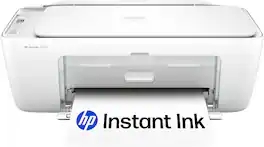
The HP DeskJet 2827e delivers color printing, 60-sheet paper capacity, and a flatbed scanner for easy scanning and copying. It's AI-enabled to intuitively adapt to your workflow, with wireless and security features that keep your multifunction printer up to date and secure.
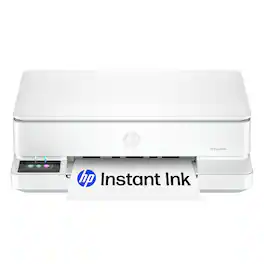
From America's most trusted printer brand, the HP Envy 6165e All-in-One delivers color printing, scanning and copying, plus 100-sheet paper capacity. It's AI-enabled to intuitively adapt to your workflow, with wireless and security features that keep your multifunction printer up to date and secure, and prints high-quality documents and photos every time with true-to-screen tech. This inkjet printer also lets you easily navigate print jobs with its intuitive color touchscreen.
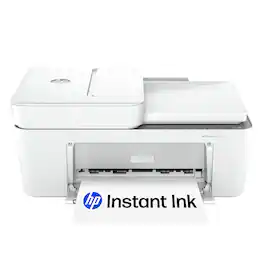
The HP DeskJet 4255e delivers color printing, 60-sheet paper capacity, and an auto document feeder for easy scanning and copying. It's AI-enabled to intuitively adapt to your workflow, with wireless and security features that keep your multifunction printer up to date and secure.
| Pros for HP - DeskJet 2855e Wireless AI-Enabled All-in-One Inkjet Printer with 3 Months of Instant Ink (+1 Bonus Month of Ink w/ Code) - White | |||
|---|---|---|---|
| Ease of use, Overall Performance, Print Quality, Setup, Size | There were no pros for this product— | Overall Performance, Print Quality, Setup, Connectivity, Ease of Use | Overall Performance, Print Quality, Ease of use, Setup, Connectivity |
| Cons for HP - DeskJet 2855e Wireless AI-Enabled All-in-One Inkjet Printer with 3 Months of Instant Ink (+1 Bonus Month of Ink w/ Code) - White | |||
| There were no cons for this product— | There were no cons for this product— | Paper Tray Capacity, Button Placement | There were no cons for this product— |
Specs



Reviews
Customers are saying
Customers praise the DeskJet 2855e for its ease of use, overall performance, and print quality. Many find the printer to be portable and appreciate the quick and straightforward setup. The wireless connectivity is user-friendly, and the printer operates quietly, making it a great value for its price.
Customer Images
The vast majority of our reviews come from verified purchases. Reviews from customers may include My Best Buy members, employees, and Tech Insider Network members (as tagged). Select reviewers may receive discounted products, promotional considerations or entries into drawings for honest, helpful reviews.
- Rated 5 out of 5 stars
My new printer
Ok,,I like this HP DeskJet 2855e because it’s wireless, Was quick to set up, and perfect for my needs. The AI-enabled features make it easy to use, and the all-in-one design handles my needs . The included Instant Ink months are a huge bonus. The size is perfect for my Bedroom I rent.
Posted by GreatbestbuyteamBillD
- Rated 5 out of 5 stars
HP DeskJet 2855e
The HP DeskJet 2855e has completely changed how I handle printing, scanning, and copying at home. This all-in-one printer manages to be both powerful and unbelievably easy to use — exactly what you want from a daily-driver printer. Right away, setup was a breeze. The wireless connectivity got me up and running in minutes, and the AI-enabled features make printing smarter and more efficient than I ever expected. Whether I’m printing documents, photos, or scanning receipts for work, this printer just gets it right without fuss. The print quality is excellent for the price range — crisp text and vibrant color photos that look great straight off the page. Even better, the wireless setup means I can print from my laptop, phone, or tablet without ever touching a cable. The HP Smart app makes everything smooth and intuitive, letting me manage jobs, monitor ink, and even set up voice-activated printing with ease. The compact design is perfect for a home office or living space where bulky printers don’t fit. It doesn’t take up much room, but it’s powerful enough for everyday needs — school assignments, work documents, photos, and more. What truly sets the DeskJet 2855e apart is how reliable and smart it feels. The AI enhancements mean fewer mistakes, better alignment, and clearer prints without constantly adjusting settings. Scanning and copying are just as user-friendly, and the overall performance feels far above what I expected for its price. Overall, the HP DeskJet 2855e is one of the best all-in-one printers I’ve used for everyday home use. It’s fast, capable, and effortless to operate — and that combination makes it a winner in my book.
Posted by WillB
- Rated 5 out of 5 stars
Great Printer!
The printer is great and works great too. Very easy to set up and prints in color and black & white.
Posted by Lizette