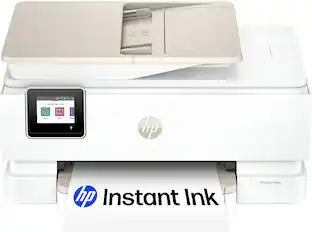
HP - Envy 4500 Wireless e-All-in-One Instant Ink Ready Printer - Black
Related Item

Specifications
- NetworkingWirelessPrinter TypeAll In OneISO Color Print Speed5.2 pages per minuteISO Mono Print Speed8.8 pages per minute
- Key Specs
- Networking: Wireless
- Printer Type: All In One
- ISO Color Print Speed: 5.2 pages per minute (The number of color pages able to be printed per minute in the device's default single-side mode, as tested by the International Standards Organization (ISO).)
- ISO Mono Print Speed: 8.8 pages per minute (The number of black ink (grayscale) pages able to be printed per minute in the device's default single-side mode, as tested by the International Standards Organization (ISO).)
- General
- Brand: HP
- Model Number: A9T80A
- Product Name: Envy 4500 Wireless e-All-in-One Instant Ink Ready Printer
- Color: Black
- Display Screen: true
- Display Screen Size: 2 inches
- Dimensions
- Product Height: 15.4 inches (The out of box height of the item. Height is measured as the vertical distance from the bottom of the item to the top as it would be primarily used or placed.)
- Product Width: 17.5 inches (The out of box width of the item. Width is measured as the horizontal distance from one side of the item to the other as it would be primarily used or placed.)
- Product Weight: 12.3 pounds (The out of box weight of the item.)
- Features
- Photo Printing: true
- Automatic Reduction/Enlargement: true
- Tray Capacity: 100
- Duty Cycle: Up to 1,000 (The maximum number of pages per month that the device can produce without failing, as specified by the manufacturer.)
- Certifications Listings & Approvals
- EPEAT Qualified: false (The Electronic Product Environmental Assessment Tool (EPEAT) was designed to provide an environmental assessment tool for purchasers. In order to qualify for EPEAT, a product must meet all 23 required criteria.)
- Scanner Info
- Scanner Type: Flatbed
- Scanner Resolution: Up to 2400 x 1200 (Refers to the number of pixels/dots, both horizontally and vertically, of the image produced by the scanner. Generally, the higher the resolution, the sharper and cleaner the produced image.)
- Ink
- Compatible Cartridges: HP 61, HP 61XL
- Ink Subscription Service Available: true (The printer monitors ink usage and alerts the subscription provider when levels are low. A purchased subscription provides refills of ink based on usage.)
- Memory
- Memory Card Slot: false
- Paper Info
- Maximum Document Length: 14 inches
- Maximum Document Width: 8.5 inches
- Supported Paper Sizes: 3" x 5" to 8.5" x 14"
- Paper Handling: Up to 100 sheets
- Copier Info
- Maximum Number Of Copies: 50
- Copier Resolution (Black): Up to 600 x 600 (Refers to the number of pixels/dots, both horizontally and vertically, of the image produced by the copier in black ink. Generally, the higher the resolution, the sharper and cleaner the produced image.)
- Copier Resolution (Color): Up to 1200 x 600 (Refers to the number of pixels/dots, both horizontally and vertically, of the image produced by the copier in colored ink. Generally, the higher the resolution, the sharper and cleaner the produced image.)
- Performance
- Printer Resolution (Black): Up to 1200 x 600 (Refers to the number of pixels/dots, both horizontally and vertically, of the image produced by the printer in black ink. Generally, the higher the resolution, the sharper and cleaner the produced image.)
- Printer Resolution (Color): Up to 4800 x 1200 (Refers to the number of pixels/dots, both horizontally and vertically, of the image produced by the printer in colored ink. Generally, the higher the resolution, the sharper and cleaner the produced image.)
- Connectivity
- Minimum System Requirements: PC: Windows XP SP3 or higher, Vista, 7 or 8, CD-ROM/DVD drive or Internet connection, USB 2.0 port; Mac: Intel Core processor; OS X v10.6, Lion or Mountain Lion; 1GB hard drive; CD-ROM/DVD drive or Internet connection; USB 2.0 port
- Other
- UPC: 887111967817
HP Envy 4500 e-All-in-One Printer: With built-in Wi-Fi, this e-all-in-one printer provides a wireless connection to your network, so you can print, copy and scan with ease. HP ePrint and Apple® AirPrint let you print from your enabled mobile device.
- Inkjet printers are best for home or small business use: They offer excellent print quality for photos and documents and accept a variety of paper types and sizes.
- Wireless and mobile printing capability: Connect to your network with built-in Ethernet or wireless LAN. HP Auto Wireless Connect enables wireless printing. Plus, print from your mobile device with the HP ePrint app or Apple AirPrint.
- Scan directly to your mobile device: All you need is a wireless access point, an Internet connection and the HP Printer Control app (download required).
- Up to 4800 x 1200 optimized dpi (dots per inch) color resolution: High resolution for producing incredible quality and detail in documents and photos. Up to 1200 x 600 rendered dpi when printing black only.
- 1 black and 1 tri-color print cartridge: Three dye-based inks produce vivid color in photos, and the pigment-based black ink produces crisp text.
- Standard paper handling: 100-sheet input and 30-sheet output capacity. Accommodates up to 40 cards, up to 40 transparency sheets, up to 10 envelopes or up to 30 sheets of 4" x 6" photo paper.
- 2" high-resolution monochrome LCD: Easily input commands.
- More print, copy and scan solutions: Print and copy 2-sided documents, scan to your e-mail and more.
- PC system requirements: Windows XP SP3 or higher (32-bit): Intel® Pentium® II, Celeron® or compatible 233MHz processor; 750MB hard drive space; Windows Vista: 800MHz 32- (x86) or 64-bit (x64) processor; 2GB hard drive space.
- Additional PC system requirements include: Windows 7 or 8: 1.0GHz 32- (x86) or 64-bit (x64) processor; 2GB hard drive space; CD-ROM/DVD drive or Internet connection; available USB 2.0 port.
- Mac system requirements: Intel® Core™ processor; OS X v10.6, Lion or Mountain Lion; CD/DVD-ROM or Internet connection; available USB 2.0 port.
Whats Included
- Envy 4500 Wireless e-All-in-One Printer
- HP Photo Creations software CD-ROM, setup poster
- 61 black ink cartridge, 61 tricolor ink cartridge
- Power cord
- Owner's manual
Q: What does WPA/WEP mean on setup
A: It's your wifi password
Q: Can I use this printer with Windows 10?
A: Yes it does, I upgraded my laptop to Windows 10 and it works seamlessly with the printer.
Q: can it be used via USB cable for 1 computer & WiFi or another without being reconfigured each time.
A: This HP e-All-in-One Printer can be connected to USB on one PC and wirelessly to another because USB is not a network it is a direct connection. You would not be able to connect two networks connections like an Ethernet and Wireless.
Q: What do I need to use it wirelessly with Windows 8?
A: You will go to the website given to you on the printer directions and download the driver to your computer. Follow the directions and you are done. It was extremely easy to do. I am not a computer wizard and figured it out.
Q: If a color cartridge runs out can you still print with black ink?
A: Use the single-cartridge mode to operate the HP ENVY 4500 series with only one ink cartridge. The single-cartridge mode is initiated when an ink cartridge is removed from the ink cartridge carriage. Exit single-cartridge mode: ? Install both the black and tri-color cartridges in the HP ENVY 4500 series to exit single-cartridge mode.
Q: Will this printer work with Windows 10?
A: Yes, it will. I upgraded my computer from Windows 7 to Windows 10 and have had no problems printing since.
A: Couple minutes to get out of box and all the wrappings, Follow instructions. Simple and easy. few minutes for software to download.
A: You can print up to 10 envelopes at a time with this HP Printer.
Compare similar products
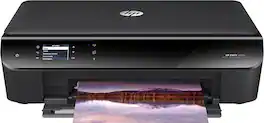
HP Envy 4500 e-All-in-One Printer: With built-in Wi-Fi, this e-all-in-one printer provides a wireless connection to your network, so you can print, copy and scan with ease. HP ePrint and Apple® AirPrint let you print from your enabled mobile device.
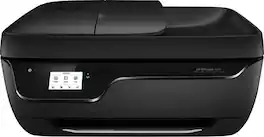
HP OfficeJet 3830 All-In-One Printer: Print, copy, scan and fax photos and documents all with a single device. Plus, this all-in-one printer connects to your home or office network via Wi-Fi, so you can print directly from your smartphone or tablet using Apple AirPrint.

From America's most trusted printer brand, the HP Envy 6155e All-in-One delivers color printing, scanning and copying, plus 100-sheet paper capacity. It's AI-enabled to intuitively adapt to your workflow, with wireless and security features that keep your multifunction printer up to date and secure, and prints high-quality documents and photos every time with true-to-screen tech. This inkjet printer also lets you easily navigate print jobs with its intuitive color touchscreen.
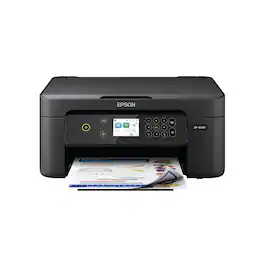
Enjoy easy, everyday printing—plain and simple—with the Expression Home XP-4200. From coupons to directions, recipes to homework, the XP-4200 delivers the documents you need without missing a beat. Engineered with Epson’s state-of-the-art imaging technology, this high-performance, all-in-one solution also supports all your creative projects with exceptional image quality for remarkable prints and borderless photos. Plus, it offers convenient features and simple installation.
| Pros for HP - Envy 4500 Wireless e-All-in-One Instant Ink Ready Printer - Black | |||
|---|---|---|---|
| There were no pros for this product— | There were no pros for this product— | Overall Performance, Print Quality, Ease of Use, Setup, Size | Overall Performance |
Specs



Reviews
Rating 4.5 out of 5 stars with 6271 reviews
Customer Images
The vast majority of our reviews come from verified purchases. Reviews from customers may include My Best Buy members, employees, and Tech Insider Network members (as tagged). Select reviewers may receive discounted products, promotional considerations or entries into drawings for honest, helpful reviews.
Explore tech essentials Sponsored
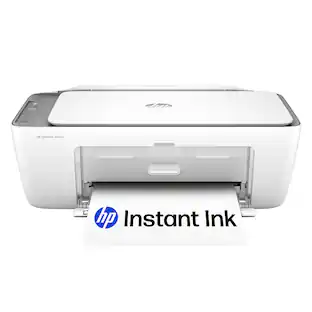 $49.89The price was $89.89
 $229.99The price was $329.99
 $159.89The price was $239.89