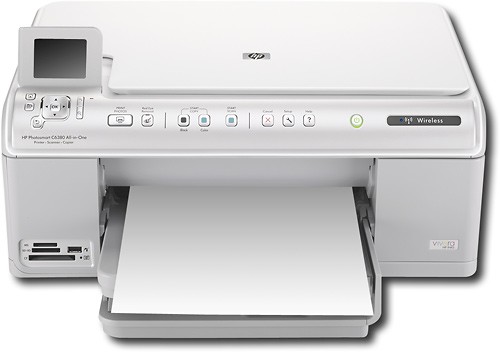
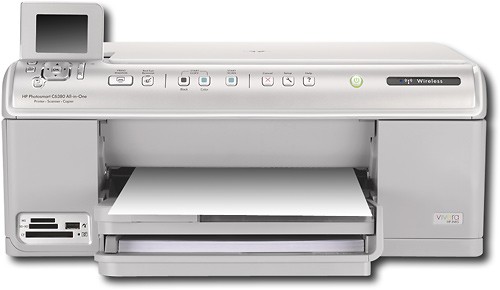
HP - Photosmart Wireless Multifunction Printer/ Copier/ Scanner
This item is no longer available in new condition.
See similar items below.
Description
Features
Up to 600 x 600 dpi resolution in black; up to 9600 x 2400 optimized dpi in color
True borderless printing; borderless print sizes up to 8.5" x 11"
Direct, PC-free printing from PictBridge-enabled digital cameras and DV camcorders or compatible memory card media
Built-in card slots support CompactFlash, Secure Digital, Secure Digital High Capacity, MultiMediaCard, Memory Stick, Memory Stick Duo and xD-Picture Card
2.4" color LCD screen for previewing images
Copies up to 33 cpm* in black, up to 31 cpm* in color; copy resolution up to 600 x 600 in black and up to 9600 x 2400 optimized dpi in color
Flatbed scanner with 48-bit color; scan resolution up to 4800 dpi optical and up to 4800 x 9600 dpi hardware (up to 19,200 dpi enhanced)
Prints on a variety of paper including plain, inkjet, photo and banner, plus envelopes, labels, index cards and greeting cards
125-sheet multipurpose input tray; 50-sheet output tray; 20-sheet photo tray
High-speed USB connectivity; optional wireless printing from Bluetooth wireless printer adapter (not included)
*Note: Print speeds vary with use. See mfg. for info on print speeds.
Other
- Energy Star CompatibleYes
- <a href="javascript:winopengld('1087340571468','pcmcat38200050027','cat12080')">Print Speed (B&W)</a>Up to 33 ppm (Print speeds vary with use. See mfg. for info on print speeds.)
- <a href="javascript:winopengld('1087340571541','pcmcat38200050027','cat12080')">Print Speed (Color)</a>Up to 31 ppm (Print speeds vary with use. See mfg. for info on print speeds.)
- Print Speed (Photo)4" x 6" photo in as little as 18 seconds (Print speeds vary with use. See mfg. for info on print speeds.)
- <a href="javascript:winopengld('1087340571577','pcmcat38200050027','cat12080')">Black Printer Resolution</a>Up to 600 x 600 dpi
- <a href="javascript:winopengld('1087340571611','pcmcat38200050027','cat12080')">Color Printer Resolution</a>Up to 9600 x 2400 dpi
- <a href="javascript:winopengld('1087340571658','pcmcat38200050027','cat12080')">Media Types</a>Plain, inkjet, photo and banner, envelopes, labels, index cards, greeting cards
- <a href="javascript:winopengld('1087340571708','pcmcat38200050027','cat12080')">Media Sizes</a>Letter, legal, tabloid, executive, #10 envelopes, borderless photo (4" x 6", 5" x 7", 8" x 10")
- <a href="javascript:winopengld('1087340571743','pcmcat38200050027','cat12080')">Input Paper Capacity</a>Up to 125 sheets
- <a href="javascript:winopengld('1087340571783','pcmcat38200050027','cat12080')">Output Paper Capacity</a>Up to 50 sheets
- <a href="javascript:winopengld('1087340571817','pcmcat38200050027','cat12080')">Memory</a>64MB
- <a href="javascript:winopengld('1087340571851','pcmcat38200050027','cat12080')">Type of Interface</a>USB
- <a href="javascript:winopengld('1087340572115','pcmcat38200050027','cat12080')">Total Ink Tanks/Cartridge</a>1 black, 1 photo black, 1 cyan, 1 magenta, 1 yellow (included)
- <a href="javascript:winopengld('1087340572271','pcmcat38200050027','cat12080')">Print Quality</a>For photos and documents
- PC-Free PrintingYes
- <a href="javascript:winopengld('1087340809469','pcmcat38200050027','cat12080')">Duty Cycle</a>Up to 2,500 pages/mo.
- <a href="javascript:winopengld('1087340809515','pcmcat38200050027','cat12080')">Networking Capabilities</a>Ethernet, wireless 802.11b/g; Bluetooth (with optional adapter, not included)
- <a href="javascript:winopengld('1087340809619','pcmcat38200050027','cat12080')">Scanner Resolution (dpi)</a>Up to 4800 dpi optical and up to 4800 x 9600 dpi hardware (up to 19,200 dpi enhanced)
- <a href="javascript:winopengld('1087340809653','pcmcat38200050027','cat12080')">Bit Depth</a>48
- Scanner TypeFlatbed
- <a href="javascript:winopengld('1087340809696','pcmcat38200050027','cat12080')">Scan Method</a>Flatbed
- <a href="javascript:winopengld('1087340809730','pcmcat38200050027','cat12080')">Copier Resolution (dpi)</a>Up to 600 x 600 dpi black; up to 9600 x 2400 dpi color
- <a href="javascript:winopengld('1087340809772','pcmcat38200050027','cat12080')">Copier Speed (B&W)</a>Up to 33 cpm (Copier speeds vary with use. See mfg. for info on copier speeds.)
- <a href="javascript:winopengld('1087340809806','pcmcat38200050027','cat12080')">Copier Speed (Color)</a>Up to 31 cpm (Copier speeds vary with use. See mfg. for info on copier speeds.)
- <a href="javascript:winopengld('1087340809851','pcmcat38200050027','cat12080')">Multiple Copies</a>Up to 50
- <a href="javascript:winopengld('1087340809918','pcmcat38200050027','cat12080')">Reduction/ Enlargement</a>50-400%
- Accessories IncludedHP 564 black ink cartridge, HP 564 photo black ink cartridge, HP 564 cyan ink cartridge, HP 564 magenta ink cartridge, HP 564 yellow ink cartridge, power cord, power supply, software CD-ROM
- Minimum System RequirementsWindows XP or Vista; Mac OS v 10.4 or v 10.5; available USB port; CD-ROM drive
- Wireless NetworkingYes
- UPC883585971374
Customer reviews
Rating 3.4 out of 5 stars with 59 reviews
(59 customer reviews)to a friend
Customers are saying
Customers are satisfied with the product's print quality, ease of use, and wireless capabilities. Many appreciate the straightforward setup process. However, some customers noted that the printer can be noisy during operation. The wireless functionality is a highlight for many users.
This summary was generated by AI based on customer reviews.
- Pros mentioned:Print quality, Setup, WirelessCons mentioned:Noise
Rated 4 out of 5 stars
C6389 Almost HP good
Posted .This reviewer received promo considerations or sweepstakes entry for writing a review.I've always had HP products. It was only natural when I wanted a printer. This is my first "all in one". Set up on the C6380 was easy, although it took a very long time. It connected to my wireless network with no problems. I have scanned documents and photos. The quality was excellent. I printed same and again the quality was excellent. My decision on the "HP 5 ink printing system" remains to be seen. It will probably be ok. My one and only problem is the noise. It clangs and bangs and carrys on. Before and after printing it is preparing itself for something. It is the loudest printer I have ever had, including the 40 dollar one I had to buy on a trip once. I have a Vista64 HP Touchscreen. Although I have learned to hate Vista, this printer seems to work fine with it. It didn't say "not compatable" so its all good. Bottom line is this is a great piece of equipment and I would buy another one in spite of the noise.
I would recommend this to a friend - Pros mentioned:Print quality, WirelessCons mentioned:Noise, Speed
Rated 3 out of 5 stars
OK for price
Posted .This reviewer received promo considerations or sweepstakes entry for writing a review.I do like how it can do everything I need and is wireless. I am disappointed in how slow it is. It is also very loud and clunky. I am going to have to move it off my computer desk, which has a shelf just for a printer but this printer clunks and shakes so much it effects the whole desk. Once it does print the printing quality is great. I might end up selling and buying a different model though as I am not sure I can adapt to the cons of this printer. I recommend you see it in action before you purchase.
No, I would not recommend this to a friend - Pros mentioned:Ease of use, Print quality, Wireless
Rated 3 out of 5 stars
Good Printing, Thirsty for Ink
Posted .This reviewer received promo considerations or sweepstakes entry for writing a review.Pros - - Quality photos and document printing - Easy to use - LCD screen makes it very user friendly - Wireless requires no set up or CD loading - Prints quickly - Reasonably priced - Separate ink cartridges for every color saves money on ink overall Cons - - Scan quality is not the greatest - It seems to go through ink cartridges extremely fast, even when I'm not printing photos - Ink is expensive ($12 per color x 5 colors)
I would recommend this to a friend - Pros mentioned:Print quality
Rated 4 out of 5 stars
Great quality, some annoying tidbits though
Posted .This reviewer received promo considerations or sweepstakes entry for writing a review.Overall I would say that this printer is pretty good but as with all HP printers, their software is often irritating. I would have given this a 5 or 4, but because of the irritating software I want to give it a 3.5 but don't think you can so 4 it is because of the great quality it does with picture printouts. PROS: -Great quality print jobs -Great picture printing -Wireless scan (can scan document and send it wirelessly to your PC) CONS: -The software on these printers lag PCs pretty bad when they startup. This is primarily because they automatically check for updates and run in the background, taking up a lot of swap file space. -When I have a document in black ink only, if I don't click print only in grayscale and hit print, it uses both the dark dark red and black ink mixed together. I didn't notice this at first but after printing just documents in black ink, I noticed that my dark red ink was empty too even though I didn't use it. -Sometimes I forget to say print in grayscale only and when I'm out of dark red ink, a popup says do I want to print black only on my PC. I press yes, but I also have to run to the printer and hit ok print black only to confirm.
I would recommend this to a friend - Pros mentioned:Print qualityCons mentioned:Noise
Rated 4 out of 5 stars
Decent Printer
Posted .This reviewer received promo considerations or sweepstakes entry for writing a review.I'm a new user (less than three months). Our other printer was a Canon. We chose this HP printer based on a recommendation from the Best Buy staff and it seemed quite a bit sturdier than the Epson's. The setup was straightforward. We also have it hooked to several PC's and a Mac. My wife prints pictures frequently and is satisfied with the quality of prints. I print documents. The quality is fine, but I'm frustrated that you cannot print duplex (on both sides of the paper) automatically. You can print duplex manually (i.e. allow one side to print and then re-feed the same paper back into the printer to print on the otherside), but that defeats the purpose of having a wireless printer. Also, the price dropped $50 dollars within a week or two of having purchased it. It seems a bit noisier than the Canon, but nothing to worry about. The manual controls in the front are very good. Overall, I think this is a fine printer.
I would recommend this to a friend - Pros mentioned:Print quality, SetupCons mentioned:Noise
Rated 5 out of 5 stars
Super printer for the buck !
Posted .This reviewer received promo considerations or sweepstakes entry for writing a review.This is my 4th or 5th HP printer and there is none better. This printer was part of a package deal and I upgraded for it. The set up is so easy and it worked first time rigt out of the box ! I don't think it is that loud as some on here have said. I'd say just more typical of any printer. It shakes around a little but nothing major. Color is super and I do tons of pictures so this is very important to me. The programs that come with it for printing are excellant also ! I would definately recommend this to anyone !
I would recommend this to a friend - Pros mentioned:Ease of use, Print quality
Rated 4 out of 5 stars
Very Nice Printer
Posted .This reviewer received promo considerations or sweepstakes entry for writing a review.Dont get me wrong i like this printer alot better then my old one, very easy to setup and the software is user friendly, i use the USB port which works just fine havent tryed wireless or network, according to the software i used alot of ink so far but not sure how accurate that is till it accualy runs out. I scanned some docs and pics they came out ok of course the pics i scanned are semi gloss and not high gloss so it isnt that great looking have to try a high gloss pic next. Prints 4x6 pics fast and documents even faster. Price is a little high but im glad to have bought this printer.
I would recommend this to a friend - Pros mentioned:Print quality, Wireless
Rated 4 out of 5 stars
Good printer so far
Posted .This reviewer received promo considerations or sweepstakes entry for writing a review.I just got this printer, printed 6 photos so far in 6 hours, ink does seem to go down faily quickly, but replacements are fairly cheap, this printer is worth 200, but we got it for 150 on sale. It does shake the table, but for the quality you get, who cares. Pretty easy to set up for wireless. my xp and our laptop vista had no problems connecting and printing. If you like taking photos and editing them on your own and know what you are doing, you WILL get very vibrant photos. Like I said I only printed 6 8x10's so far. So i guess we will see, but so far so good.
I would recommend this to a friend
Be the first to ask a question.
We’ll try to get your question answered within 24 hours by a Best Buy customer or brand representative.
Ask a Question