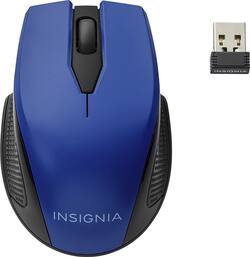
Insignia™ - Wireless Optical Mouse
- Key Specs
- Number of Buttons (Total): 3
- General
- Product Name: Wireless Optical Mouse
- Brand: Insignia™
- System Requirements: Apple MacOS X 10.x or later, Microsoft Windows Vista / 7 / 8 / 8.1 / 10 (The software that a product must have for it to be able to integrate with another product.)
- Model Number: NS-PNM7013-BL
- Features
- Mouse Type: Standard
- Performance
- Mouse Operation: Button(s)
- Handedness: Ambidextrous
- Tracking Method: Optical (There are several types of computer mice, optical and laser being among the most common. Optical mice detect less detail and provide more precise and accurate movement. Laser mice detect more detail and can be used on a wider variety of surfaces, but are more sensitive to small movements.)
- Number of Buttons (Total): 3
- Connectivity
- Operating System Compatibility: Windows, Mac
- Power
- Mouse Power Source: Battery-powered
- Rechargeable Battery (Mouse): false
- Battery Size: AA (The battery size required for operation.)
- Batteries Included: true (Indicates whether the product comes with the required batteries for its operation.)
- Dimensions
- Product Height: 1.4 inches (The out of box height of the item. Height is measured as the vertical distance from the bottom of the item to the top as it would be primarily used or placed.)
- Product Length: 3.9 inches (The out of box length of the item. Length is measured as the longest dimension of the item.)
- Product Width: 2.6 inches (The out of box width of the item. Width is measured as the horizontal distance from one side of the item to the other as it would be primarily used or placed.)
- Product Weight: 52.73 grams (The out of box weight of the item.)
- Warranty
- Manufacturer's Warranty - Parts: 1 year
- Manufacturer's Warranty - Labor: 1 year
- Other
- UPC: 600603201103
Replace your wired mouse with this Insignia wireless optical mouse. The simple three-button design lets you click, scroll and select items on your desktop or on your laptop, and an ergonomic design ensures you can grip it more easily. Powerful wireless technology means this Insignia wireless optical mouse has solid connectivity.
- Optical technology: LED lights scan the surface beneath the mouse to detect movement with a fair amount of accuracy, suitable for everyday computing and browsing.
- 2.4GHz wireless connection: This mouse connects to your computer using a wireless USB receiver and works up to 10 feet away.
- Compatible with most Windows and Mac computers: Works across a wide array of computers.
- Optical technology: LED lights scan the surface beneath the mouse to detect movement with a fair amount of accuracy, suitable for everyday computing and browsing.
- 2.4GHz wireless connection: This mouse connects to your computer using a wireless USB receiver and works up to 10 feet away.
- Compatible with most Windows and Mac computers: Works across a wide array of computers.
Whats Included
- Insignia Wireless Optical Mouse
- USB wireless receiver
- Insignia Wireless Optical Mouse
- USB wireless receiver
Q: how to hook up a wireless mouse
A: When you open the package remove the USB adaptor and plug it into a USB port on your PC. Put the battery in the mouse, turn it on and it should link right up and you should be able to use it immediately.
A: I always print the ads I see online. BestBuy will match any price, including their own. I even purchased, full price, and found it costed less, went back and showed BestBuy, they processed a refund, and let me re-purchase it at the lower price I saw it for, online. BestBuy is awesome. Also, if not available at the store, the store will order it for you, and ship to the store for free. I also enjoy earning BestBuy rewards for all my purchases. Make sure you are a member of BestBuy Rewards, because membership is free, and the company is very generous with their rewards.
Q: Hello!! Would this wireless mouse work with an Insignia tablet?
A: The mouse comes with a usb chip that goes into comeputer I’m guessing if tablet don’t have a USB port it not a good fit
A: Yes it is.
Q: What is the dpi of this mouse?
A: undefined
Q: Dose the this mouse come with a battery or do I have to buy them? Also like my name :)
A: Battery is included.














