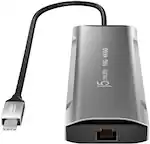
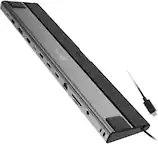
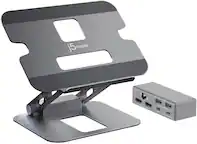
j5create - USB-C to 4-Port HDMI Multi-Monitor Adapter - Silver
More Buying Options
Related Item

About This Item
- Key Specs
- Maximum Number of Displays Supported: 4
- Maximum Supported Resolution: Full HD (1080p)
- Number of DisplayPort Outputs (Total): 0
- General
- Brand: j5create
- Model Number: JCA366
- Product Name: USB-C to 4-Port HDMI Multi-Monitor Adapter
- Color: Silver
- Display
- Maximum Number of Displays Supported: 4
- Maximum Supported Resolution: Full HD (1080p)
- Maximum Supported Refresh Rate: 60Hz (The number of frames per second the device can support, expressed as a frequency. Higher rates help produce smooth, seamless pictures.)
- Ports
- Display Connector(s): 4 x HDMI (The number and type of connectors used to connect to an external display.)
- Number of DisplayPort Outputs (Total): 0
- Number of HDMI Ports (Total): 4
- Number of VGA Ports: 0 (VGA (Video Graphics Adapter or Video Graphics Array) is a display standard that transmits via analog signals. This type of interface is typically used to connect a computer to a display device such as a monitor, projector, or TV.)
- USB Ports: None (The number and type of USB ports the product has.)
- Headphone Jack: false (The device features an interface that allows for the connection of headphones.)
- Power
- Powered: false
- Compatibility
- System Requirements: Windows 10 or later, macOS 10.11 or later. Available USB-C port (USB 3.1 / 3.0 recommended). Office applications / web browsers: CPU: Intel Core i5 Quad Core, 4 GB memory or higher. Video playback: CPU: Intel Core i7 Quad Core, 8 GB memory or higher (The software that a product must have for it to be able to integrate with another product.)
- Brand Compatibility: Available USB-C port (USB 3.1 / 3.0 recommended)
- Model Compatibility: Available USB-C port (USB 3.1 / 3.0 recommended)
- Features
- Cable Lock Slot: None
- Material: Aluminum
- Indicator Light(s): false
- Dimensions
- Product Height: 0.63 inches (The out of box height of the item. Height is measured as the vertical distance from the bottom of the item to the top as it would be primarily used or placed.)
- Product Length: 4 inches (The out of box length of the item. Length is measured as the longest dimension of the item.)
- Product Width: 3.13 inches (The out of box width of the item. Width is measured as the horizontal distance from one side of the item to the other as it would be primarily used or placed.)
- Product Weight: 5 ounces (The out of box weight of the item.)
- Warranty
- Warranty - Parts: 2 year limited
- Warranty - Labor: 2 year limited
- Other
- UPC: 847626003646
The USB-C to 4-port HDMI Multi-Monitor Adapter functions as an external video card for your MacBook or personal computer. It allows you to add four additional monitors/displays through your USB-C port. This is the perfect alternative to a costly video card. With the JCA366, you can quickly install the driver with a simple USB-C plug-in. Afterwards, connect your device to your monitors using HDMI cables and you have just created a new visual environment in seconds. With this multi-monitor adapter, you can extend your desktop across multiple displays, clone one screen onto another, and have individual applications displayed on each monitor. You can also enable additional features with the Multi-Monitor Assistant Application for your Windows devices.
- Increase Productivity With Multiple Display Modes: Multitask with a larger landscape/desktop space. Move and view your large spreadsheets across four screens without overlapping windows. Ideal for viewing multiple windows at the same time to enhance productivity from standard business applications.
- Quickly Assign Multiple Windows: The Multi-Monitor Assistant application assists with dragging, dropping, zooming in & out, cursor display cycle, cascading windows to the main display and windows expansion cycle on multiple monitors with simple moves (Currently available for Windows only).
- 1080p HDMI Resolution With Stereo Audio: 1920 x 1080 @ 60 Hz, with 1080p Video Playback; Display Rotation: 0°, 90°, 180° & 270°. HDMI ports support 48 kHz imbedded audio.
- Fast Installation: Simply install the driver, plug-in the USB-C and it’s ready to go.
- No External Power Required: USB powered by the computer, over SuperSpeed USB 3.0 / 3.1.
- Increase Productivity With Multiple Display Modes: Multitask with a larger landscape/desktop space. Move and view your large spreadsheets across four screens without overlapping windows. Ideal for viewing multiple windows at the same time to enhance productivity from standard business applications.
- Quickly Assign Multiple Windows: The Multi-Monitor Assistant application assists with dragging, dropping, zooming in & out, cursor display cycle, cascading windows to the main display and windows expansion cycle on multiple monitors with simple moves (Currently available for Windows only).
- 1080p HDMI Resolution With Stereo Audio: 1920 x 1080 @ 60 Hz, with 1080p Video Playback; Display Rotation: 0°, 90°, 180° & 270°. HDMI ports support 48 kHz imbedded audio.
- Fast Installation: Simply install the driver, plug-in the USB-C and it’s ready to go.
- No External Power Required: USB powered by the computer, over SuperSpeed USB 3.0 / 3.1.
Whats Included
- 1 - JCA366 USB-C to 4-Port HDMI Multi-Monitor Adapter
- 1 - Quick Installation Guide
- 1 - JCA366 USB-C to 4-Port HDMI Multi-Monitor Adapter
- 1 - Quick Installation Guide
Q: What is the maximum resolution supported by this adapter?
A: The adapter supports a maximum resolution of 1080p at 60Hz.
Q: How many monitors does this adapter support?
A: This adapter allows you to connect up to four additional monitors.
Q: Is this adapter compatible with both PC and Mac?
A: Yes, this adapter is designed for use with both PC and Mac computers that have a USB Type-C port.
Q: Does this adapter require external power?
A: No, this adapter is powered by the computer's USB port.
Q: What type of connector does this adapter use?
A: This adapter uses a USB Type-C male connector.
Q: What is the housing of the adapter made of?
A: The adapter features a durable and stylish aluminum housing.
Q: Does this adapter come with any software?
A: Yes, the adapter includes multimonitor assistant software to help manage multiple displays.
Q: Type C docking station for multiple monitors, will I be able to view different files on each screen?
A: yes as long as the display setting is "extend display to this display"
Reviews
Customers are saying
Customers are delighted by the overall performance and ease of use of the USB-C to 4-Port HDMI Multi-Monitor Adapter. Many appreciate its HDMI capabilities, connectivity options, and compact size, making it a valuable alternative to larger docking stations. However, some customers have reported concerns about heat generation and compatibility issues, particularly with certain systems. A few users have also mentioned experiencing lag and outdated Mac compatibility.
Customer Images
The vast majority of our reviews come from verified purchases. Reviews from customers may include My Best Buy members, employees, and Tech Insider Network members (as tagged). Select reviewers may receive discounted products, promotional considerations or entries into drawings for honest, helpful reviews.
Compare similar products

The USB-C to 4-port HDMI Multi-Monitor Adapter functions as an external video card for your MacBook or personal computer. It allows you to add four additional monitors/displays through your USB-C port. This is the perfect alternative to a costly video card. With the JCA366, you can quickly install the driver with a simple USB-C plug-in. Afterwards, connect your device to your monitors using HDMI cables and you have just created a new visual environment in seconds. With this multi-monitor adapter, you can extend your desktop across multiple displays, clone one screen onto another, and have individual applications displayed on each monitor. You can also enable additional features with the Multi-Monitor Assistant Application for your Windows devices.

Connect your laptop to a 4K monitor, projector, and other devices with our USB-C 4-in-1 Multiport Adapter. This compact USB-C adapter is the perfect solution for home, the office, or in-between workstations. It features two USB-A ports to charge and connect your smartphone, tablet, keyboard, thumb drive, mouse, or other high consumption device while its HDMI port connects your MacBook Pro, Chromebook, or other USB-C laptop to a display with up to 4K resolutions. This Belkin USB-C Hub supports pass-through charging up to 100W so you don’t have to choose between port expansion and power. Gain up to 5 Gbps of bandwidth between connected devices, for quick data transfer between computer and peripheral devices. This computer docking station also supports high-definition display resolutions up to 4K through the HDMI Port. Encased in a sleek aluminum finishing that matches popular devices, this compact USB port hub is a stylish addition for your work, study, or play setup.

Equipped with an advanced USB-C E-Mark chip, this multi-monitor mini dock is compatible with USB4 hosts and devices, featuring everything you need, from triple video outputs to 10Gbps USB ports, as well as 100W Power Delivery pass-through charging. This USB-C mini dock supports DisplayPort 1.4 and Multi-Stream Transport (MST), giving you the ability to create a dual or triple 4K workstation with two HDMI and a DisplayPort output. It provides three USB SuperSpeed 10 Gbps ports (2 USB-C and 1 USB Type-A) for peripheral connectivity or downstream charging, an SD & microSD 4.0 memory card reader/writer to manage your media files, and a Gigabit Ethernet port to access a wired network. It also supports Power Delivery 3.0, providing up to 100W pass-through charging to power the connected peripherals and charge your host laptop with a USB-C power adapter.

This compact multi-port dock is ideal for office application, featuring everything from the essential two HDMI outputs, USB ports, Gigabit Ethernet, SD/microSD card reader, Audio Jack and an upgraded Power Delivery 3.1 specification. It comes with a mount for saving-space vertical placement and gives you the ability to connect your MacBook or other USB-C compatible laptops to a 4K monitor or TV. With USB Power Delivery 3.1 it’ll take you to a new flexible power application, you'll be able to charge your laptop and power your peripherals with a single USB-C power adapter even if your laptop only has one USB-C port. The top of the dock functions as a wireless charging pad that supports up to 15W fast charging. Access a wired network through the Gigabit Ethernet port for a fast and stable network connection. It is also equipped with a cable storage compartment which ensures an easy connection regardless of your USB-C port’s location. Power Adapter to support Wireless Charging Sold Separately.
| Pros for j5create - USB-C to 4-Port HDMI Multi-Monitor Adapter - Silver | |||
|---|---|---|---|
| Overall Performance, Ease of use, HDMI, Connectivity, Size | Overall Performance, Ease of use, HDMI, Connectivity, Size | Ease of use, Overall Performance, Size, Connectivity, USB-C | Overall Performance, Ease of use, Size, Wireless Charging, Ports |
| Cons for j5create - USB-C to 4-Port HDMI Multi-Monitor Adapter - Silver | |||
| Heat, Compatibility, Driver Installation, Lag, Mac Compatibility | Price, Cable Length, Heat | Heat, Compatibility, Price, Cable Length, Power Delivery | Compatibility, Price, Noise Level, HDMI, Power Supply |