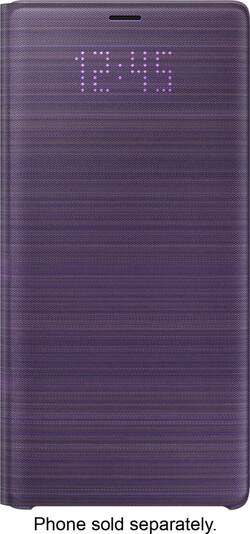
LED Wallet Cover for Samsung Galaxy Note9 Cell Phones - Lavender Purple
- Key Specs
- Brand Compatibility: Samsung
- Model Compatibility: Samsung Galaxy Note9
- Case Style: Folio
- Integrated Stand: false
- General
- Product Name: LED Wallet Cover for Samsung Galaxy Note9 Cell Phones
- Brand: Samsung
- Model Number: EF-NN960PVEGUS
- Color: Lavender Purple
- Color Category: Purple
- Compatibility
- Brand Compatibility: Samsung
- Model Compatibility: Samsung Galaxy Note9
- Features
- Case Style: Folio
- Integrated Stand: false
- Non-Slip Grip: false
- Belt Clip: false
- Dimensions
- Product Width: 3.18 inches (The out of box width of the item. Width is measured as the horizontal distance from one side of the item to the other as it would be primarily used or placed.)
- Warranty
- Manufacturer's Warranty - Parts: 1 year
- Manufacturer's Warranty - Labor: Not available
- Other
- UPC: 887276288253
Stay connected and protected with this Samsung LED wallet cover case for Galaxy Note9. The folio design and shell-type construction provide 360-degree protection against scratches and impacts while maintaining access to the screen and phone functions. This Samsung LED wallet cover case features external LEDs that display notifications and phone information while the front flap is closed.
- Designed for use with Samsung Galaxy Note9: This case complements and protects your phone.
- View and receive LED notifications directly on its cover: The LED lights on the front cover will notify you of alarms, incoming calls, messages, battery status, and more.
- LED caller ID icons: You can designate specific LED caller ID icons to know who is calling.
- Smart cover functionality: Lets you respond to incoming calls or alarms by swiping. The phone automatically sleeps when the cover is closed and wakes when the cover is opened.
- Built-in interior card pocket: Allows you to store IDs, credit cards and other cards you need on hand.
Whats Included
- Samsung LED Wallet Cover for Samsung Galaxy Note9 Cell Phones
A: I have this same case for the Note 8. You don't have to charge the case at all, it draws power from your phone somehow. So as long as your phone is in the case, it will work without you ever needing to charge it.
A: i like the protection of the cover when its closed and features but if it falls flap opening facing down it opens up due to nothing holding from opening and of the times i tested it on my couch (3ft high) it lands screen down 7 of 10 times now i have a shattered screen and un happy of my 6 day old phone
Q: Can you charge the phone with the case on?
A: Yes you can charge with Q wireless charger! I still have the one from my Note 5 and charged it perfectly with the case on the Note 9! Very pleased.
A: yes it will dramatize them, and more than one card will make the cover not close good.
Q: Is the camera lens protected?
A: Yes, from a raised surface of the case perspective. There's no protective flap/cover directly over the lens area.
Q: Can you take photos with the case closed?
A: No...the cover is completely opaque.
A: Ip68 currently the best for phones. I just went on a snowboarding trip and I exposed my phone to snow and water with no issues.



















