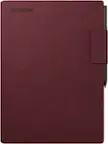
Lenovo - Idea Tab - 11" 2.5K Tablet - 8GB RAM - 128GB UFS - with Tab Pen - Luna Grey
FREE shipping to
Scheduled delivery options available in checkoutMore Buying Options
Related Item

Highlights
- Key Specs
- Screen Size: 11 inches (Size of the screen, measured diagonally from corner to corner.)
- Screen Resolution: 2560 x 1600 (Screens come in a range of resolutions (measured in pixels, horizontal x vertical). The higher the resolution, the greater the picture quality.)
- Processor Model: MediaTek Dimensity (Your computer's processor is like its brain. Working in combination with system memory, the power of the processor determines the complexity of software you can run, how many programs you can have open at the same time, and how fast those programs will run. Most computers feature an AMD, Intel or Snapdragon processor.)
- Total Storage Capacity: 128 gigabytes
- Operating System: Android 15 (The operating system manages all software and hardware, including files, memory and connected devices. Most importantly, it lets you interact with your device and your programs in a visual way; otherwise, you'd be typing computer code to get anything done.)
- Wireless Connectivity: Wi-Fi, Bluetooth (The manner in which a device sends data to another device over a short distance without the use of wires or cables.)
- Battery Chemistry: Lithium-polymer
- 2-in-1 Design: false (A laptop and a tablet combined in one lightweight, portable device. Sometimes referred to as "convertible" or "hybrid" laptops, these devices deliver the processing power and keyboard of a laptop. When you're ready to play, either detach the screen or fold your 2-in-1 into tablet mode to comfortably watch movies, play games, read an e-book and more.)
- Security Features: Facial recognition
- General
- Brand: Lenovo
- Model Number: ZAFR0929US
- Product Name: Idea Tab - 11" 2.5K Tablet - 8GB RAM - 128GB UFS - with Tab Pen
- Color: Luna Grey
- Year of Release: 2025
- Display
- Display Type: LCD
- Screen Type: IPS
- Screen Size: 11 inches (Size of the screen, measured diagonally from corner to corner.)
- Screen Resolution: 2560 x 1600 (Screens come in a range of resolutions (measured in pixels, horizontal x vertical). The higher the resolution, the greater the picture quality.)
- Processor
- Processor Brand: MediaTek
- Processor Model: MediaTek Dimensity (Your computer's processor is like its brain. Working in combination with system memory, the power of the processor determines the complexity of software you can run, how many programs you can have open at the same time, and how fast those programs will run. Most computers feature an AMD, Intel or Snapdragon processor.)
- Processor Model Number: 6300
- Storage
- Total Storage Capacity: 128 gigabytes
- Memory
- System Memory (RAM): 8 gigabytes (Random-access memory (RAM) is a computing device's short-term data storage, which allows active information to be accessed quickly. The size and type of RAM determines how efficiently the device can handle large amounts of information at one time. For example, gaming or video editing requires more RAM for optimal performance.)
- Type of Memory (RAM): LPDDR4X (Each type of RAM delivers a different level of speed, bandwidth, energy efficiency and performance.)
- Expandable Memory Compatibility: microSD
- Compatibility
- Operating System: Android 15 (The operating system manages all software and hardware, including files, memory and connected devices. Most importantly, it lets you interact with your device and your programs in a visual way; otherwise, you'd be typing computer code to get anything done.)
- Operating System Compatibility: Android
- Connectivity
- Display Connector(s): No external display connection (The number and type of connectors used to connect to an external display.)
- Wireless Connectivity: Wi-Fi, Bluetooth (The manner in which a device sends data to another device over a short distance without the use of wires or cables.)
- Network Connectivity: None (The manner in which a device sends data to another device over a long distance using a cellular network.)
- Compatible Wireless Standard(s): Wireless-AC (The wireless networking standard(s) the device is backwards compatible with. This includes networking protocols based on the IEEE 802.11 standard (alphabetically ascending) and the Wi-Fi Alliance standard (numerically ascending), both of which provide high-throughput wireless local area networks (WLANs). Devices designed to work with specific standard(s) will be backwards compatible with previous versions but may not run at optimal performance when using earlier iterations.)
- Headphone Jack: true (The device features an interface that allows for the connection of headphones.)
- Bluetooth Version: 5.2 (The Bluetooth specification formalized by the Bluetooth Special Interest Group. All versions of the Bluetooth standard are backwards compatible with previous versions.)
- USB Ports: 1 x USB-C 2.0 (The number and type of USB ports the product has.)
- Number of USB Ports (Total): 1
- Number of USB-C Charging Ports: 1
- Data Plan Required: false
- Power
- Power Supply Input: USB-C
- Charging Interface(s): USB-C (The connection for transmitting power to charge the device.)
- Battery Chemistry: Lithium-polymer
- Camera
- Front-Facing Camera: true
- Front Facing Camera Megapixels: 5 megapixels (The more megapixels, the more detail that the camera facing the user can capture.)
- Rear-Facing Camera: true
- Rear Facing Camera Megapixels: 8 megapixels (The more megapixels, the more detail that the camera facing away from the user can capture.)
- Built-In Microphone: true
- Features
- 2-in-1 Design: false (A laptop and a tablet combined in one lightweight, portable device. Sometimes referred to as "convertible" or "hybrid" laptops, these devices deliver the processing power and keyboard of a laptop. When you're ready to play, either detach the screen or fold your 2-in-1 into tablet mode to comfortably watch movies, play games, read an e-book and more.)
- Keyboard Included: false
- Security Features: Facial recognition
- Dimensions
- Product Height: 0.28 inches (The out of box height of the item. Height is measured as the vertical distance from the bottom of the item to the top as it would be primarily used or placed.)
- Product Width: 10.02 inches (The out of box width of the item. Width is measured as the horizontal distance from one side of the item to the other as it would be primarily used or placed.)
- Product Depth: 6.54 inches (The out of box depth of the item. Depth is measured as the distance from the front of the item to the back as it would be primarily used or placed.)
- Product Weight: 17 ounces (The out of box weight of the item.)
- Certifications Listings & Approvals
- ENERGY STAR Certified: true (Devices carrying the ENERGY STAR service mark, such as computer products and peripherals, kitchen appliances, and other products, generally use 20% to 30% less energy than required by federal standards.)
- Included
- Stylus Included: true
- Warranty
- Warranty - Parts: 1 year
- Warranty - Labor: 1 year
- Other
- UPC: 199271927236
Make studying smoother and staying on track easier with the Lenovo Idea Tab, your AI-powered study buddy. The 11” 2.5K display with a 90Hz refresh rate and quad Dolby Atmos speakers deliver clear visuals and rich sound for focused learning, lectures and fun. Need help on the spot? Instantly search or translate information on your screen with Circle to Search with Google, all without switching apps, enhanced by the Lenovo Tab Pen with 40% improved latency for smoother, more natural writing. Open the Notepad app and use Lenovo AI Notes to keep writing when you’re stuck, rephrase messy notes, or quickly summarize long content. Powered by the MediaTek D6300 with up to 70% more power*, multitasking feels smooth and effortless. Add the Pogo-pin folio keyboard for easy typing, and count on all-day battery life to keep up wherever your day takes you.
- Keep your ideas flowing: Take notes smarter with Lenovo AI Note in the Notepad app, made smoother with the Lenovo Tab Pen. Let AI Continue Writing help you expand ideas, use AI Rewrite to tidy up your notes, and rely on AI Summary to pull out key points — making studying faster and more organized.
- Optimized for your flow: Stay in your flow with TurboSystem. Launch apps faster, keep them running longer, and switch between tasks smoothly. Multitask easily and stay organized wherever you are.
- Sharp View, Clear Sound.: Catch every detail with the 11” 2.5K display, smooth 90Hz refresh rate, and quad Dolby Atmos speakers. Whether you're deep in study mode or unwinding with your favorite shows, enjoy an immersive experience built for both focus and fun.
- Smooth, Powerful, Immersive: Power up your entertainment with the MediaTek D6300 octa-core processor and up to 70% more power*. Enjoy smooth performance and immersive sound from quad Dolby Atmos speakers for nonstop fun.
- All-day power, worry-free use: Study, stream, and binge for up to 12 hours, with a 20W charger for a quick power boost.
- Unify your digital life: Embrace a unified digital ecosystem with Smart Connect. Transition tasks effortlessly across devices without interruption. Stream, edit and extend your phone's display.
- Ditch the pen and paper, Go digital: Lenovo Tab Pen enhances the smart learning experiences with intuitive features, inking precision and long battery life of 180+ hours continuously writing.
Whats Included
- Tablet
- Charger
- User Guide
- Lenovo Tab Pen
- Folio Case
Product Manuals
Disclaimers
- *Compared with Lenovo Tab M11
Q: Could you use it as a drawing tablet?
A: Hey Mawnstir, Yes, you can. With the included Tab Pen, this makes it even easier to do so. Depending on the level of precision and detail you're after, the Lenovo Tab Pen Plus offers an elevated experience with a rechargeable battery. If you are interested, you can currently view it at this Best Buy web address: https://www.bestbuy.com/site/lenovo-tab-pen-plus-gray/6576701.p?skuId=6576701 | Please feel free to reach out to us with any other questions!
Q: What capacity sd card will it accept
A: Hey Dennis, The Idea Tab supports up to 2TB (exFAT format) microSD. Please feel free to reach out to us with any other questions!
A: Hey JOsh, This Idea Tab ships with a Lenovo Tab Pen, Idea Tab Folio Case, and a USB-C to USB-C cable in the box. Please feel free to reach out to us with any other questions!
Q: Does this tabletcome with a charging adapter, I only read comes with USB-c cord.
A: No, just cable.
Q: Does this tab come with a charging adapter. I only read a USB-C cord.
A: Your website on this product under features says: What's Included Tablet, Charger, User Guide, Lenovo Tab Pen, Folio Case. That's not correct. (Charger) should read (charger cord only).
A: Yes — the Lenovo IdeaTab + its Tab Pen do support palm rejection, so you can rest your hand on the screen while writing.
A: Hey Aaz, This Idea Tab does not support cellular connectivity, and it does not feature a SIM card slot, but it is equipped with a microSD card slot. Please feel free to reach out to us with any other questions!
Q: Will this update to android 16
A: Hey Robt, Yes, the Idea Tab is currently planned to be eligible for upgrading to Android 16. Please feel free to reach out to us with any other questions!
Compare similar products

Make studying smoother and staying on track easier with the Lenovo Idea Tab, your AI-powered study buddy. The 11” 2.5K display with a 90Hz refresh rate and quad Dolby Atmos speakers deliver clear visuals and rich sound for focused learning, lectures and fun. Need help on the spot? Instantly search or translate information on your screen with Circle to Search with Google, all without switching apps, enhanced by the Lenovo Tab Pen with 40% improved latency for smoother, more natural writing. Open the Notepad app and use Lenovo AI Notes to keep writing when you’re stuck, rephrase messy notes, or quickly summarize long content. Powered by the MediaTek D6300 with up to 70% more power*, multitasking feels smooth and effortless. Add the Pogo-pin folio keyboard for easy typing, and count on all-day battery life to keep up wherever your day takes you.

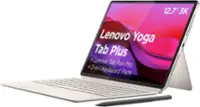
Lenovo Idea Tab Plus is designed to fit your style and power your study. With a thin, lightweight build and a choice of three fresh colors, this tablet feels personal from the start. The 12.1" display with 800nits HBM brightness and 96% DCI-P3 color keeps everything sharp and vibrant, even outdoors. AI-powered study tools and the responsive Lenovo Tab Pen help elevate focus and make note-taking feel smooth and natural.

Make studying smoother and staying on track easier with the Lenovo Idea Tab, your AI-powered study buddy. The 11” 2.5K display with a 90Hz refresh rate and quad Dolby Atmos speakers deliver clear visuals and rich sound for focused learning, lectures and fun. Need help on the spot? Instantly search or translate information on your screen with Circle to Search with Google, all without switching apps, enhanced by the Lenovo Tab Pen (sold separately) with 40% improved latency for smoother, more natural writing. Open the Notepad app and use Lenovo AI Notes to keep writing when you’re stuck, rephrase messy notes, or quickly summarize long content. Powered by the MediaTek D6300 with up to 70% more power*, multitasking feels smooth and effortless. Add the Pogo-pin folio keyboard for easy typing, and count on all-day battery life to keep up wherever your day takes you.

Elevate your academic journey with the Lenovo Idea Tab Pro, powered by the MediaTek Dimensity 8300 for 60% more power*. Instantly search or translate information on your screen with Circle to Search with Google, all without switching apps, enhanced with the precision of the Lenovo Tab Pen Plus. The Lenovo Idea Tab Pro comes with the Google Gemini app. Chat with Gemini to supercharge your creativity and productivity. Get help writing, planning, learning and more. Enjoy both your studies and downtime on a stunning 12.7” 3K display, while quad JBL speakers deliver immersive sound for your favorite shows. With all-day battery life, stay connected and entertained from class to chill time.
| Pros for Lenovo - Idea Tab - 11" 2.5K Tablet - 8GB RAM - 128GB UFS - with Tab Pen - Luna Grey | |||
|---|---|---|---|
| Display Quality | Screen Quality, Battery Life, Storage Capacity, Setup Ease | Screen Quality, Overall Performance, Battery Life, Storage Capacity, Portability | Overall Performance, Screen Quality, Battery Life, Speed, Size |
| Cons for Lenovo - Idea Tab - 11" 2.5K Tablet - 8GB RAM - 128GB UFS - with Tab Pen - Luna Grey | |||
| There were no cons for this product— | There were no cons for this product— | RAM, Processor Speed | There were no cons for this product— |
Specs


Reviews
Customer Images
The vast majority of our reviews come from verified purchases. Reviews from customers may include My Best Buy members, employees, and Tech Insider Network members (as tagged). Select reviewers may receive discounted products, promotional considerations or entries into drawings for honest, helpful reviews.
- Rated 5 out of 5 stars
Great Value Tablet with an Excellent Display.
I’ve been using the Lenovo Idea Tab 11” for a little while now, and honestly, it has impressed me more than I expected. The 2.5K display looks super sharp—great for watching videos, reading, and even sketching a bit. Colors are vibrant, and the brightness is strong enough to use comfortably indoors and even outside. Performance is smooth for the price. It’s not a high-end powerhouse, but for studying, browsing, YouTube, note-taking, and everyday apps, it works perfectly. The fact that it comes with the Lenovo Tab Pen is a huge plus. The pen feels accurate with almost no lag, and it’s great for quick notes or simple drawings. The folio case it comes with is also sturdy and holds the tablet well in landscape mode. Battery life is solid—I can easily make it through a full day of normal use (videos, Chrome, notes). The Luna Grey color gives it a clean and modern look too. My only minor complaint is the speakers. They’re decent, but not amazing. They get the job done for casual use, but if you care a lot about sound quality, you’ll probably want to use headphones. Overall, for the price, this tablet is a great value. Perfect for students, light work, entertainment, and especially for anyone who wants a stylus without spending a ton. In short: excellent screen, good performance, strong battery, useful accessories included, and great value for the money.
Posted by JairoP
- Rated 5 out of 5 stars
Lenovo Idea Tablet
The tablet was purchased as a bundle which included a pen and folio. It's display has great resolution and brightness. I was impressed with time between charges and how quickly it recharged. The tablet is a good match for me.
Posted by Jasper
- Rated 5 out of 5 stars
Great value for money,
I am really enjoying my new idea tab so far. This is an upgrade from a 2019 model Samsung A series tab that was super slow. I use my tab mostly for online workouts, crochet patterns, listening to music and e-books. The bigger size (11 vs 8 for my old tablet) is brilliant for what I use it for- and it still fits easily in my purse and weighs just over a pound. I love that this tab comes with a folio case and pen. I am still learning how to get the best out of notepad and nebo- but I am really happy with what I can do with them so far. My only negative would be how long the battery lasts. I pretty much have to charge it every day- but that could be partly because I have it set to 80% maximum charge as recommended. I haven't timed the charge- but I am guessing it takes around 1 1/2 hours to get to 80% so not bad. Overall I am more than pleased with what I got for the price ($70 off on sale), I hope it is as sturdy as it seems as I look forward to using this for many years.
Posted by stacys