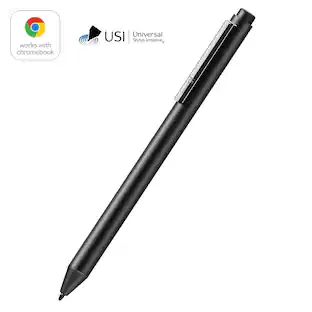
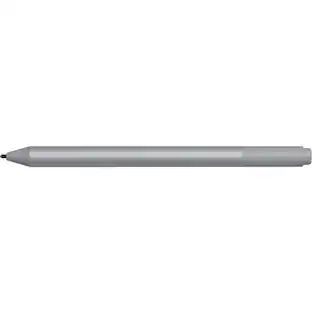
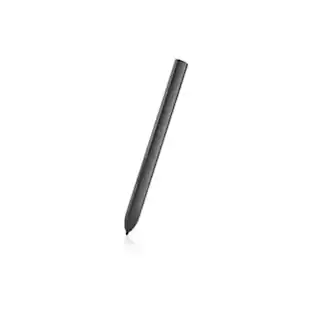
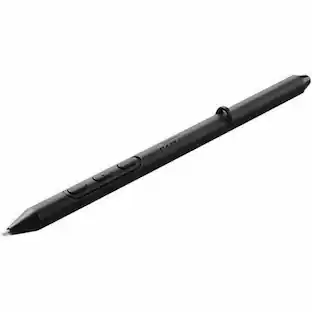
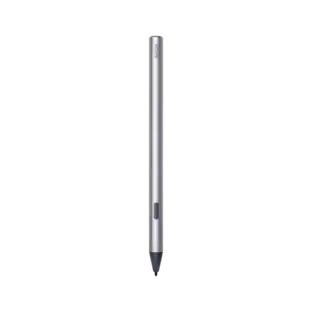
Lenovo - Tab Pen Plus - Gray

Key Accessories:
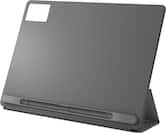
- Lenovo - Idea Tab Plus Folio Case - Luna Grey$39.99
More Buying Options from Best Buy and Marketplace sellers
Related Item

About This Item
- Key Specs
- Model Compatibility: Lenovo Tab P12, Lenovo Tab M11, Lenovo Idea Tab, Lenovo Idea Tab Plus, Lenovo Idea Tab Pro, Lenovo Tab K11 LTE, Lenovo Tab Plus
- General
- Brand: Lenovo
- Model Number: ZG38C05194
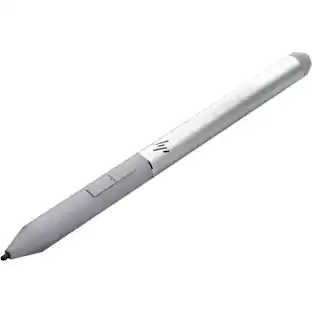
- Product Name: Tab Pen Plus
- Color: Gray
- Compatibility
- Brand Compatibility: Lenovo
- Model Compatibility: Lenovo Tab P12, Lenovo Tab M11, Lenovo Idea Tab, Lenovo Idea Tab Plus, Lenovo Idea Tab Pro, Lenovo Tab K11 LTE, Lenovo Tab Plus
- Features
- Replaceable Stylus Tip: true
- Dimensions
- Product Length: 6.22 inches (The out of box length of the item. Length is measured as the longest dimension of the item.)
- Product Diameter: 0.36 inches (The out of box diameter of the item, measured as a straight line passing from side to side of the item, through its center.)
- Product Weight: 0.03 ounces (The out of box weight of the item.)
- Warranty
- Warranty - Parts: 1 year limited
- Warranty - Labor: 1 year limited
- Other
- UPC: 197529647981
The Lenovo Tab Pen Plus offers 4,096 pressure levels, palm rejection, and tilt detection for precise and intuitive sketching or note-taking.
- Draw like a pencil: Sketch like you’re using a pencil with the Lenovo Tab Pen Plus' new tilt functionality that allows you to hold the pen at an angle. Plus with Finger Tip technology, you can create fine strokers easily and accurately
- More time to create: With improved latency and shorter pairing time, the Lenovo Tab Pen Plus is faster than ever to set up and feels more lifelike when you do.
- Feels like real: With 4,096 levels of pressure enjoy a more natural pen-like feel – thanks to the new elastomer grip.
Whats Included
- Lenovo Tab Pen Plus
- One Replaceable Pen Tip
Q: Can I replace the stylus tip on the Lenovo Tab Pen Plus?
A: Yes, the Lenovo Tab Pen Plus has a replaceable stylus tip.
Q: Does the Lenovo Tab Pen Plus have palm rejection?
A: Yes, the Lenovo Tab Pen Plus offers palm rejection for a natural writing or drawing experience.
Q: How many levels of pressure sensitivity does the Lenovo Tab Pen Plus have?
A: The Lenovo Tab Pen Plus has 4,096 levels of pressure sensitivity.
Q: What is the benefit of the tilt functionality?
A: The tilt functionality allows you to hold the pen at an angle, simulating the experience of sketching with a real pencil.
Q: Is the Lenovo Tab Pen Plus faster than previous models?
A: Yes, the Lenovo Tab Pen Plus has improved latency and shorter pairing time, making it faster to set up and more responsive.
Q: How and with what do you charge the Lenovo Tab Pen Plus Model ZG38CD5194
A: Hey, You can charge the Tab Pen Plus with a USB-C power adapter or cable with a sufficient power source. If your Lenovo tablet shipped with a charger in the box, this charger should work fine for your Tab Pen Plus. You can plug the USB-C connector into the port at the top of the flat side of the pen and after 5-10 seconds, the LED indicator at the top of the pen should be a solid orange that will change to white once the pen is fully charged. Please feel free to reach out to us with any other questions!
Q: Is this pen compatible with lenovo Tab plus TB351FU?
A: Hi Abril, Yes, this Tab Pen Plus is compatible with the Lenovo Tab Plus tablet. Please let us know if you have any other questions!
Q: Does this pen erase by flipping ends like a pencil or by pressing a button?
A: Hey Allen, You can erase with the Tab Pen Plus by pressing and holding the button closest to the pen's tip. Please feel free to reach out to us with any other questions!
Reviews
Rating 4.3 out of 5 stars with 59 reviews
Customer Images
The vast majority of our reviews come from verified purchases. Reviews from customers may include My Best Buy members, employees, and Tech Insider Network members (as tagged). Select reviewers may receive discounted products, promotional considerations or entries into drawings for honest, helpful reviews.

Compare similar products

The Lenovo Tab Pen Plus offers 4,096 pressure levels, palm rejection, and tilt detection for precise and intuitive sketching or note-taking.

The Lenovo Digital Pen 2 is a testament to innovation and user-centric design. With an enhanced grip, elastomer pen tip for precision, extended battery life, and quick-access buttons, it provides an elevated creative experience. Whether you're a professional artist, a student, or simply someone who values seamless functionality, this pen is designed to transform your digital interactions into natural and fluid expressions. Unleash your creativity, sign documents with finesse, and sketch your imagination into reality with the Lenovo Digital Pen 2.

Meet the S Pen Creator Edition, the newest extension of your creativity. Get inspired with each pen stroke, and bring your ideas to life with the most tilt-sensitive S Pen yet.

The Lenovo USI Pen 2 adds more functionality to the widely popular USI range of tablet styluses. The new version brings seamless tilt functionality, superior pairing experience & latency, refined grip materials, and an innovative Finer Tip technology for USI 2.0 that supports Chrome OS.
| Pros for Lenovo - Tab Pen Plus - Gray | |||
|---|---|---|---|
| There were no pros for this product— | There were no pros for this product— | Overall Performance, Ease of use, Feel, Drawing, Size | Overall Performance, Compatibility |
| Cons for Lenovo - Tab Pen Plus - Gray | |||
| There were no cons for this product— | There were no cons for this product— | Price, Tip Durability, Compatibility, Nib Durability | There were no cons for this product— |
Specs
Explore tech essentials Sponsored
 Top Deal$199.99The price was $229.99





Discover related products
 $13.99The price was $19.99
 $30.99The price was $32.99







Keep exploring
 $99.99The price was $104.14
 $57.99The price was $82.99
 $115.17The price was $125.51